1. Product Overview
The Skar Audio SK24BTSB is a 24-inch amplified sound bar designed for robust performance in ATV, UTV, and marine environments. It features a built-in Bluetooth® receiver for wireless audio streaming and is constructed with durable, weather-resistant materials to withstand challenging outdoor conditions. This manual provides essential information for proper installation, operation, and maintenance of your sound bar.
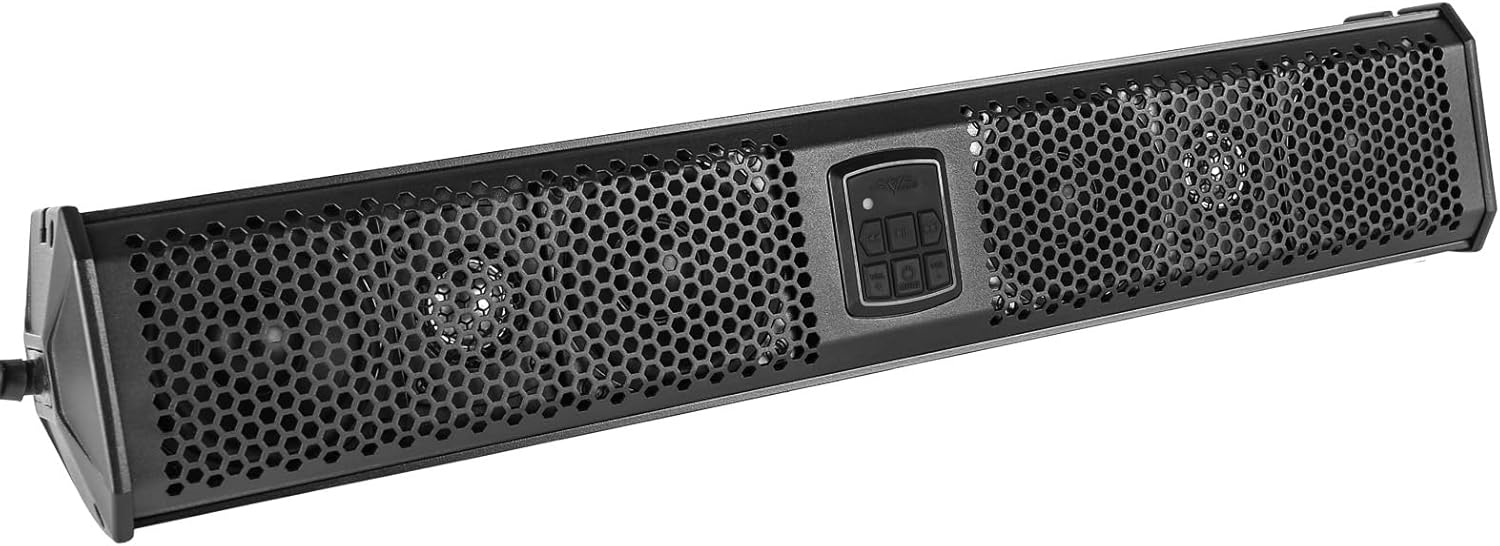
Figure 1: Front view of the Skar Audio SK24BTSB 24-inch Amplified Sound Bar.
2. What's in the Box
Verify that all components are present before beginning installation:
- Skar Audio SK24BTSB 24" Amplified Sound Bar
- Mounting Brackets (Set of 3 options)
- Power/Ground Wire Harness with 10A ATC Fuse
- Installation Hardware (Bolts, Washers, Allen Wrench, Spanner Wrench)

Figure 2: Power and ground wiring harness.

Figure 3: Included installation hardware.
3. Specifications
| Specification | Value |
|---|---|
| Model Name | SK24BTSB |
| Brand | Skar Audio |
| Speaker Type | Soundbar |
| Material | Aluminum |
| Product Dimensions | 4.5"D x 24"W x 5"H |
| Speaker Maximum Output Power | 200 Watts |
| Audio Driver Type | Dynamic Driver |
| Mid-Range Speakers | (4) 3.5" |
| Tweeters | (2) 1" |
| Amplifier Type | Full Range Class D |
| Wireless Communication Technology | Bluetooth |
| Connectivity Technology | Auxiliary, Bluetooth |
| Control Method | Touch |
| Special Feature | IP65 Waterproof Marine Grade Compliant |
| Mounting Type | 3 Mounting Options |
| Item Weight | 19.71 pounds |

Figure 4: Product dimensions.
4. Setup and Installation
4.1 Mounting the Sound Bar
The SK24BTSB sound bar offers three mounting options using the included brackets. Choose the option that best suits your vehicle's roll cage or mounting surface. Ensure the mounting location is secure and allows for proper cable routing.
- Select the appropriate mounting brackets for your installation. The sound bar is compatible with various roll cage sizes.
- Attach the bottom section of the chosen brackets to the sound bar using the provided smaller bolts and Allen wrench.
- Position the sound bar at the desired location on your vehicle's roll cage.
- Place the rubber straps (if applicable) and the top section of the brackets over the roll cage and align them with the bottom sections.
- Secure the top and bottom bracket sections together using the longer bolts and tighten them firmly with the spanner wrench. Ensure the sound bar is stable and does not move.
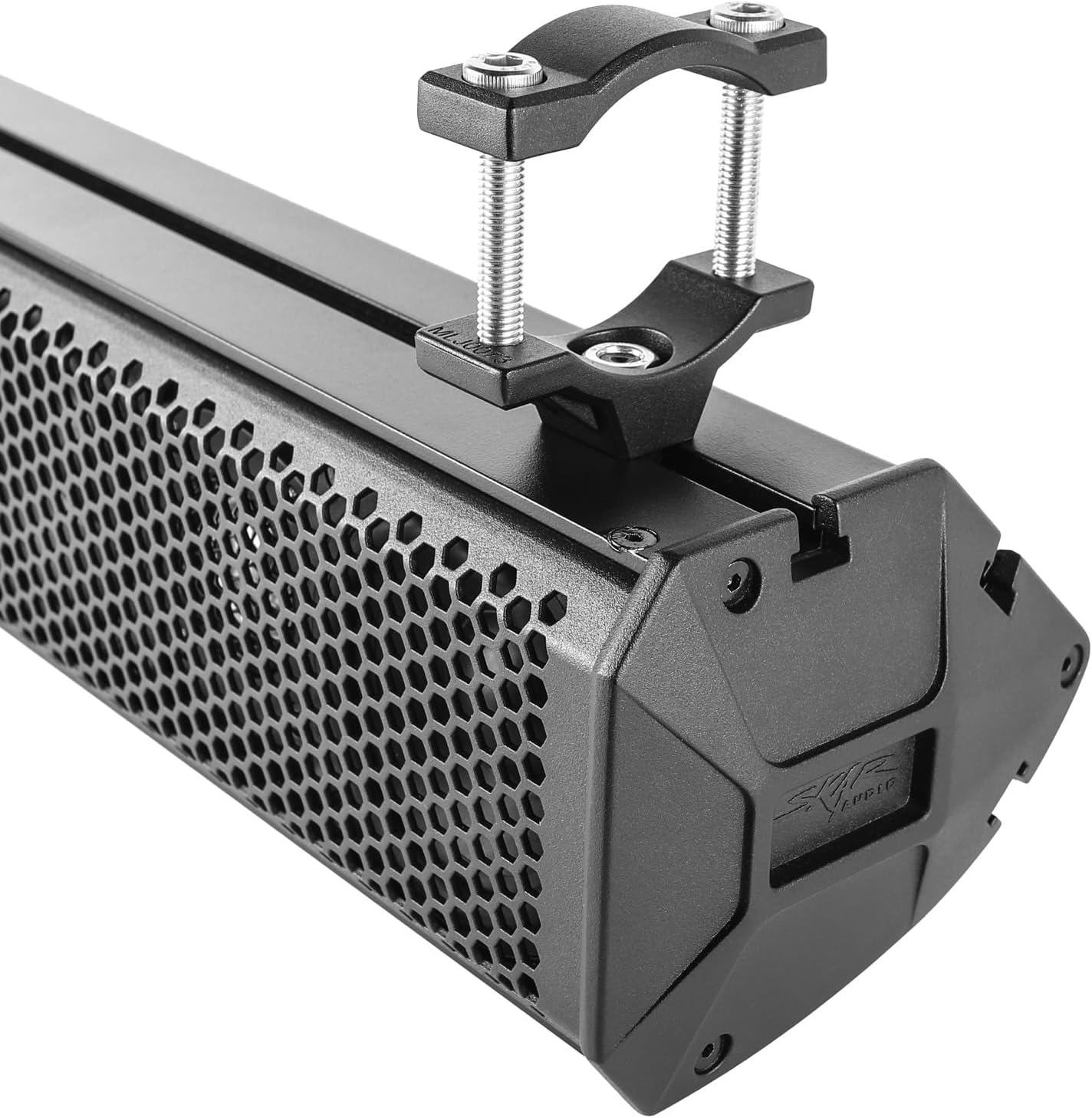
Figure 5: Sound bar with a mounting bracket.

Figure 6: Multiple mounting options.
4.2 Wiring the Sound Bar
The sound bar requires a 12V DC power source. Use the provided power/ground wire harness for connection.
- Connect the red wire (+12V) of the harness to a switched 12V power source on your vehicle. This ensures the sound bar turns on and off with your vehicle's ignition. The harness includes an inline 10A ATC fuse for protection.
- Connect the black wire (GND) to a reliable chassis ground point on your vehicle.
- Ensure all connections are secure and insulated to prevent short circuits.
Figure 7: Power/Ground wire harness.
5. Operating Instructions
5.1 Control Panel Functions
The control panel is located on the front of the sound bar and provides access to all primary functions:

Figure 8: Sound bar control panel.
- Power/Mode Button: Press and hold to power on/off. Press briefly to cycle through input modes (Bluetooth, Auxiliary).
- Volume Up/Down: Adjust the audio output level.
- Play/Pause: Start or pause audio playback.
- Previous/Next Track: Skip to the previous or next audio track.
5.2 Bluetooth Pairing
- Ensure the sound bar is powered on and in Bluetooth mode (indicated by a blue light or display).
- On your mobile device, enable Bluetooth and search for available devices.
- Select "SK24BTSB" from the list of devices to pair.
- Once paired, the sound bar will confirm the connection, and you can begin streaming audio wirelessly.
5.3 Auxiliary Input
For devices without Bluetooth, connect a 3.5mm audio cable from your device's headphone jack to the auxiliary input port on the sound bar. Switch the sound bar to Auxiliary mode using the Mode button.

Figure 9: Bluetooth and Auxiliary input options.
6. Key Features
- 200W Full Range Class D Amplifier: Provides powerful and clear audio output.
- High-Quality Speaker Configuration: Equipped with (4) 3.5" mid-range speakers and (2) 1" tweeters for balanced sound.
- High-Grade Aluminum Shell: Durable construction for longevity in harsh environments.
- IP65 Waterproof Marine Grade Compliant: Designed to resist dust and water ingress, making it suitable for outdoor and marine use.
- Multiple Mounting Options: Versatile mounting brackets allow for flexible installation on various vehicles.

Figure 10: Internal components and features.
7. Maintenance
To ensure the longevity and optimal performance of your Skar Audio SK24BTSB sound bar, follow these maintenance guidelines:
- Cleaning: Regularly wipe down the exterior with a soft, damp cloth to remove dirt, dust, and debris. Avoid using harsh chemicals or abrasive cleaners that could damage the finish or waterproof seals.
- Water Exposure: While the sound bar is IP65 rated for water resistance, it is not designed for submersion. Avoid prolonged exposure to heavy rain or direct high-pressure water sprays. After exposure to water, allow the unit to air dry completely.
- Connection Checks: Periodically inspect all wiring connections for corrosion or looseness. Ensure the fuse is intact and properly seated.
- Mounting Security: Check the mounting brackets and hardware regularly to ensure they remain tight and secure, especially after off-road use or heavy vibrations.
8. Troubleshooting
If you encounter issues with your SK24BTSB sound bar, refer to the following common troubleshooting steps:
- No Power:
- Check the power and ground connections for secure contact.
- Verify the 10A ATC fuse in the power harness is not blown. Replace if necessary.
- Ensure the vehicle's 12V power source is active.
- No Sound:
- Confirm the sound bar is powered on and the volume is turned up.
- Check that the correct input mode (Bluetooth or Auxiliary) is selected.
- If using Bluetooth, ensure your device is properly paired and connected. Try unpairing and re-pairing.
- If using Auxiliary, ensure the 3.5mm cable is fully inserted and functional.
- Test with a different audio source or device.
- Bluetooth Disconnection/Poor Range:
- Ensure your Bluetooth device is within the effective range (typically up to 30 feet).
- Minimize obstacles between your device and the sound bar.
- Check for interference from other wireless devices.
- Restart both the sound bar and your Bluetooth device.
- Distorted Sound:
- Reduce the volume on both the sound bar and your audio source.
- Check audio cables for damage or loose connections.
- Ensure the audio source is not overdriving the input.
If these steps do not resolve the issue, please contact Skar Audio customer support for further assistance.
9. Warranty and Support
The Skar Audio SK24BTSB sound bar comes with a limited warranty. Please refer to the warranty card included with your product for specific terms and conditions. For technical support, warranty claims, or additional product information, please visit the official Skar Audio website or contact their customer service department.
Keep your proof of purchase for warranty validation.


