
Introduction
This manual provides instructions for the proper use and maintenance of your RIVERSONG AirFly M2 Wireless Earbuds. These earbuds are designed for a high-quality audio experience, featuring Bluetooth 5.3 connectivity, True Wireless Stereo (TWS), Active Noise Cancellation (ANC), an integrated microphone for calls, and intuitive touch controls. The portable charging case ensures extended battery life and secure storage.
Product Overview
The RIVERSONG AirFly M2 system includes two wireless earbuds and a portable charging case. The charging case features a digital display to indicate battery levels and charging status.

Image: The AirFly M2 charging case with its digital battery display and icons representing key features like sound, touch control, and Bluetooth.
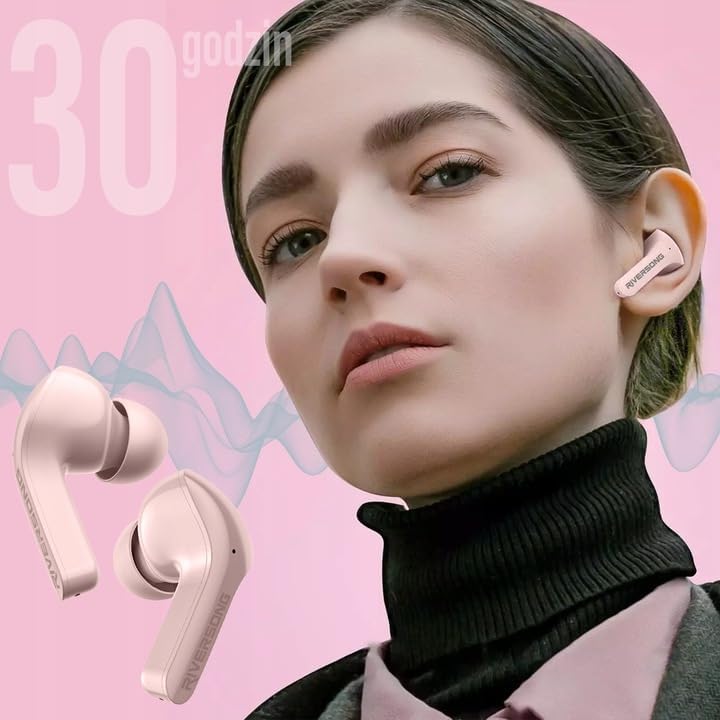
Image: An exploded view illustrating the separate earbuds and the charging case, highlighting their design.
Setup
1. Charging the Earbuds and Case
Before first use, fully charge the earbuds and the charging case. The case's digital display will show the current battery percentage.
- Place the earbuds into the charging case. Ensure they are correctly seated.
- Connect the charging case to a power source using a compatible USB cable.
- The digital display on the case will illuminate, showing the charging status and battery level.

Image: An earbud charging inside the case, with the display indicating 80% battery and a quick charge feature.

Image: A magnified view of the charging case's digital display, clearly showing the 95% battery level.
2. Pairing with Your Device
The earbuds will automatically enter pairing mode when removed from the charging case.
- Open the charging case and remove both earbuds. They will automatically power on and attempt to pair with each other.
- On your smartphone, tablet, or other Bluetooth-enabled device, go to the Bluetooth settings.
- Enable Bluetooth if it is not already on.
- Search for new devices. Select 'AirFly M2' from the list of available devices to connect.
- Once connected, you will hear an audio prompt, and the earbuds will be ready for use.

Image: A smartphone screen showing the Bluetooth device list, with 'AirFly M2' successfully connected, next to the charging case.
Operating Instructions
The AirFly M2 earbuds feature intuitive touch controls on each earbud for managing various functions.
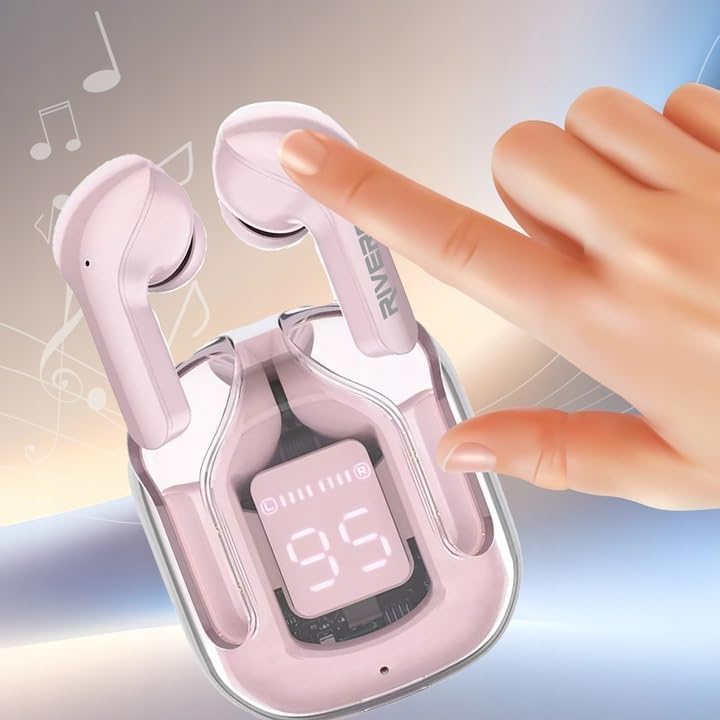
Image: A finger interacting with the touch-sensitive area of an earbud, illustrating how to use the controls.
Basic Touch Controls:
- Play/Pause: Single tap on either earbud.
- Next Track: Double tap on the right earbud.
- Previous Track: Double tap on the left earbud.
- Answer/End Call: Single tap on either earbud during an incoming call or active call.
- Reject Call: Press and hold on either earbud for 2 seconds during an incoming call.
- Activate Voice Assistant: Triple tap on either earbud (e.g., Siri, Google Assistant).
- ANC/Transparency Mode Switch: Press and hold on the left earbud for 2 seconds to cycle through Active Noise Cancellation and Transparency modes.
- Gaming Mode: Press and hold on the right earbud for 2 seconds to activate/deactivate low-latency gaming mode (40ms latency).
Maintenance
Proper maintenance ensures the longevity and optimal performance of your earbuds.
- Cleaning: Regularly clean the earbuds and charging case with a soft, dry, lint-free cloth. Do not use abrasive cleaners or solvents.
- Charging Contacts: Ensure the charging contacts on both the earbuds and inside the case are clean and free of debris to maintain a reliable connection.
- Storage: When not in use, store the earbuds in their charging case to protect them from dust and damage. Store in a cool, dry place.
- Water Resistance: The earbuds are IPX5 water resistant, meaning they are protected against low-pressure water jets from any direction. They are not designed for submersion in water. Avoid exposing them to excessive moisture or liquids.
Troubleshooting
If you encounter issues with your AirFly M2 earbuds, refer to the following common solutions:
- Earbuds not pairing:
- Ensure both earbuds are charged.
- Place earbuds back into the case, close it, then open it again to re-initiate pairing mode.
- Turn off and on Bluetooth on your device.
- Forget 'AirFly M2' from your device's Bluetooth list and attempt to pair again.
- No sound from one or both earbuds:
- Check the volume level on your connected device and on the earbuds.
- Ensure the earbuds are properly connected to your device.
- Re-pair the earbuds with your device.
- Charging issues:
- Verify that the charging cable and power adapter are working correctly.
- Clean the charging contacts on both the earbuds and inside the case.
- Ensure the earbuds are correctly seated in the charging case.
- Poor call quality:
- Ensure the microphone is not obstructed.
- Move closer to your connected device to improve signal strength.
- Check for environmental noise that might interfere with the microphone.
Specifications
- Brand:
- RIVERSONG
- Model Name:
- AirFly M2
- Model Number:
- EA233
- Connectivity Technology:
- Wireless (Bluetooth 5.3)
- Form Factor:
- In-Ear
- Noise Control:
- Active Noise Cancellation
- Special Features:
- Microphone included, Touch Control, IPX5 Water Resistant, 40ms Gaming Latency
- Battery Composition:
- Lithium-ion (3 included)
- Approx. Playtime:
- 300 minutes (5 hours) per charge (earbuds), extended with charging case
- Material:
- Silicone Plastic
- Item Weight:
- 200 Grams
- Compatible Devices:
- Mobile phones, laptops, tablets, smart speakers
- Included Components:
- User Manual
Warranty and Support
For warranty information and customer support, please refer to the documentation provided with your purchase or visit the official RIVERSONG website. Information regarding spare parts availability and software update guarantees is not available in this manual.

