
KNKA CS06
KNKA CS06 Dehumidifier User Manual
Model: CS06 | Brand: KNKA
Product Overview
The KNKA CS06 Dehumidifier is designed to efficiently remove excess moisture from your living spaces, covering up to 1000 sq. ft. It features a 95 oz water tank, quiet operation, auto shut-off, sleep mode, and 7-color LED ambient lighting. Ideal for basements, bathrooms, RVs, closets, and bedrooms, it helps maintain optimal humidity levels for comfort and prevents issues like damp odors and mold.
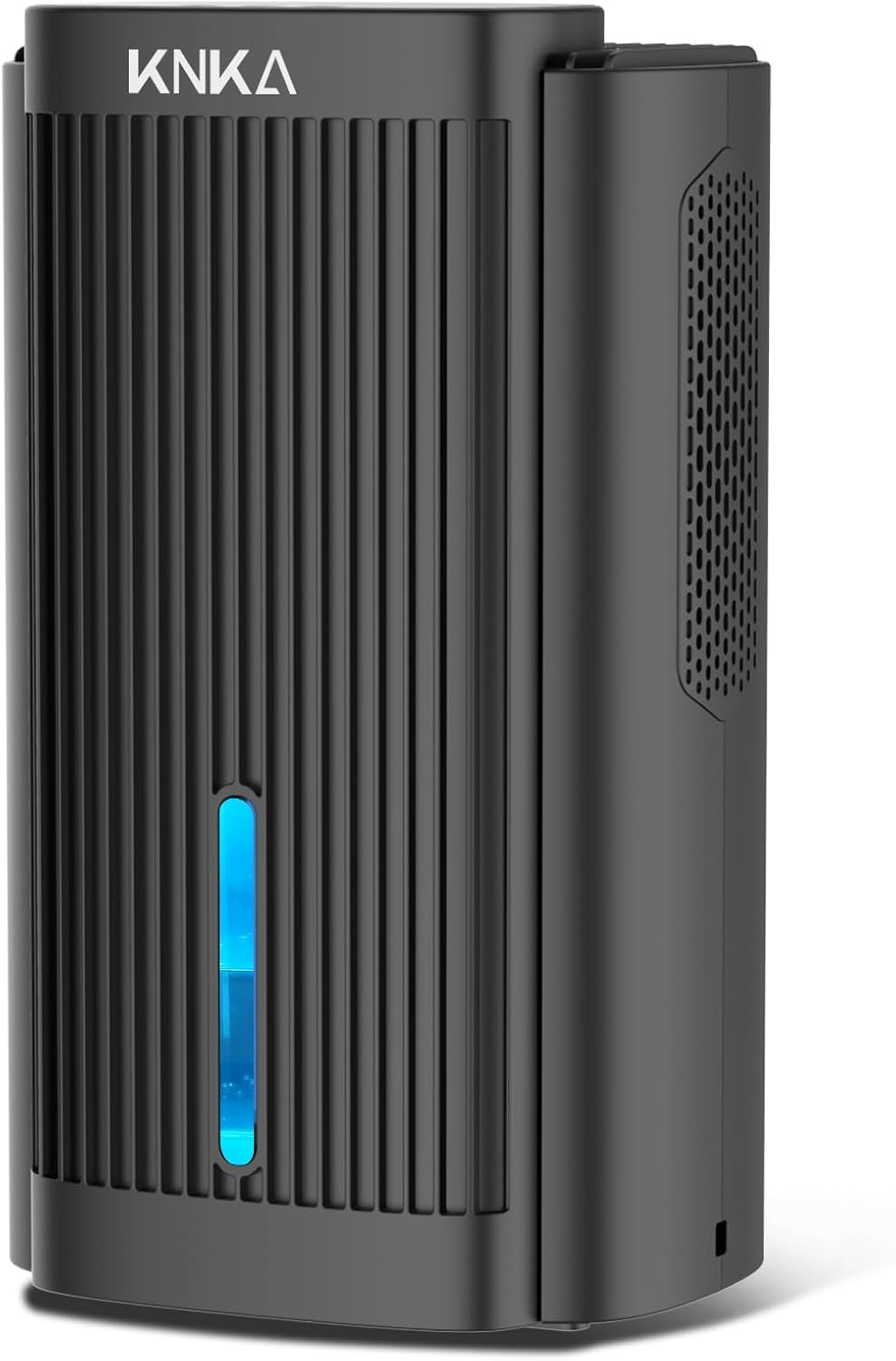
Front view of the KNKA CS06 Dehumidifier, showcasing its sleek black design and visible water level indicator with blue light.
Key Features
- Powerful Dehumidification: Absorbs up to 40oz (1100ml) of moisture per day, suitable for areas up to 1000 sq. ft.
- Quiet Operation: Operates at a low noise level of 30-40 decibels, with a dedicated sleep mode reducing noise to ~30 decibels.
- Large Water Tank: Equipped with a 95 oz (2.8L) capacity water tank, reducing the frequency of emptying.
- Auto Shut-Off Protection: Automatically stops operation when the water tank is full or incorrectly positioned, preventing overflow. A red indicator light signals this status.
- User-Friendly Control Panel: Simple one-touch controls for power, sleep mode, and ambient light.
- 7-Color LED Night Light: Features a customizable ambient light with 7 color options, which can also be turned off.
- Compact Design: Measures 13.78"H x 7.95"W x 6.22"D, allowing for seamless integration into various spaces.

Detailed diagram illustrating the dimensions and 95 oz water tank capacity of the KNKA CS06 Dehumidifier.
Setup
- Unpacking: Carefully remove the dehumidifier from its packaging. Retain all packaging materials for future storage or transport.
- Placement: Place the dehumidifier on a flat, stable surface in the desired area. Ensure there is at least 6 inches of clear space around all sides for proper airflow. Avoid placing it directly against walls or furniture.
- Power Connection: Plug the power adapter into the DC input port on the back of the dehumidifier, then plug the other end into a standard electrical outlet (100-240V AC, 50/60Hz).
- Water Tank: Ensure the water tank is correctly inserted into the unit. The unit will not operate if the tank is not properly seated.

The KNKA CS06 Dehumidifier positioned in a bathroom, demonstrating ideal placement for effective moisture removal.
Operating Instructions
Control Panel Overview

The intuitive control panel of the KNKA CS06 Dehumidifier, featuring power, sleep mode, and light controls.
- Power Button: Press once to turn the unit ON. The ambient light will engage, and the dehumidifier will begin operation. Press again to turn the unit OFF. The ambient light will turn off, and the fan will continue for 5 seconds for cooling before auto-stopping.
- Sleep Mode Button: Press once to activate Sleep Mode. The fan speed will reduce, and the operating noise will decrease to below 30 dB. The ambient light will automatically turn off. Press again to exit Sleep Mode and resume normal operation.
- Light Button:
- First press: Locks the ambient light on its current color.
- Second press: Turns off the ambient light.
- Third press: Activates cycling through the 7 available colors (Blue, Cyan, Green, Orange, Red, Yellow, Purple).
Automatic Shut-Off
The dehumidifier is equipped with an automatic shut-off feature for safety and convenience. It will stop operating and a red indicator light will illuminate when:
- The water tank is full.
- The water tank is not correctly positioned in the unit.
To resume operation, empty the water tank and ensure it is securely reinserted.

The dehumidifier indicating a full water tank with a red light, triggering the auto shut-off feature.
Official instructions video for KNKA Dehumidifier use, demonstrating power on, sleep mode, light controls, and auto shut-off features.
Maintenance
Regular maintenance ensures optimal performance and longevity of your dehumidifier.
- Emptying the Water Tank: When the water tank is full, the unit will automatically shut off and the red indicator light will turn on. Carefully pull out the water tank from the back of the unit, empty the collected water, and then reinsert the tank firmly until it clicks into place.
- Cleaning the Unit:
- Exterior: Wipe the exterior of the dehumidifier with a soft, damp cloth. Do not use abrasive cleaners or solvents.
- Air Inlet/Outlet: Periodically check the air inlet and outlet grilles for dust accumulation. Use a soft brush or vacuum cleaner with a brush attachment to gently remove any dust or debris. Note: This model does not feature a removable grill for internal cleaning. Regular external cleaning and vacuuming of the grilles are recommended to maintain airflow.
- Water Tank: Clean the water tank regularly with mild soap and water to prevent mold or mildew growth. Rinse thoroughly before reinserting.
- Storage: If storing the unit for an extended period, ensure the water tank is empty and clean. Store the dehumidifier in a cool, dry place away from direct sunlight.

The water tank of the KNKA CS06 Dehumidifier being removed for emptying, highlighting the ease of maintenance.
Troubleshooting
| Problem | Possible Cause | Solution |
|---|---|---|
| Dehumidifier not turning on. | No power, water tank full or improperly installed. | Check power connection. Empty and reinsert water tank correctly. |
| Dehumidification effect is weak. | Low room temperature/humidity, unit size too small for area, blocked air inlets/outlets. | Ensure room temperature is above 59°F (15°C) and RH > 45%. Confirm unit is suitable for room size. Clean air inlets/outlets. |
| Unit makes unusual noise. | Unit not on a flat surface, internal component issue. | Place unit on a stable, flat surface. If noise persists, contact customer support. |
| Red indicator light is on. | Water tank full or incorrectly positioned. | Empty water tank and ensure it is securely reinserted. |
Specifications
- Brand: KNKA
- Model Name: CS06 dehumidifiers
- Color: Black
- Floor Area Coverage: 1000 Square Feet
- Water Tank Capacity: 95 Fluid Ounces (approx. 2.8 Liters)
- Dehumidification Capacity: 40 oz (1.1 Liters) per Day (Tested at 86°F, 80% RH)
- Product Dimensions: 6.22"D x 7.94"W x 13.78"H
- Item Weight: 5.9 Pounds
- Noise Level: ~30-40 dB (Normal Mode), ~30 dB (Sleep Mode)
- Special Features: Quiet Operation, Anti-Spill, Colorful Night Lights (7 colors), Automatic Shutoff, Sleep Mode.
- Material: Plastic
- Wattage: 80 watts
- UPC: 762849535852
Warranty and Support
For warranty information, technical support, or any inquiries regarding your KNKA CS06 Dehumidifier, please contact KNKA customer service. Refer to the contact details provided on the product packaging or the official KNKA website.
Important Note: Please cut off the power cord after 24 hours of running and let it rest for at least 10 minutes. This practice helps extend the product's lifespan.
Related documentsCS06

Ask a question about this manual
Ask about setup, troubleshooting, compatibility, parts, safety, or missing instructions. Manuals+ will review the question and use this page’s manual context to help answer it.