
INTEO 2311
INTEO Red Light Therapy Face Mask User Manual
Model: 2311
1. Introduction
Thank you for choosing the INTEO Red Light Therapy Face Mask. This portable LED face mask is designed to provide advanced light therapy for your face, helping to improve skin elasticity, reduce oil secretion, and alleviate redness. Featuring 3 light modes (Red + Near-Infrared, Blue, Yellow) and a convenient timing function, this device offers a professional skincare experience from the comfort of your home.
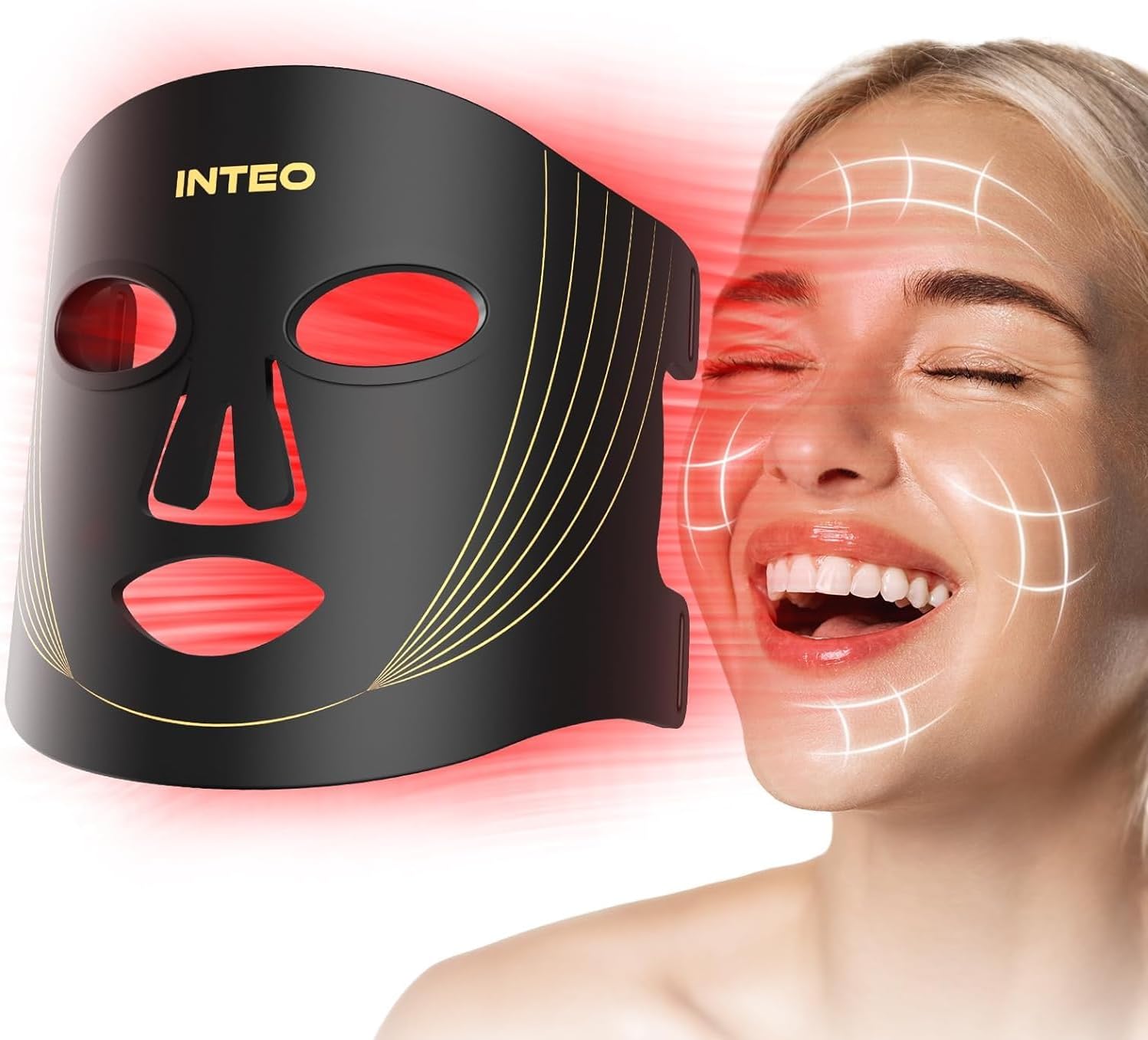
The INTEO Red Light Therapy Face Mask, showcasing its red light mode and its application on facial skin.
2. Product Features
- 3 Light Modes:
- Red Light (630nm) + Near-Infrared Light (830nm): Best combination to increase skin elasticity and gloss.
- Blue Light (460nm): Helps balance oil secretion.
- Yellow Light (590nm): Helps improve skin redness.
- Adjustable Brightness: 3 levels of brightness for each light mode.
- Timing Function: Remote control allows setting treatment times for 10, 15, 20, 25, or 30 minutes. Device automatically turns off.
- Portable Design: Lightweight, soft silicone material, can be rolled up for travel.
- Eye Protection: Includes a thoughtful eye mask to shield eyes from strong light.
- High Energy Lamp Beads: 180 LED beads provide dense, even energy coverage for the entire face.
- Hands-Free Operation: Enjoy light therapy while reading, doing yoga, exercising, or relaxing.

Illustration of the three major light functions and their benefits for skin.

The mask's light penetrates deep into the skin layers for effective treatment.
3. Setup
Before first use, ensure the device is fully charged. Connect the remote control handle to the mask and then to a power source using the provided charging cable.
Package Contents:
- INTEO Red Light Therapy Face Mask
- Remote Control Handle
- Protective Eye Masks
- Adjustable Straps
- Charging Cable
- User Manual (this document)

Key components included with your INTEO Red Light Therapy Face Mask.
4. Operating Instructions
For optimal results, it is recommended to use the mask 3-4 times a week for 10-15 minutes each session. Consistent use for 1-2 months is suggested to observe significant skin condition improvements.
Usage Steps:
- Cleanse Face: Thoroughly clean your face and apply an appropriate amount of essence or serum.
- Prepare Mask: Peel off any protective film from the mask (if present) and install the protective eye masks and adjustable straps.
- Wear Mask: Place the mask comfortably on your face, ensuring the eye masks are properly positioned.
- Power On & Select Mode: Press the power button on the remote control to turn on the device. Use the mode selection buttons to cycle through the 3 light modes (Red+NIR, Blue, Yellow).
- Adjust Brightness: Short press the switch key on the remote to adjust the brightness level (3 levels available).
- Set Timer: The system defaults to 10 minutes. Short press the time button on the remote to adjust the timing to 15, 20, 25, or 30 minutes. The device will automatically turn off when the set time ends.
- Post-Treatment: After your session, apply a water-locking essence and cream to complete your skincare routine.

Visual guide for the steps to use your light therapy mask.

The remote control allows easy adjustment of timing and modes for a convenient experience.

Enjoy facial care anytime, anywhere, with the hands-free design.
5. Maintenance
To ensure the longevity and hygiene of your INTEO Red Light Therapy Face Mask, follow these maintenance guidelines:
- Cleaning: After each use, gently wipe the silicone part of the mask with a soft, damp cloth or a wet wipe. Do not use harsh chemicals or abrasive cleaners.
- Storage: Store the mask in a cool, dry place away from direct sunlight and extreme temperatures. The flexible design allows it to be rolled up for compact storage.
- Charging: Only use the provided charging cable. Avoid overcharging the device.
- Handling: Handle the mask and remote control with care. Avoid dropping or subjecting them to strong impacts.
6. Troubleshooting
If you encounter any issues with your INTEO Red Light Therapy Face Mask, please refer to the following common troubleshooting tips:
| Problem | Possible Cause | Solution |
|---|---|---|
| Device does not turn on. | Battery is low or depleted. Remote control connection issue. | Charge the device fully. Ensure the remote control cable is securely connected to the mask. |
| Lights are dim or flickering. | Low battery. Incorrect brightness setting. | Recharge the device. Press the brightness adjustment button on the remote to increase brightness. |
| Remote control is unresponsive. | Loose connection. Remote battery issue (if applicable). | Check all cable connections. Ensure the remote is powered (if it has its own battery, though typically it's powered by the mask). |
| Mask does not sit well on face. | Straps not adjusted correctly. | Adjust the Velcro straps to achieve a comfortable and secure fit. |
If the problem persists after trying these solutions, please contact customer support for further assistance.
7. Specifications
| Feature | Detail |
|---|---|
| Model Number | 2311 |
| Brand | INTEO |
| Light Modes | Red (630nm) + Near-Infrared (830nm), Blue (460nm), Yellow (590nm) |
| LED Beads | 180 High Energy Lamp Beads |
| Timing Function | 10, 15, 20, 25, 30 minutes |
| Brightness Levels | 3 levels |
| Material | Soft Silicone |
| Package Dimensions | 15.43 x 9.21 x 2.28 inches |
| Item Weight | 13.44 ounces |

Detailed view of the 180 lamp beads and light penetration depths.
8. Warranty and Support
INTEO provides a half-year warranty for this product. If you have any questions or require technical support, please do not hesitate to contact us. We are committed to providing 24-hour online service to ensure a wonderful shopping and user experience.
For customer service, please refer to the contact information provided on the product packaging or the official INTEO website.
Important Safety Information:
- We recommend using it 3-4 times a week for 10-15 minutes each time and continue using it for 1-2 months to improve skin condition.
- Statements regarding dietary supplements have not been evaluated by the FDA and are not intended to diagnose, treat, cure, or prevent any disease or health condition.
Related Documents - 2311
 |
Atomic Shocksense Connected User Manual User manual for the Atomic Shocksense Connected, an integrated impact sensor for ski helmets. Learn about product features, safety precautions, getting started, technical specifications, and warranty information. |
 |
Stryker T2 Alpha Humerus Nailing System: Operative Technique Guide Detailed operative technique guide for the Stryker T2 Alpha Humerus Nailing System, covering indications, contraindications, system components, and surgical procedures for treating humerus fractures. |
 |
Kenwood KSC-35S Rapid Charger Instruction Manual User guide and safety instructions for the Kenwood KSC-35S rapid battery charger, detailing charging procedures, status indicators, and specifications for compatible Kenwood battery packs. For ordering information, visit http://www.ameradio.com. |
 |
POCO X6 Pro 5G Руководство пользователя Полное руководство пользователя для смартфона POCO X6 Pro 5G. Содержит инструкции по настройке, информацию по безопасности, нормативные требования и технические характеристики. |
 |
Dell ThinOS 2311, 2308, 2306, and 2303 Administrator's Guide Comprehensive guide for administrators on managing Dell ThinOS operating system versions 2311, 2308, 2306, and 2303. Covers firmware upgrades, configuration, troubleshooting, and integration with Wyse Management Suite and various VDI solutions. |
 |
Руководство пользователя CADENA CDT-2311 MINI: Цифровой эфирный приемник Полное руководство пользователя для цифрового эфирного приемника CADENA CDT-2311 MINI. Ознакомьтесь с установкой, настройкой каналов, основными функциями, USB-плеером, записью PVR, устранением неисправностей и техническими характеристиками. |
Ask a question about this manual
Ask about setup, troubleshooting, compatibility, parts, safety, or missing instructions. Manuals+ will review the question and use this page’s manual context to help answer it.