
Rocktone K04

Rocktone K04 Indoor/Outdoor Security Camera User Manual
Model: K04
Introduction
The Rocktone K04 Security Camera is a versatile indoor/outdoor surveillance solution designed to provide comprehensive monitoring for your home, baby, elderly family members, or pets. Featuring dual-band 5GHz and 2.4GHz WiFi connectivity, 1080P full color night vision, two-way audio, and smart motion detection, this camera offers reliable security and peace of mind. This manual provides detailed instructions for setup, operation, and maintenance of your Rocktone K04 camera.

Image: Rocktone K04 Security Camera alongside a smartphone displaying its live feed and 5G connectivity.
What's in the Box
Please verify that all components are present before proceeding with installation.
- 1x Rocktone K04 Indoor Security Camera
- 1x Mounting Bracket
- 1x USB Cable/Power Adapter
- 1x Screw Pack (for mounting)
- 1x User Manual (this document)
Specifications
| Feature | Detail |
|---|---|
| Model Name | K04 |
| Indoor/Outdoor Usage | Outdoor, Indoor |
| Connectivity Protocol | Wi-Fi (5GHz & 2.4GHz Dual-Band) |
| Video Capture Resolution | 1080p Full HD |
| Night Vision | Color Night Vision with Spotlight (30 Feet Range) |
| Audio | 2-Way Audio (Built-in Microphone and Speaker) |
| Motion Detection | Advanced Artificial Intelligence Recognition (Motion Only Alert Type) |
| Storage Options | SD Card (up to 128GB, not included), Cloud Storage (7-day free trial) |
| Power Source | Corded Electric (5 watts) |
| Weather Resistance | IP66 Waterproof |
| Operating Temperature | -4°F to 122°F (-20°C to 50°C) |
| Dimensions (L x W x H) | 3.5 x 1.9 x 1.3 inches |
| Weight | 6.7 ounces |
| Compatible Devices | Smartphone, Amazon Alexa, Google Assistant |

Image: The Rocktone K04 camera demonstrating its IP65 weatherproof rating in various conditions.
Setup Guide
Follow these steps to set up your Rocktone K04 Security Camera.
- Connect Power: Plug the USB cable into the camera and connect the power adapter to an electrical outlet. The camera will power on.

Image: Visual guide for connecting power to the camera.
- Download the App: Download the 'TinoSec' app from the App Store (for iOS) or Google Play Store (for Android).

Image: Screenshots of the TinoSec app interface and download options.
- Enable Bluetooth: Ensure Bluetooth is enabled on your smartphone for initial device discovery.
- Add Device: Open the TinoSec app, create an account or log in, and follow the on-screen instructions to add your new camera. The app will guide you through connecting the camera to your home Wi-Fi network (supports both 5GHz and 2.4GHz bands).

Image: Illustration highlighting the camera's compatibility with both 5GHz and 2.4GHz Wi-Fi networks.
- Start Viewing: Once connected, you can access the live feed and camera settings through the TinoSec app.
Operating Instructions
General Surveillance
The Rocktone K04 camera provides a wide 120-degree viewing angle, suitable for monitoring various indoor and outdoor spaces such as living rooms, garages, nurseries, or front doors.
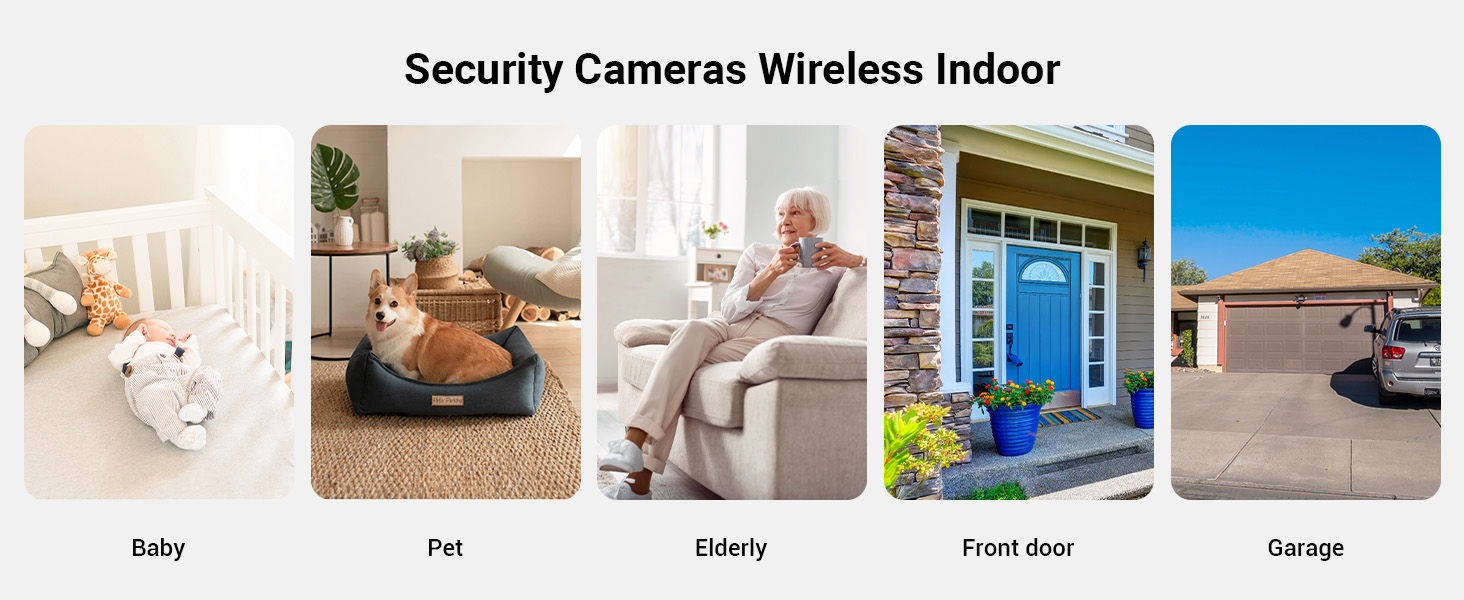
Image: Examples of common indoor and outdoor applications for the security camera, including baby, pet, elderly, front door, and garage monitoring.

Image: An overhead view illustrating the camera's 120-degree field of view within a living room setting.
Full Color Night Vision with Spotlight
The camera features advanced color night vision. In automatic mode, the built-in spotlight will activate when the surrounding light dims and human motion is detected, providing full-color images even at night. You can also manually control the spotlight via the app.

Image: A split view demonstrating the difference between standard night vision and full color night vision with the spotlight activated.
Smart Motion Detection & Push Notifications
Utilizing advanced AI recognition technology, the camera detects motion within its field of view. When motion is detected, the camera can emit an audible beep (configurable in settings) and send an instant alert message directly to your phone. This feature is useful for monitoring activity and deterring unwanted visitors.

Image: A scene depicting motion detection with a notification appearing on a smartphone.
Sound Detection Alarm
The camera also includes a sound detection function. If the sound level exceeds 65 decibels, the camera will automatically trigger an alarm and send a real-time notification to your mobile phone.
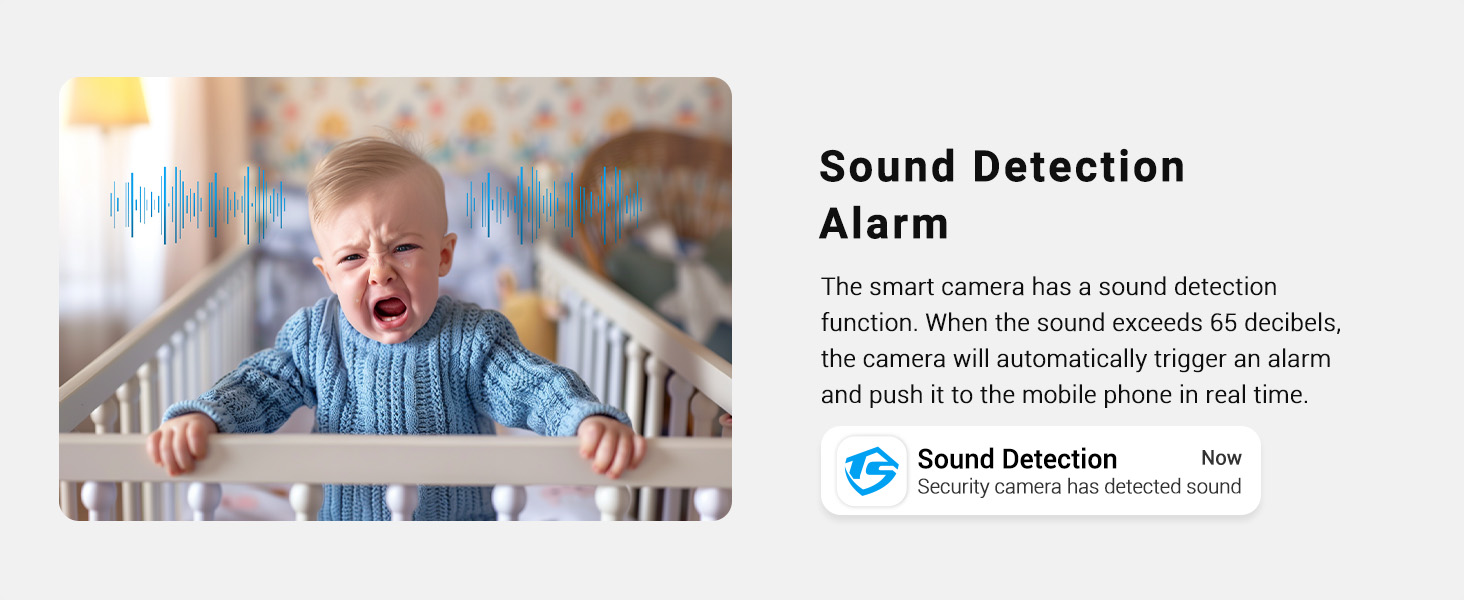
Image: An illustration of the sound detection alarm feature, showing a baby crying and a corresponding phone notification.
Smooth 2-Way Audio
With a built-in microphone and speaker, the camera enables clear two-way communication. You can speak to family members, children, or pets through the app, and hear their responses in real-time. This feature also supports simple voice commands when integrated with Alexa or Google Assistant devices.

Image: Two scenarios demonstrating two-way audio communication: a child speaking to the camera and an adult speaking into a smartphone.
24/7 Continuous Recording & Optional Storage
The Rocktone K04 camera supports continuous 24/7 recording. You have two primary storage options:
- SD Card Storage: Insert a microSD card (up to 128GB, not included) into the camera for local storage. The camera will automatically loop recording, overwriting the oldest footage when the card is full.
- Cloud Storage: Securely store your recordings in the cloud. Rocktone offers a 7-day free trial for cloud storage.

Image: Visual representation of continuous recording with icons for local SD card storage and cloud storage.
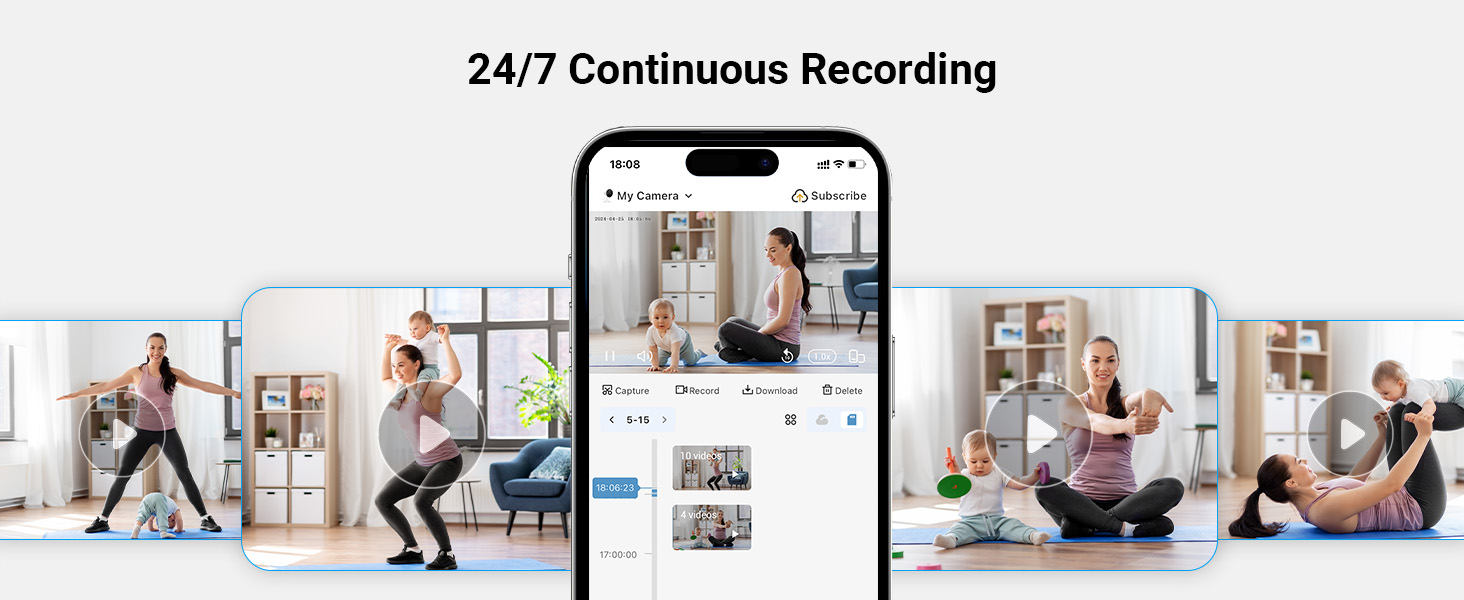
Image: A smartphone screen displaying the continuous recording timeline and playback options within the app.
Smart Home Integration (Alexa & Google Assistant)
The Rocktone K04 camera is compatible with Amazon Alexa and Google Assistant. You can use simple voice commands to view live feeds from your camera on compatible smart displays.

Image: A user interacting with an Alexa device to view the camera feed, demonstrating smart home integration.
Multiple User Sharing
You can easily share access to your camera's live feed and recordings with family members or trusted individuals through the TinoSec app. This allows multiple users to monitor the property simultaneously.

Image: Various individuals using their smartphones to access the camera feed, illustrating the multi-user sharing feature.
Maintenance
- Cleaning: Gently wipe the camera lens and body with a soft, dry cloth. Avoid using harsh chemicals or abrasive cleaners that could damage the surface or lens.
- Firmware Updates: Periodically check the TinoSec app for available firmware updates. Keeping your camera's firmware updated ensures optimal performance, security, and access to new features.
- Power Cycle: If the camera experiences connectivity issues or unusual behavior, try unplugging it from the power source for 10 seconds and then plugging it back in.
Troubleshooting
| Issue | Possible Cause / Solution |
|---|---|
| Camera not connecting to Wi-Fi |
|
| Poor image quality / Blurred faces |
|
| App glitches or crashes |
|
| Motion detection too sensitive / False alerts |
|
| Sound quality issues (blurry/unclear audio) |
|
| Cannot change alert sound |
|
Warranty and Support
Rocktone is committed to providing high-quality products and excellent customer service. Your Rocktone K04 Security Camera comes with a lifetime after-sales service commitment from the manufacturer.
For technical support, warranty claims, or any inquiries, please contact Rocktone customer service through the contact information provided in the TinoSec app or on the official Rocktone website. Please have your model number (K04) and purchase details ready when contacting support.
For more information, visit the Rocktone Store on Amazon.
Ask a question about this manual
Ask about setup, troubleshooting, compatibility, parts, safety, or missing instructions. Manuals+ will review the question and use this page’s manual context to help answer it.