
ANENG A3012
ANENG A3012 Non-Contact Voltage Tester and Outlet Receptacle Detector User Manual
Model: A3012
1. Introduction
The ANENG A3012 is a versatile electrical testing tool designed for both non-contact voltage detection and comprehensive outlet circuit analysis. This device is suitable for electrical equipment testing, maintenance, and general household electrical safety checks. Its compact, pen-shaped design ensures portability and ease of use.

Image 1: ANENG A3012 Voltage Tester and Outlet Detector, showing its pen-like form factor and integrated display.
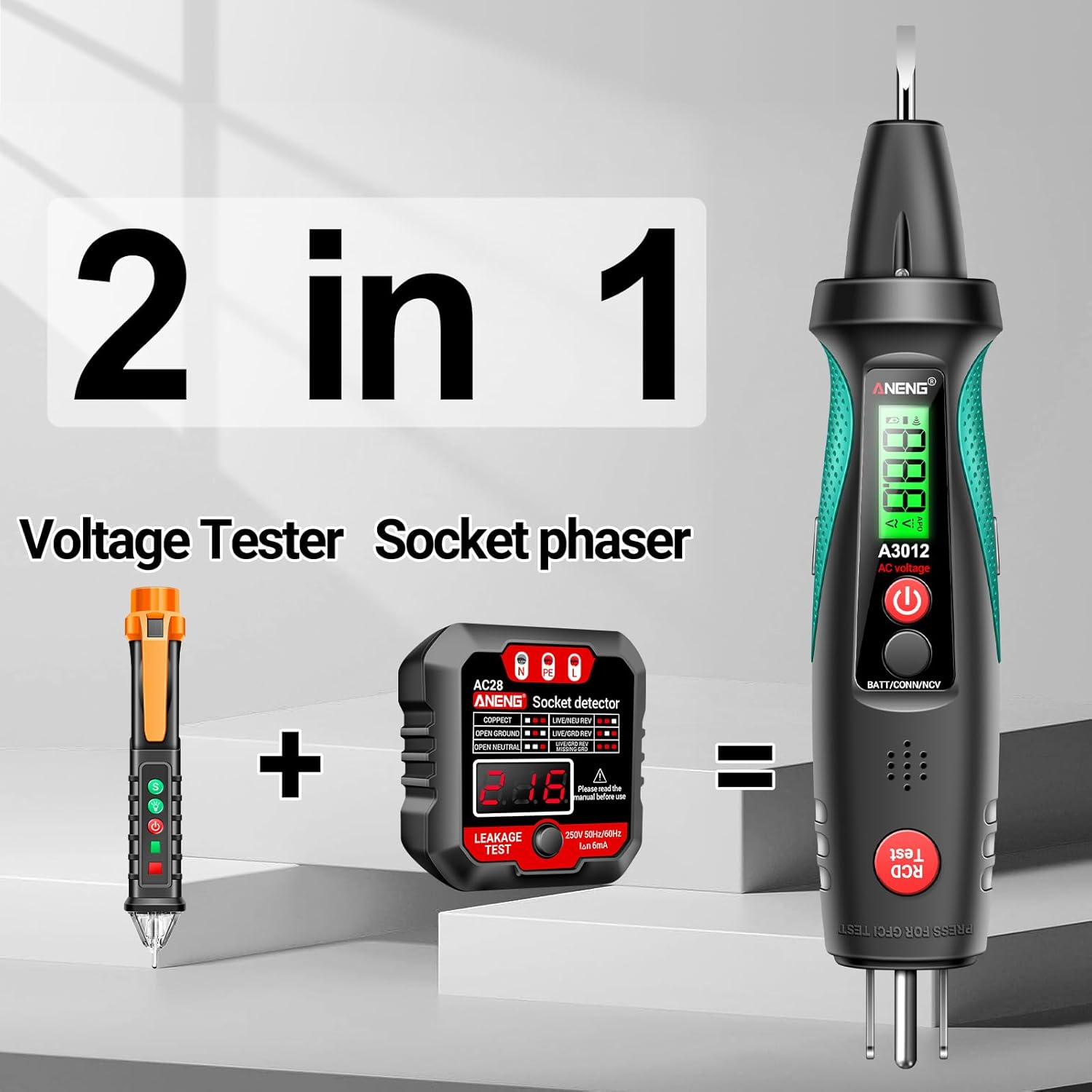
Image 2: Illustration highlighting the A3012's dual functionality as a voltage tester and socket circuit analyzer.
2. Safety Information
Please read and understand all safety instructions before operating the ANENG A3012. Failure to follow these instructions may result in electric shock, fire, or personal injury.
- Always exercise caution when working with electricity.
- Do not use the device if it appears damaged or is not functioning correctly.
- Ensure the battery is properly installed before use.
- The device complies with IEC rated CAT II 1000V and CAT IV 600V safety standards and is CE certified.
- Before performing a leakage (RCD/GFCI) test, ensure all connected electrical appliances are turned off to prevent damage or unintended tripping of the circuit.
- Do not attempt to repair or modify the device. Refer servicing to qualified personnel.
3. Product Features
The ANENG A3012 offers a range of features for comprehensive electrical testing:
- Non-Contact Voltage (NCV) Detection: Detects AC voltage without direct contact.
- Outlet Circuit Testing: Identifies common wiring faults in electrical outlets, including correct wiring, open ground, open neutral, live/neutral reverse, live/ground reverse, and open live.
- Leakage Current (RCD/GFCI) Test: Verifies the functionality of Residual Current Devices (RCD) or Ground Fault Circuit Interrupters (GFCI).
- LCD Display with Backlight: Provides real-time voltage readings and clear indication of test results, even in low-light conditions.
- Integrated Flashlight: Assists in illuminating dark work areas.
- Automatic Shutdown: Conserves battery life by automatically powering off after a period of inactivity.
- Low Battery Indication: Alerts the user when the battery needs replacement.
- Breakpoint Lookup: Helps locate breaks in live wires.
- Live Wire Detection: Automatically identifies live or neutral wires.
4. Components and Parts
Familiarize yourself with the different parts of the ANENG A3012:

Image 3: Diagram illustrating the key components of the ANENG A3012.
- Test nib (voltage, positive test point)
- LED flashlight
- LCD backlit display
- AC Voltage, 1.5V/9V Battery Detection, On/Off, Electric Field Sensing Finger Contact Point
- Long press for power switch, single press to switch AC voltage
- Buzzer alarm exit
- Leakage test switch button
- Socket (for 1.5V/9V battery detection, on/off/NCV induction switching; long press the flashlight switch)
- Power Polarity Indicator
5. Setup
5.1 Battery Installation
The ANENG A3012 requires one (1) 1.5V AAA battery for operation.
- Locate the battery compartment cover on the back of the device.
- Slide or open the cover to access the battery compartment.
- Insert one 1.5V AAA battery, ensuring correct polarity (+ and - terminals match the markings inside the compartment).
- Close the battery compartment cover securely.

Image 4: Illustration showing the battery compartment and proper battery insertion.
6. Operating Instructions
6.1 Power On/Off
To power on the device, long press the power button (labeled '4' in Image 3). Long press again to power off. The device features automatic shutdown to conserve battery.
6.2 Non-Contact Voltage (NCV) Detection
The NCV function allows for safe detection of AC voltage without direct contact with live conductors.
- Hold the device with the NCV sensor tip near the wire or outlet you wish to test.
- If AC voltage is detected, the device will emit an audible alarm and the LED indicator will illuminate. The LCD display may show the detected voltage level.

Image 5: Demonstrating non-contact voltage sensing near a circuit breaker.
6.3 Outlet Circuit Test
This function checks the wiring status of standard electrical outlets.
- Insert the tester's plug into the electrical outlet.
- Observe the LED indicators on the device. The combination of illuminated LEDs indicates the wiring status.

Image 6: Visual guide to interpreting the LED indicators for various outlet wiring conditions.
LED Indication Table:
| Indicator Pattern | Wiring Status | Description |
|---|---|---|
| Correct | Correct Wiring | Safe and secure use of electricity. |
| Open Ground | Missing Ground Connection | Unsafe, may cause casing of household appliances to become live. |
| Open Neutral | Missing Neutral Connection | Unsafe, equipment may not work, live wire is still present. |
| Live/Neutral Reverse | Live and Neutral Wires Swapped | Unsafe, appliances may be charged, increasing risk of electric shock. |
| Live/Ground Reverse | Live and Ground Wires Swapped | Unsafe, appliances may not work, high risk of electric shock. |
| Open Live & Live Neutral Reverse | Missing Live and Live/Neutral Reversed | Extremely unsafe, high potential for electric shock. |
6.4 Leakage Current (RCD/GFCI) Test
This test verifies the functionality of a Residual Current Device (RCD) or Ground Fault Circuit Interrupter (GFCI) in the circuit.
WARNING: Before performing this test, ensure all electrical appliances connected to the circuit are turned off to prevent damage or unintended tripping of the circuit.
- Plug the tester into the outlet.
- Press the 'RCD Test' button (labeled '7' in Image 3).
- If the RCD/GFCI is functioning correctly, the circuit breaker should trip, cutting power to the outlet. If it does not trip, there may be a problem with the leakage protection.

Image 7: Visual representation of performing a leakage test and its expected outcomes (tripping vs. no tripping).
6.5 Flashlight Function
To activate the integrated flashlight, long press the button labeled '8' in Image 3 (which is also used for NCV induction switching).

Image 8: Close-up view of the ANENG A3012 with its flashlight illuminated.
6.6 Breakpoint Lookup
The breakpoint lookup feature helps identify breaks in live wires.
- Use the NCV sensor tip along the length of a live wire.
- The device will indicate the presence of electricity until it reaches a break in the wire, where the indication will cease.

Image 9: Illustrates the breakpoint lookup function, showing detection up to a break in a wire.
7. Maintenance
7.1 Cleaning
Wipe the device with a dry, soft cloth. Do not use abrasive cleaners or solvents. Ensure the device is powered off before cleaning.
7.2 Battery Replacement
When the low battery indicator appears on the LCD, replace the 1.5V AAA battery as described in the 'Battery Installation' section (5.1).
7.3 Storage
Store the device in a cool, dry place away from direct sunlight and extreme temperatures. If storing for an extended period, remove the battery to prevent leakage.
8. Troubleshooting
If you encounter issues with your ANENG A3012, refer to the following common problems and solutions:
- Device does not power on: Check if the battery is installed correctly and has sufficient charge. Replace the battery if necessary.
- Inaccurate readings or no detection: Ensure proper contact with the test point or proximity to the wire for NCV. Verify the battery level. Environmental factors or strong electromagnetic interference can sometimes affect readings.
- RCD/GFCI test does not trip the circuit: Double-check that the RCD/GFCI is functional and correctly wired. If the issue persists, consult a qualified electrician.
- LED indicators for outlet test are unclear: Ensure the tester is fully inserted into the outlet. Refer to the LED Indication Table in section 6.3 for correct interpretation.
If problems persist, contact ANENG customer support for assistance.
9. Specifications
| Parameter | Value |
|---|---|
| Brand | ANENG |
| Model | A3012 |
| Battery | 1.5V AAA Battery * 1 |
| Rated Current (RCD Test) | IΔn=5mA |
| Socket Rated Voltage | Un=200V-250VAC |
| Alarm Method | Sound light alarm |
| Material | ABS/Metal |
| Weight | 67g |
| AC Voltage Range | 12-300V 50Hz-60Hz |
| Precision | ±(4%+10) |
| Safety Compliance | IEC CAT II 1000V, CAT IV 600V, CE |
10. Warranty and Support
ANENG provides lifetime service and technical support for its electrical testers. For any inquiries, technical assistance, or warranty claims, please contact ANENG customer support through their official channels or the retailer where the product was purchased.
Related documentsA3012


Ask a question about this manual
Ask about setup, troubleshooting, compatibility, parts, safety, or missing instructions. Manuals+ will review the question and use this page’s manual context to help answer it.