Garmin Forerunner 165 User Manual
Comprehensive guide for your Garmin Forerunner 165 GPS Running Smartwatch.
1. Product Overview
The Garmin Forerunner 165 is an easy-to-use GPS running smartwatch designed to help you train brilliantly and achieve your fitness goals. It features a vibrant AMOLED touchscreen display, traditional button controls, and a lightweight design. This smartwatch provides essential metrics like pace, distance, and wrist-based heart rate, along with advanced training and recovery insights.
Key features include personalized daily suggested workouts, Garmin Coach adaptive training plans, and comprehensive health monitoring such as Morning Report, sleep tracking, Body Battery™ energy monitoring, and HRV status. Stay connected with smart notifications and make contactless payments with Garmin Pay™. The Forerunner 165 offers up to 11 days of battery life in smartwatch mode and up to 19 hours in GPS mode.

Figure 1.1: Garmin Forerunner 165 Smartwatch, showing the main watch face with time, battery, and activity data.
What's in the Box
- Forerunner 165 Smartwatch
- Power/Data Cable
- Documentation (this manual and other guides)
2. Getting Started and Setup
2.1 Charging the Device
Before initial use, fully charge your Forerunner 165. Connect the power/data cable to the charging port on the back of the watch and plug the other end into a USB power source. The watch display will indicate charging status.

Figure 2.1: Rear view of the Forerunner 165, highlighting the charging contacts and optical heart rate sensor.
2.2 Pairing with Your Smartphone
To unlock the full potential of your Forerunner 165, pair it with the Garmin Connect™ app on your smartphone. This allows for data synchronization, smart notifications, and access to additional features.
- Download the Garmin Connect app from your smartphone's app store (App Store for iOS, Google Play Store for Android).
- Open the Garmin Connect app and follow the on-screen instructions to create an account or log in.
- On your Forerunner 165, press the LIGHT button to access the menu, then navigate to Settings > Phone > Pair Phone.
- In the Garmin Connect app, select Add Device and choose the Forerunner 165.
- Follow the prompts on both your watch and phone to complete the pairing process.

Figure 2.2: The Garmin Connect app on a smartphone, used for pairing and data synchronization.
3. Operating Instructions
3.1 Button Functions and Touchscreen Navigation
The Forerunner 165 combines a responsive AMOLED touchscreen with traditional button controls for intuitive operation.
- LIGHT (Top Left): Press to turn the backlight on/off. Hold to access the controls menu (Garmin Pay, Phone, Find My Phone, etc.).
- UP (Middle Left): Press to scroll through widgets and menus. Hold to view the menu.
- DOWN (Bottom Left): Press to scroll through widgets and menus. Hold to view music controls.
- START/STOP (Top Right): Press to select an option or start/stop an activity.
- BACK (Bottom Right): Press to return to the previous screen. Hold to view the watch face.
Figure 3.1: Front view of the Forerunner 165, indicating the location of the five physical buttons.
Touchscreen: Swipe up or down to scroll through widgets and menus. Tap to select an option. Swipe left or right to view additional data screens during an activity.
3.2 Starting an Activity
To begin tracking an activity:
- From the watch face, press the START/STOP button.
- Select an activity from the list (e.g., Run, Bike, Strength).
- Wait for the GPS signal to acquire (if applicable). The GPS status icon will turn green.
- Press START/STOP again to begin the activity timer.

Figure 3.2: The Forerunner 165 displaying real-time activity metrics during a workout.
3.3 Smart Notifications
Once paired with your smartphone, the Forerunner 165 can display notifications for incoming calls, text messages, and app alerts directly on your wrist.
- Ensure Bluetooth is enabled on both your watch and smartphone.
- Configure notification settings within the Garmin Connect app.
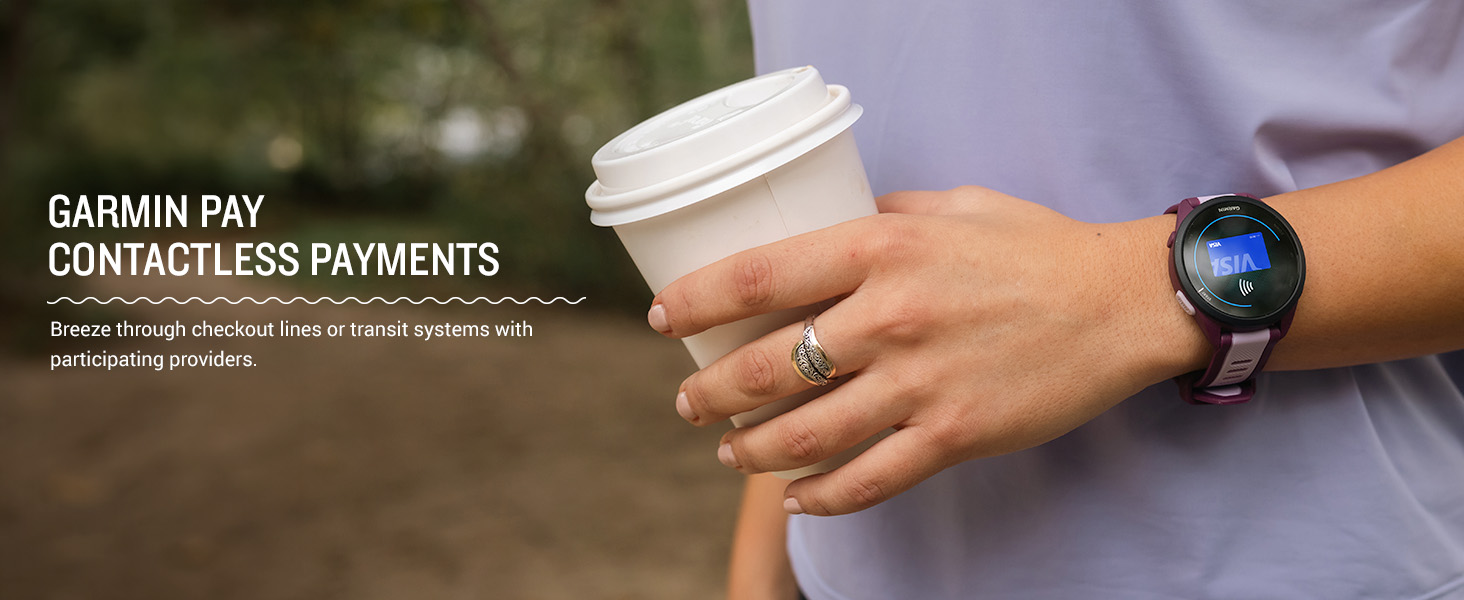
Figure 3.3: A user viewing smart notifications on their Forerunner 165 during an activity.
3.4 Garmin Pay™ Contactless Payments
Leave your wallet at home and pay for purchases directly from your watch using Garmin Pay. This feature requires setup in the Garmin Connect app with a supported bank.
- From the Garmin Connect app, access the Garmin Pay menu and follow the instructions to add your credit or debit card.
- To make a payment, hold the LIGHT button to access the controls menu.
- Select the Garmin Pay icon.
- Enter your passcode (if prompted).
- Select the card you wish to use.
- Hold your watch near the contactless reader until the payment is confirmed.
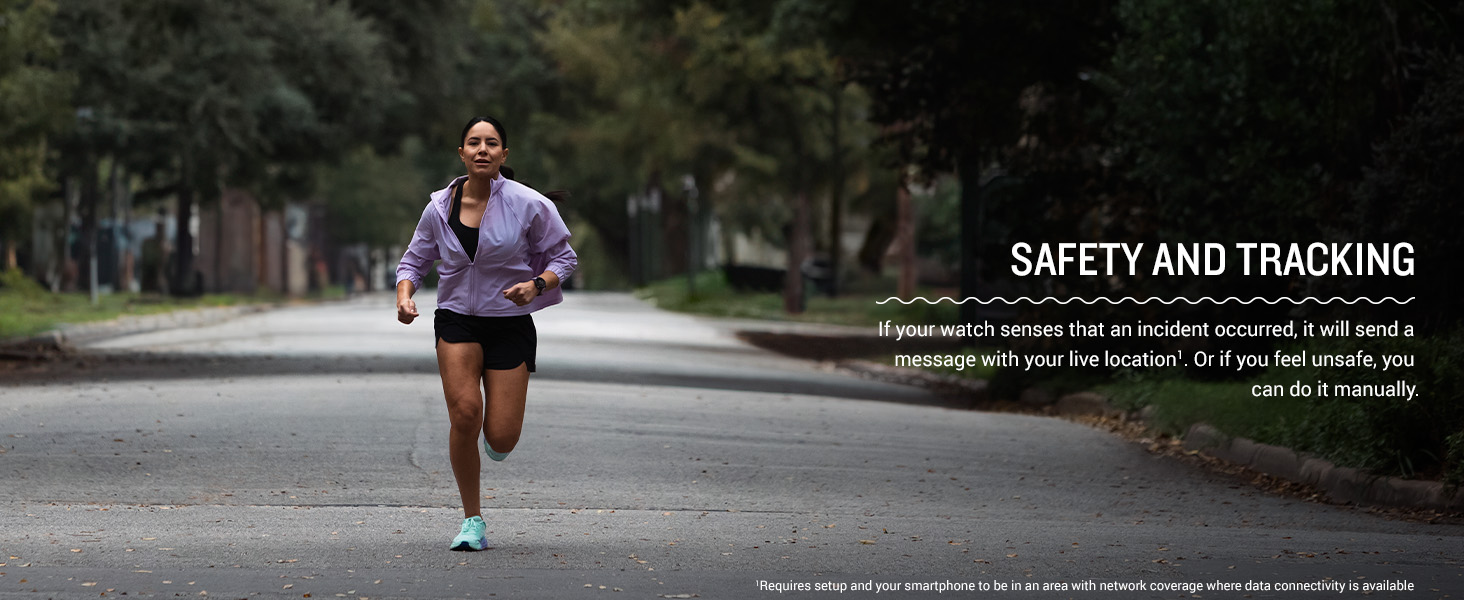
Figure 3.4: Using Garmin Pay for contactless payments with the Forerunner 165.
4. Training Features
4.1 GPS Tracking and Heart Rate Monitoring
The Forerunner 165 utilizes built-in GPS to accurately track your pace, distance, and route during outdoor activities. Its wrist-based heart rate sensor continuously monitors your heart rate, providing valuable insights into your effort levels and fitness.

Figure 4.1: The Forerunner 165 displaying real-time pace, distance, and heart rate during an activity.
4.2 Garmin Coach and Daily Suggested Workouts
Achieve your running goals with personalized guidance:
- Garmin Coach: Select a free training plan for a 5K, 10K, or half-marathon from the Garmin Connect app. The plan adapts to your performance.
- Daily Suggested Workouts: Receive daily run and ride suggestions based on your current training load, recovery, and race calendar.

Figure 4.2: The Forerunner 165 showing a Garmin Coach workout plan.

Figure 4.3: The Forerunner 165 displaying a daily suggested workout.
4.3 Training Effect and Recovery Time
- Training Effect: After a workout, the watch provides a score and label (e.g., Aerobic, Anaerobic) indicating how your activity impacted your fitness.
- Recovery Time: This feature estimates how much time you need to recover before your next high-effort workout, based on your latest training, stress, sleep, and daily activities.

Figure 4.4: The Forerunner 165 showing Training Effect data after a workout.

Figure 4.5: The Forerunner 165 displaying estimated Recovery Time.
4.4 Built-in Sports Apps and Running Dynamics
- The Forerunner 165 includes over 25 built-in activity profiles for various sports, including running, cycling, HIIT, strength training, and open-water swimming.
- Wrist-Based Running Dynamics: Get crucial running metrics such as cadence, stride length, and ground contact time directly from your wrist, helping you improve your running form.

Figure 4.6: The Forerunner 165 showing available built-in sports apps.

Figure 4.7: The Forerunner 165 providing wrist-based running dynamics.
5. Health Monitoring
5.1 Morning Report
Wake up to a personalized Morning Report that provides an overview of your sleep, recovery, training outlook, HRV status, and weather. You can customize the content of your report.

Figure 5.1: The Forerunner 165 displaying the Morning Report.
5.2 Sleep Monitoring and Sleep Score
The Forerunner 165 tracks your sleep stages (light, deep, REM) and provides a Sleep Score, offering insights into your sleep quality and helping you understand how your body recovers overnight.

Figure 5.2: The Forerunner 165 displaying sleep monitoring data.
5.3 Body Battery™ Energy Monitoring and HRV Status
- Body Battery™: Track your body's energy levels throughout the day to find the best times for activity and rest.
- HRV Status: Gain a deeper understanding of your overall health, training, and recovery through heart rate variability.

Figure 5.3: The Forerunner 165 displaying Body Battery energy levels.

Figure 5.4: The Forerunner 165 displaying HRV Status.
5.4 Women's Health Tracking
Track and log your menstrual cycle or pregnancy within the Garmin Connect app, and receive exercise and nutrition education tailored to your cycle.

Figure 5.5: The Forerunner 165 displaying Women's Health Tracking information.
6. Maintenance
6.1 Device Care and Cleaning
To maintain the performance and appearance of your Forerunner 165:
- Rinse the device with fresh water after exposure to sweat, chlorine, or saltwater.
- Clean the device and strap regularly with a soft, damp cloth. Avoid harsh chemicals or abrasive materials.
- Ensure the charging contacts are clean and dry before charging to prevent corrosion.
- Avoid exposing the device to extreme temperatures or prolonged direct sunlight.
6.2 Battery Information
The Forerunner 165 features a long-lasting battery:
- Up to 11 days in smartwatch mode.
- Up to 19 hours in GPS mode.
Battery life may vary depending on usage, settings, and environmental factors. For optimal battery life, disable features you are not using, such as continuous heart rate monitoring or Wi-Fi, when not needed.

Figure 6.1: The Forerunner 165 offers extended battery life for prolonged activities.
7. Troubleshooting
7.1 Common Issues and Solutions
- Device Not Turning On:
Ensure the device is fully charged. Connect it to the power/data cable and a USB power source for at least 30 minutes.
- GPS Signal Not Acquired:
Ensure you are outdoors with a clear view of the sky. Remain stationary for a few minutes while the device acquires satellites. Syncing with Garmin Connect can also update satellite data for faster acquisition.
- Heart Rate Data Inaccurate:
Ensure the watch is worn snugly but comfortably above your wrist bone. Clean the optical sensor on the back of the watch. Avoid wearing the watch directly over tattoos, which can interfere with sensor readings.
- Smart Notifications Not Appearing:
Verify Bluetooth is enabled on both your watch and smartphone. Check notification permissions for the Garmin Connect app on your phone. Ensure the watch is within range of your phone.
- Device Frozen or Unresponsive:
Perform a soft reset by holding the LIGHT button for 15 seconds until the screen turns off. Release the button, then press it again to restart the device.
7.2 Safety and Tracking Features
The Forerunner 165 includes safety and tracking features that can send a message with your live location to emergency contacts. This requires setup in the Garmin Connect app and your smartphone to be in an area with network coverage where data connectivity is available.
- Incident Detection: Automatically sends a message to your emergency contacts if an incident is detected during select outdoor activities.
- Assistance: Manually send a message with your live location to your emergency contacts.

Figure 7.1: The Forerunner 165's safety and tracking features provide peace of mind.
8. Specifications
| Feature | Detail |
|---|---|
| Model Number | 010-02863-21 |
| Product Dimensions | 1.69 x 0.46 x 1.69 inches |
| Item Weight | 1.38 ounces |
| Display Type | AMOLED Touchscreen |
| Screen Size | 1.2 Inches |
| Battery Life (Smartwatch Mode) | Up to 11 days |
| Battery Life (GPS Mode) | Up to 19 hours |
| Connectivity | Bluetooth |
| GPS | Built-in GPS |
| Memory Storage Capacity | 4 GB |
| Operating System | GarminOS |
9. Warranty and Support
9.1 Product Warranty
Garmin products are warranted to be free from defects in materials or workmanship for one year from the date of purchase. For full terms and conditions of the limited warranty, please refer to the documentation included with your product or visit the official Garmin website.
9.2 Customer Support
For additional support, frequently asked questions, software updates, or to contact Garmin customer service, please visit the official Garmin Support Center online. The Garmin Connect app also provides access to support resources and community forums.
Garmin Support Website: support.garmin.com