
AIPER Surfer S1
AIPER Surfer S1 Solar Powered Robotic Pool Skimmer User Manual
Model: Surfer S1 | Brand: AIPER
1. Introduction
Thank you for choosing the AIPER Surfer S1 Solar Powered Robotic Pool Skimmer. This manual provides essential information for the safe and efficient operation, maintenance, and troubleshooting of your device. Please read it thoroughly before use and retain it for future reference.
The Surfer S1 is designed to efficiently clean your pool's surface, collecting debris such as leaves, flowers, and animal hair, utilizing both solar and DC charging options. It also features smart app support for monitoring and control.
2. Product Components
Familiarize yourself with the main components of your AIPER Surfer S1.

Figure 2.1: AIPER Surfer S1 main unit and accompanying mobile application.
- Main Unit: The robotic skimmer body, housing the motor, solar panel, and sensors.
- Solar Panel: Integrated on top for solar charging.
- Brushless Motor: Provides efficient propulsion and debris collection.
- Ultrasonic Sensors: For comprehensive pool surface coverage and obstacle avoidance.
- Filter Basket: Removable basket for collecting debris.
- Retractable Support Beams: Four beams to prevent getting stuck on pool steps.
- DC Adapter: For alternative charging on cloudy days.
- Mobile App: For smart control, monitoring, and manual operation.
3. Setup Guide
Follow these steps to set up your Surfer S1 for the first time:
- Unpack the Device: Carefully remove the Surfer S1 and all accessories from the packaging.
- Initial Charge: Before first use, fully charge the device using the included DC adapter. Ensure the charging port is dry before connecting the adapter.

Figure 3.1: DC Charging of the Surfer S1.
- Download the App: Download the official AIPER app from your device's app store (Google Play or Apple App Store).
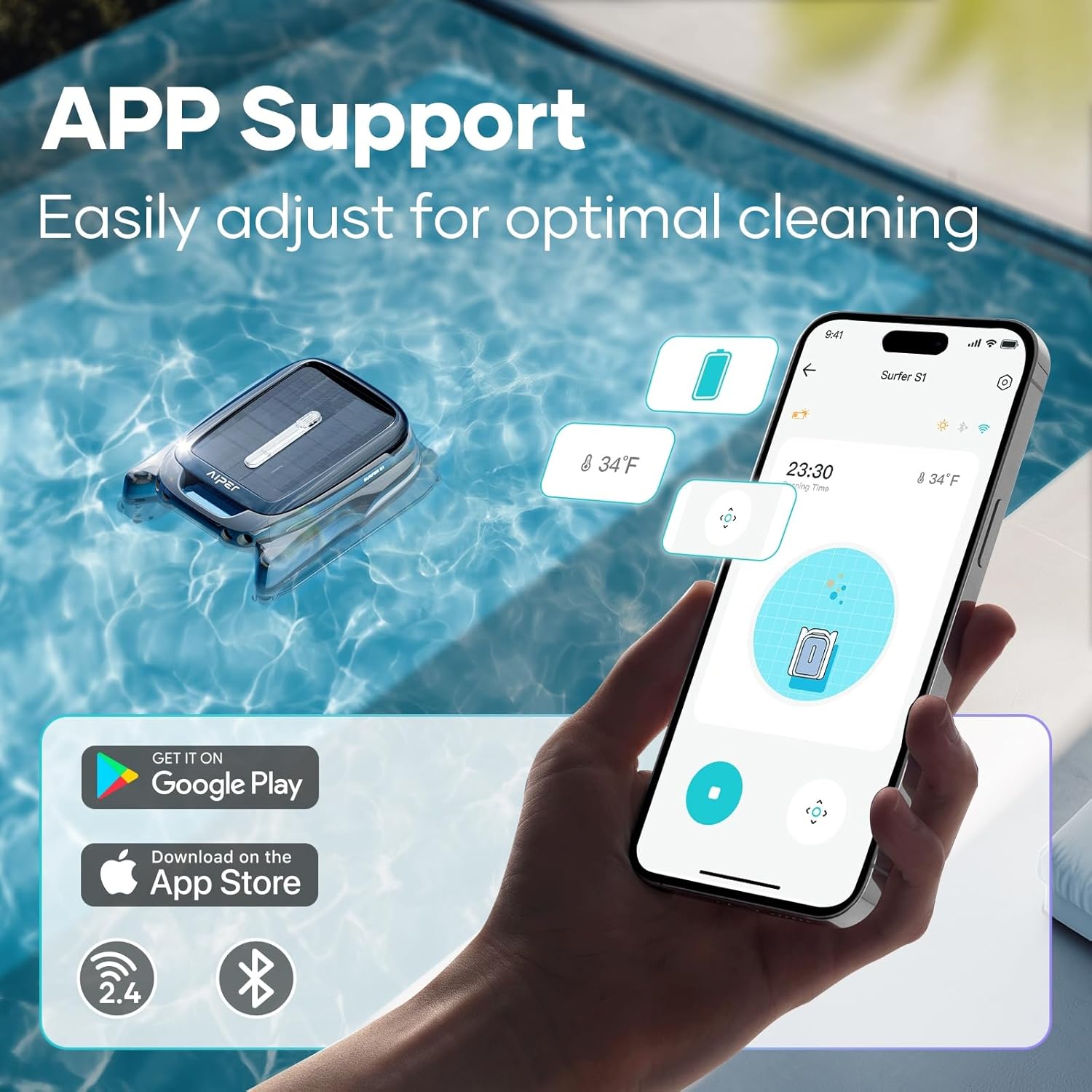
Figure 3.2: AIPER App interface for monitoring and control.
- Pair with App: Follow the in-app instructions to pair your Surfer S1 with your smartphone via Bluetooth or Wi-Fi.
- Place in Pool: Gently place the Surfer S1 onto the surface of your pool. Ensure it floats freely and is not obstructed.
4. Operating Instructions
4.1 Automatic Cleaning
Once placed in the pool and powered on, the Surfer S1 will automatically begin its cleaning cycle. The integrated solar panel will continuously charge the device during daylight hours, extending its operation time.

Figure 4.1: The Surfer S1 in action, collecting surface debris.
4.2 App Control and Manual Mode
The AIPER app provides real-time monitoring and control features:
- Real-time Monitoring: View current water temperature, battery levels, and cleaning progress directly from the app.
- Manual Mode: For targeted cleaning, switch to Manual Mode within the app. This allows you to steer the Surfer S1 to specific areas of the pool to address concentrated debris.

Figure 4.2: App interface for real-time monitoring and manual control.
4.3 Charging Modes
The Surfer S1 supports dual charging methods:
- Solar Charging: The built-in solar panel allows for continuous charging during sunny conditions, maximizing operational time and reducing energy costs.
- DC Charging: Use the provided DC adapter for charging on cloudy days or when faster charging is required.

Figure 4.3: Dual charging options: Solar and DC.
4.4 LED Battery Indicator
The LED indicator on the device provides a quick visual reference for the battery status:
- Blue Light: Battery Life ≥ 25%
- Yellow Light: 20% ≤ Battery Life < 25%
- Red Light: Battery Life < 20%

Figure 4.4: LED Battery Indicator on the Surfer S1.
5. Maintenance
Regular maintenance ensures optimal performance and longevity of your Surfer S1.
5.1 Cleaning the Filter Basket
The filter basket should be emptied and cleaned regularly, depending on the amount of debris in your pool.
- Remove from Pool: Carefully remove the Surfer S1 from the pool.
- Access Filter Basket: The top-slide design allows easy access. Simply slide open the top cover.
- Empty Debris: Remove the filter basket and dispose of the collected debris.
- Rinse: Rinse the filter basket thoroughly with clean water to remove any remaining particles.
- Reinstall: Place the clean filter basket back into the unit and close the top cover securely.
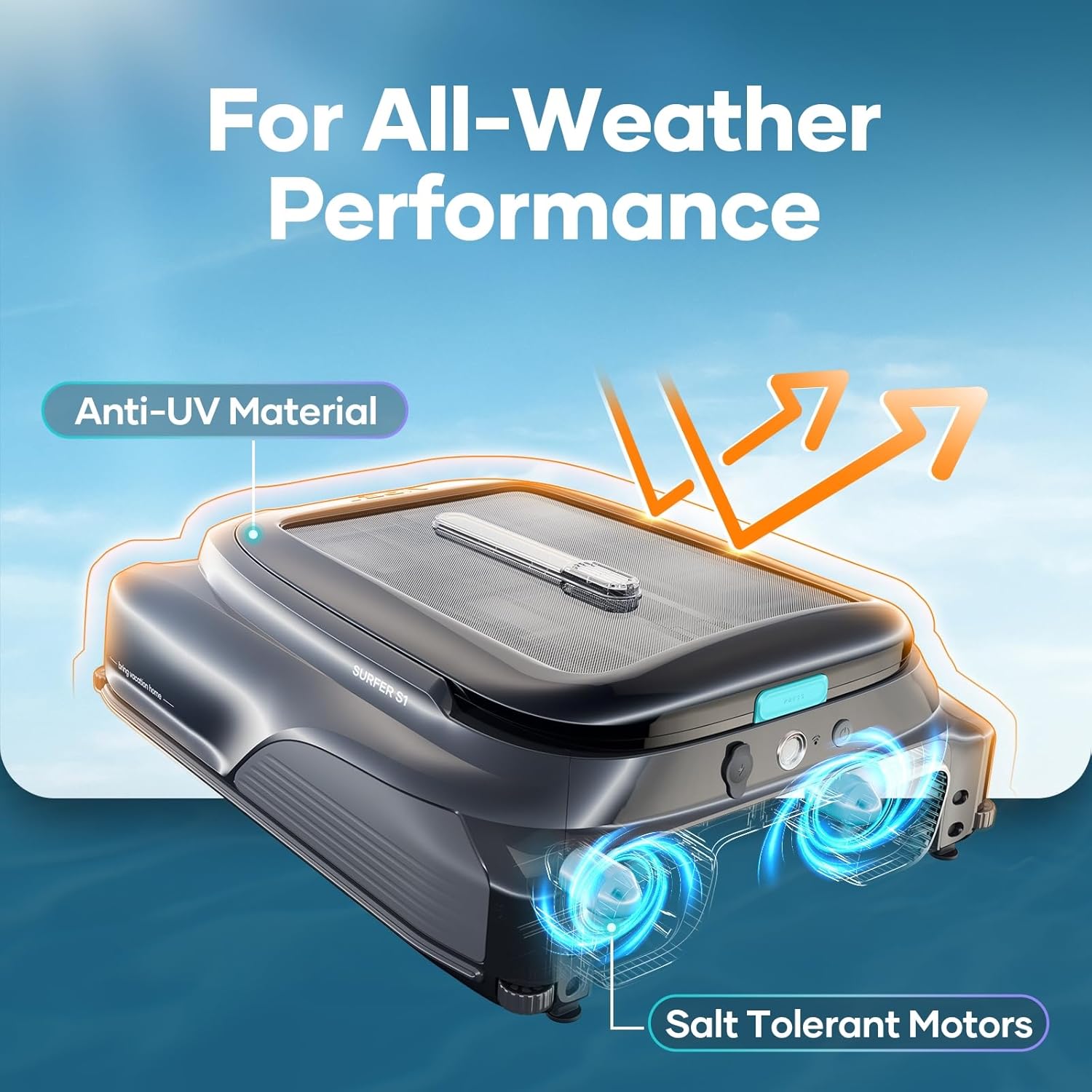
Figure 5.1: Easy access and cleaning of the 5L filter basket.
5.2 General Cleaning and Storage
- Wipe down the exterior of the unit with a soft, damp cloth.
- Ensure the solar panel is clean for optimal charging efficiency.
- When not in use for extended periods, store the Surfer S1 in a cool, dry place away from direct sunlight.
6. Troubleshooting
If you encounter issues with your Surfer S1, refer to the table below for common problems and solutions.
| Problem | Possible Cause | Solution |
|---|---|---|
| Device not moving or cleaning effectively. | Filter basket is full; Obstruction in propellers; Low battery. | Empty and clean the filter basket. Check for and remove any debris from the propellers. Charge the device. |
| App connection issues. | Bluetooth/Wi-Fi off; Device out of range; App needs update. | Ensure Bluetooth/Wi-Fi is enabled on your phone. Move closer to the device. Update the AIPER app to the latest version. Restart both the device and the app. |
| Device getting stuck frequently. | Retractable support beams not extended; Obstacles in pool. | Ensure the four retractable support beams are properly extended. Remove large obstacles from the pool. |
| Poor solar charging. | Solar panel dirty; Insufficient sunlight. | Clean the solar panel surface. Ensure the device is in direct sunlight. Use DC charging on cloudy days. |
If the problem persists, please contact AIPER customer support for assistance.
7. Specifications
| Feature | Detail |
|---|---|
| Model Name | Surfer S1 |
| Item Weight | 11.11 Kilograms (24.4 pounds) |
| Product Dimensions | 22 x 18.1 x 7.9 inches |
| Power Source | Solar Powered |
| Control Method | App |
| Battery Type | Lithium-Ion (1 included) |
| Lithium Battery Energy Content | 43.2 Watt Hours |
| Capacity (Filter Basket) | 5 Liters |
| Special Features | APP Support, 2 Charging Modes, Solar Powered |
| UV Resistant Materials | Yes |
| Salt Tolerant Motors | Yes (Chlorine: Max 4 ppm, NaCl: Max 6500 ppm) |
8. Warranty and Support
The AIPER Surfer S1 comes with an 18-month product care warranty. For warranty claims, technical support, or any inquiries, please contact AIPER customer service through their official website or the contact information provided with your purchase.
For more information and support, visit the official AIPER Store: AIPER Store on Amazon
9. Official Product Videos
Aiper Surfer S1 - Quick View
This video provides a quick overview of the AIPER Surfer S1, showcasing its design and basic functionality. Duration: 0:45.
Related documentsSurfer S1


Ask a question about this manual
Ask about setup, troubleshooting, compatibility, parts, safety, or missing instructions. Manuals+ will review the question and use this page’s manual context to help answer it.