
MOUMON B0CT3B8K88
MOUMON L-Shaped Standing Desk User Manual
Model: B0CT3B8K88
1. Introduction
This manual provides detailed instructions for the assembly, operation, and maintenance of your MOUMON L-Shaped Standing Desk. Please read this manual thoroughly before assembly and use to ensure proper function and longevity of your product. Keep this manual for future reference.
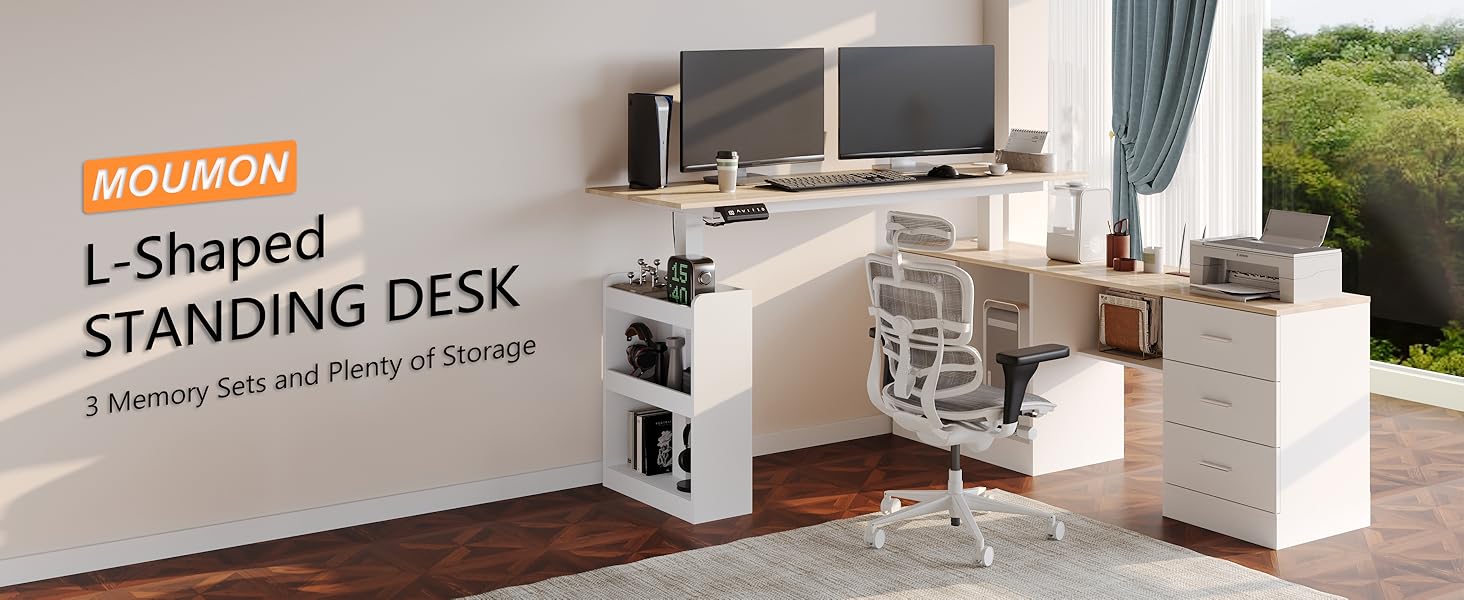
Image 1.1: Overview of the MOUMON L-Shaped Standing Desk in an office environment.
2. Safety Information
- Ensure all components are securely fastened before use.
- Do not exceed the maximum weight capacity of 170 lbs (77 kg) on the lift tabletop.
- Keep children and pets away from the desk during height adjustment.
- Avoid placing liquids directly on the control panel or near electrical components.
- Disconnect power before cleaning or performing any maintenance.
- This product is designed for indoor use only.
3. Package Contents
Due to the size and weight of the MOUMON L-Shaped Standing Desk, it will arrive in two separate packages. Please ensure both packages have been received before beginning assembly.
Before Assembly:
- Verify all hardware, screws, and boards are present by checking against the provided parts list in the separate assembly instructions.
- Each part is labeled for easy identification.
- Tools Recommended For Assembly: Screw Driver (not included).
4. Setup and Assembly
Assembly of this L-shaped standing desk requires careful attention to detail. It is strongly recommended that two people perform the assembly to prevent damage and ensure safety.
- Unpack and Organize: Gently unpack all components. Lay out all parts on a clean, soft surface to prevent scratches. Refer to the included assembly instructions and identify each labeled part.
- Follow Step-by-Step Instructions: Adhere strictly to the step-by-step assembly guide provided with your product. Do not skip steps.
- Gentle Installation: Assemble the item gently. Avoid applying excessive force, which could lead to damage.
- Secure Fasteners: Ensure all screws and fasteners are tightened securely but do not overtighten.

Image 4.1: Desk dimensions and height range for planning your workspace.
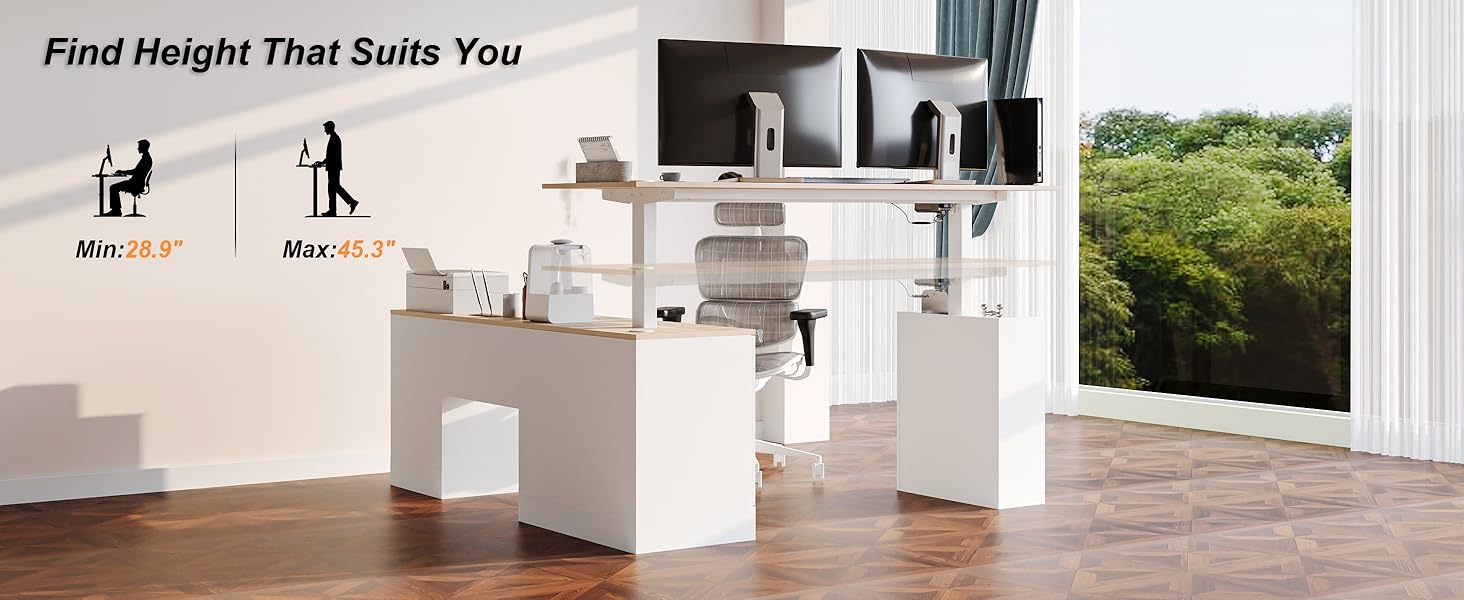
Image 4.2: Visual representation of the adjustable height feature, from minimum 28.9 inches to maximum 45.3 inches.
5. Operating Instructions
5.1 Height Adjustment
The MOUMON L-Shaped Standing Desk features an electric lifting system for seamless height adjustment. The height can be adjusted from 28.9 inches to 45.3 inches.

Image 5.1: Control panel for height adjustment and memory presets.
- Up/Down Arrows: Use the ▲ (Up) and ▼ (Down) buttons to manually adjust the desk to your desired height. The current height will be displayed on the digital screen.
- Memory Presets (1, 2, 3): The desk includes three memory preset buttons. To save a height setting:
- Adjust the desk to your preferred height using the up/down arrows.
- Press and hold one of the memory buttons (1, 2, or 3) until the display flashes or beeps, indicating the height has been saved.
- Reset Button: The reset button (often depicted as a circular arrow) is used to recalibrate the desk's height system. Refer to the separate motor setting and troubleshooting instructions for specific reset procedures if needed.

Image 5.2: Detailed functions of the multi-functional lifting system control panel.
6. Product Features
6.1 Design and Storage
The L-shaped design maximizes workspace utilization, providing ample surface area and integrated storage solutions.
- Desktop: A spacious 63-inch desktop provides extensive room for monitors, laptops, and other work essentials.
- Cabinet: An integrated 63-inch cabinet (25.2 inches high) offers enclosed storage for office supplies, a printer, or a computer tower.
- Drawers: Three drawers provide organized storage for smaller items, documents, and personal belongings.
- Shelves: Two-tier storage shelves on the side are ideal for books, decorative items, or additional office supplies.

Image 6.1: Key features and storage areas of the desk.

Image 6.2: The three integrated storage drawers.

Image 6.3: The two-tier side shelves for additional storage.
6.2 Construction
- Materials: Constructed from quality MDF boards with a smooth laminated surface for durability.
- Frame: Features a strong metal frame for stability and support.
- Weight Capacity: The lift tabletop can support up to 170 lbs (77 kg).
7. Maintenance
To maintain the appearance and functionality of your MOUMON L-Shaped Standing Desk, follow these simple care instructions:
- Cleaning: Wipe surfaces with a damp cloth for general cleaning. For drying, use a dry cloth immediately to prevent moisture damage.
- Spills: Promptly clean any spills to prevent staining or damage to the laminated surface.
- Inspection: Periodically check all screws and connections to ensure they remain tight. Retighten if necessary.
- Electrical Components: Keep the control panel and motor free from dust and debris. Do not attempt to disassemble electrical components.
8. Troubleshooting
If you encounter any issues with your MOUMON L-Shaped Standing Desk, refer to the following common troubleshooting tips. For specific motor setting and advanced troubleshooting, please consult the detailed guide included with your product.
Common Issues:
- Desk Not Adjusting Height:
- Check if the power cord is securely plugged into both the desk and a working power outlet.
- Ensure there are no obstructions preventing the desk from moving up or down.
- Perform a reset procedure as outlined in the separate motor instructions.
- Uneven Height Adjustment:
- Ensure the desk is placed on a level surface.
- Check that all assembly screws are tightened evenly.
- Perform a reset procedure.
- Control Panel Not Responding:
- Verify power connection.
- If the issue persists, disconnect power for 10 minutes and then reconnect.
9. Specifications
| Feature | Specification |
|---|---|
| Brand | MOUMON |
| Model | B0CT3B8K88 |
| Product Dimensions (D x W x H) | 63"D x 63"W x 28.9"H |
| Adjustable Height Range | 28.9 - 45.3 Inches |
| Color | Oak and White |
| Style | Modern |
| Base Material | Engineered Wood |
| Top Material Type | Engineered Wood |
| Finish Type | Laminated |
| Special Feature | 3 Presets, Adjustable Height |
| Lifting Mechanism | Electric |
| Number of Height Positions | 3 (Memory Presets) |
| Number of Drawers | 3 |
| Number of Shelves | 3 (2 open, 1 cabinet) |
| Maximum Weight Recommendation | 170 Pounds |
| Recommended Number of People for Assembly | 2 |
| Tools Recommended For Assembly | Screw Driver |
| Includes All Assembly Tools | No |
| UL Listed | Yes |
10. Warranty and Support
10.1 Warranty Information
The MOUMON L-Shaped Standing Desk comes with a Limited Warranty. Please refer to the warranty card included in your product packaging for specific terms, conditions, and duration of coverage.
10.2 Customer Support
For any questions, missing parts, or assistance with assembly or operation, please contact MOUMON customer support. Contact information can typically be found on the packaging, the included assembly guide, or the official MOUMON website.
Ask a question about this manual
Ask about setup, troubleshooting, compatibility, parts, safety, or missing instructions. Manuals+ will review the question and use this page’s manual context to help answer it.