1. Product Overview
The KOORUI 27E8QK is a high-performance 27-inch OLED gaming monitor designed for an immersive visual experience. It features a QHD (2560 x 1440) resolution, an ultra-fast 240Hz refresh rate, and a rapid 0.03ms response time, making it ideal for competitive gaming and demanding visual tasks. The monitor supports DCI-P3 color gamut for vibrant and accurate colors, and offers versatile connectivity options including HDMI 2.0, DisplayPort 1.4, and USB-C 3.1 with 90W power delivery.

Figure 1: Front view of the KOORUI 27E8QK OLED Gaming Monitor, showcasing its slim bezels and stand.
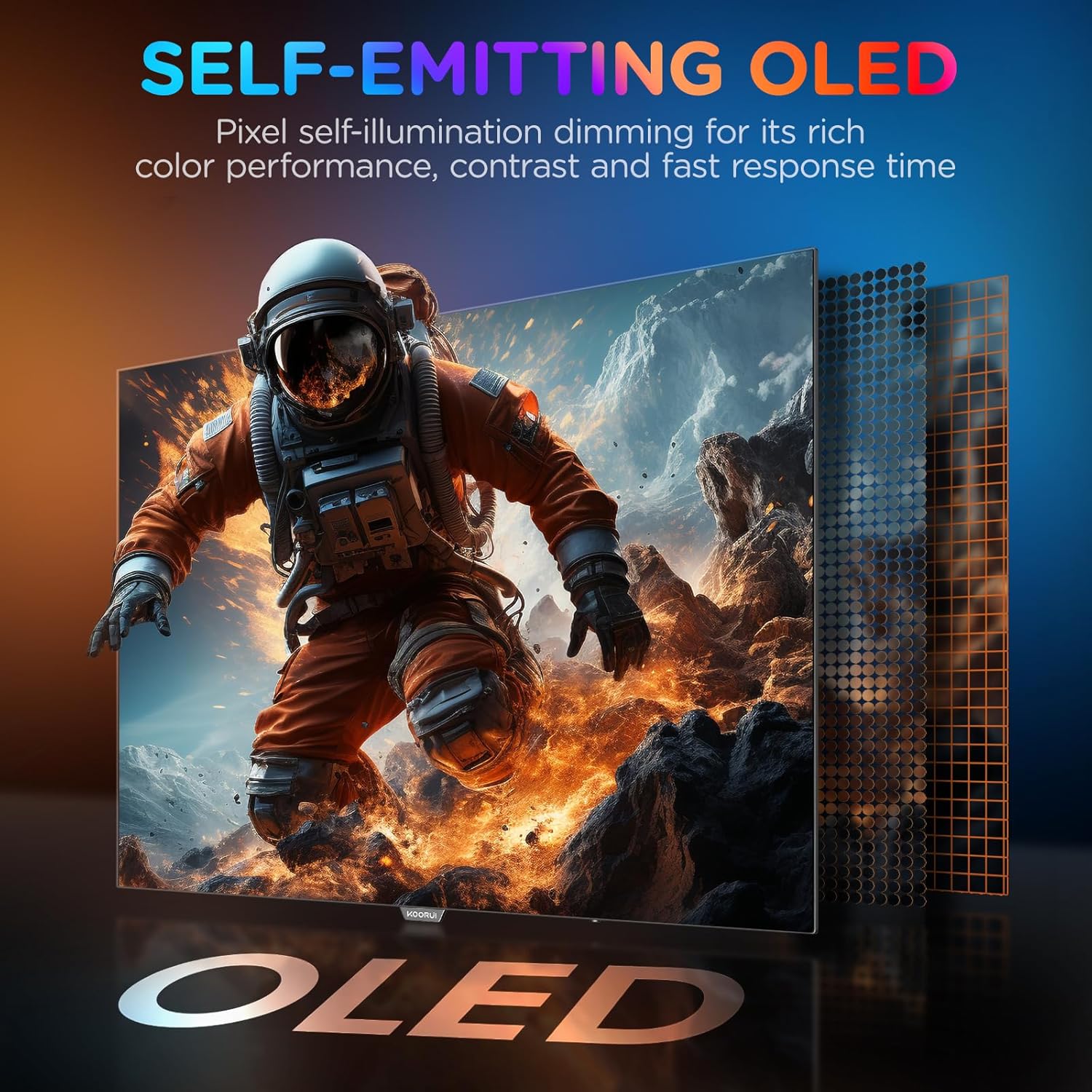
Figure 2: Illustration of the self-emitting OLED pixel technology, highlighting its ability for precise dimming, rich color performance, high contrast, and fast response time.
2. Package Contents
Please verify that all items are present and in good condition upon opening the package. If any items are missing or damaged, contact KOORUI customer support immediately.
- KOORUI 27E8QK Monitor
- Monitor Stand (Base and Neck)
- Power Adapter and Cable
- HDMI Cable
- DisplayPort Cable
- USB-C Cable
- User Manual (this document)
3. Setup Instructions
3.1 Assembling the Stand
- Carefully remove the monitor and stand components from the packaging.
- Attach the stand neck to the monitor panel. Ensure it clicks securely into place.
- Connect the stand base to the stand neck. Tighten any screws if necessary (tool-less assembly is often supported).
- Place the assembled monitor on a stable, flat surface.

Figure 3: The monitor supports 100mm x 100mm VESA mounting for alternative setup options, allowing for optimized desk space.
3.2 Connecting the Monitor
The KOORUI 27E8QK offers multiple connectivity options. Choose the appropriate cable for your device.
- DisplayPort (DP 1.4): For optimal performance, including 2K resolution at 240Hz. Connect one end of the DisplayPort cable to the monitor's DP 1.4 port and the other end to your computer's DisplayPort output.
- HDMI (HDMI 2.0): Supports 2K resolution at up to 144Hz. Connect an HDMI cable from your computer to one of the monitor's HDMI 2.0 ports.
- USB-C (Type-C): Supports video input and 90W power delivery. Connect a USB-C cable from your compatible device to the monitor's USB-C port.
- USB 3.1 (Type-B and Type-A): Use the USB Type-B port to connect the monitor to your computer for enabling the USB Type-A downstream ports.
- Audio Out: Connect headphones or external speakers to the 3.5mm audio jack.

Figure 4: Rear view of the KOORUI 27E8QK monitor showing its various connectivity ports: 1. Audio Out, 2. Type-C, 3. DisplayPort 1.4, 4. HDMI 2.0, 5. HDMI 2.0, 6. USB 3.1 (Type-A), 7. USB 3.1 (Type-B), 8. DC Power Jack.
3.3 Powering On
- Connect the power adapter to the monitor's DC power jack.
- Plug the power cable into a wall outlet.
- Press the power button on the monitor (usually located near the OSD joystick) to turn it on.
4. Operating the Monitor
4.1 On-Screen Display (OSD) Menu
The monitor's settings are controlled via an On-Screen Display (OSD) menu, typically navigated using a joystick or buttons located on the back or bottom of the monitor.

Figure 5: The monitor features an OSD Joystick Design for intuitive navigation of the on-screen display menu.
Common OSD Menu Options:
- Picture Settings: Brightness, Contrast, Sharpness, Color Temperature, Gamma, HDR Mode.
- Input Source: Select between DisplayPort, HDMI 1, HDMI 2, or USB-C.
- Audio Settings: Volume control.
- Display Settings: Aspect Ratio, Overscan.
- Gaming Settings: Overdrive, Adaptive Sync, Crosshair.
- System Settings: Language, OSD Timeout, Reset to Factory Settings.
4.2 Ergonomic Adjustments
The KOORUI 27E8QK monitor stand allows for various ergonomic adjustments to optimize your viewing comfort.
- Height Adjustment: Adjust the monitor's height by up to 110mm.
- Tilt: Tilt the screen from -5° to 15° for optimal viewing angle.
- Swivel: Swivel the monitor left or right by up to 30° in each direction.
- Pivot: Rotate the screen 90° for portrait mode viewing.

Figure 6: The monitor offers height, tilt, swivel, and pivot adjustments for enhanced ergonomics and integrated cable management.
5. Maintenance and Care
- Cleaning the Screen: Gently wipe the screen with a soft, lint-free cloth. For stubborn marks, use a monitor-specific cleaning solution applied to the cloth, not directly to the screen.
- Cleaning the Casing: Use a soft, dry cloth to clean the monitor casing. Avoid using abrasive cleaners or solvents.
- Power Off When Not in Use: Turn off the monitor when not in use for extended periods to conserve energy and prolong its lifespan.
- Avoid Direct Sunlight: Do not expose the monitor to direct sunlight or extreme temperatures.
- Prevent Burn-in (OLED): While OLED technology has advanced, it is still recommended to avoid displaying static images for very long periods. Utilize screen savers and monitor sleep functions.
6. Troubleshooting
| Problem | Possible Cause | Solution |
|---|---|---|
| No image on screen | Power cable disconnected; Incorrect input source; Computer in sleep mode. | Check power connections; Select correct input source via OSD; Wake up computer. |
| Image too dark/bright | Brightness/Contrast settings incorrect. | Adjust Brightness and Contrast in OSD menu. |
| Flickering or distorted image | Cable not securely connected; Incorrect resolution/refresh rate; Graphics card driver issue. | Ensure cables are firmly connected; Set display resolution and refresh rate correctly in OS; Update graphics drivers. |
| No audio | Volume too low; Incorrect audio output selected on computer; Headphones/speakers not connected. | Increase volume in OSD or computer; Select monitor as audio output; Check audio device connections. |
| Monitor not detected by computer | Cable issue; Graphics card issue. | Try a different cable; Test monitor with another computer; Update graphics drivers. |
7. Specifications
| Feature | Detail |
|---|---|
| Brand | KOORUI |
| Model Number | 27E8QK |
| Screen Size | 27 Inches |
| Panel Type | OLED |
| Resolution | 2560 x 1440 (QHD) |
| Refresh Rate | 240 Hz |
| Response Time | 0.03 ms |
| Connectivity | 2x HDMI 2.0, 1x DisplayPort 1.4, 1x USB-C (90W PD), 2x USB 3.1 (Type-A), 1x USB 3.1 (Type-B), 1x Audio Out |
| Special Features | OLED Monitor, 240 Hz High Refresh Rate, 0.03 ms Response Time, Adaptive Sync, VESA 100x100mm Compatible, Ergonomic Stand (Height, Tilt, Swivel, Pivot) |
8. Warranty and Support
KOORUI provides a 3-year warranty for this monitor, ensuring zero dead pixels. For technical support, warranty claims, or any product-related inquiries, please contact KOORUI customer service.
Technical Support: Refer to the official KOORUI website or contact information provided in your product packaging for the most up-to-date support channels.


Figure 7: KOORUI offers a 3-year zero dead pixel warranty and dedicated technical support for their products.
9. Important Safety Information
- Do not expose the monitor to rain or moisture to prevent fire or shock hazards.
- Do not open the monitor casing. There are no user-serviceable parts inside. Refer all servicing to qualified service personnel.
- Ensure proper ventilation around the monitor. Do not block ventilation openings.
- Use only the power adapter and cables supplied by the manufacturer.
- Keep the monitor away from heat sources such as radiators, heat registers, stoves, or other apparatus (including amplifiers) that produce heat.


