
Introduction
This manual provides detailed instructions for the safe and effective use of your PaiPaitek PD800 Dog Training Collar and Leash System. This system is designed to assist in dog training by offering various correction methods to encourage desired behaviors and discourage unwanted ones, such as excessive pulling or barking. Please read this manual thoroughly before initial use.
Product Components
The PaiPaitek PD800 system includes the following items:
- Control Handle (Remote)
- Receiver (Collar Unit)
- Adjustable Collar Strap
- Training Leash
- Charging Cord
- Long Probes (Contact Points)
- Short Probes (Contact Points)
- Rubber Probe Covers
- Static Shock Tester

Image: The complete PaiPaitek PD800 system, including the pink remote handle, black receiver with pink collar strap, and a black and pink training leash.
Setup Instructions
1. Charging the Devices
Before first use, fully charge both the Control Handle and the Receiver. Use the provided charging cord and a compatible USB power source (e.g., USB power strip, computer, power bank, or power adapter).

Image: Various charging options for the PaiPaitek PD800, including USB power strip, computer, power bank, and power adapter.
2. Attaching the Receiver to the Collar Strap
Thread the adjustable collar strap through the slots on the receiver unit. Ensure the receiver is positioned centrally on the strap.
3. Selecting and Installing Contact Points (Probes)
Choose the appropriate length of contact points (probes) based on your dog's coat length. Use longer probes for dogs with thick or long fur to ensure proper contact with the skin. For short-haired dogs, use shorter probes. Optionally, attach the rubber probe covers for added comfort and to reduce direct skin contact, especially if using only vibration or sound modes.

Image: Illustration showing long and short probes with optional rubber covers for the receiver, indicating which to use for long-haired versus short-haired dogs.
4. Fitting the Collar
Place the collar around your dog's neck, ensuring a snug but comfortable fit. You should be able to fit two fingers between the collar and your dog's neck. The contact points should touch your dog's skin. Avoid leaving the collar on for more than 12 hours a day to prevent skin irritation.
5. Attaching the Leash
Attach the provided training leash to the D-ring on the collar. The leash handle integrates the remote control functionality.
Operating Instructions
1. Powering On/Off
To power on the Control Handle and Receiver, press and hold their respective power buttons until the indicators light up. To power off, press and hold the power buttons again.
2. Understanding the Control Handle
The Control Handle features an intuitive button layout for various training functions:
- Power Button (Green): Turns the device on/off.
- Plus (+) / Minus (-) Buttons: Adjusts the intensity levels for Vibration and Static Shock modes (levels 1-9).
- Sound Button (Yellow): Activates an audible beep.
- Vibration Button (Orange): Activates vibration.
- Static Shock Button (Red): Activates static shock.

Image: A close-up view of the pink remote handle, showing the power button, plus/minus buttons, and dedicated buttons for sound, vibration, and static shock.
3. Training Modes
The system offers two primary training modes: Automatic Stop Pull and Manual Training.
Automatic Stop Pull Mode
In this mode, the leash handle automatically detects excessive pulling by your dog. When pulling is detected, the collar will emit a beep or vibration to alert the dog. This helps teach your dog to walk politely without constant tugging.
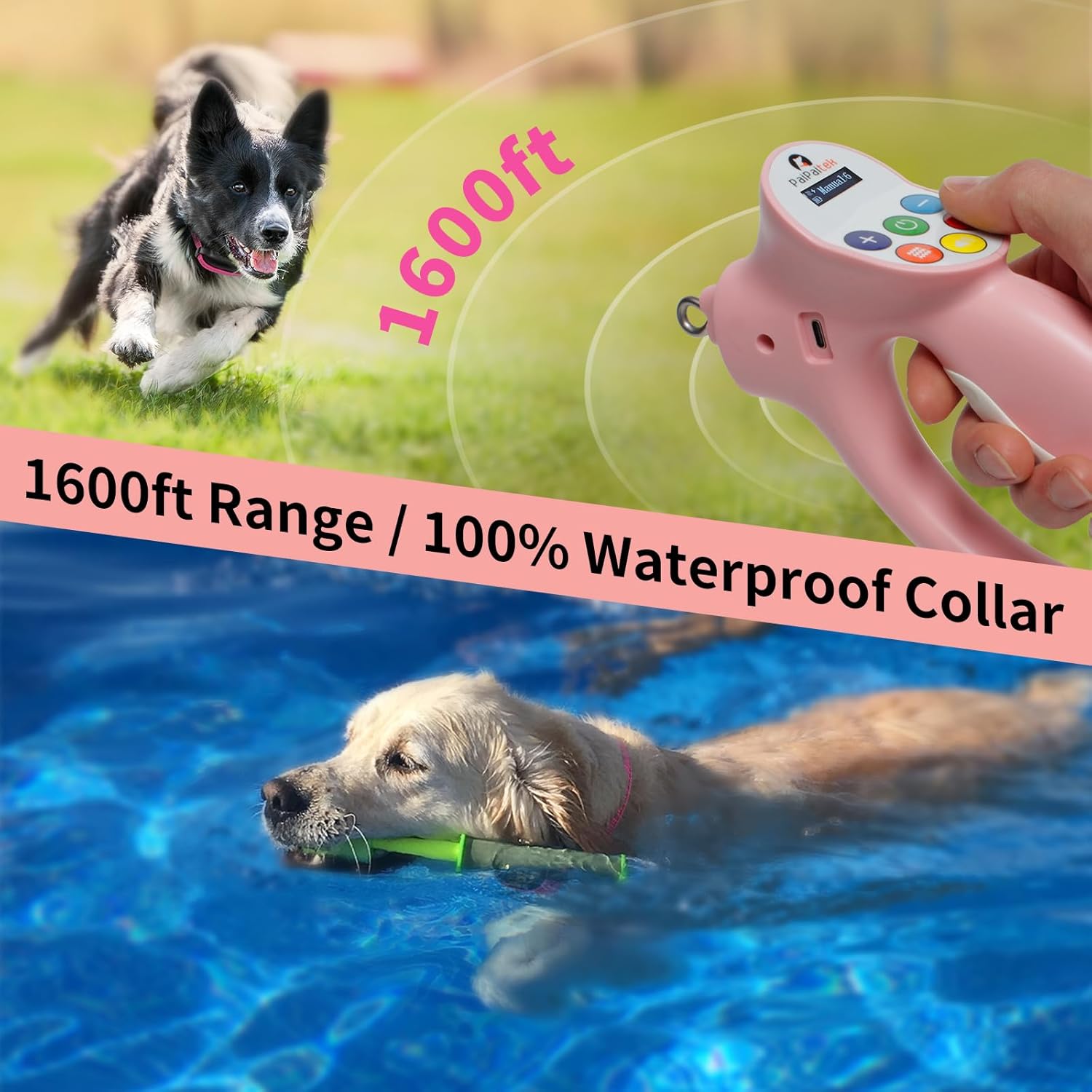
Image: A dog walking calmly on a leash, with icons indicating the system detects tugging and corrects with beeps and vibrations.
Manual Training Mode & Remote Recall
You can manually activate the training options (beep, vibration, static shock) using the buttons on the Control Handle. This is useful for teaching obedience commands like "Come" or "Sit," and for correcting behaviors such as excessive barking or chasing. The remote offers a range of up to 1600 feet, allowing for effective remote recall training.

Image: A visual representation of switching between 'Auto Stop Pull' mode and 'Manual Training' mode on the remote handle.

Image: A dog running in a field, illustrating the 1600ft remote range for fast recall training.
4. Adjusting Intensity Levels
Use the Plus (+) and Minus (-) buttons on the Control Handle to adjust the intensity of the vibration and static shock. Levels range from 1 to 9. Start with the lowest level and gradually increase until your dog responds. The goal is to get your dog's attention, not to cause distress.
Maintenance
Battery Life
The receiver has a 650 mAh battery capacity, providing up to 20 days of battery life on a single charge, depending on usage. The Control Handle also has a long-lasting battery.
Waterproofing
The receiver is designed to be waterproof, allowing your dog to swim while wearing it. Ensure the charging port cover is securely closed when near water.

Image: A golden retriever swimming with the waterproof PaiPaitek training collar, demonstrating its water resistance.
Cleaning
Regularly clean the collar strap and receiver with a damp cloth. Ensure the contact points are free of dirt or debris to maintain effective operation.
Troubleshooting
If you encounter issues with your PaiPaitek PD800 system, consider the following:
- No Response from Collar: Check if both the Control Handle and Receiver are powered on and fully charged. Ensure the collar is fitted correctly and the contact points are touching your dog's skin.
- Inconsistent Correction: Verify the contact points are clean and free of debris. Adjust the probe length if necessary for better skin contact.
- Short Range: Ensure there are no major obstructions between the Control Handle and the Receiver. Large metal objects or dense foliage can interfere with the signal.
- Skin Irritation: If your dog develops skin irritation, remove the collar immediately. Consult a veterinarian. Ensure the collar is not too tight and is not worn for extended periods.
For further assistance, please contact PaiPaitek customer support.
Specifications
| Feature | Detail |
|---|---|
| Model Name | PD 800 |
| Brand | PaiPaitek |
| Training Options | Beep, Vibration (1-9 levels), Static Shock (1-9 levels) |
| Remote Range | 1600 feet |
| Waterproof Rating | Upgraded Waterproof (Receiver) |
| Battery Life (Receiver) | Up to 20 days (650 mAh) |
| Material | Nylon (Collar) |
| Item Weight | 3.53 ounces (100 Grams) |
| Product Dimensions | 0.83 x 0.3 x 0.04 inches |
Warranty Information
The PaiPaitek PD800 Dog Training Collar and Leash System comes with a 1 YEAR WARRANTY. Please retain your proof of purchase for warranty claims. For details on warranty coverage and claims, refer to the product packaging or contact PaiPaitek customer support.
Support
For any questions, technical support, or warranty inquiries, please visit the official PaiPaitek store or contact their customer service department.
Official Brand Store: PaiPaitek Store on Amazon


