
Introduction
The AODELAN Wireless Shooting Grip Tripod with Remote Control is a versatile accessory designed for Sony cameras, offering dual functionality as both a comfortable handheld shooting grip and a stable tabletop tripod. This device enhances your photography and videography experience by providing remote control capabilities for various camera functions. It is ideal for vlogging, live streaming, and capturing selfies with ease.
This manual provides essential information on how to set up, operate, and maintain your shooting grip tripod to ensure optimal performance and longevity.
What's in the Box
- Shooting Grip Tripod
Product Features
- Dual Functionality: Can be used as a wireless shooting grip or a tabletop tripod.
- Lightweight and Portable: Designed for easy carrying, weighing approximately 152g.
- Detachable Wireless Remote Control: Supports shooting still images, video recording, focus, and zoom functions.
- Operating Range: Remote control effective up to 10m (32.8ft).
- Stable Tripod Support: Equipped with a non-slip pad for stable placement.
- Adjustable Camera Angle: Features 360-degree rotation and a 45-90 degree flip angle for flexible shooting perspectives.
- Compatibility: Compatible with various Sony cameras including a6100, a6400, a6600, A6700, a7 III, a7R III, a7R IV, a9, a9 II, Cyber-shot DSC-RX0 II, Cyber-shot DSC-RX100 VII, ZV-1, ZV-1F, ZV-1 II, ZV-E1, ZV-E10 II, A7C II, ZV-E10.
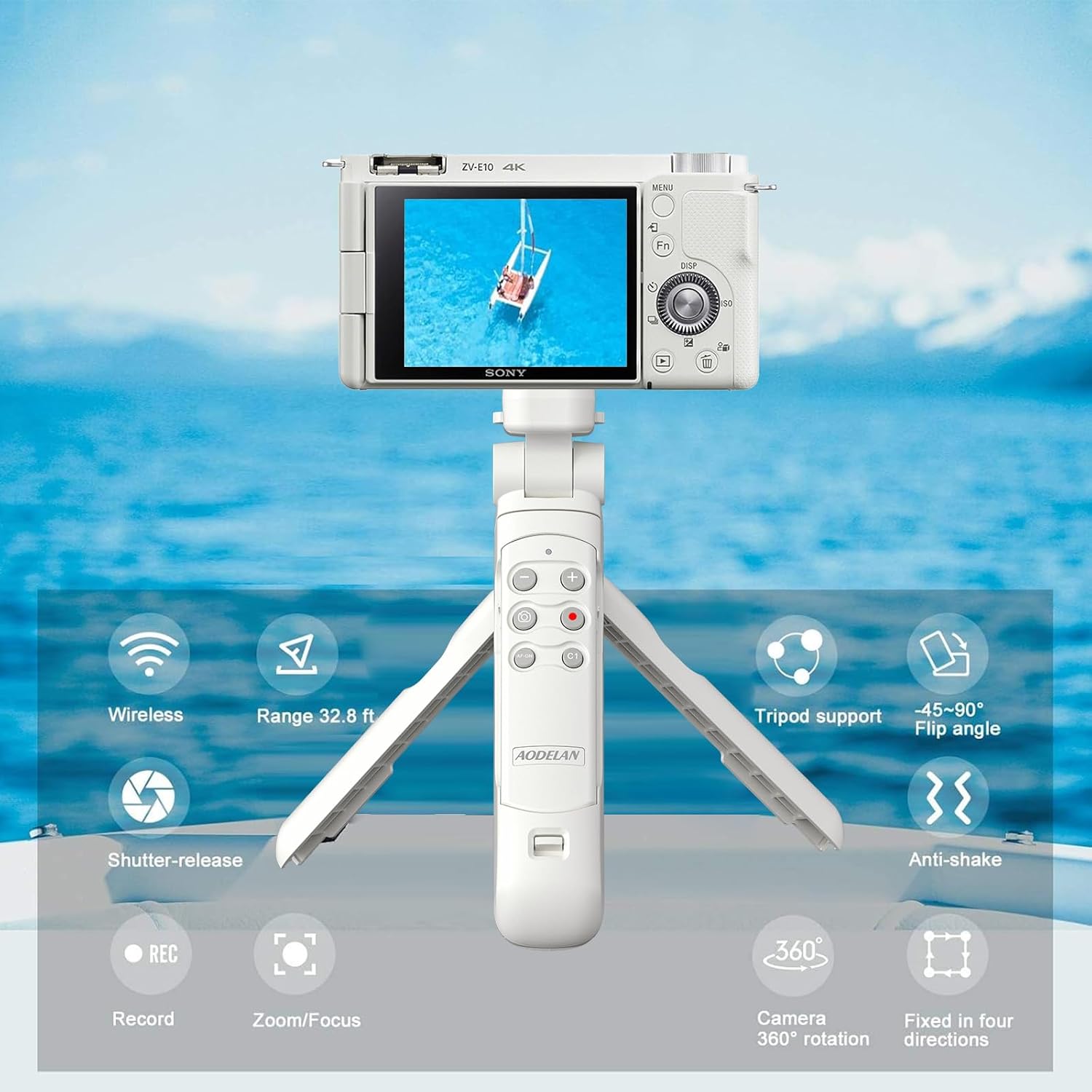
Image: Overview of the AODELAN Wireless Shooting Grip Tripod with its key features.
Setup
1. Mounting the Camera
- Ensure the camera's tripod mount is clean and free of debris.
- Align the camera's tripod screw hole with the screw on the top of the shooting grip.
- Rotate the camera clockwise to securely fasten it to the grip. Do not overtighten.
2. Pairing the Remote Control with Your Camera
Follow these steps to pair the wireless remote control with your Sony camera:
- Ensure the lock switch on the left side of the remote is NOT in the lock position.
- On your camera, navigate to: Menu > Network > Bluetooth setting > Bluetooth function > ON.
- Next, navigate to: Menu > Network > Bluetooth RMT Ctrl > ON.
- Then, navigate to: Menu > Network > Bluetooth setting > Pairing.
- Hold down both the shutter button and Zoom + buttons on the remote simultaneously for more than 7 seconds.
- When a confirmation message appears on the camera screen, tap "OK" and the camera will display "Paired".

Image: Remote control pairing steps and user notes.
Operating Instructions
Handheld Mode
Hold the grip comfortably to shoot still images or videos. The ergonomic design provides a secure hold, reducing camera shake during handheld operation. The remote control can be used while attached to the grip to control camera functions.
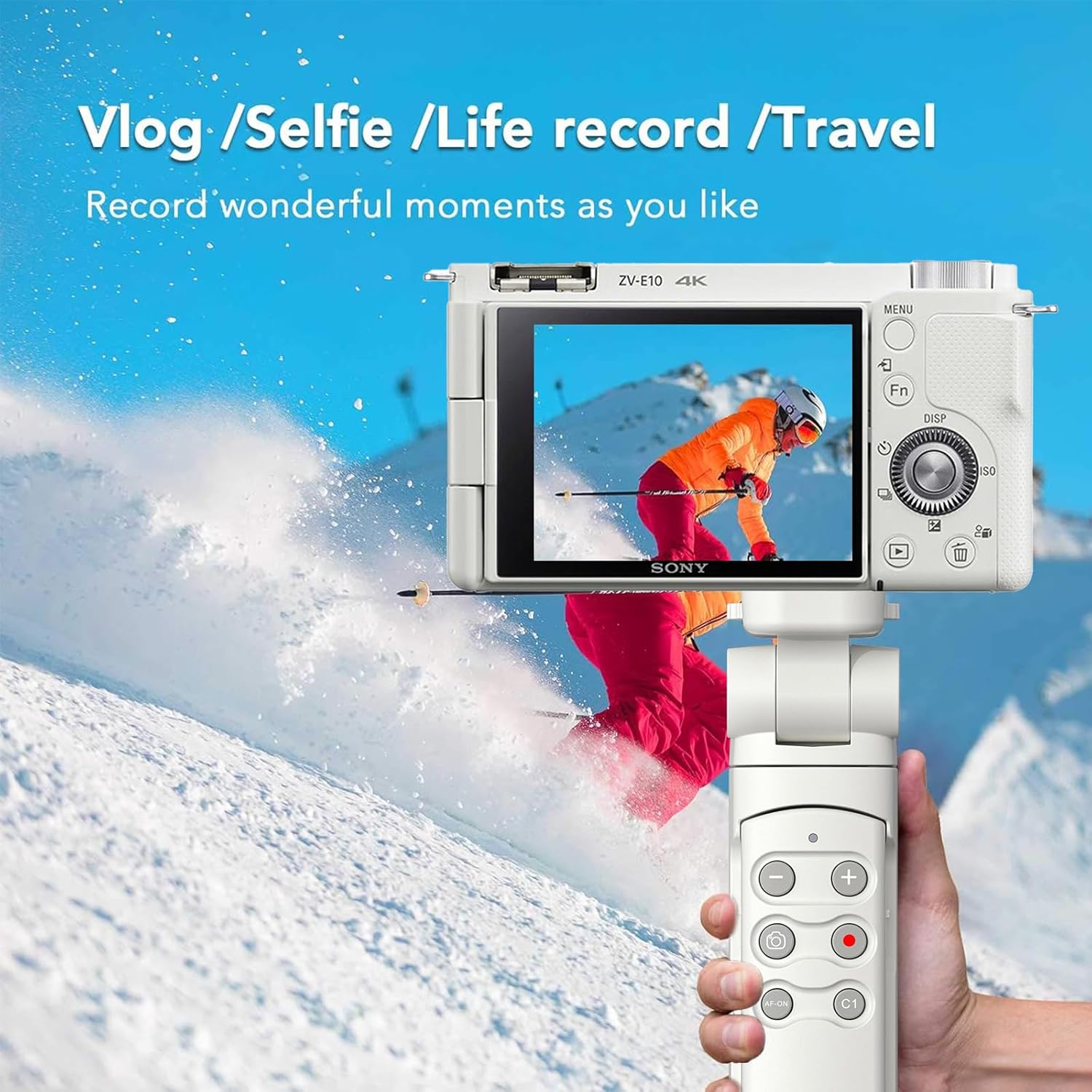
Image: Handheld use for vlogging and selfies.
Tripod Mode
To use as a tabletop tripod, unfold the legs at the base of the grip. Place the tripod on a flat, stable surface. The non-slip pads on the feet ensure stability. For remote operation, the wireless remote control can be detached from the grip.

Image: Handheld and Tripod modes.
Remote Control Functions
- Shutter Button: Press to capture still images.
- Record Button: Press to start and stop video recording.
- Zoom Buttons (+/-): Adjust the optical or digital zoom of your camera's lens.
- Focus Buttons: Adjust focus (functionality may vary based on camera model and lens).
Adjusting Camera Angle
The camera mount allows for 360-degree rotation and a 45-90 degree flip angle. This enables easy switching between horizontal and vertical shooting orientations, as well as adjusting the camera's tilt for various shots.

Image: Versatile shooting angles and selfie capability.
Maintenance
- Cleaning: Wipe the grip and remote with a soft, dry cloth. Avoid using harsh chemicals or abrasive materials.
- Storage: Store the device in a cool, dry place away from direct sunlight and extreme temperatures.
- Battery: If the remote control uses replaceable batteries, ensure they are inserted correctly and replace them when necessary.
Troubleshooting
- Remote Not Responding: Ensure the remote's lock switch is in the unlocked position. Check camera Bluetooth settings to confirm pairing.
- Zoom Buttons Not Working: The zoom buttons on the remote only function with power zoom lenses when used on mirrorless cameras. They will not work when taking RAW or RAW + JPEG images; they only work when taking JPEG images.
- No GPS Location Tagging: This remote does not support GPS location tagging.
- Remote Inactive After Camera Power Cycle: If you turn off the camera and then turn it on again, you may need to wait a few seconds and then activate the remote by pressing one of its buttons.
Specifications
| Brand | AODELAN |
| Model Number | ADL-ZJ-white-SONI |
| Color | White Tripod compatible with Sony |
| Material | Acrylonitrile Butadiene Styrene (ABS) |
| Item Weight | 152 g |
| Weight Limit | 1 kg (2.2 lb) |
| Maximum Height | 18.4 centimeters |
| Minimum Height | 15.3 centimeters |
| Folded Size | 160 x 153 x 184 mm (6.30 × 6.03 × 7.23 in.) |
| Special Features | Lightweight, Remote Control |
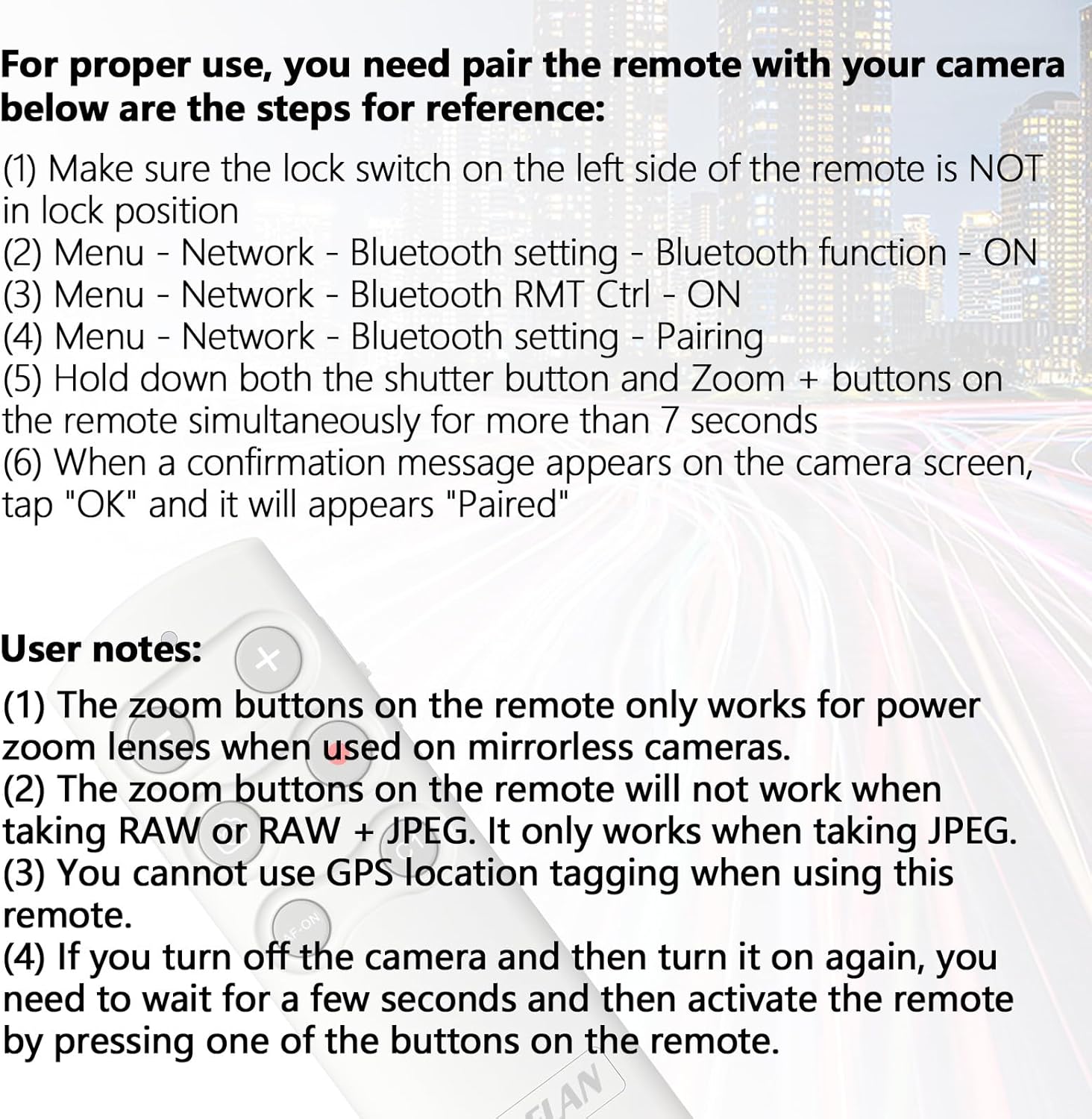
Image: Dimensions and portability of the shooting grip.
Warranty Information
This AODELAN product comes with a 1 Year Manufacturer Warranty. Please retain your proof of purchase for warranty claims. For specific terms and conditions, refer to the warranty documentation included with your product or contact the manufacturer directly.
Support
For technical assistance, troubleshooting, or further inquiries regarding your AODELAN Wireless Shooting Grip Tripod, please visit the official AODELAN website or contact their customer support. Contact information can typically be found on the product packaging or the manufacturer's website.