
1. Introduction
This manual provides instructions for the safe and efficient operation of your Luqeeg High Speed Air Blower Fan. Please read this manual thoroughly before first use and retain it for future reference.
The Luqeeg High Speed Air Blower Fan is a compact and powerful device designed for various applications, including cleaning, drying, and assisting with combustion. It features a high-speed motor and a Type-C charging interface for convenience.
2. Product Features
- Compact and High Speed: Delivers an airflow of 25m/s at a maximum rotation speed of 110,000rpm, suitable for outdoor activities.
- Efficiency: Supports efficient operation through instantaneous key pressing and maximum speed movement for quick task completion.
- Quick Charging: Equipped with a Type-C charging interface for fast and efficient power replenishment.
- Premium Material: Constructed from high-hardness and high-temperature resistant metal, ensuring durability and low heat production.
- Multipurpose Performance: Versatile for use with outdoor equipment, cars, computers, keyboards, cameras, sofas, plants, and pet hair removal.
3. Package Contents
Verify that all items listed below are included in your package:
- 1 x Luqeeg High Speed Air Blower Fan
- 1 x Nozzle
- 1 x Storage Bag
- 1 x User Manual (this document)
4. Product Overview


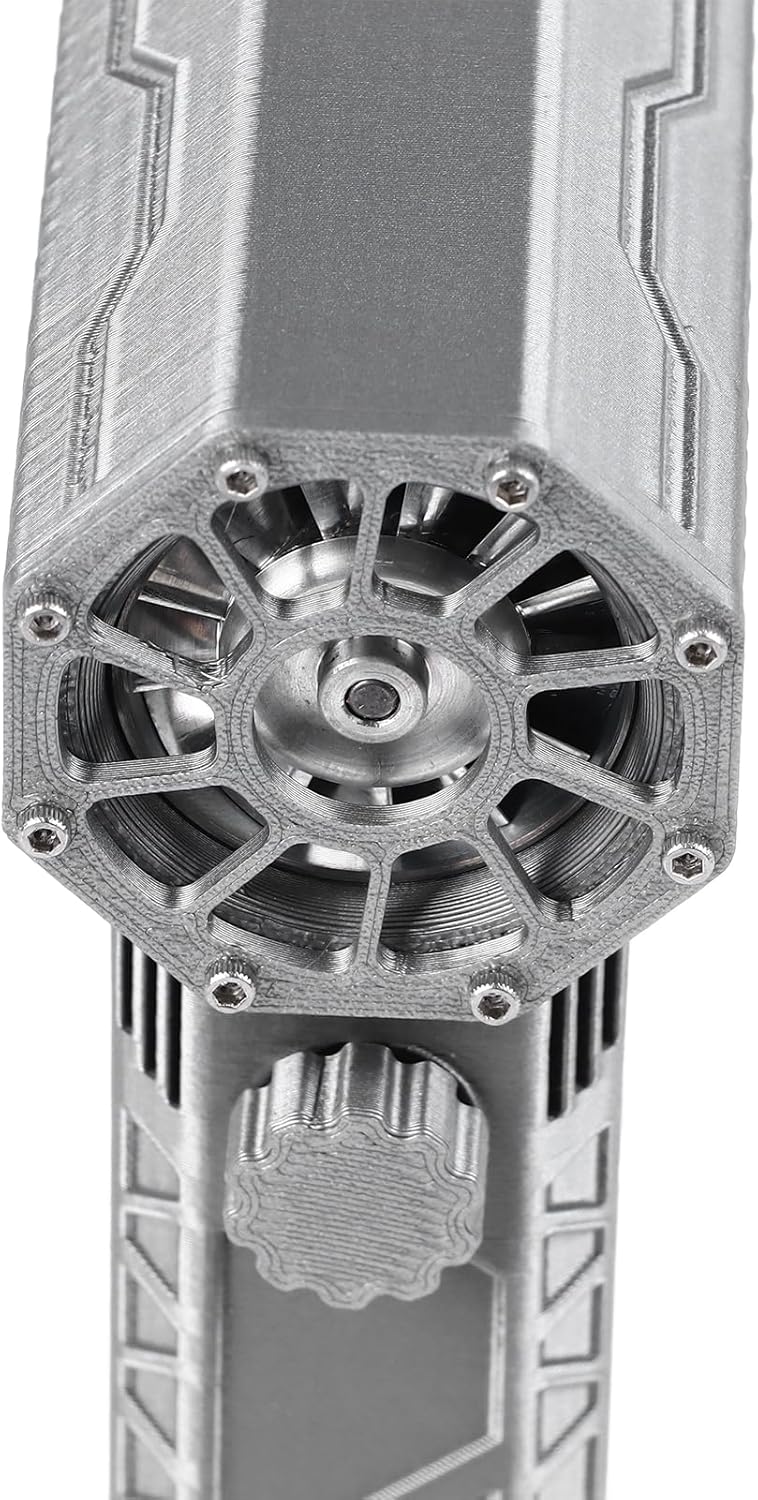


5. Setup
- Unpack: Carefully remove all components from the packaging.
- Inspect: Check the blower and accessories for any signs of damage. Do not use if damaged.
- Attach Nozzle: Securely attach the provided nozzle to the air outlet of the blower.
- Charge Battery: Before first use, fully charge the device. Refer to the "Charging Instructions" section for details.
6. Charging Instructions
The Luqeeg High Speed Air Blower Fan features a Type-C charging interface for quick charging.
- Locate the Type-C charging port on the device.
- Connect a compatible 15W Type-C charging cable to the port and to a power source.
- During charging, the charging indicator light will display blue and red colors.
- When the battery is fully charged, the indicator light will turn red.
- If the battery is in a low voltage state, the indicator light will display green. In this case, charge the device before use.
- A full charge typically takes approximately 3 hours.
- The battery life is approximately 15 minutes at maximum throttle.
7. Operating Instructions
- Power On: Press and hold the power button for 2 seconds to turn on the blower. This prevents accidental activation.
- Adjust Speed: The blower supports instantaneous intense key pressing for maximum speed movement. Release the button to stop.
- Power Off: Press and hold the power button for 2 seconds to turn off the blower.
- Usage: Direct the nozzle towards the area requiring airflow. Use for tasks such as dust removal, drying, or assisting with combustion.
8. Maintenance
- Cleaning: Regularly wipe the exterior of the blower with a soft, dry cloth. Ensure the air intake and outlet are free from dust and debris. Do not use liquid cleaners directly on the device.
- Storage: When not in use, store the blower in its provided storage bag in a cool, dry place, away from direct sunlight and extreme temperatures.
- Battery Care: To prolong battery life, avoid fully discharging the battery frequently. Charge the device periodically even if not in use.
9. Troubleshooting
If you encounter issues with your Luqeeg High Speed Air Blower Fan, refer to the following common solutions:
- Device not turning on:
- Ensure the battery is charged. Connect the charger and check the indicator light.
- Confirm you are pressing and holding the power button for the required 2 seconds.
- Weak airflow:
- Check if the air intake or nozzle is obstructed by dust or debris. Clean as necessary.
- Ensure the battery is sufficiently charged. Performance may decrease with low battery.
- Charging issues:
- Verify the Type-C cable and power adapter are functioning correctly. Try a different cable or adapter.
- Ensure the charging port is clean and free of debris.
If problems persist, contact customer support for further assistance.
10. Specifications
| Feature | Detail |
|---|---|
| Item Type | Dry Mini Blower Fan |
| Material | Metal |
| Battery Type | Lithium Battery x 2 (Built-in) |
| Battery Capacity | 4000mAh |
| Battery Life (Max Throttle) | Approx. 15 minutes |
| Charging Time (Full) | Approx. 3 hours |
| Charging Interface | Type-C (15W fast charging) |
| Product Size | Approx. 14.3 x 9.3 x 3.9 cm / 5.63 x 3.66 x 1.54 in |
| Weight | Approx. 366.00g / 12.91oz |
| Airflow Speed | 25m/s (at 110,000rpm max) |
| Noise Level | 92 Decibels |
| Power Source | AC/DC |
| Special Feature | Adjustable |
| Recommended Uses | Indoor/Outdoor |
11. Safety Information
- Do not operate the blower with wet hands or in wet conditions.
- Keep the blower away from children and pets.
- Do not block the air intake or outlet during operation.
- Avoid directing the airflow towards eyes, face, or sensitive body parts.
- Use only the provided or recommended charging cable and adapter.
- Do not attempt to disassemble or repair the device yourself. Contact qualified personnel for service.
- Dispose of the product and its battery responsibly according to local regulations.
12. Warranty and Support
Information regarding product warranty and customer support is not provided within this document. Please refer to the product packaging or the retailer's website for details on warranty coverage and how to contact customer service for assistance.