
JUSTPRO MD-MINIPRO-Blue
JUSTPRO Mini Portable Wireless Guitar Amplifier User Manual
Model: MD-MINIPRO-Blue
Introduction
Thank you for choosing the JUSTPRO Mini Portable Wireless Guitar Amplifier. This versatile amplifier is designed for guitarists seeking a compact, rechargeable solution with a wide range of effects and connectivity options for practice and recording. Please read this manual thoroughly to ensure proper use and maintenance of your amplifier.
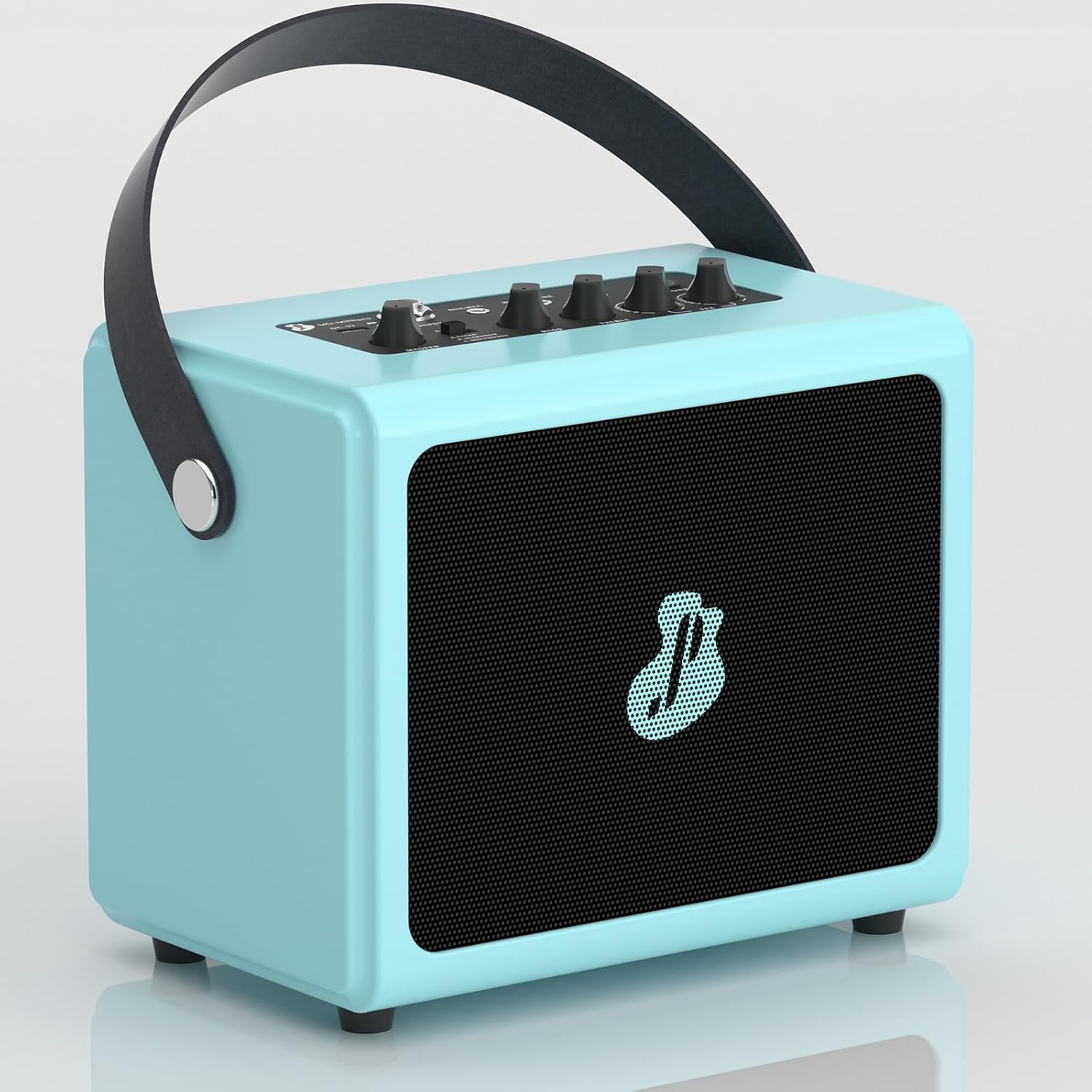
Figure 1: JUSTPRO Mini Portable Wireless Guitar Amplifier
Safety Information
- Do not expose the amplifier to water or excessive moisture.
- Avoid placing the amplifier near heat sources or in direct sunlight.
- Use only the provided USB cable for charging.
- Do not attempt to disassemble or modify the amplifier. This will void the warranty.
- Keep out of reach of children.
- Ensure proper ventilation when in use.
Package Contents
Verify that all items are present in the package:
- Guitar Amp
- USB Cable
Product Overview
Controls and Interfaces

Figure 2: Amplifier Controls and Interfaces
| No. | Control/Interface | Function |
|---|---|---|
| 1 | MASTER | Adjusts the overall output volume of the amplifier. |
| 2 | A-CLEAN / B-OVERDRIVE / C-DISTORTION Switch | Selects between Clean, Overdrive, and Distortion effects. |
| 3 | BASS | Adjusts the low-frequency response. |
| 4 | TREBLE | Adjusts the high-frequency response. |
| 5 | R-ROOM / R-HALL / CHORUS / DELAY Knob | Selects and adjusts the level of Reverb (Room/Hall), Chorus, or Delay effects. |
| 6 | POWER / BT Button | Powers the unit on/off and activates Bluetooth pairing mode. |
| 7 | HEADPHONE Jack | 3.5mm output for private practice with headphones. |
| 8 | AUX/REC Jack | 3.5mm input for external audio sources or output for recording. |
| 9 | INPUT Jack | 6.35mm input for connecting your guitar. |
| 10 | DC-5V Charging Port | Micro USB port for charging the amplifier. |
Key Features
- All-in-One Combo Amp: Features 7 built-in effects including Reverb (Room/Hall), Chorus, Delay, Clean, Overdrive, and Distortion.

Figure 3: Integrated Effects
- Wireless BT Audio Design: Seamlessly stream backing tracks or drum machine apps from your phone via Bluetooth.

Figure 4: Bluetooth Connectivity in Use
- Rich Interfaces: Built-in Aux/Rec, Input, and Headphone interfaces for versatile connectivity.

Figure 5: Rich Interface Options
- Full Wooden Shell Body: Crafted from high-quality wood with a piano painting finish for durability and aesthetic appeal.

Figure 6: Wooden Shell Body Construction
- Rechargeable Battery: Integrated rechargeable battery provides up to 3.5 hours of playtime on a single charge.

Figure 7: Charging Port and Battery Life
- Mini Portable Design: Compact size (7.8*5.1*7.1 inches) with a convenient leather handle for easy transport.

Figure 8: Portable Design in a Practice Setting
Setup
- Charging the Amplifier:
Before first use, fully charge the amplifier using the provided USB cable. Connect the USB cable to the DC-5V charging port (10) on the amplifier and the other end to a standard USB power adapter (not included) or a computer USB port. The charging indicator light will show charging status.
- Powering On/Off:
Long press the POWER / BT button (6) for 2 seconds to turn the amplifier on or off.
Operating Instructions
Connecting Your Guitar
- Ensure the amplifier is powered on.
- Connect your guitar to the INPUT Jack (9) using a standard 6.35mm instrument cable.
- Adjust the MASTER volume (1) to a comfortable listening level.
Using Effects
The amplifier offers 7 built-in effects:
- Clean, Overdrive, Distortion: Use the A-CLEAN / B-OVERDRIVE / C-DISTORTION switch (2) to select your desired tone.

Figure 9: Three Channel Selection
Demonstration of effects:
Video 1: Demonstration of Clean, Overdrive, and Distortion effects on the amplifier.
- Reverb (Room/Hall), Chorus, Delay: Rotate the R-ROOM / R-HALL / CHORUS / DELAY knob (5) to select and adjust the intensity of these effects.

Figure 10: EFX Volume Control
Bluetooth Connectivity
- Step 1: Activate Bluetooth on Amplifier
Long press the POWER / BT button (6) for 2 seconds. The BT indicator light will flash, indicating it's in pairing mode.
- Step 2: Pair with Your Device
On your phone or other Bluetooth-enabled device, open Bluetooth settings. Find "MINI pro" in the available devices list and select it to pair. Once paired, the BT indicator light will stop flashing and remain solid.

Figure 11: Easy Wireless Connection Steps
Using AUX/REC and Headphone Jacks
- AUX/REC (8): Connect an external audio source (e.g., MP3 player, phone) using a 3.5mm 4-pole audio cable (not included) to play along with music. This port can also be used to output audio for recording.
- HEADPHONE (7): Connect 3.5mm headphones for silent practice. The main speaker output will be muted when headphones are connected.
Maintenance
- Clean the amplifier with a soft, dry cloth. Do not use abrasive cleaners or solvents.
- Store the amplifier in a cool, dry place away from direct sunlight and extreme temperatures.
- If not used for an extended period, charge the battery every 3 months to maintain its lifespan.
Troubleshooting
| Problem | Possible Cause | Solution |
|---|---|---|
| No sound from amplifier. | Amplifier is off; Volume is too low; Guitar cable is not connected properly; Headphones are connected. | Ensure amplifier is on; Increase MASTER volume; Check guitar cable connection; Disconnect headphones. |
| Bluetooth not connecting. | Amplifier not in pairing mode; Device Bluetooth is off; "MINI pro" not selected. | Long press POWER/BT button to enter pairing mode (flashing light); Ensure Bluetooth is enabled on your device; Select "MINI pro" from your device's Bluetooth list. |
| Poor sound quality. | Low battery; Incorrect effect setting; Cable issues. | Charge the amplifier; Adjust BASS/TREBLE knobs and effect settings; Try a different guitar cable. |
| Short battery life. | Battery not fully charged; Old battery. | Ensure full charge before use; Battery lifespan naturally decreases over time. |
Specifications
| Feature | Detail |
|---|---|
| Brand | JUSTPRO |
| Model Number | MD-MINIPRO-Blue |
| Output Wattage | 5 Watts |
| Product Dimensions | 5.1 x 7.8 x 7 inches (13 x 20 x 18 cm) |
| Item Weight | 3.94 pounds (1.79 kg) |
| Material Type | Wood |
| Power Source | Battery Powered |
| Battery Type | Lithium Ion (1 included) |
| Connectivity | Bluetooth, 6.35mm Jack (Input), 3.5mm Jack (Aux/Rec, Headphone) |
| Effects | Reverb (Room/Hall), Chorus, Delay, Clean, Overdrive, Distortion |