
Dreo DR-HTF008S
Dreo Smart Tower Fan DR-HTF008S User Manual
Model: DR-HTF008S
1. Important Safety Instructions
Please read this manual thoroughly before use and retain it for future reference. Always follow basic safety precautions when using electrical appliances to reduce the risk of fire, electric shock, and injury to persons.
- Ensure the power supply matches the voltage specified on the fan's rating label.
- Do not operate the fan with a damaged cord or plug. If the cord is damaged, it must be replaced by the manufacturer, its service agent, or similarly qualified persons to avoid a hazard.
- Avoid placing the fan in wet or damp areas. Do not immerse the fan in water or other liquids.
- Keep fingers and other objects away from the fan grilles during operation.
- Unplug the fan from the power outlet when not in use, when moving it from one location to another, and before cleaning.
- This appliance is not intended for use by persons (including children) with reduced physical, sensory or mental capabilities, or lack of experience and knowledge, unless they have been given supervision or instruction concerning use of the appliance by a person responsible for their safety.
- Children should be supervised to ensure that they do not play with the appliance.
2. Product Overview
Familiarize yourself with the components and controls of your Dreo Smart Tower Fan.
Package Contents
- Dreo Smart Tower Fan
- Remote Control
- User Manual
Fan Components
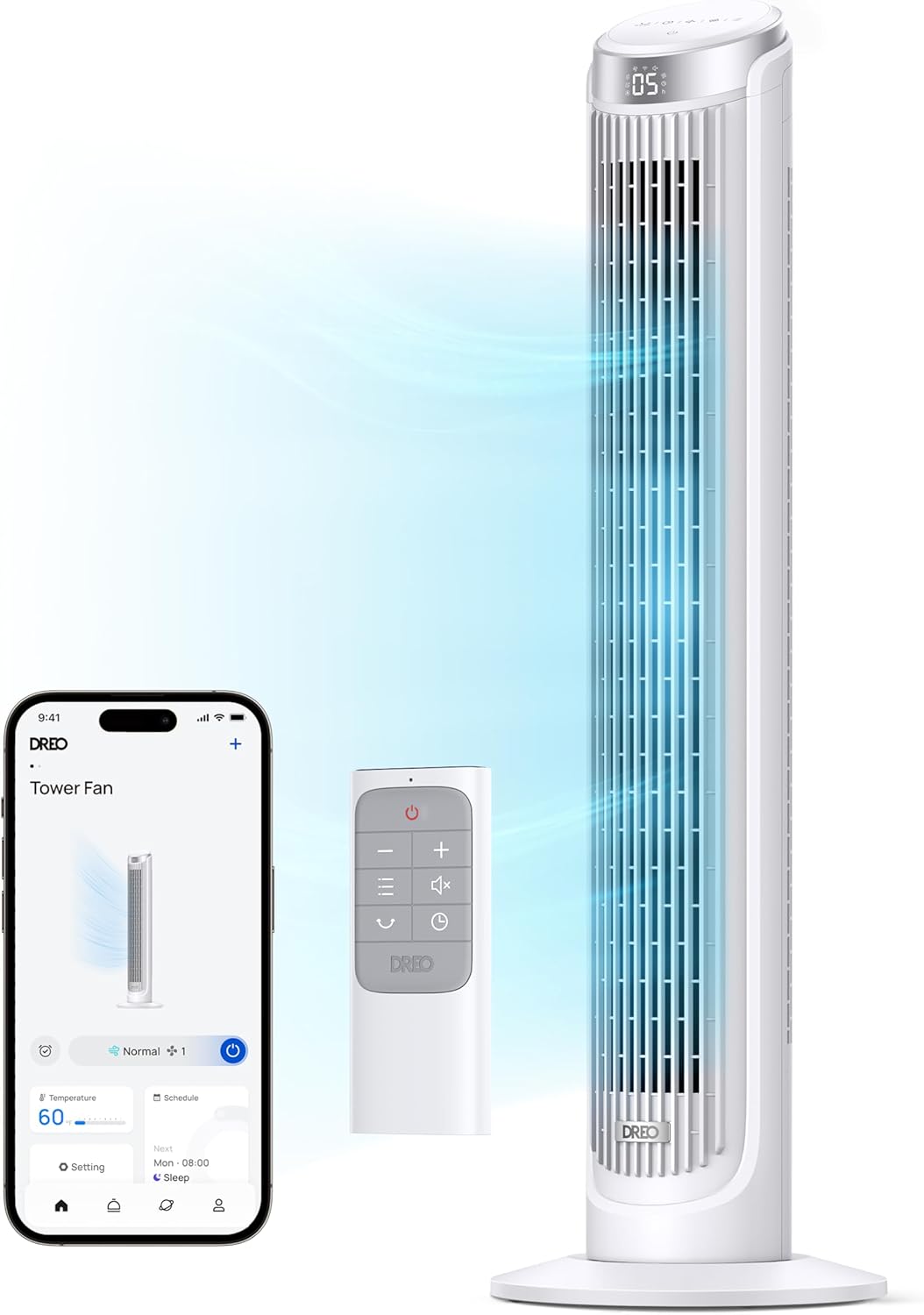
The fan unit consists of the main tower, a stable base, and an intuitive control panel on top. A remote control is included for convenient operation.
3. Setup
Follow these steps to set up your Dreo Smart Tower Fan.
3.1 Assembly
The Dreo Smart Tower Fan features tool-free assembly for quick setup.
- Carefully remove all packaging materials and ensure all components are present.
- Attach the base to the bottom of the fan tower. Align the base with the fan unit and twist or click into place according to the markings.
- Secure the base if necessary (some models may have a locking mechanism or screw).

3.2 Placement
Place the fan on a firm, level surface. Ensure there is adequate space around the fan for optimal airflow and oscillation.
3.3 Power Connection
Plug the power cord into a standard 120V AC electrical outlet.
3.4 App Pairing (Optional)
To utilize smart features, download the Dreo app from your smartphone's app store and follow the in-app instructions to pair your fan. This enables remote control, scheduling, and voice control capabilities.

4. Operating Instructions
Your Dreo Smart Tower Fan offers multiple ways to control its functions.
4.1 Control Panel
The fan features a smart touch control panel on its top for direct operation.
4.2 Remote Control
Use the included remote control for convenient adjustments from a distance.
4.3 Operating Modes
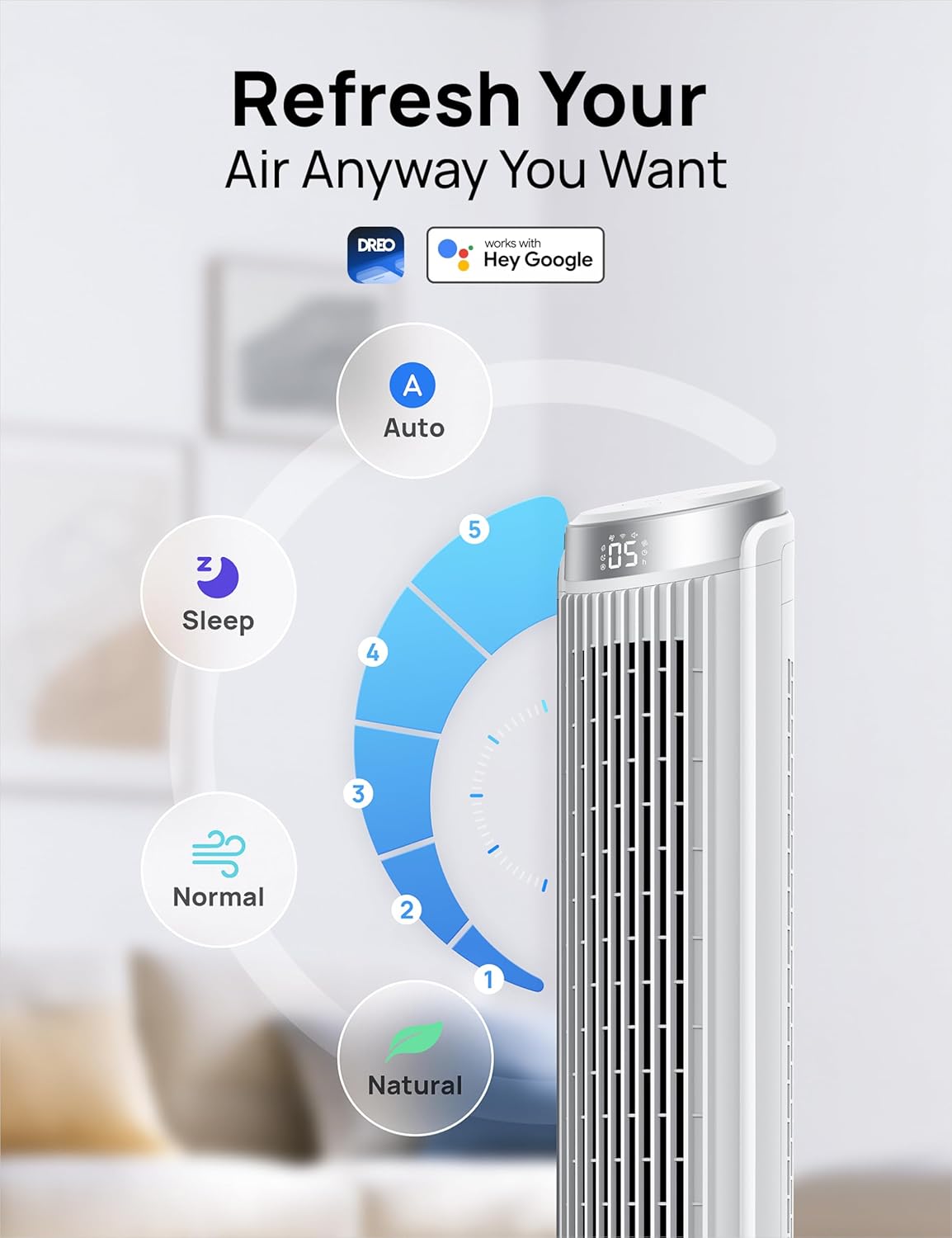
The fan offers four distinct operating modes:
- Normal Mode: Provides a consistent airflow at your selected speed level.
- Natural Mode: Simulates a natural breeze by varying fan speed.
- Sleep Mode: Operates at a low noise level (as low as 34dB) with reduced display brightness for undisturbed sleep.
- Auto Mode: Adjusts fan speed automatically based on the ambient room temperature, optimizing comfort and energy efficiency.
4.4 Speed Settings
The fan features 5 power levels, allowing you to adjust the airflow intensity from a gentle breeze to a powerful blast of 26ft/s.

4.5 Oscillation
Activate the 90° oscillation feature to distribute airflow evenly across a wider area of the room.

4.6 Timer
Set the 12-hour timer to automatically turn the fan off after a specified duration.
4.7 Smart Control (Dreo App)
The Dreo app provides advanced control and customization options:
- Remote Access: Control your fan from anywhere.
- Scheduling: Set custom schedules for the fan to turn on/off and change modes automatically.
- Temperature Adaptation: Utilize Auto mode to let the fan adjust speed based on room temperature.
- Desktop Widgets: Add quick control widgets to your smartphone's home screen for easy access.


4.8 Voice Control
The fan is compatible with Alexa and Google Home for hands-free voice control.

5. Maintenance
Regular maintenance ensures optimal performance and longevity of your fan.
5.1 Cleaning
The Dreo Smart Tower Fan is designed for effortless clean-up.
- Always unplug the fan before cleaning.
- Use a soft, damp cloth to wipe the exterior surfaces of the fan.
- For internal dust, the rear grille can be removed for access to the fan blades. Use a vacuum cleaner with a brush attachment or a soft cloth to gently remove dust.
- Ensure all parts are completely dry before plugging the fan back in.
5.2 Storage
When storing the fan, keep it in a cool, dry place, preferably in its original packaging, to protect it from dust and damage.
6. Troubleshooting
Refer to this section for common issues and their solutions.
| Problem | Possible Cause | Solution |
|---|---|---|
| Fan does not turn on. | No power supply. Power cord not properly plugged in. | Ensure the fan is plugged into a working electrical outlet. Check if the power cord is securely connected. |
| Weak airflow. | Fan speed is too low. Air inlet/outlet blocked. Dust accumulation. | Increase the fan speed setting. Ensure there are no obstructions around the fan. Clean the fan grilles and internal components as per maintenance instructions. |
| Fan is noisy. | Fan not on a level surface. Internal components loose or dirty. | Place the fan on a flat, stable surface. Clean the fan thoroughly. If noise persists, contact customer support. |
| Remote control not working. | Batteries are dead or incorrectly inserted. Obstruction between remote and fan. | Replace batteries with new ones, ensuring correct polarity. Remove any objects blocking the signal path. |
| App connectivity issues. | Wi-Fi signal weak or disconnected. Incorrect pairing process. | Ensure your fan is within Wi-Fi range and your router is functioning. Re-attempt the app pairing process as described in the app. |
7. Specifications
Technical details for the Dreo Smart Tower Fan DR-HTF008S.
| Feature | Detail |
|---|---|
| Model Name | DR-HTF008S |
| Brand | Dreo |
| Color | White |
| Electric Fan Design | Floor Fan |
| Power Source | Corded Electric |
| Product Dimensions | 11.34"D x 11.34"W x 39.76"H |
| Special Features | App Operable, Bladeless, Oscillating, Remote Controlled, Sleep Mode |
| Noise Level | 34 Decibels |
| Voltage | 120V |
| Item Weight | 7.7 Pounds |
| Included Components | Remote, Tower Fan |
| Indoor/Outdoor Usage | Indoor |
| Control Method | App, Remote, Touch, Voice |
| Number of Power Levels | 5 |
| UPC | 810142854092 |
8. Warranty and Support
For warranty information, please refer to the warranty card included with your product or visit the official Dreo website. If you encounter any issues not covered in this manual or require further assistance, please contact Dreo customer support.
Dreo Customer Support:
- Refer to your product packaging or the official Dreo website for the most current contact information.
Related documentsDR-HTF008S


Ask a question about this manual
Ask about setup, troubleshooting, compatibility, parts, safety, or missing instructions. Manuals+ will review the question and use this page’s manual context to help answer it.