
Introduction
This manual provides essential instructions for the setup, operation, and maintenance of your Carisma 88568 1/10 RTR M40S Subaru WRC 2006 remote-controlled vehicle. Please read this manual thoroughly before operating the vehicle to ensure safe and optimal performance.

Image: Front three-quarter view of the Carisma 88568 Subaru WRC 2006 RC car, showcasing its detailed body and wheels.
Safety Information
- Always operate the vehicle in open areas, away from people, pets, and obstacles.
- Do not operate near public roads or in areas with vehicle traffic.
- Keep hands, hair, and loose clothing away from moving parts.
- Ensure batteries are charged correctly and handled safely. Refer to battery manufacturer's instructions.
- Never operate the vehicle in wet conditions to prevent damage to electronics.
- Adult supervision is recommended for users under 14 years of age.
Components Overview
Your Carisma 88568 is a Ready-To-Run (RTR) vehicle, meaning most components are pre-assembled. Key features include:
- Fully Licensed Subaru WRC 2006 Body
- Authentic MultiSpoke Wheel Set
- MSC-18BL Brushless ESC with XT60 Plug
- 2500KV Brushless Motor
- FHSS 2.4GHz Radio Technology Transmitter
- Fast & responsive Steering Servo
- Permanent Shaft-Driven 4WD with Tunable Gear Diffs
Required for Operation (Not Included):
- 7.2v NiMh or 7.4v LiPo battery with XT60 connector
- Compatible charger for the chosen battery type
- 4 x AA batteries for the Transmitter
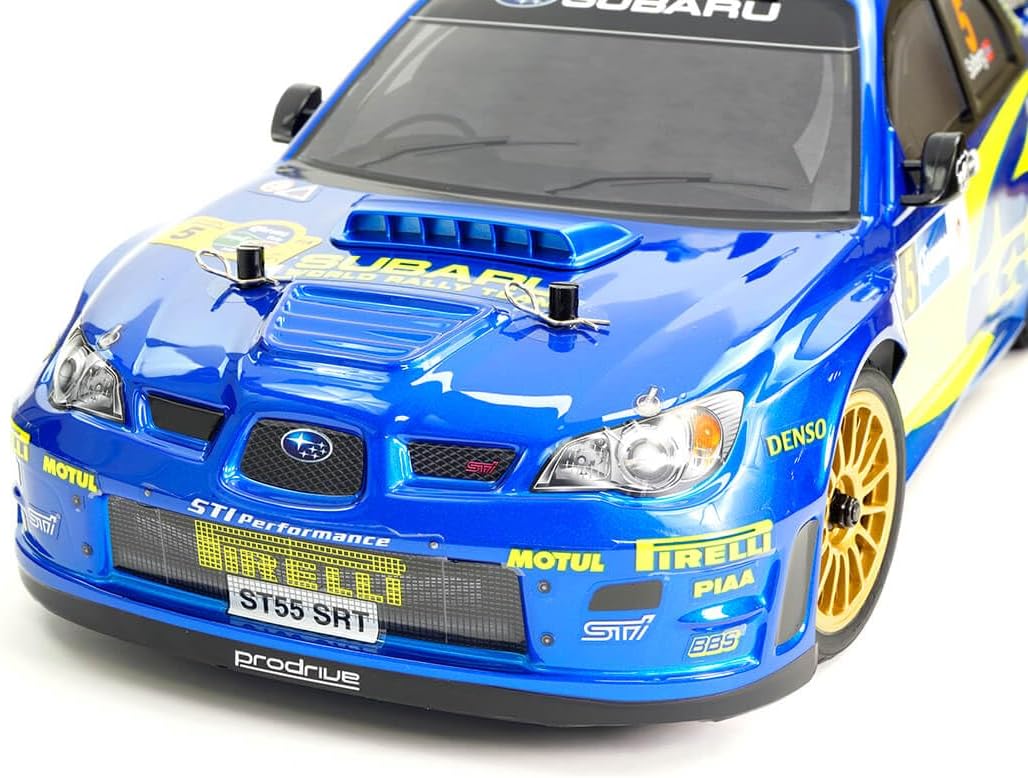
Image: Detailed front view of the Carisma 88568 RC car, highlighting the body details and front wheels.
Setup
1. Battery Installation
Vehicle Battery:
- Carefully remove the body clips and lift the vehicle body.
- Locate the battery compartment.
- Insert a fully charged 7.2v NiMh or 7.4v LiPo battery (with XT60 connector) into the compartment.
- Connect the battery to the ESC's XT60 connector. Ensure correct polarity.
- Secure the battery if a strap or tray is provided.
- Re-attach the vehicle body with the clips.
Transmitter Batteries:
- Open the battery cover on the back of the transmitter.
- Insert 4 new AA batteries, observing the correct polarity (+/-).
- Close the battery cover securely.
2. Battery Charging
Always use a compatible charger for your chosen vehicle battery (NiMh or LiPo). Follow the charger manufacturer's instructions carefully. Never leave charging batteries unattended.
3. Binding (If Necessary)
Your RTR vehicle typically comes pre-bound from the factory. If you need to re-bind the transmitter and receiver, refer to the specific instructions provided with your radio system. Generally, this involves powering on the receiver with a bind plug inserted, then powering on the transmitter while holding a bind button.
Operating Instructions
1. Pre-Drive Checks
- Ensure both vehicle and transmitter batteries are fully charged.
- Check all screws and fasteners for tightness.
- Verify steering and throttle functions are correct and responsive.
- Inspect tires for damage and ensure they are securely mounted.
2. Starting the Vehicle
- Turn on the transmitter first.
- Then, turn on the vehicle's ESC switch.
- Wait for the system to initialize (usually indicated by LED lights and/or beeps).
3. Basic Controls
- Steering Wheel: Turn left or right to control the vehicle's direction.
- Throttle Trigger: Pull to accelerate forward. Push to brake or reverse.
4. Driving Tips
- Start with gentle throttle inputs to get a feel for the vehicle's response.
- Practice steering in wide turns before attempting tighter maneuvers.
- Avoid driving into obstacles at high speed to prevent damage.
- Monitor battery life and stop driving when performance noticeably decreases to avoid over-discharging LiPo batteries.

Image: Side view of the Carisma 88568 RC car, showing its rally-inspired design and sponsor decals.
Maintenance
1. After Each Run
- Turn off the vehicle's ESC, then the transmitter.
- Disconnect and remove the vehicle battery. Allow it to cool before recharging.
- Clean any dirt, dust, or debris from the chassis, suspension, and drivetrain using a soft brush or compressed air.
- Inspect for any loose screws, damaged parts, or worn tires.
2. Periodic Maintenance (Every 5-10 Runs)
- Check gear mesh for proper engagement and wear.
- Inspect suspension components (shocks, arms, linkages) for smooth operation and damage.
- Lubricate moving parts such as universal joints and bearings with appropriate RC-specific lubricants. Avoid over-lubrication.
- Ensure all electrical connections are secure and free from corrosion.
3. Storage
- Store the vehicle in a clean, dry place, away from direct sunlight and extreme temperatures.
- Remove batteries from both the vehicle and transmitter if storing for extended periods.
- For LiPo batteries, store them at a "storage charge" level (typically 3.8V per cell) as recommended by the battery manufacturer.
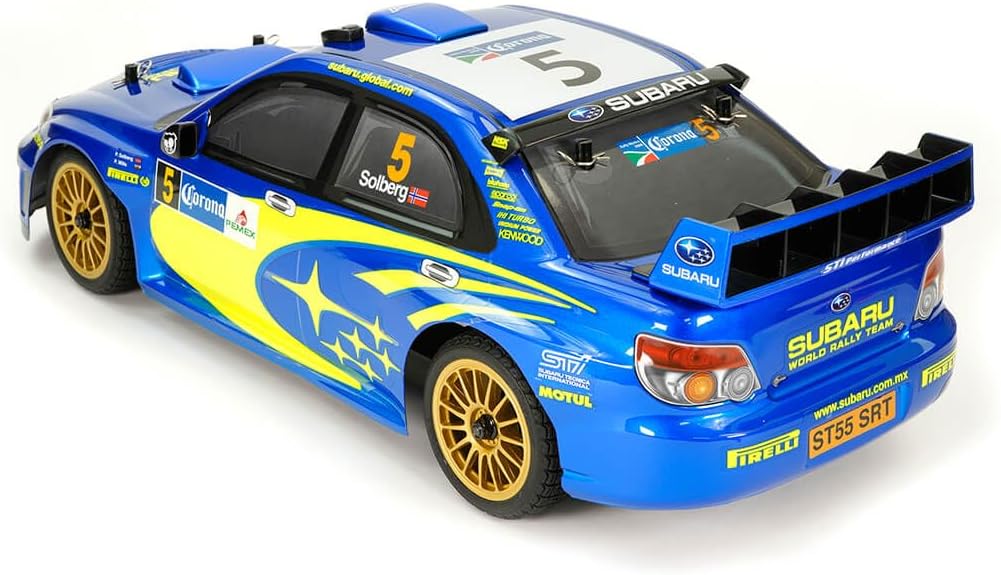
Image: Rear view of the Carisma 88568 RC car, highlighting the rear wing and exhaust details.
Troubleshooting
| Problem | Possible Cause | Solution |
|---|---|---|
| Vehicle does not respond |
|
|
| Poor range or intermittent control |
|
|
| Steering not centered or erratic |
|
|
| Motor runs but wheels do not turn |
|
|
Specifications
| Model Number | CA88568 |
| Product Dimensions | 12.2 x 7.44 x 5.12 inches |
| Item Weight | 1 pounds |
| Motor | 2500KV Brushless Motor |
| ESC | MSC-18BL Brushless ESC with XT60 Plug (2s compatible) |
| Radio System | FHSS 2.4GHz Radio Technology |
| Drive Type | Permanent Shaft-Driven 4WD |
| Width | 189mm |
| Wheel Base | 260mm |
| Manufacturer Recommended Age | 3 months and up (Note: Adult supervision recommended for younger users) |
Warranty and Support
For warranty information and technical support, please refer to the documentation included with your purchase or visit the official Carisma website. Keep your proof of purchase for any warranty claims.
Manufacturer: Carisma


