
Product Overview
The Xiaomi Solar Outdoor Camera BW400 Pro Set is a high-performance outdoor surveillance solution designed for reliable and efficient monitoring. Featuring a 10000mAh high-capacity battery and an integrated solar panel, it offers extended operation without frequent recharging. Its 2.5K ultra-clear night vision and 132° FOV ensure comprehensive coverage and clear imaging day and night. Advanced AI detection capabilities provide intelligent protection, while its IP66 rating ensures durability in various outdoor conditions.

Front view of the Xiaomi Solar Outdoor Camera BW400 Pro Set, showcasing its sleek design and integrated solar panel.
What's in the Box
- Xiaomi Solar Outdoor Camera BW400 Pro (Body)
- Mounting Bracket
- Mounting Screws and Wall Plugs
- Charging Cable
- User Manual
Setup Guide
1. Choosing an Installation Location
Select an outdoor location with stable Wi-Fi signal and sufficient direct sunlight exposure for the solar panel. Ensure the camera has a clear field of view of the area you wish to monitor. The camera is IP66 rated for outdoor use.

The Xiaomi BW400 Pro camera mounted on an exterior wall, demonstrating its outdoor placement.
2. Mounting the Camera
- Mark the drilling points on the wall using the mounting bracket as a template.
- Drill holes and insert wall plugs.
- Secure the mounting bracket to the wall with screws.
- Attach the camera to the mounting bracket and adjust the angle as needed.

Side view of the Xiaomi BW400 Pro camera, highlighting its adjustable mounting mechanism.
3. Initial Charging and Power
Before first use, fully charge the camera's 10000mAh battery using the provided charging cable. The integrated solar panel will then maintain the charge under sufficient sunlight.

Diagram illustrating the 10000mAh high-capacity battery and low-power consumption design for extended recording.
4. Connecting to the Xiaomi Home App
- Download the Xiaomi Home app from your smartphone's app store.
- Create or log in to your Xiaomi account.
- Tap the "+" icon to add a new device.
- Select the "Xiaomi Solar Outdoor Camera BW400 Pro Set" from the list.
- Follow the on-screen instructions to connect the camera to your Wi-Fi network (2.4 GHz only). This typically involves scanning a QR code displayed on your phone with the camera.
Screenshot of the Xiaomi Home app interface, demonstrating the process of connecting the camera and viewing detected events.
Operating the Camera
Live View and Recording
Once connected, open the Xiaomi Home app to access the live feed from your camera. You can manually record video, capture screenshots, and adjust settings directly from the app.
Motion Detection and Alerts
The camera features AI detection for accurate alerts. Configure motion detection zones and sensitivity settings within the app to receive notifications for relevant events. The camera supports motion-only alerts.
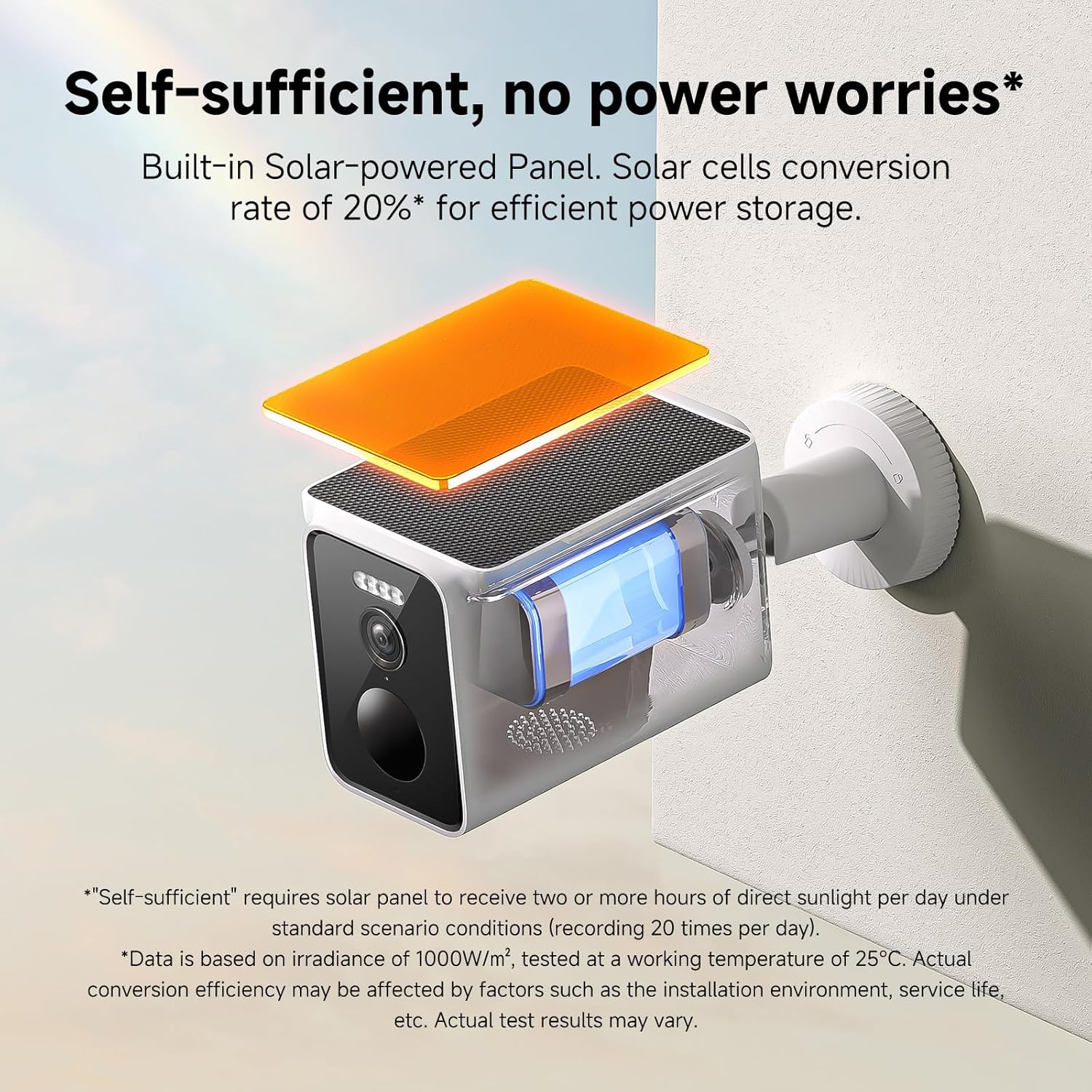
Image depicting the camera's efficient detection capabilities for intelligent protection, showing a person detected in the camera's field of view.
Night Vision
The 2.5K ultra-clear night vision with infrared light source ensures clear monitoring even in low-light or complete darkness.
Storage Options
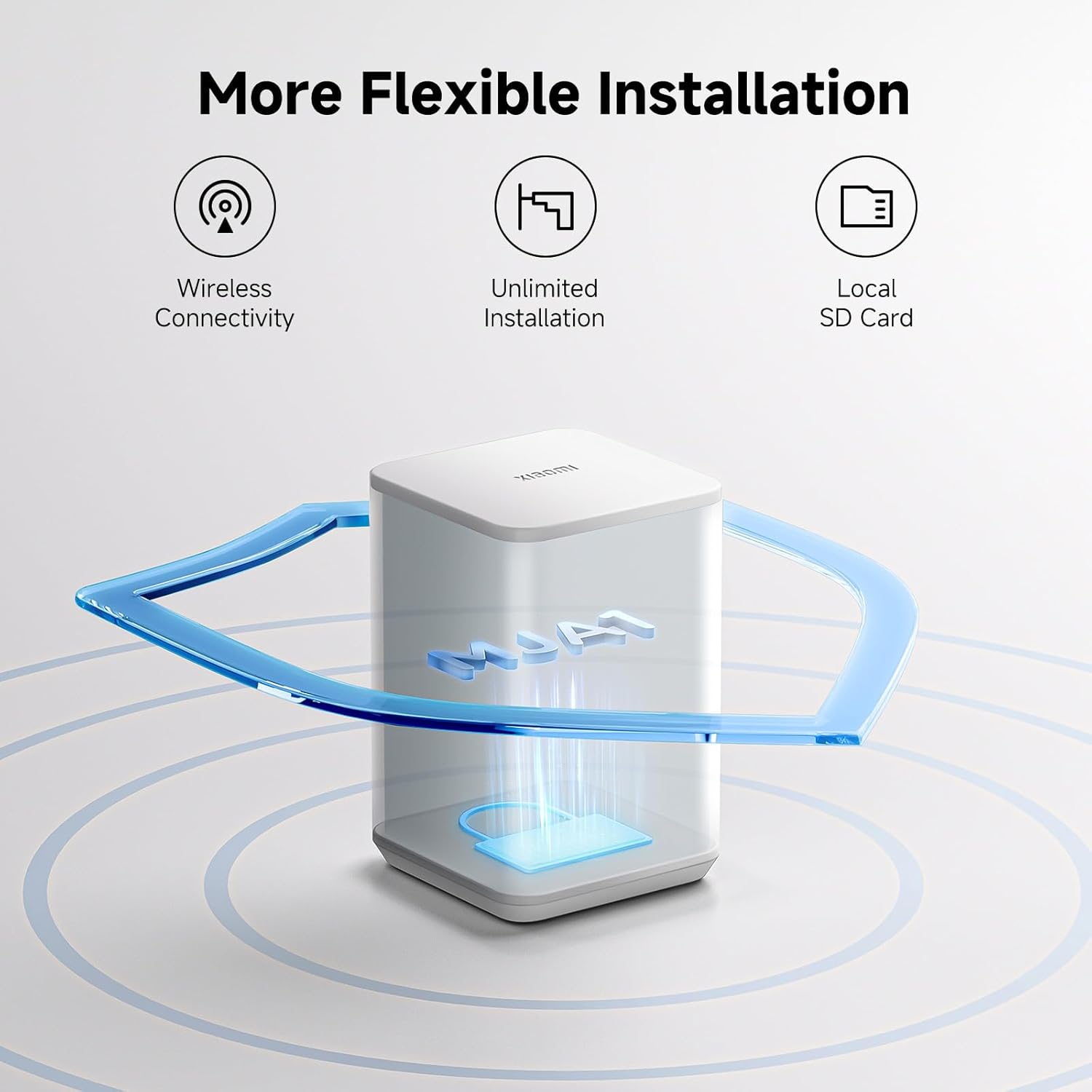
The camera supports local storage via an SD card (not included) for recorded footage. Cloud storage options may also be available through the Xiaomi Home app (subscription may be required).

Illustration showing the flexible installation options including wireless connectivity, unlimited installation, and local SD card support.
Maintenance
Cleaning the Camera
Periodically wipe the camera lens and solar panel with a soft, damp cloth to ensure optimal performance and clear image quality. Avoid using harsh chemicals.

The Xiaomi BW400 Pro camera demonstrating its IP66 water resistance, showing water droplets on its surface.
Battery Life Optimization
Ensure the solar panel receives at least two hours of direct sunlight daily for optimal battery charging. Frequent motion detections and live view streaming can reduce battery life.
An illustration highlighting the 180 days of worry-free recording with the 10,000mAh high-capacity battery and low-power consumption system design.
Troubleshooting
Camera Not Connecting to Wi-Fi
- Ensure your Wi-Fi network is 2.4 GHz. The camera does not support 5 GHz networks.
- Check Wi-Fi signal strength at the camera's location.
- Restart your Wi-Fi router and the camera.
- Ensure the camera is within range of your router.
- Verify correct Wi-Fi password entry in the app.
Poor Image Quality
- Clean the camera lens.
- Ensure sufficient lighting in the monitored area, especially for night vision.
- Check for obstructions in the camera's field of view.
Battery Draining Quickly
- Ensure the solar panel receives adequate direct sunlight daily.
- Reduce the frequency of motion detection alerts or live view streaming.
- Check if the camera is in an area with excessive motion, triggering constant recording.
Specifications
| Feature | Detail |
|---|---|
| Model Name | Xiaomi Solar Outdoor Camera BW400 Pro Set |
| Model Number | BW400 |
| Indoor/Outdoor Usage | Outdoor |
| Power Source | Battery Powered (10000mAh), Solar Panel |
| Connectivity Protocol | Wi-Fi (2.4 GHz) |
| Video Capture Resolution | 2.5K Ultra-Clear (Effective Video Resolution) |
| Viewing Angle | 132 Degrees FOV |
| Water Resistance Level | IP66 |
| Item Dimensions L x W x H | 4.53 x 4.76 x 5.2 inches |
| Item Weight | 2.42 pounds |
| Control Method | App |
| Special Feature | HD Resolution, AI Detection, Night Vision |
Warranty and Support
For warranty information and technical support, please refer to the official Xiaomi website or contact Xiaomi customer service. Keep your purchase receipt for warranty claims.
Official Xiaomi Support: www.mi.com/global/support


