
1. Product Overview
The LIQUIPEL Powertek 6ft USB Type C Fast Charging Cable is designed for efficient charging and data transfer across a wide range of compatible devices. Its durable construction and extended length provide convenience and reliability for daily use.
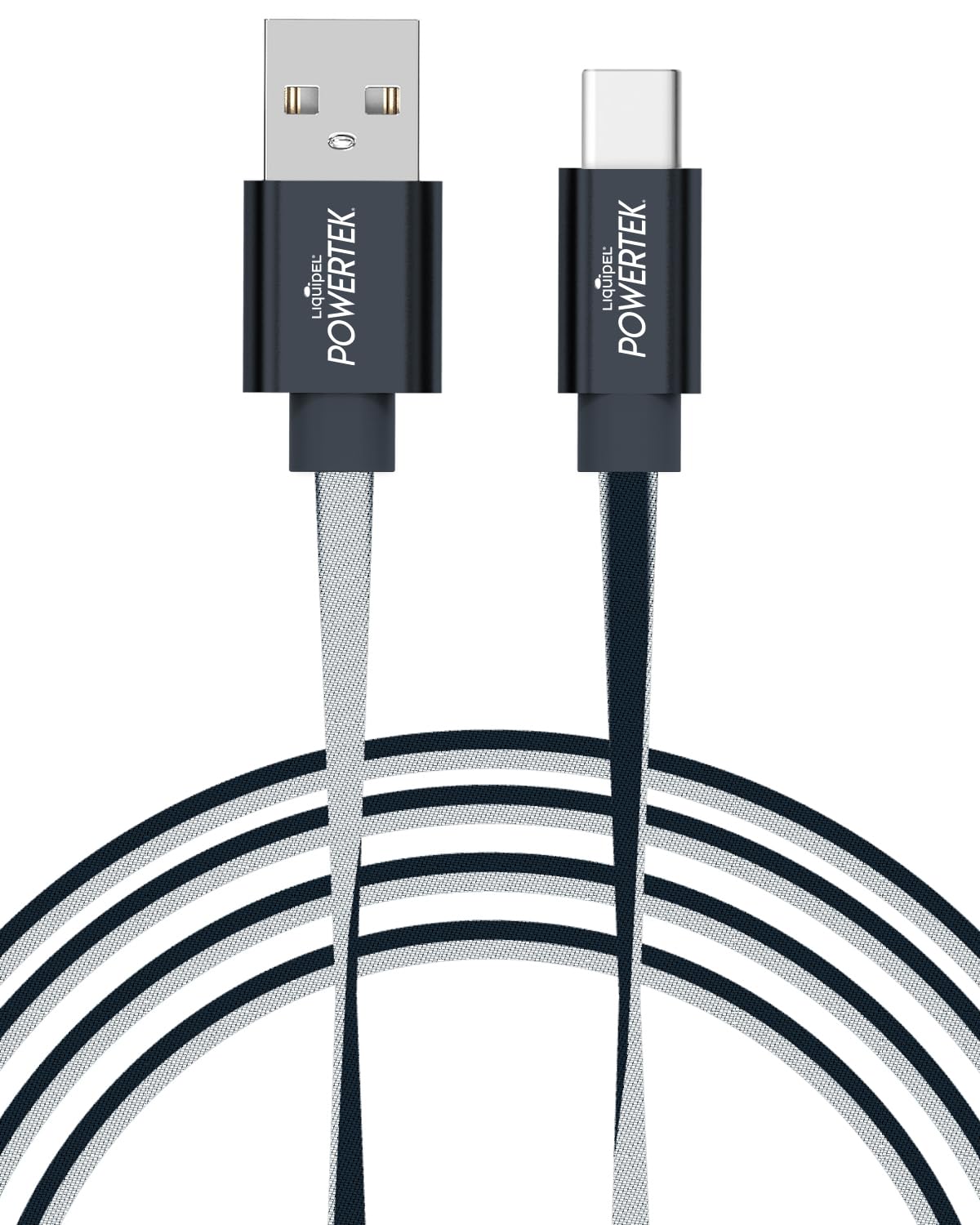
The LIQUIPEL Powertek 6ft USB Type C Fast Charging Cable, showcasing its two-tone design and durable construction.
2. Setup Instructions
To begin using your LIQUIPEL Powertek USB Type C Fast Charging Cable, follow these simple steps:
- Identify Connectors: The cable features a USB-A connector on one end and a USB-C connector on the other.
- Connect to Power Source: Insert the USB-A end of the cable into a compatible power source. This can be a wall adapter, a computer's USB port, a power bank, or a car charger. Ensure the power source provides adequate output for your device's charging requirements.
- Connect to Device: Insert the USB-C end of the cable into the USB-C port of your compatible device (e.g., smartphone, tablet, laptop, gaming console).
- Verify Connection: Once connected, your device should indicate that it is charging or connected for data transfer.

An illustration detailing the USB-C and USB-A connectors of the Powertek cable, highlighting its 6-foot length, fast charge capability, and two-tone design.
3. Operating Instructions
This cable is designed for both charging and data synchronization. Its fast charging capabilities allow for quicker power delivery to compatible devices.
- Charging: Connect the cable as described in the Setup section. For optimal fast charging, ensure your power adapter and device both support fast charging protocols. The cable will deliver power efficiently to compatible devices.
- Data Transfer: When connected to a computer, the cable facilitates data transfer between your device and the computer. Follow your device's prompts to select the appropriate USB connection mode (e.g., File Transfer, Photo Transfer).
- Compatibility: The cable is widely compatible with devices featuring a USB Type C port, including but not limited to: iPhone 15 series, iPad Air/Mini/Pro, MacBook Air/Pro, Mac Pro, iMac, Samsung Galaxy S series, Z Fold/Flip/A/Note/Tab, Huawei, Xiaomi, LG, Google Pixel, HTC, Motorola, Asus, Nokia, Sony, Nintendo Switch, PlayStation, and Xbox controllers.

A smartphone connected to the LIQUIPEL Powertek USB-C cable, illustrating its fast charging capability with a 90% charge display.

A display of LIQUIPEL Powertek USB-C cables in different two-tone color options, demonstrating the range of available styles.

A visual guide showcasing the broad compatibility of the LIQUIPEL Powertek USB-C cable with devices such as Android phones, iPad Pro, Xbox Series X Controller, Switch Pro Controller, Nintendo Switch, and PS5 Controller.
This video provides a visual overview of the LIQUIPEL Fast Charging Cable, highlighting its extended reach, two-tone design, and compatibility with various devices.
4. Maintenance
Proper care extends the life of your charging cable:
- Storage: Store the cable in a clean, dry place away from direct sunlight and extreme temperatures. Avoid tightly coiling or bending the cable at sharp angles, especially near the connectors, to prevent internal wire damage.
- Cleaning: If necessary, gently wipe the cable and connectors with a soft, dry, lint-free cloth. Do not use harsh chemicals or abrasive materials. Ensure connectors are dry before use.
- Handling: Always grasp the connector head when plugging or unplugging the cable, rather than pulling on the cable itself. This prevents strain on the connection points.
5. Troubleshooting
If you encounter issues with your LIQUIPEL Powertek cable, consider the following:
- Device Not Charging:
- Ensure both ends of the cable are securely connected to the power source and your device.
- Try using a different power adapter or USB port.
- Test the cable with another compatible device to determine if the issue is with the cable or the original device.
- Inspect the cable and connectors for any visible damage, such as bends, fraying, or corrosion.
- Slow Charging:
- Verify that your power adapter supports fast charging and provides sufficient wattage for your device.
- Ensure your device itself supports fast charging.
- Avoid using your device intensively while charging, as this can slow down the charging process.
- Data Transfer Issues:
- Confirm that your device is set to the correct USB mode for data transfer (e.g., File Transfer, MTP).
- Try connecting to a different USB port on your computer.
- Ensure your computer's drivers for USB devices are up to date.
6. Specifications
| Feature | Detail |
|---|---|
| Brand | LIQUIPEL |
| Model Number | Two Tone C |
| Cable Length | 6 feet (1.8 meters) |
| Connector Type 1 | USB Type C (Male) |
| Connector Type 2 | USB Type A (Male) |
| Connectivity Technology | USB |
| Special Features | Braided, Fast Charging, Two-Tone Design |
| Compatible Devices | Smartphones, Tablets, Laptops, Gaming Consoles (e.g., iPhone 15 series, iPad, MacBook, Samsung Galaxy, Google Pixel, Nintendo Switch, PlayStation, Xbox) |
| Recommended Use | Charging, Data Transfer |
| Indoor/Outdoor Use | Indoor, Outdoor |
| Item Weight | 2.3 ounces |
| Included Components | 1 x 6ft Type C Cable |
| UPC | 814238028794 |
7. Warranty and Support
Warranty: This LIQUIPEL Powertek cable comes with a 12-month product guarantee warranty from the date of purchase. This warranty covers manufacturing defects and ensures the product performs as intended under normal use. It does not cover damage caused by misuse, accidents, unauthorized modifications, or normal wear and tear.
Support: For warranty claims, technical assistance, or any questions regarding your LIQUIPEL Powertek 6ft USB Type C Fast Charging Cable, please contact the retailer or manufacturer directly. Refer to your purchase documentation for specific contact information.


