
Disney LKG4010
Contents
Disney The Lion King Mufasa LED Watch User Manual
Model: LKG4010
Introduction
Welcome to the user manual for your new Disney The Lion King Mufasa LED Watch. This digital watch features a vibrant LED display and a comfortable silicone band, perfect for young fans of The Lion King. This manual provides essential information on how to set up, operate, and maintain your watch to ensure long-lasting enjoyment.
Product Features
- Mufasa print on the watch face.
- Printed Lion King silicone band.
- Easy-to-use watch face.
- Digital light-up display.
- Traditional buckle clasp for secure fit.
Setup
Battery Installation
Your watch requires one CR2032 battery. The battery is typically pre-installed. If the display does not light up, or if the time is incorrect, the battery may need to be replaced or activated.
- Locate the battery compartment cover on the back of the watch.
- Using a small screwdriver (not included), carefully remove the screws and the cover.
- Insert the CR2032 battery with the positive (+) side facing up.
- Replace the cover and secure it with the screws.
Initial Activation
Upon first use or after battery replacement, press the button on the side of the watch to activate the display and check if the time is shown.
Operating Instructions
Displaying the Time
To view the time, simply press the button located on the side of the watch. The LED display will light up, showing the current time for a few seconds before turning off to conserve battery life.
Setting the Time
To set the time on your LED watch:
- Press the button once to display the time.
- While the time is displayed, press and hold the button for approximately 3-5 seconds until the hour digits begin to flash.
- Release the button. Each subsequent short press of the button will advance the hour.
- Once the correct hour is set, press and hold the button again for 3-5 seconds until the minute digits begin to flash.
- Release the button. Each subsequent short press of the button will advance the minutes.
- After setting the minutes, press and hold the button one last time for 3-5 seconds to confirm and exit the setting mode. The display will stop flashing and return to normal operation.
Maintenance
Cleaning Your Watch
To keep your watch clean, gently wipe the watch face and band with a soft, damp cloth. Avoid using harsh chemicals or abrasive cleaners, as these can damage the watch's finish or the silicone band. The watch is not waterproof; avoid submerging it in water.
Battery Replacement
When the display becomes dim or stops lighting up, it's time to replace the CR2032 battery. Follow the battery installation steps outlined in the "Setup" section. Ensure proper disposal of old batteries according to local regulations.
Troubleshooting
- Display not lighting up:
Ensure the battery is correctly installed and has sufficient charge. Replace the battery if necessary. Press the side button firmly.
- Incorrect time displayed:
The time may need to be reset. Follow the "Setting the Time" instructions in the "Operating Instructions" section.
- Watch band discomfort:
Ensure the band is not too tight. Clean the band regularly to prevent skin irritation.
Specifications
| Model Number: | LKG4010 |
| Brand: | Disney (Manufactured by Accutime) |
| Battery Type: | 1 x CR2032 (required) |
| Package Dimensions: | 21.9 x 8.8 x 5.1 cm (8.6 x 3.5 x 2.0 inches) |
| Item Weight: | 30 g (1.06 ounces) |
| Department: | Boys |
| First Available Date: | January 22, 2024 |
Warranty and Support
This Disney The Lion King Mufasa LED Watch comes with a one-year warranty from the date of purchase. This warranty covers manufacturing defects. It does not cover damage caused by misuse, accidents, unauthorized repairs, or normal wear and tear.
For warranty claims or technical support, please contact the retailer where the watch was purchased or refer to the contact information provided on the product packaging or the manufacturer's official website (Accutime).
Product Images
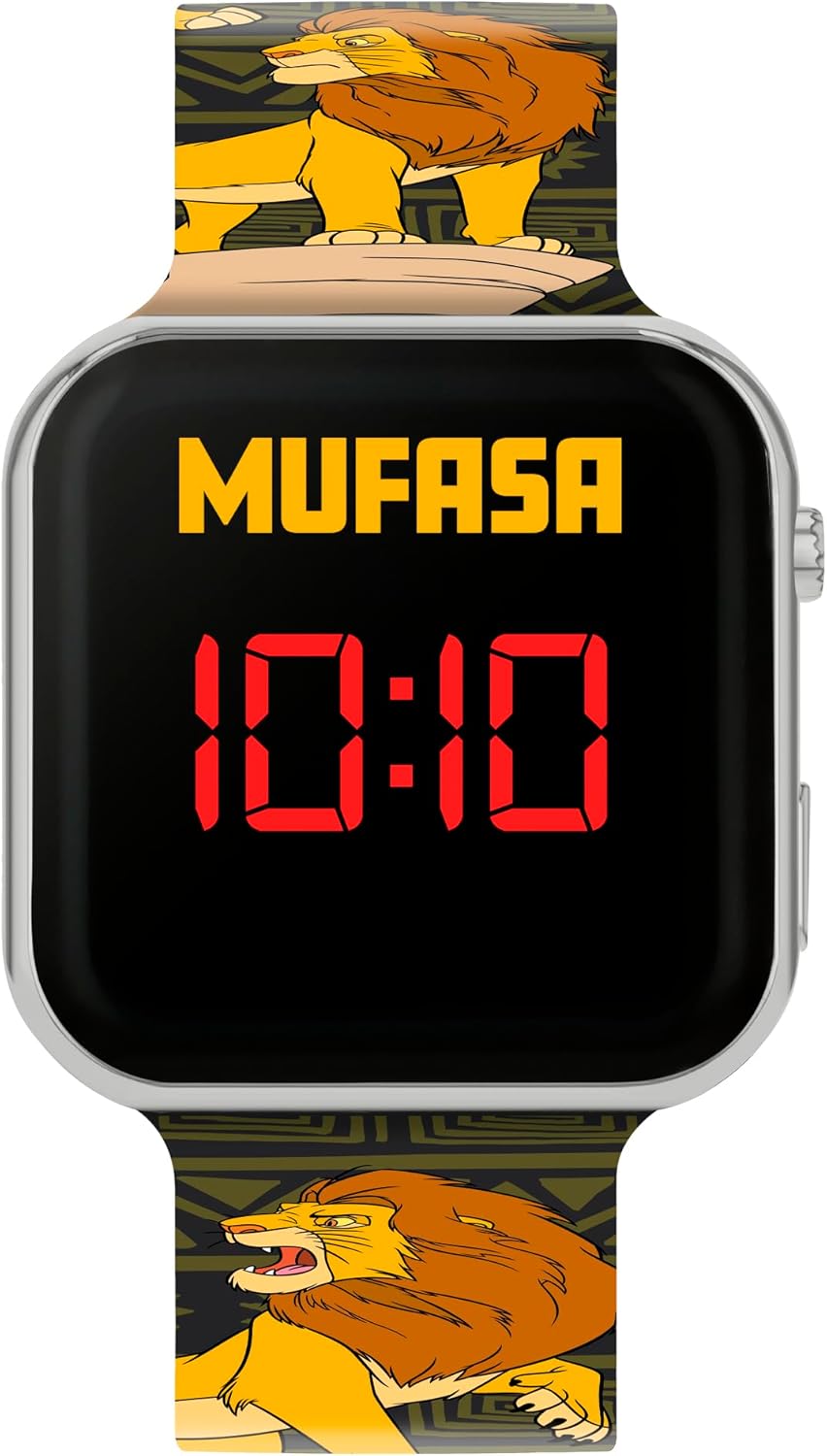
This image shows a close-up front view of the Disney The Lion King Mufasa LED Watch. The watch face is black with "MUFASA" written in yellow above the red digital time display, which shows "10:10". The watch has a silver-colored plastic casing, and parts of the patterned silicone band featuring Mufasa are visible at the top and bottom.

This image presents a full-length view of the Disney The Lion King Mufasa LED Watch. It highlights the entire silicone band, which is adorned with multiple illustrations of Mufasa in various poses against a patterned background. The watch face displays "MUFASA" and "10:10" in red LED digits, and the traditional buckle clasp is visible at the top of the band.

This image shows the Disney The Lion King Mufasa LED Watch packaged in its official brand packaging. The packaging is a yellow and green card with the "Disney The Lion King" logo prominently displayed. The watch itself is visible through a clear window, showcasing its Mufasa-themed face and band, with "LED Watch" printed at the bottom of the packaging.
Ask a question about this manual
Ask about setup, troubleshooting, compatibility, parts, safety, or missing instructions. Manuals+ will review the question and use this page’s manual context to help answer it.