
Scatach V10-1
Scatach V10-1 10000A Car Jump Starter Instruction Manual
Model: S-V10-1-10000
Your reliable partner for vehicle emergencies and portable power needs.
1. Introduction
The Scatach V10-1 10000A Car Jump Starter is a powerful and versatile device designed to provide instant starting power for a wide range of vehicles, including all gasoline or diesel engines. Beyond jump-starting, it functions as a robust 155WH power station and features an ultra-bright LED light with multiple modes. This manual provides essential information for safe and effective use, setup, operation, and maintenance of your Scatach V10-1.
2. What's Included
Upon unboxing your Scatach V10-1 Car Jump Starter, please verify that all the following components are present:
- Scatach V10-1 Car Starter Jumper Power Bank (Main Unit)
- Smart Jump Cable (with red and black clamps)
- USB Type-C Charging Cable
- User Manual

Image: The Scatach V10-1 Car Jump Starter main unit with its smart jump cables.
Video: An unboxing and overview of the Scatach V10-1 Car Jump Starter, demonstrating its components and initial features.
3. Product Features
- Powerful Jump Starting Capability: Instantly starts batteries with 10000A starting power, capable of up to 200 starts on a single charge. Compatible with all gasoline or diesel engines (12V/24V), suitable for regular cars, vans, trucks, trailers, factory trucks, yachts, lawnmowers, backhoes, and tractors.

Image: The Scatach V10-1 demonstrating its 10000A powerful jump starting capability for various vehicles.
- Enhanced Safety Technology: Prioritizes safety with comprehensive protection features, including overcharge, overcurrent, short-circuit, reverse connection, low/high temperature, overvoltage, overload, spark, and reverse charging protections. Features a full metal casing for safe use even in extreme temperatures.

Image: Diagram illustrating the 9 safety protections integrated into the Scatach V10-1 jump starter.
- 155WH Battery Jumper Start Power Station: Features a 155WH battery pack for charging small household appliances. Includes a 5V/3A output USB port for quick charging of cell phones and tablets.
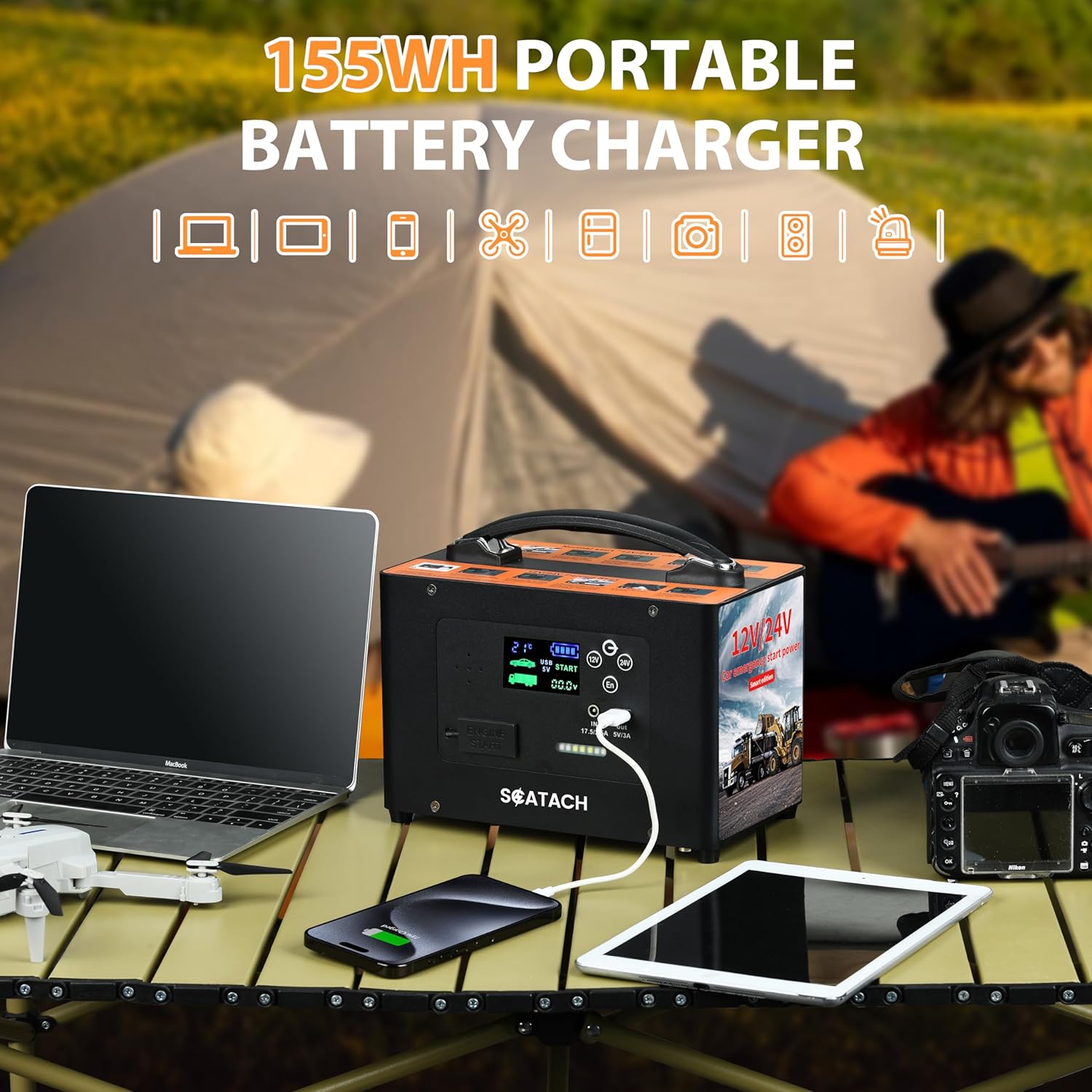
Image: The Scatach V10-1 functioning as a 155WH portable battery charger for various electronic devices.
- 3-in-1 LED Flashlight: The built-in ultra-bright 400 lumen LED light offers three modes: illumination (steady light), flash (strobe light), and SOS, providing light and emergency signaling capabilities.

Image: The Scatach V10-1 showcasing its 3-in-1 LED flashlight with flash, strobe, and SOS modes.
- High Definition Large LED Display: Provides simple reading with individual function display and liquid optical digital display for clear status indication.

Image: Close-up of the Scatach V10-1's high-definition large LED display, showing various indicators.
4. Setup
4.1 Initial Charging
Before first use, fully charge the Scatach V10-1. Connect the provided USB Type-C charging cable to the unit's charging input port and a suitable power source. The LED display will indicate charging status. A full charge ensures optimal performance and battery longevity.
4.2 Connecting Jump Cables
To connect the smart jump cables:
- Locate the rubber plug on the main unit's side, covering the jump start port. Remove the plug.
- Identify the positive (+) and negative (-) indicators on the jump cable connector.
- Insert the smart jump cable connector into the jump start port on the main unit, ensuring the positive and negative align correctly.
The unit features a voice prompt system that will guide you through the voltage selection and connection process. For example, upon powering on, it may prompt: "Please select starting voltage."
5. Operating Instructions
5.1 Jump Starting a Vehicle
Follow these steps to jump start your vehicle:
- Ensure the Scatach V10-1 is fully charged.
- Connect the smart jump cable to the jump starter unit as described in Section 4.2.
- Open your vehicle's hood and locate the battery.
- Connect the RED positive (+) clamp to the positive (+) terminal of your vehicle's battery.
- Connect the BLACK negative (-) clamp to the negative (-) terminal of your vehicle's battery.
- Select the appropriate voltage (12V or 24V) on the jump starter unit using the voltage selection button. The unit will confirm your selection via voice prompt.
- Once connected and voltage selected, attempt to start your vehicle.
- After the vehicle starts, immediately disconnect the BLACK negative (-) clamp first, followed by the RED positive (+) clamp.
- Disconnect the smart jump cable from the jump starter unit and replace the rubber plug.
Video: Demonstration of connecting the Scatach V10-1 to a vehicle battery and successfully jump-starting the car.
5.2 Using as a Power Bank
The Scatach V10-1 can charge various small household appliances and mobile devices:
- Locate the 5V/3A USB output port on the unit.
- Connect your device's charging cable to this USB port.
- The unit will begin charging your device.
5.3 Using the LED Light
The integrated LED flashlight has three modes:
- To turn on the light, long-press the power button for 3 seconds. It will activate in illumination mode.
- Short-press the power button once to switch to flash (strobe) mode.
- Short-press the power button again to switch to SOS mode.
- Short-press the power button one more time to turn the light off.
6. Safety Information
Your Scatach V10-1 is equipped with multiple safety features. Always adhere to the following guidelines for safe operation:
- Avoid short-circuiting the jump cables.
- Ensure correct polarity when connecting to a battery (red to positive, black to negative) to prevent reverse connection.
- Do not expose the unit to extreme temperatures outside its operating range.
- Do not overcharge or over-discharge the unit.
- Protect against overcurrent, overvoltage, and overload.
- Keep away from sparks and open flames during operation.
- Do not attempt to disassemble or modify the unit.
- Keep out of reach of children.
7. Maintenance
- Charging: For optimal battery life, fully charge the unit every 3-6 months, even if not in use.
- Cleaning: Wipe the unit with a soft, dry cloth. Do not use harsh chemicals or abrasive materials.
- Storage: Store the jump starter in a cool, dry place away from direct sunlight and extreme temperatures. Ensure all cables are properly stored and not tangled.
8. Troubleshooting
If you encounter issues with your Scatach V10-1, refer to the following common problems and solutions:
| Problem | Possible Cause | Solution |
|---|---|---|
| Unit does not power on. | Battery is depleted. | Charge the unit fully using the provided USB Type-C cable. |
| Voice prompt: "No battery connection." | Jump cables not properly connected to the unit or vehicle battery. | Ensure the smart jump cable is firmly inserted into the unit and the clamps are securely attached to the correct battery terminals. |
| Vehicle does not start after jump attempt. | Incorrect voltage selected, severely dead battery, or other vehicle issues. | Verify 12V or 24V selection. Attempt jump again after a few minutes. If still unsuccessful, the vehicle battery may be beyond jump-starting or there's another vehicle problem. |
| Voice prompt: "The current voltage is low, please charge." | The jump starter's internal battery is low. | Recharge the Scatach V10-1 unit. |
For issues not listed here, please contact Scatach customer support.
9. Specifications
| Feature | Detail |
|---|---|
| Brand | Scatach |
| Model Number | S-V10-1-10000 (V10-1) |
| Peak Output Current | 10000 Amps |
| Battery Capacity | 155WH (Lithium Polymer) |
| Product Dimensions | 5"D x 5"W x 5"H |
| Item Weight | 0.75 Kilograms (1.65 pounds) |
| LED Light Output | 400 Lumens |
| USB Output | 5V/3A |
| Safety Protections | Overcharge, Overcurrent, Short-circuit, Reverse Connection, Low/High Temperature, Overvoltage, Overload, Spark, Reverse Charging |
10. Warranty and Support
The Scatach V10-1 Car Jump Starter comes with 2 years of product technical support. If you require any assistance, have questions, or encounter issues not covered in this manual, please contact Scatach customer service. Refer to the product packaging or the official Scatach website for the most current contact information.
For more information, visit the Scatach Store.
Ask a question about this manual
Ask about setup, troubleshooting, compatibility, parts, safety, or missing instructions. Manuals+ will review the question and use this page’s manual context to help answer it.