1. Introduction
Thank you for choosing the Wisoee Smartwatch. This manual provides essential information for setting up, operating, and maintaining your device. Please read it thoroughly to ensure optimal performance and longevity of your smartwatch.
The Wisoee Smartwatch is designed to enhance your daily life with its advanced features, including a large display, Bluetooth calling, comprehensive health and fitness tracking, and smart notifications. Its durable design and IP68 waterproof rating make it suitable for various activities.
2. What's in the Box
- Wisoee Smartwatch (Black Case)
- Black Ocean Band
- Black Silicone Band
- Charging Cable
- User Manual
3. Setup
3.1 Charging the Smartwatch
Before first use, fully charge your smartwatch. Connect the charging cable to the charging port on the back of the watch and plug the USB end into a power adapter (not included) or a computer's USB port. The watch display will indicate charging status.
The smartwatch features a 400mAh battery, providing approximately 5-10 days of usage and up to 30 days of standby time on a full charge.
3.2 App Installation and Pairing
To unlock the full functionality of your Wisoee Smartwatch, download the dedicated companion app on your smartphone. The app is compatible with both iPhone and Android devices.
- Scan the QR code in the manual or on the watch screen to download the app, or search for the app name (not specified in input, assuming generic) in your phone's app store.
- Enable Bluetooth on your smartphone.
- Open the app and follow the on-screen instructions to pair your smartwatch. Ensure the smartwatch is discoverable.
- Once paired, the watch will synchronize data with your phone.
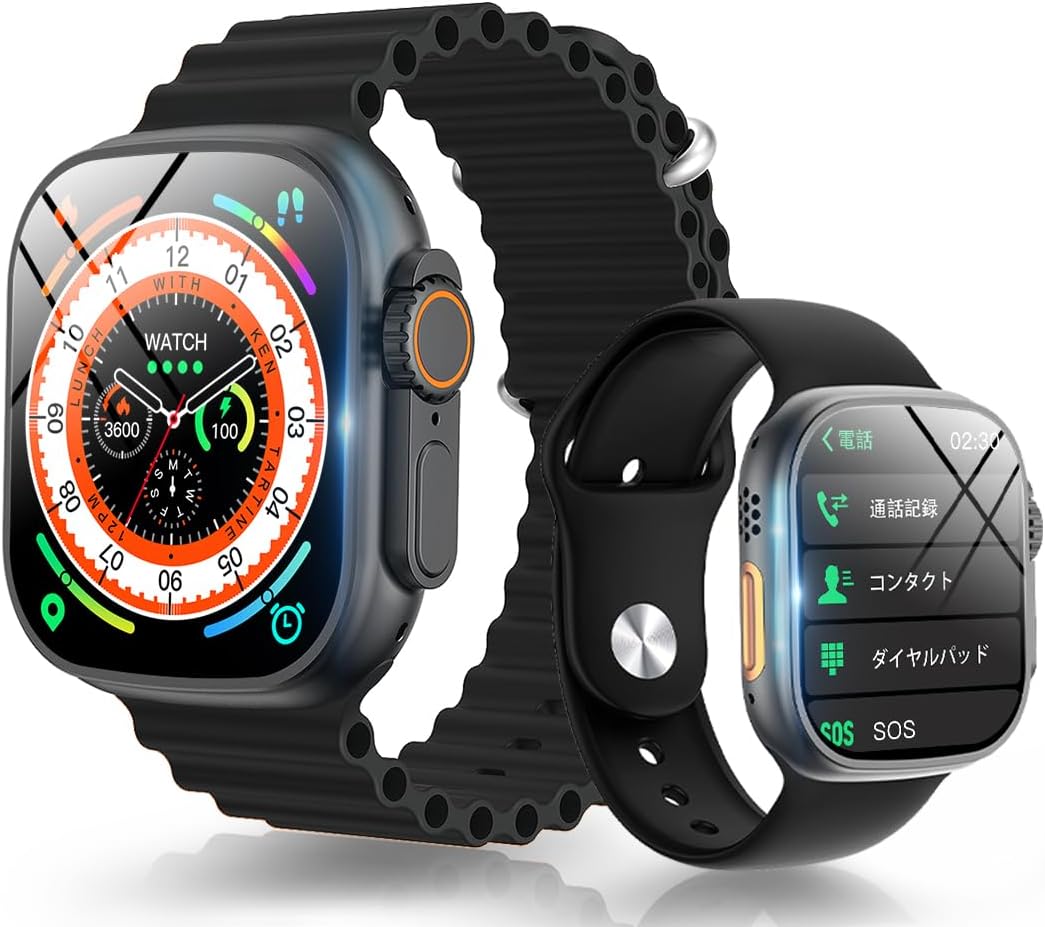
A front view of the Wisoee Smartwatch, highlighting its large, colorful display and sleek black design.
4. Operating Instructions
4.1 Display and Navigation
The smartwatch features a 2.15-inch large HD touch screen with a resolution of 320*384, providing clear and vibrant visuals. Navigate through menus and functions by swiping across the screen and tapping icons.

This image illustrates the large 2.15-inch display size compared to a standard 1.78-inch screen, emphasizing enhanced visibility. It also demonstrates the IP68 waterproof capability, showing the watch resistant to water splashes.

This image visually explains the benefits of the smartwatch's 2.15-inch large screen and 320*384 high resolution, ensuring clear visibility even in bright outdoor conditions, as depicted by a skier.
4.2 Bluetooth Call Function
With a built-in speaker and high-performance microphone, you can make and receive calls directly from your smartwatch without needing to take out your phone. Use the dial pad on the watch to make calls or access frequently used contacts saved in the app.
4.3 Message Notifications
Receive real-time notifications from various social media applications (e.g., Facebook, Twitter, WhatsApp, Instagram, Viber) directly on your smartwatch. This allows you to stay updated without constantly checking your phone.
4.4 Music Control
Control music playback on your smartphone directly from your smartwatch. You can pause, play, skip to the next track, or go back to the previous track.
4.5 Voice Assistant
Connect to your smartphone via Bluetooth to activate your phone's voice assistant directly from the smartwatch, enabling hands-free commands.
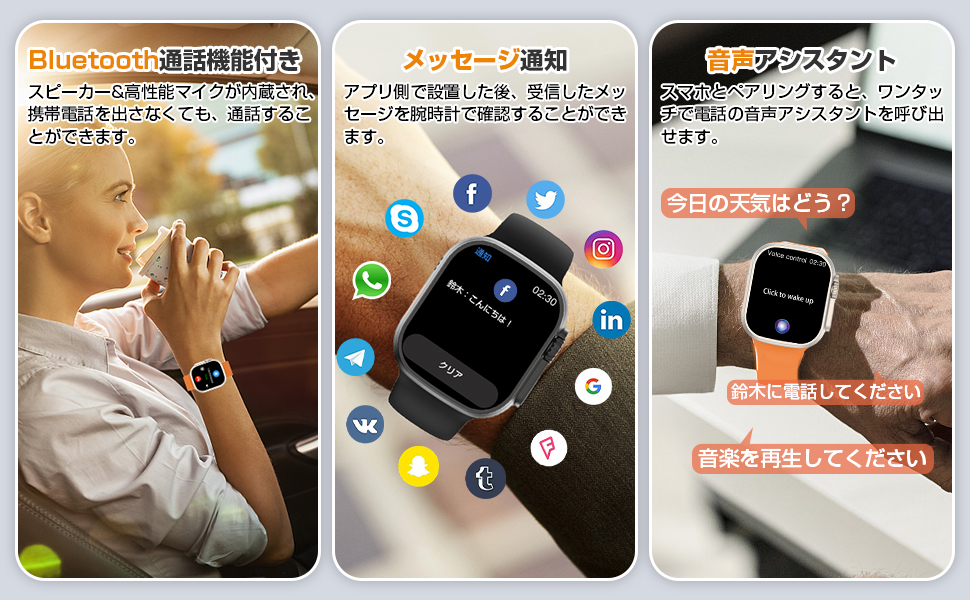
A triptych illustrating the smartwatch's communication features: making and receiving calls via Bluetooth, receiving real-time messages from social media apps, and activating the voice assistant for hands-free commands.
4.6 Personal Business Card & PayPal QR Code
Save your social media personal business card QR codes (e.g., Facebook, WhatsApp) and PayPal receipt codes in the dedicated app. These QR codes can then be displayed on your smartwatch, allowing for easy sharing and receiving payments without needing your phone.

The smartwatch screen showing QR codes for PayPal payments and personal business cards, enabling convenient transactions and contact sharing directly from the wrist.
4.7 Sports Modes & GPS Tracking
The smartwatch supports various sports modes, including running, walking, cycling, and yoga. It records daily steps, calories burned, and distance traveled. With built-in GPS, you can track your movement trajectory and get detailed exercise data.

This infographic shows various sports modes like running, walking, cycling, yoga, and hiking, with a map displaying GPS tracking.

This image showcases the smartwatch's versatility for different sports activities, including yoga, cycling, and hiking, along with its GPS tracking feature to record movement and distance.
4.8 Other Functions
The Wisoee Smartwatch includes a variety of other useful functions:
- Alarm Clock: Set multiple alarms for reminders.
- Breathing Training: Guided breathing exercises for relaxation.
- Calculator: Perform basic calculations directly on your wrist.
- Timer: Set countdown timers for various tasks.
- Stopwatch: Measure elapsed time for activities.
- Find Phone: Locate your misplaced smartphone by making it ring.
- Remote Camera Control: Control your phone's camera remotely to take photos.
- Weather Forecast: Get real-time weather updates when connected to your phone.
- Compass: Navigate with a digital compass.
- Sedentary Reminder: Get alerts to move after periods of inactivity.
- Water Intake Reminder: Reminders to drink water throughout the day.

A collage of images demonstrating various smartwatch functions: alarm, breathing training, calculator, timer, stopwatch, find phone, and compass.

A visual guide to the smartwatch's diverse utility features, such as displaying weather, reminding to drink water, prompting movement, providing a calculator, showcasing long battery life, enabling remote camera control, and offering timer and stopwatch functions.
5. Maintenance
5.1 Cleaning
Wipe the smartwatch regularly with a soft, dry cloth. For stubborn dirt, dampen the cloth slightly with water. Do not use harsh chemicals or abrasive materials.
5.2 Water Resistance (IP68)
The smartwatch has an IP68 waterproof rating, meaning it is resistant to dust and can withstand immersion in water up to 1.5 meters for 30 minutes. It is suitable for daily activities like hand washing and light rain. However, it is not recommended for swimming, diving, or exposure to hot water/steam.
Avoid exposing the watch to high-velocity water or extreme temperature changes, as this may compromise the water resistance.
6. Troubleshooting
- Watch not turning on: Ensure the watch is fully charged. Connect it to the charger and wait a few minutes before attempting to power it on.
- Cannot pair with phone: Make sure Bluetooth is enabled on your phone and the smartwatch. Try restarting both devices. Ensure the app is updated to the latest version.
- Notifications not appearing: Check app permissions on your phone to ensure the companion app has access to notifications. Verify that notifications are enabled within the smartwatch app settings.
- Inaccurate data: Ensure the watch is worn snugly on your wrist. For GPS tracking, ensure you are in an open area with clear sky visibility.
- Short battery life: Reduce screen brightness, disable unnecessary notifications, and limit continuous heart rate monitoring if not needed.
If you encounter persistent issues, please refer to the support section or contact customer service.
7. Specifications
| Brand | Wisoee |
| Screen Size | 2.15 inches |
| Resolution | 320*384 |
| Connectivity | Bluetooth 5.2 |
| Water Resistance | IP68 |
| Battery Capacity | 400mAh |
| Usage Time | Approx. 5-10 days |
| Standby Time | Approx. 30 days |
| Compatible Devices | iPhone, Android smartphones |
| Product Dimensions | 4.7 x 4.3 x 1.5 cm; 210 g |
8. Warranty and Support
Wisoee provides a standard warranty for this product. Please refer to the warranty card included in your package for specific terms and conditions. For technical support, troubleshooting assistance, or warranty claims, please contact our customer service team through the contact information provided on our official website or the product packaging.
We are committed to providing excellent customer service and support for your Wisoee Smartwatch.


