1. Introduction
This manual provides detailed instructions for the operation and maintenance of your Bingxue P250 Outdoor Bluetooth Speaker. This portable speaker is designed for various environments, featuring Bluetooth wireless connectivity, FM radio, USB playback, AUX input, an integrated LED light, and a power bank function. It is built with IPX66 water resistance and a durable construction, making it suitable for outdoor use, job sites, and recreational activities.

Figure 1: Bingxue P250 Outdoor Bluetooth Speaker
2. Safety Information
- Read all instructions before using the device.
- Do not expose the speaker to extreme temperatures or direct sunlight for extended periods.
- Ensure all port covers are securely closed to maintain IPX66 water resistance. While the device is water-resistant, it is not designed for submersion.
- Use only the specified charging cables and adapters.
- Do not attempt to disassemble or modify the speaker. This will void the warranty and may cause damage.
- Keep the speaker away from medical devices.
- Dispose of batteries and electronic components responsibly according to local regulations.
3. Package Contents
Verify that all items are present in the package:
- Bingxue P250 Outdoor Bluetooth Speaker
- Owner's Manual

Figure 2: Product Packaging
4. Product Diagram
4.1 Front Panel Controls and Ports

Figure 3: Front Panel Key Holes Introduction
- Power Button: Turns the speaker on or off.
- Mode Button: Switches between Bluetooth, FM Radio, USB, and AUX modes.
- Scan Button: In FM mode, scans for radio stations.
- Previous/Next Track Buttons: Navigates tracks in Bluetooth/USB mode; adjusts frequency in FM mode.
- Play/Pause Button: Plays or pauses audio.
- Time Button: Adjusts time display.
- Preset Button: Saves or recalls FM radio presets.
- Pair Button: Initiates Bluetooth pairing.
- Volume Knobs: Adjusts audio volume.
- 3.5mm Headphone Jack: For private listening.
- USB Type-C Power Output: For charging external devices (power bank function).
- AUX Input: For connecting external audio sources via a 3.5mm cable.
- USB Disk Playback Port: For playing audio from a USB flash drive.
4.2 Back Panel Charging Ports

Figure 4: Back Panel Charging Ports
- USB Type-C Charging Port: 2.0A-5V input for charging the speaker.
- Round Pin Charging Port: 2.0A-9V input for charging the speaker.
4.3 Overall Views

Figure 5: Multiple Views of the Speaker
5. Setup
5.1 Charging the Speaker
- Before first use, fully charge the speaker.
- Connect the appropriate charging cable to either the USB Type-C charging port (2.0A-5V) or the round pin charging port (2.0A-9V) on the back of the speaker.
- Connect the other end of the charging cable to a compatible power adapter (not included) or a USB power source.
- The charging indicator will illuminate during charging and turn off when fully charged.
The speaker is equipped with an 8000mAh lithium battery, providing approximately 6-8 hours of playback on a full charge. Playtime may vary based on volume level and content.
5.2 Powering On/Off
- To power on, press and hold the Power button until the display illuminates.
- To power off, press and hold the Power button again until the display turns off.
6. Operating Instructions
6.1 Bluetooth Pairing
- Power on the speaker. The speaker will automatically enter Bluetooth pairing mode, indicated by a flashing Bluetooth icon on the display.
- On your mobile device, enable Bluetooth and search for available devices.
- Select "P250" from the list of devices.
- Once paired, the Bluetooth icon on the speaker's display will stop flashing and remain solid.
- If pairing fails, ensure the speaker is within range (up to 10 meters) and not connected to another device.
6.2 FM Radio Operation
- Press the Mode button to switch to FM radio mode.
- Extend the antenna for better reception.
- Press the Scan button to automatically scan and save available FM stations.
- Use the Previous/Next Track buttons to navigate through saved stations or manually adjust the frequency.
- To save a preset, tune to the desired station, then press and hold the Preset button. Use the Previous/Next Track buttons to select a preset number, then press Preset again to confirm.
6.3 USB Playback
- Insert a USB flash drive containing audio files into the USB Disk Playback Port.
- Press the Mode button to switch to USB mode. The speaker will automatically begin playing audio files from the USB drive.
- Use the Previous/Next Track buttons to skip tracks and the Play/Pause button to control playback.
6.4 AUX Input
- Connect one end of a 3.5mm audio cable (not included) to the AUX Input port on the speaker.
- Connect the other end of the cable to the headphone jack or audio output of your external audio device.
- Press the Mode button to switch to AUX mode.
- Control playback from your external audio device.
6.5 LED Light Operation
The speaker features a built-in LED light. To activate or deactivate the LED light, locate the dedicated light button (often integrated with the 'Pair' button, indicated by a light bulb icon) and press it. The LED light provides illumination for various situations, such as outdoor activities or in low-light environments.
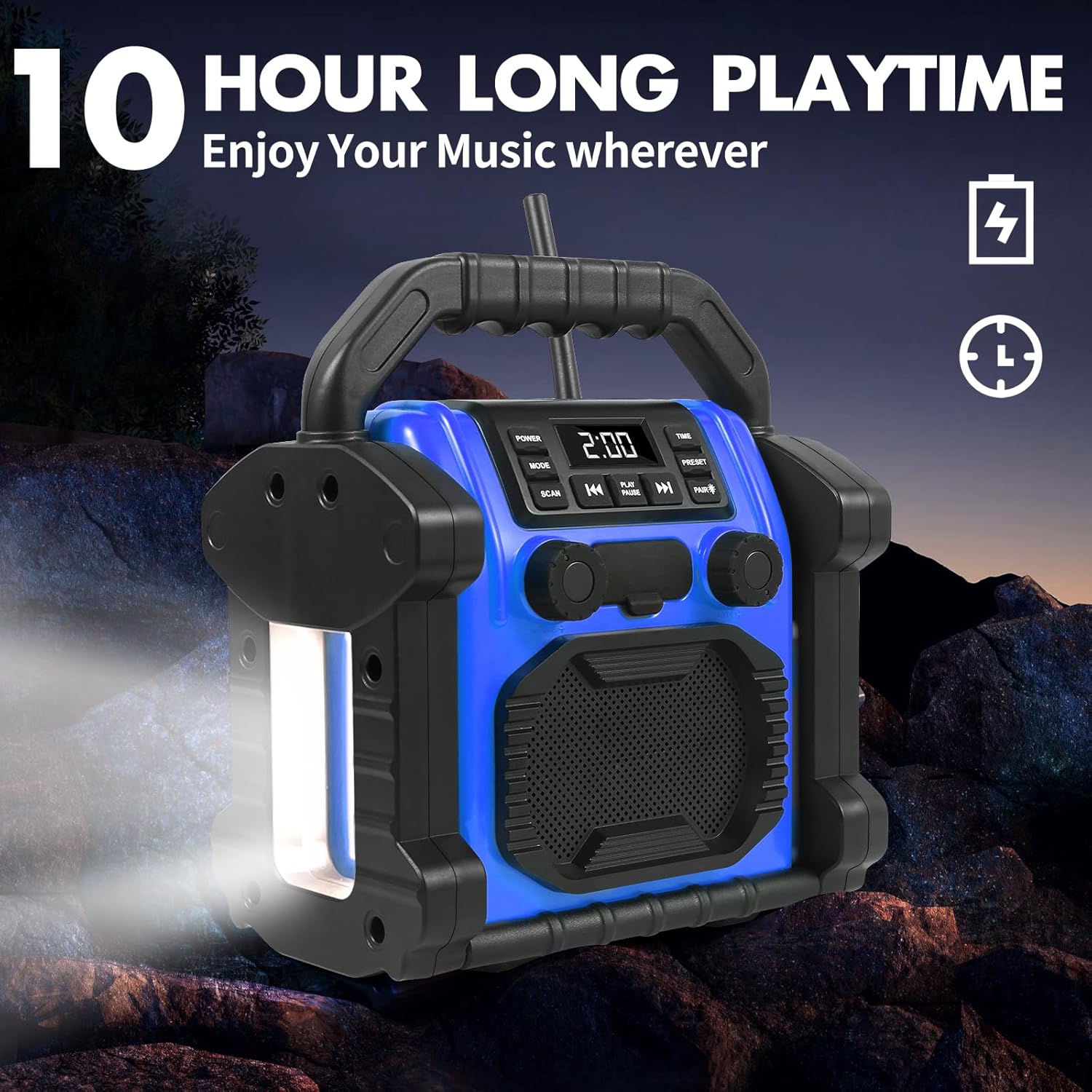
Figure 6: Speaker with LED Light Activated
6.6 Power Bank Function
The speaker can be used to charge other devices. Connect your device's charging cable to the USB Type-C Power Output port on the front panel of the speaker. This function allows you to keep your phone or other small electronic devices powered while on the go.
7. Maintenance
7.1 Cleaning
- Ensure the speaker is powered off and all port covers are closed before cleaning.
- Wipe the exterior with a soft, damp cloth. Do not use abrasive cleaners, solvents, or harsh chemicals.
- Avoid getting moisture into any open ports.
7.2 Storage
- Store the speaker in a cool, dry place away from direct sunlight and extreme temperatures.
- If storing for an extended period, charge the battery to approximately 50% every few months to maintain battery health.
8. Troubleshooting
| Problem | Possible Cause | Solution |
|---|---|---|
| Speaker does not power on. | Battery is depleted. | Charge the speaker fully. |
| No sound. | Volume is too low or muted. Incorrect mode selected. | Increase volume. Ensure correct mode (Bluetooth, FM, USB, AUX) is selected. |
| Bluetooth pairing fails. | Speaker is not in pairing mode. Device is out of range. Speaker is connected to another device. | Ensure speaker is in pairing mode. Move device closer to speaker. Disconnect from other devices. |
| Poor FM radio reception. | Antenna not extended. Weak signal. | Fully extend the antenna. Try repositioning the speaker. |
| LED light not working. | Light function not activated. | Press the LED light button to activate. |
9. Specifications
| Feature | Description |
|---|---|
| Model Number | P250 |
| Product Dimensions | 7.95 x 8.86 x 4.88 inches |
| Item Weight | 3.08 pounds |
| Battery | 8000mAh Lithium Ion (4 included) |
| Playtime | 6-8 hours (varies with volume/content) |
| Water Resistance | IPX66 |
| Connectivity | Bluetooth, USB, AUX |
| Tuner Technology | FM |
| Power Source | Battery Powered |
| Radio Bands Supported | 1-Band |
| Special Features | LED Light, Power Bank Function |
10. Warranty and Support
For warranty information or technical support, please refer to the contact details provided with your purchase documentation or visit the official Bingxue website. Keep your proof of purchase for warranty claims.