1. Introduction
This manual provides essential information for the installation and safe handling of the CAROPT Dryer Thermostat Thermal Fuse Kit, model 279769. This kit is designed as an exact replacement part for various dryer models, including those manufactured by Whirlpool, Kenmore, Estate, Kirkland, and Roper. It includes a thermal fuse and a thermostat, critical components for regulating dryer temperature and ensuring safe operation.
2. Safety Information
- Disconnect Power: Always disconnect the dryer from its power source (unplug or turn off circuit breaker) before attempting any repairs or installations. Failure to do so can result in electric shock or serious injury.
- Professional Installation: If you are unfamiliar with appliance repair or electrical work, it is recommended to seek assistance from a qualified technician.
- Wear Protective Gear: Use appropriate personal protective equipment, such as gloves, to prevent injury from sharp edges or electrical components.
- Component Handling: Handle components carefully. The thermal fuse is a one-time use safety device; improper handling or testing can compromise its function.
3. Product Overview
The CAROPT Dryer Thermostat Thermal Fuse Kit 279769 includes two primary components:
- Thermal Fuse (Part Number 3977394): This is a safety device designed to blow (open) if the dryer overheats, typically at 352°F (177°C). Once it blows, it must be replaced as it is a one-time fuse and will not reset. A blown thermal fuse will prevent the dryer from heating.
- Thermostat (Part Number 3390291): This component regulates the dryer's operating temperature, typically rated at 250°F (121°C). It cycles on and off to maintain the desired temperature during the drying cycle.
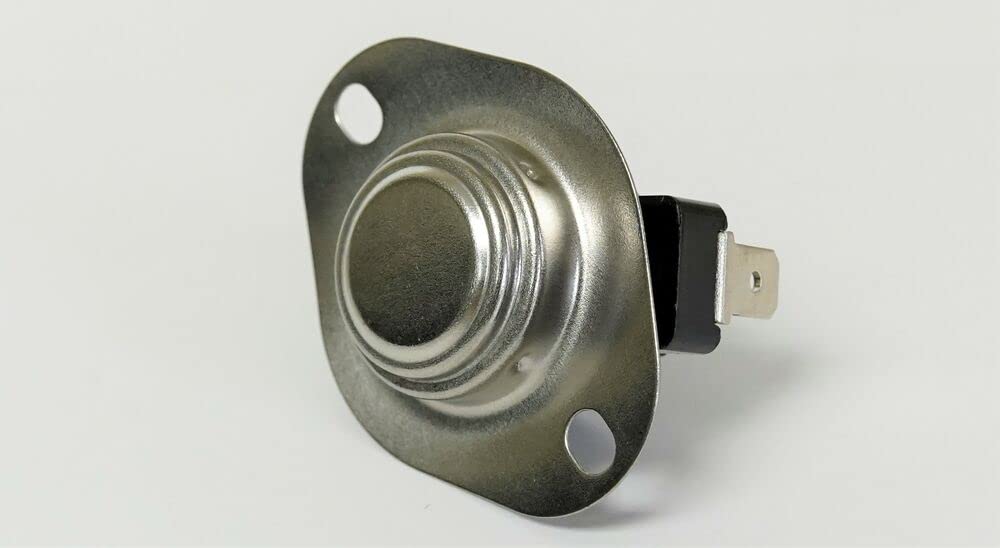
Image 1: Overview of the CAROPT Dryer Thermostat Thermal Fuse Kit, showing both the thermostat and thermal fuse components.

Image 2: A close-up view of the thermal fuse, part number 3977394, which is a one-time safety device.
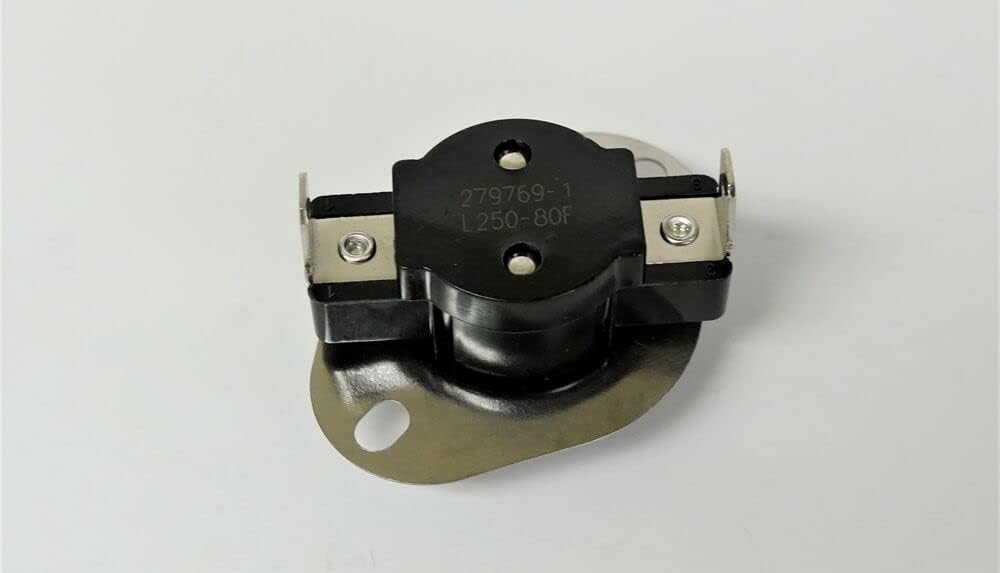
Image 3: A close-up view of the thermostat, part number 3390291, responsible for temperature regulation.
4. Installation Instructions
The following steps provide general guidance for replacing the thermal fuse and thermostat. Specific dryer models may vary, so always refer to your dryer's service manual for detailed instructions.
- Disconnect Power: Ensure the dryer is completely disconnected from the electrical supply.
- Access Components: Depending on your dryer model, you may need to remove the back panel, top panel, or front panel to access the thermal fuse and thermostat.
- Locate Old Parts: Identify the existing thermal fuse and thermostat. They are typically located on the blower housing or heating element housing.
- Remove Wiring: Carefully disconnect the wires from the old thermal fuse and thermostat. Note their positions or take a picture for correct reinstallation.
- Remove Old Parts: Unscrew or unclip the old thermal fuse and thermostat from their mounting brackets.
- Install New Parts: Mount the new CAROPT thermal fuse (3977394) and thermostat (3390291) in the exact locations of the old parts. Ensure they are securely fastened.
- Reconnect Wiring: Reattach the wires to the new components, ensuring all connections are secure and correct.
- Reassemble Dryer: Reattach any panels removed during the process.
- Test Operation: Restore power to the dryer and test its operation. Ensure it heats correctly and cycles properly.
5. Operating Principle
Once installed, the thermal fuse and thermostat work in conjunction to ensure the safe and efficient operation of your dryer. The thermostat regulates the temperature within the dryer drum, cycling the heating element on and off to maintain the selected heat setting. The thermal fuse acts as a critical safety backup. If the dryer's temperature exceeds a safe limit (e.g., due to a clogged vent or a malfunctioning thermostat), the thermal fuse will permanently open, cutting power to the heating element and preventing potential fire hazards. After the thermal fuse blows, it must be replaced to restore heating functionality.
6. Maintenance
The thermal fuse and thermostat themselves are not user-maintainable parts. Their lifespan is typically long, but they can fail due to various factors, most commonly overheating. To prolong the life of these components and ensure safe dryer operation, regular maintenance of your dryer is recommended:
- Clean Lint Filter: Clean the lint filter before or after every load.
- Inspect Dryer Vent: Periodically inspect and clean the dryer vent ductwork from the dryer to the exterior of your home. Blocked vents are a primary cause of dryer overheating and component failure.
- Avoid Overloading: Do not overload the dryer, as this can restrict airflow and lead to overheating.
7. Troubleshooting
If your dryer is experiencing issues related to heating or power, the thermal fuse or thermostat may be the cause. Always ensure power is disconnected before inspection.
- Dryer Not Heating: If the dryer runs but does not produce heat, the thermal fuse (3977394) is a common culprit. A multimeter can be used to test for continuity across the fuse. No continuity indicates a blown fuse.
- Dryer Not Starting: In some dryer models, a blown thermal fuse can prevent the dryer from starting at all.
- Dryer Overheating or Not Drying Effectively: A faulty operating thermostat (3390291) can cause the dryer to overheat or not reach the correct temperature, leading to inefficient drying.
If you suspect a component failure, it is advisable to test the parts with a multimeter for continuity. If a part is confirmed faulty, replace it with the correct CAROPT replacement part.
8. Specifications
| Specification | Detail |
|---|---|
| Brand Name | CAROPT |
| Model Info | 3392519279769ERDE382 |
| Item Weight | 11.2 ounces |
| Product Dimensions | 2 x 1.5 x 1.5 inches |
| Item Model Number | 3392519279769ERDE382 |
| Part Number | 3392519279769ERDE382 |
| Material Type | 3392519279769ERDE382 |
| Included Components | Thermostat Kit |
| Batteries Required? | No |
| ASIN | B0CST7RMGK |
| Date First Available | January 19, 2024 |
9. Warranty and Support
Specific warranty information for this product should be obtained directly from the seller or manufacturer at the time of purchase. Please retain your proof of purchase for any warranty claims.
For technical support or further assistance, please contact the CAROPT customer service department or the retailer from whom the product was purchased. When contacting support, please have your product model number (279769) and purchase details readily available.