1. Product Overview
This document provides instructions for the EasyKeys Kennedy K1220 replacement key, designed for Kennedy toolboxes using the K1200 - K1449 key series. This key is custom-cut to match the K1220 code, ensuring compatibility with your specific Kennedy toolbox lock.
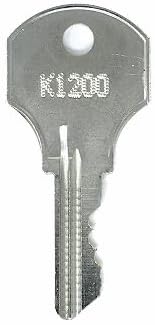
Image 1: The EasyKeys Kennedy K1220 replacement key, made of brass.
2. Identifying Your Lock Code
Before using your replacement key, ensure you have correctly identified your lock's code. The K1220 key is specifically cut for locks bearing this code. If your lock has a different code, this key may not function correctly.

Image 2: Common locations to find your lock code. This code is essential for ordering the correct replacement key.
Important Notes for Code Identification:
- Manufacturer Specificity: Always order replacement keys by the manufacturer. Lock codes are specific to their respective manufacturers.
- Key Cut Variations: Even if lock codes appear similar across different brands, the actual key cuts can vary significantly. Ensure the manufacturer matches your original lock.
3. Operating Instructions
- Insert the Key: Gently insert the K1220 replacement key into the keyway of your Kennedy toolbox lock. Do not force the key.
- Turn to Unlock: Once fully inserted, turn the key clockwise (or counter-clockwise, depending on your lock mechanism) to engage the lock's tumblers and unlock the toolbox.
- Remove the Key: After unlocking, you may remove the key. For some locks, the key must remain in the lock to keep it in the unlocked position.
If the key does not turn smoothly, do not apply excessive force. Refer to the Troubleshooting section.
4. Maintenance
- Keep Clean: Keep the key clean and free from dirt, debris, or corrosive substances.
- Lubrication (Optional): If the lock mechanism becomes stiff, a small amount of graphite lubricant or a specialized lock lubricant can be applied to the keyway, not directly to the key. Consult your toolbox manufacturer's guidelines for lock lubrication.
- Storage: Store the key in a dry place to prevent corrosion.
5. Troubleshooting
- Key Does Not Insert Fully:
Check for obstructions in the lock's keyway. Ensure the key is oriented correctly. If the key still does not insert, it may be the wrong key for the lock or the lock mechanism is damaged.
- Key Inserts but Does Not Turn:
Verify that the key code (K1220) matches the code on your lock. The lock mechanism might be jammed or corroded. Try applying a small amount of lock lubricant to the keyway. Do not force the key, as this can damage both the key and the lock.
- Key Feels Stiff When Turning:
This could indicate a need for lubrication in the lock cylinder. Apply a suitable lock lubricant. If the stiffness persists, the lock mechanism may require professional attention.
6. Product Specifications
- Brand: EasyKeys
- Model Name: K1220
- Compatible Manufacturer: Kennedy
- Compatible Key Series: K1200 - K1449
- Material: Brass
- Item Dimensions (L x W x H): 0.5 x 0.5 x 1 inches
- Item Weight: Approximately 4 ounces
- Special Features: Custom Cut Key, Durable
7. Warranty Information
Specific warranty details for the EasyKeys Kennedy K1220 replacement key are not provided in the product information. For warranty inquiries, please contact EasyKeys directly through their official support channels.
8. Customer Support
For further assistance, questions, or to explore other products, please visit the official EasyKeys store:
