1. Product Overview
This document provides instructions for the EasyKeys CompX National A2302 Replacement Key. This key is designed for use with file cabinets, desks, or cubicles equipped with CompX National locks. It is a custom-cut key, specifically compatible with Corry Jamestown furniture.
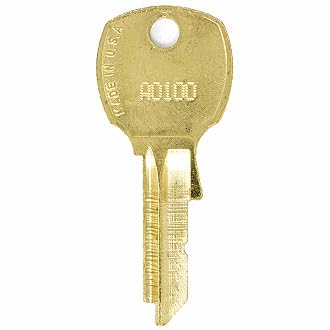
Image 1.1: EasyKeys CompX National A2302 Replacement Key. This image displays a single brass-colored key, representative of the A2302 model, with a distinct key cut.
2. Key Identification
To ensure you have the correct replacement key, it is essential to accurately identify the lock code. The A2302 key is specific to its corresponding lock code.
Locating Your Lock Code:
The lock code can typically be found in one of the following locations:
- On the Key: The code may be stamped directly on your existing key.
- On the Lock Face: The code might be visible on the front surface of the lock cylinder.
- Inside/Behind the Lock: For some locks, the code is located on a label or stamped directly on the lock mechanism, often requiring the drawer or door to be open.
- On the Cabinet/Door Label: Some furniture pieces have a label with the lock code affixed to the cabinet or door itself.

Image 2.1: Diagram illustrating common locations for lock codes, including on the key, lock face, inside the lock, and on a cabinet label.
Important Notes:
- Manufacturer Specificity: Lock codes are specific to their manufacturer. An A2302 key from CompX National will only work with CompX National locks designated A2302.
- Key Cut Variations: Even if codes appear similar across different brands, the actual key cuts vary significantly. Always ensure the manufacturer matches.
3. Setup and Operation
3.1 Initial Verification
Before attempting to use the key, visually confirm that the A2302 code on your new key matches the code identified on your lock or existing key. This step is crucial to prevent damage to the lock cylinder.
3.2 Key Insertion and Turning
- Insert the Key: Gently insert the A2302 replacement key into the lock cylinder. Do not force the key. It should slide in smoothly.
- Turn to Operate: Once fully inserted, turn the key clockwise or counter-clockwise to engage or disengage the lock mechanism. The direction depends on the lock's design (e.g., to lock a drawer, you might turn it clockwise).
- Remove the Key: After the lock is operated (locked or unlocked), turn the key back to its original insertion position and gently pull it out.
4. Maintenance
Proper maintenance ensures the longevity and smooth operation of your lock and key.
Lubrication:
If the lock mechanism feels stiff or the key is difficult to turn, apply a small amount of graphite lubricant into the keyway. Graphite is a dry lubricant that will not attract dust and debris, unlike oil-based lubricants which can cause buildup over time. Insert the key and turn it several times after lubrication to distribute the graphite.
5. Troubleshooting
If you encounter issues with your A2302 replacement key, consider the following troubleshooting steps:
- Key Does Not Insert Fully:
- Check for obstructions in the keyway (e.g., broken key fragments, debris).
- Ensure the key is oriented correctly.
- Key Inserts but Does Not Turn:
- Verify Lock Code: Reconfirm that the A2302 code on your key precisely matches the lock code on your furniture. Even slight variations or different manufacturers with similar codes will prevent operation.
- Lubrication: Apply graphite lubricant to the lock cylinder as described in the Maintenance section.
- Lock Mechanism: The internal lock mechanism might be jammed or damaged. Avoid forcing the key, as this can cause further damage.
- Lock Operates Stiffly:
- Apply graphite lubricant.
- Ensure the lock mechanism itself is not misaligned or obstructed.
If these steps do not resolve the issue, contact EasyKeys customer support for further assistance.
6. Specifications
| Brand | EasyKeys |
| Model Name | A2302 |
| Manufacturer | CompX National |
| Material | Brass |
| Lock Type | Cam |
| Item Dimensions (L x W x H) | 0.5 x 0.5 x 1 inches |
| Included Components | Key |
| Special Features | Adjustable Fit, Custom Cut Key, Durable |
7. Warranty and Support
EasyKeys stands behind the quality of its products. For any questions, concerns, or to inquire about warranty services, please contact the EasyKeys customer support team.
When contacting support, please have your product details, including the model number A2302, readily available to facilitate a quicker resolution.
You can find more information and contact details on the official EasyKeys website or through your purchase platform.
Note: EasyKeys provides US-based support.


