
JOYROOM JR-382-Black
Contents
JOYROOM Bike Phone Holder Instruction Manual
Model: JR-382-Black
1. Introduction
Thank you for choosing the JOYROOM Bike Phone Holder. This manual provides detailed instructions for the proper installation, operation, and maintenance of your new phone mount. Designed for stability and versatility, this holder ensures your smartphone remains secure and accessible during your rides on bicycles, motorcycles, scooters, and more.

2. Product Components
The package includes the following components:
- 1 x JOYROOM Bike Phone Mount (JR-382-Black)
Key features of the phone holder include:
- Effective Anti-Vibration: Features a thickened soft silicone base to absorb riding vibrations, protecting your phone from damage and scratches.
- Safe and Durable Design: Silicone straps have undergone extensive pull-off tests for extreme weather resilience. Upgraded double buckle fixation ensures secure attachment to handlebars.
- Wide Phone Compatibility: Designed for 4-inch to 7.2-inch cell phones, including those with thick cases. Utilizes a double-layer silicone strap design for optimal fit.
- 360° Free Rotation: Allows for easy switching between horizontal and vertical viewing angles for navigation, calls, or music. Does not obstruct Face ID or Fingerprint Unlock.
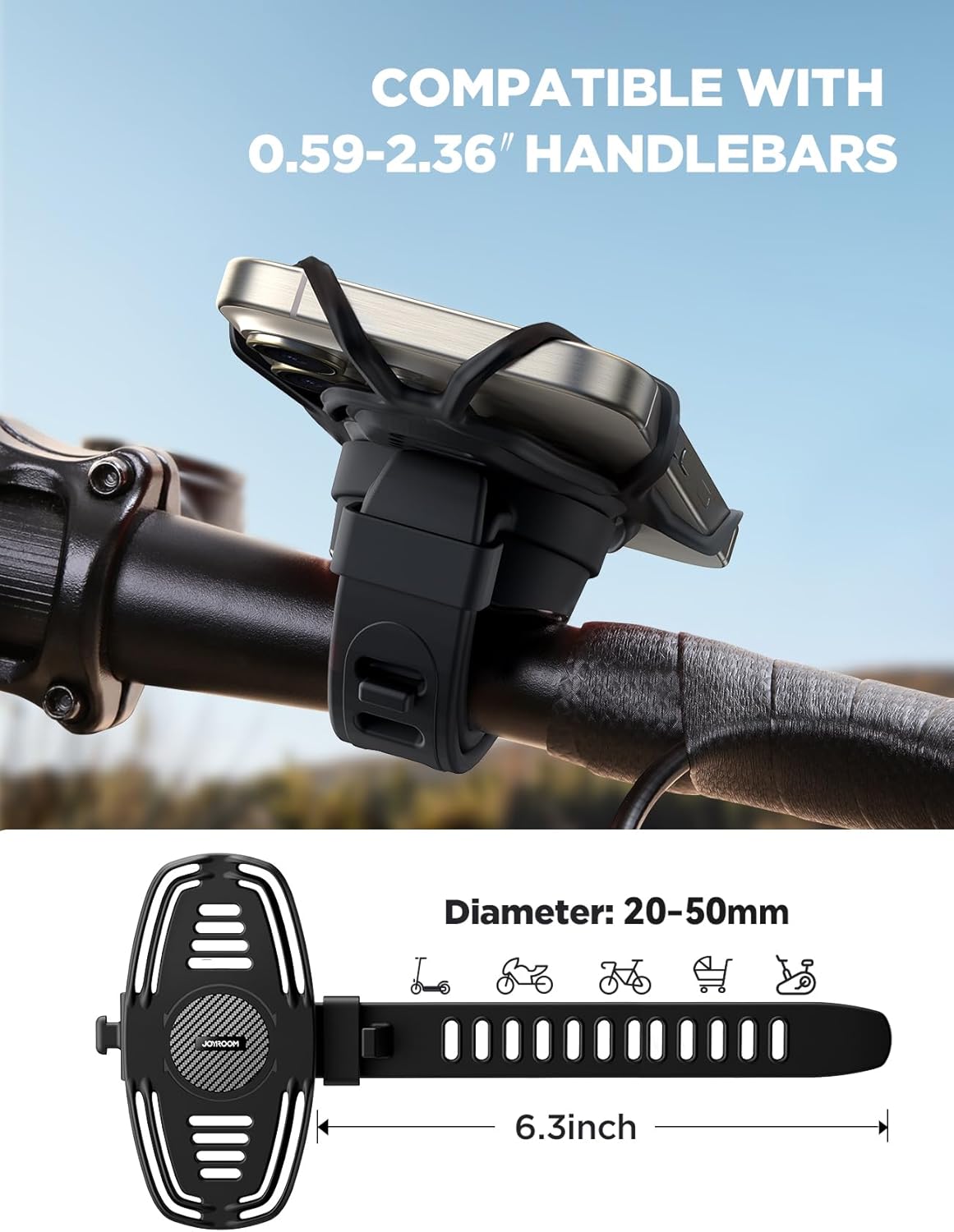
- Universal Handlebar Compatibility: Fits handlebars with diameters ranging from 0.6 to 1.57 inches (15-40mm), suitable for various vehicles like bicycles, motorcycles, ATVs, UTVs, strollers, and electric scooters.


3. Setup and Installation
Follow these steps to properly install the JOYROOM Bike Phone Holder on your handlebar:
- Step 1: Fix the Holder onto the Handlebar
Wrap the handlebar band of the phone holder around your desired handlebar location. Ensure the band is snug and the holder is positioned correctly.
Step 1: Secure the holder to the handlebar using the adjustable strap. - Step 2: Secure Your Phone
Place your phone onto the holder. Pull the silicone bands from the corners of the holder over the corners of your phone to securely hold it in place. For phones 6.1 inches and larger, use the outer silicone strap. For phones below 6.1 inches, use the inner silicone strap.
Step 2: Place your phone and stretch the silicone straps over its corners. - Step 3: Adjust Viewing Angle
Once your phone is secured, you can rotate the holder 360 degrees to achieve the most comfortable and optimal viewing angle (horizontal or vertical).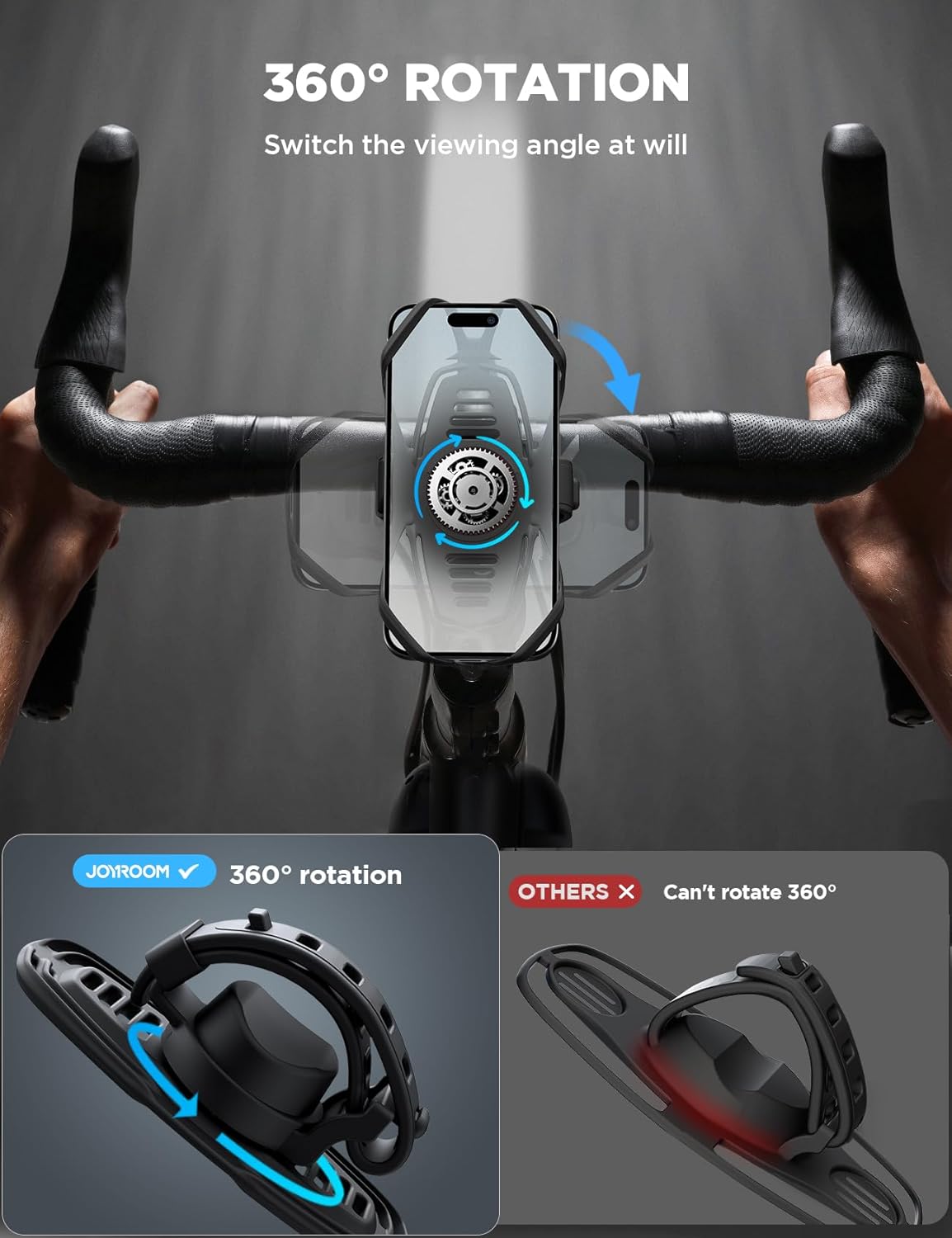
Step 3: Rotate the holder to your preferred viewing orientation.
4. Operating Instructions
Using your JOYROOM Bike Phone Holder is straightforward:
- Attaching Your Phone: Gently stretch the silicone straps over the four corners of your smartphone. Ensure all four corners are securely held by the straps.
- Removing Your Phone: Carefully peel back the silicone straps from each corner of your phone and lift the phone from the holder.
- Adjusting Orientation: The holder allows for 360-degree rotation. Simply turn your phone to switch between portrait and landscape modes as needed for navigation or viewing. The clicking sound during rotation is normal and indicates the internal mechanical gear engaging.


5. Compatibility
The JOYROOM Bike Phone Holder is designed for broad compatibility:
- Compatible Phone Sizes: Fits all 4-7.2 inch cell phones, including those with thick phone cases. This includes various models from iPhone (e.g., iPhone 16 Pro Max, 15 Pro Max, 14, 13, 12 series), Samsung Galaxy (e.g., S24, S23, S22, S21 series, Note series), Google Pixel, OnePlus, Sony, LG, Nokia, Motorola, and BlackBerry.
- Compatible Handlebar Diameters: Suitable for handlebars with a diameter of 0.6-1.57 inches (approximately 15-40mm).
- Compatible Vehicles: Can be used on bicycles, motorcycles, ATVs, UTVs, strollers, electric scooters, dirt bikes, and MTBs.

6. Maintenance
To ensure the longevity and optimal performance of your JOYROOM Bike Phone Holder, follow these simple maintenance guidelines:
- Cleaning: Wipe the holder with a soft, damp cloth to remove dust and dirt. Avoid using harsh chemicals or abrasive cleaners, which can damage the silicone and plastic components.
- Storage: When not in use for extended periods, store the phone holder in a cool, dry place away from direct sunlight and extreme temperatures.
- Inspection: Periodically check the silicone straps and the handlebar attachment for any signs of wear, tears, or damage. Ensure the buckle mechanism is functioning correctly.
7. Troubleshooting
| Problem | Possible Cause | Solution |
|---|---|---|
| Phone feels loose or unstable in the holder. | Silicone straps not properly stretched over phone corners; incorrect strap used for phone size. | Ensure all four silicone straps are securely wrapped around the phone's corners. For larger phones (6.1"+), use the outer strap; for smaller phones, use the inner strap. |
| Holder slides on the handlebar. | Handlebar strap not tightened sufficiently; handlebar diameter is outside the compatible range. | Re-tighten the handlebar strap firmly. Verify your handlebar diameter is within the 0.6-1.57 inch range. |
| Difficulty rotating the phone. | Minor friction in the rotation mechanism. | Apply gentle, firm pressure to rotate. The clicking sound is normal and indicates the internal gears. Do not force rotation excessively. |
8. Specifications
| Feature | Detail |
|---|---|
| Model Number | JR-382-Black |
| Brand | JOYROOM |
| Compatible Phone Sizes | 4 - 7.2 inches (with or without thick cases) |
| Compatible Handlebar Diameter | 0.6 - 1.57 inches (15 - 40 mm) |
| Rotation | 360° Free Rotation |
| Material | Thickened Soft Silicone |
| Item Weight | 4.6 ounces (approx. 130 grams) |
| Package Dimensions | 5.59 x 2.99 x 1.89 inches |
9. Warranty and Support
JOYROOM is committed to providing high-quality products and excellent customer service.
- Warranty: The JOYROOM Bike Phone Holder comes with a 3-year warranty. Please retain your proof of purchase for warranty claims.
- Customer Support: For any questions, concerns, or assistance with your product, please contact the JOYROOM Professional Team. They are available 24 hours a day to assist you.
- Contact Information: Please refer to the contact details provided on the product packaging or the official JOYROOM website for the most up-to-date support information.

Documents and downloads
Ask a question about this manual
Ask about setup, troubleshooting, compatibility, parts, safety, or missing instructions. Manuals+ will review the question and use this page’s manual context to help answer it.