
1. Introduction
This manual provides detailed instructions for the safe and effective use of your GODOX V1 PRO F Wireless Camera Flash. The GODOX V1 PRO F is a professional 2.4G wireless camera flash designed for FUJIFILM cameras, featuring high-speed sync (HSS) up to 1/8000s, a fast 1.3s recycle time, and support for M/TTL flash modes. Please read this manual thoroughly before operation to ensure optimal performance and to prevent damage to the unit.

Figure 1.1: GODOX V1 PRO F Flash unit and standard accessories.
2. Product Features
- Innovative Detachable Sub-Flash (SU-1): The V1 PRO F includes a detachable fill light component, SU-1, allowing the main flash to function as a bounce flash while the SU-1 provides fill light. This enhances versatility in various shooting scenarios.
- High Performance Flash: Supports up to 100 consecutive flashes at full power, ensuring consistent output during extended use.
- 2.4G Wireless Transmission: Integrated 2.4G wireless transmission and reception capabilities allow seamless integration with other Godox wireless flash systems.
- Soft and Stable Light Output: The round head lens design provides uniform and soft light effects, maintaining consistent brightness and color temperature.
- One-Click TTL/M Switch: Easily switch between TTL (Through-The-Lens) and Manual flash modes with a dedicated button for quick adjustments.
- Flexible Shooting Angle: The flash head swivels horizontally from 0° to 330° and tilts vertically from -7° to 120°, enabling direct flash, bounce flash, and other lighting techniques.
- Adjustable LED Modeling Light: Features a 10-level adjustable LED modeling light for pre-visualization of lighting effects, improving shooting efficiency.
- Modern Charging Convenience: Supports charging via Type-C port or the original VC26 charger for flexible power management.
- AK-R1 Accessories Kit Compatibility: Compatible with the Godox AK-R1 pocket flash light accessories kit, including dome diffuser, wing reflector, honeycomb, snoot, and various color filters for diverse lighting effects.

Figure 2.1: Overview of V1 PRO F features including detachable SU-1, 100 consecutive flashes, Type-C charging, TCM, HSS, 2.4G wireless, and 1.3s recycle time.

Figure 2.2: The V1 PRO F flash head offers flexible rotation for various lighting angles.
3. Setup
3.1 Battery Installation and Charging
- Ensure the flash unit is powered off.
- Locate the battery compartment on the flash unit.
- Insert the provided Lithium-Ion battery (VB30) into the compartment, ensuring correct polarity.
- Close the battery compartment securely.
- To charge the battery, connect the flash unit via its Type-C port to a power source using a Type-C cable, or use the dedicated VC26 charger with the battery removed.

Figure 3.1: Charging options for the V1 PRO F battery, including Type-C and VC26 charger.
3.2 Mounting to Camera
- Slide the flash unit's hotshoe onto your FUJIFILM camera's hotshoe mount.
- Secure the flash by tightening the locking mechanism on the flash unit.
3.3 Attaching Accessories
- Detachable Sub-Flash SU-1: Align the SU-1 with its designated slot on the V1 PRO F and slide it into place until it clicks securely.
- AK-R1 Accessories: The AK-R1 kit accessories (e.g., dome diffuser, honeycomb) attach magnetically to the round flash head. Simply place the desired accessory onto the flash head.

Figure 3.2: The detachable SU-1 sub-flash component.

Figure 3.3: Various Godox round head accessories compatible with the V1 PRO F.
4. Operating Instructions
4.1 Power On/Off
Press and hold the power button to turn the flash unit on or off. The LCD screen will illuminate upon power-on.
4.2 Mode Selection (TTL/M)
Press the dedicated TTL/M button to toggle between TTL (Through-The-Lens) automatic flash mode and Manual flash mode. In TTL mode, the flash output is automatically adjusted based on camera metering. In Manual mode, you control the flash output power.
4.3 Adjusting Flash Output
In Manual mode, use the control dial to adjust the flash output power. The current power level will be displayed on the LCD screen.
4.4 Wireless Transmission and Reception
The V1 PRO F supports 2.4G wireless communication. Refer to your camera's and other Godox flash units' manuals for detailed instructions on setting up wireless groups and channels for remote triggering and control.

Figure 4.1: Example of a 2.4G wireless flash setup using the V1 PRO F.
4.5 High-Speed Sync (HSS)
The V1 PRO F supports High-Speed Sync (HSS) up to 1/8000s, allowing you to use flash with shutter speeds faster than your camera's native sync speed. Activate HSS through the flash unit's menu or dedicated button, if available, and ensure your camera is set to a compatible mode.
4.6 Using the Detachable SU-1 Sub-Flash
When the SU-1 is attached, it can be configured to provide a constant fill light or act as a secondary flash. Consult the flash unit's menu for options to control the SU-1's output and function.
4.7 Using the LED Modeling Light
The integrated LED modeling light can be activated and adjusted through the flash unit's controls. It offers 10 levels of brightness to help visualize lighting before taking a shot.
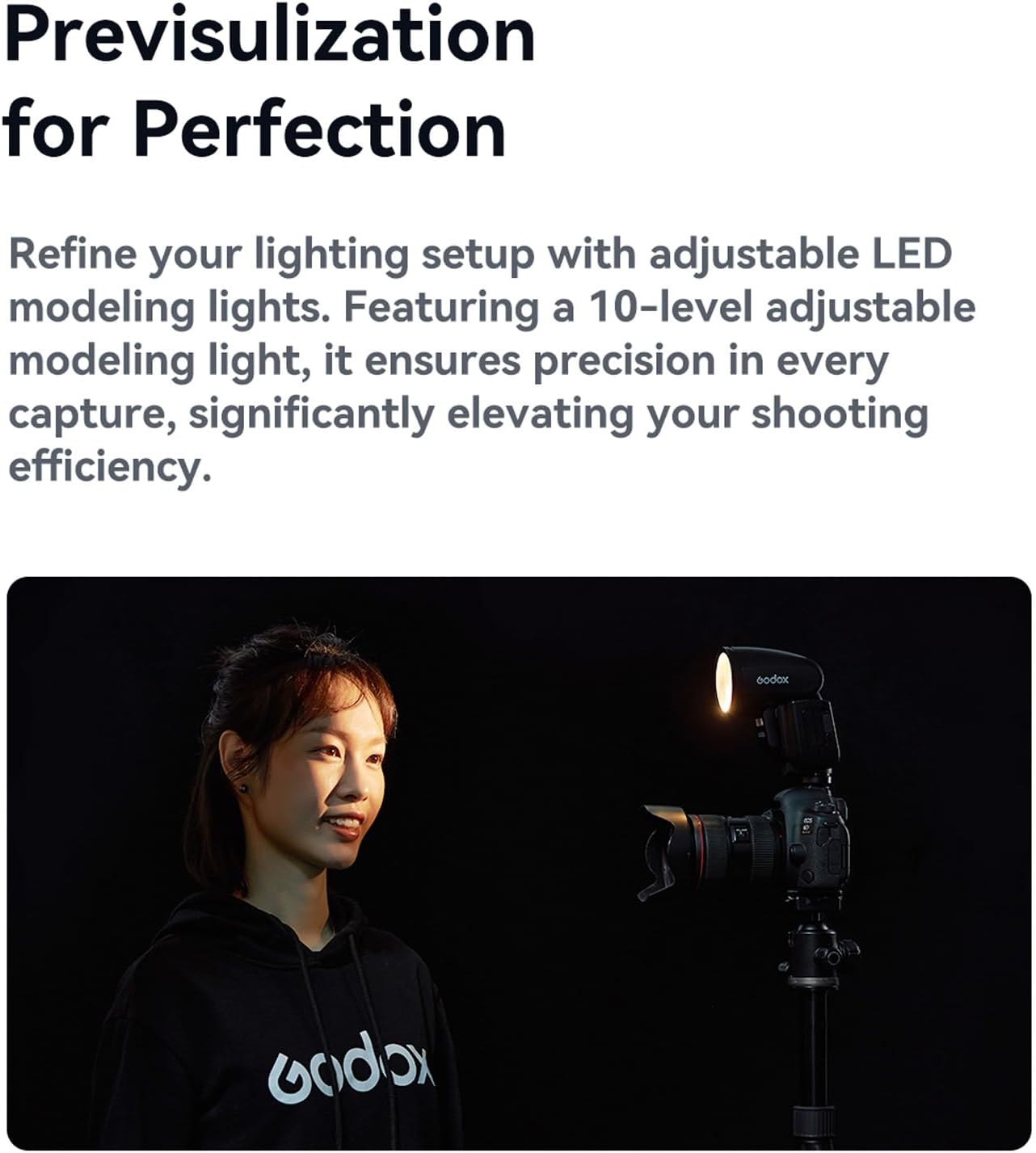
Figure 4.2: The V1 PRO F's LED modeling light assists in pre-visualizing lighting effects.
5. Maintenance
5.1 Cleaning
To clean the flash unit, use a soft, dry cloth. For stubborn dirt, a slightly damp cloth can be used, followed by a dry cloth. Do not use strong detergents or solvents, as they may damage the finish or internal components. Keep the flash tube and sensor clean for optimal performance.
5.2 Battery Care
Store the Lithium-Ion battery in a cool, dry place when not in use. If storing for extended periods, charge the battery to approximately 50% capacity. Avoid fully discharging the battery or leaving it fully charged for long durations to prolong its lifespan.
6. Troubleshooting
If you encounter issues with your GODOX V1 PRO F flash, consider the following general troubleshooting steps:
- Flash not firing: Check if the battery is charged and correctly installed. Ensure the flash is securely mounted on the camera's hotshoe. Verify that the camera and flash settings are compatible (e.g., correct flash mode, sync speed).
- Inconsistent flash output: Check battery level. Ensure no obstructions are blocking the flash sensor or light path. If using wireless, verify channel and group settings.
- Flash overheating: Allow the flash to cool down. Excessive rapid firing can trigger thermal protection. Reduce the frequency of flashes.
- Wireless communication issues: Ensure both the flash and trigger (if applicable) are on the same channel and group. Check for potential interference from other 2.4G devices.
If problems persist, consult the GODOX support website or contact customer service.
7. Specifications
| Feature | Specification |
|---|---|
| Model | V1 PRO F |
| Compatible Cameras | Fujifilm cameras (TTL auto-flash) |
| Power (1/1 output) | 76Ws |
| Flash Coverage | 28 to 105mm (Auto zoom to match lens focal length and imagesize; Manual zoom) |
| Swinging/Tilting Flash Head | 0 to 330° horizontally, -7° to 120° vertically |
| Flash Duration | 1/300 to 1/20000 seconds |
| Exposure Control | Manual, FEB: ±3 steps with 1/3 increment each step (Manual FEC and FEB can be combined) |
| Flash Exposure Lock (FEL) | With <FEL> button or <*> button |
| Sync Mode | High-speed sync (up to 1/8000 seconds), first-curtain sync, and second-curtain sync |
| Multi Flash | Provided (up to 100 times, 199Hz) |
| Wireless Flash (Radio 2.4G Transmission) | Transmitter, Receiver, Off |
| Transmitter Unit Groups | V1Pro F: M, A, B, C |
| Power of Modeling Light | 2W |
| Color Temperature | 3300K±200K |
| Item Weight | 3.42 pounds |
| Package Dimensions | 13.15 x 10 x 4.88 inches |
| Batteries | 1 Lithium Ion battery required |
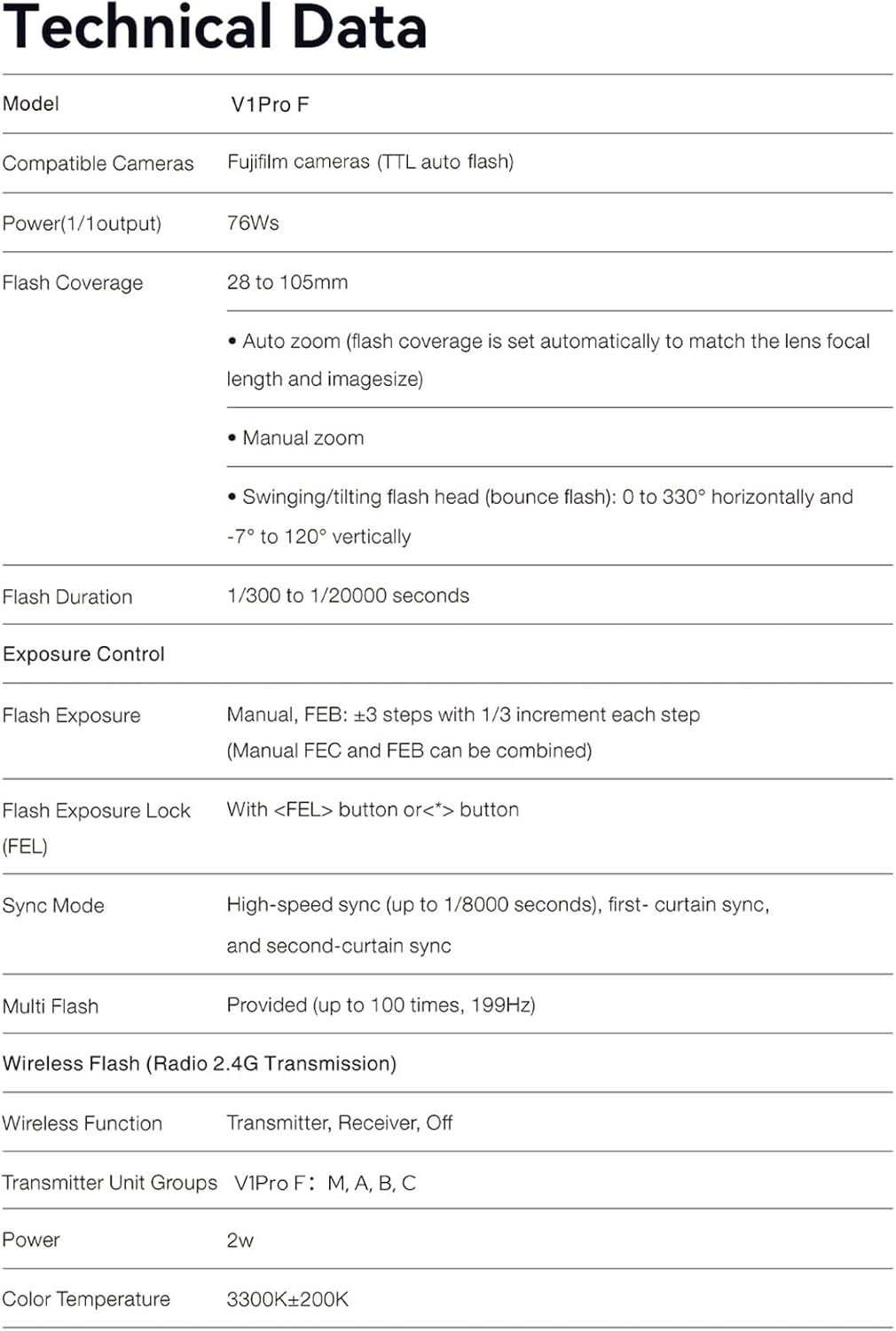
Figure 7.1: Detailed technical data for the GODOX V1 PRO F.
8. Safety Warnings
If you find the product damaged, deformed, or exhibiting abnormal performance, please stop using it immediately and contact us.

Figure 8.1: Important safety warning regarding product condition.
9. Warranty and Support
For warranty information, technical support, or service inquiries, please visit the official GODOX website or contact your authorized GODOX dealer. Keep your purchase receipt as proof of purchase for warranty claims.