
Shark FA220UK
Shark FlexBreeze High-Velocity 12-in-1 Fan User Manual
Model: FA220UK
1. Introduction
Welcome to the Shark FlexBreeze High-Velocity 12-in-1 Fan user manual. This versatile fan is designed to provide powerful and quiet cooling for both indoor and outdoor environments. With its unique 12-in-1 design, you can easily switch between corded and cordless operation, and transform it from a pedestal fan to a tabletop unit. The included InstaCool Misting Attachment further enhances outdoor cooling. Please read this manual thoroughly before use to ensure safe and optimal performance of your new fan.
Video: Overview of the Shark FlexBreeze fan, demonstrating its transformation from pedestal to tabletop mode, corded and cordless capabilities, and the misting attachment. It highlights the fan's powerful and quiet operation.
2. Important Safety Information
Always follow basic safety precautions when using electrical appliances to reduce the risk of fire, electric shock, and injury. This fan is designed for both indoor and outdoor use and is UV & water-resistant (materials UV-resistant per UL746C, excludes remote control). However, avoid submerging the unit in water.
- Read all instructions before using the fan.
- Do not operate any fan with a damaged cord or plug.
- Keep the fan away from children and pets.
- Ensure the fan is placed on a stable, level surface.
- Do not insert fingers or foreign objects into the grille.
- Unplug the fan from the power outlet when not in use or before cleaning.
- When using the misting attachment, ensure proper hose connection and avoid spraying directly at electrical outlets or devices.
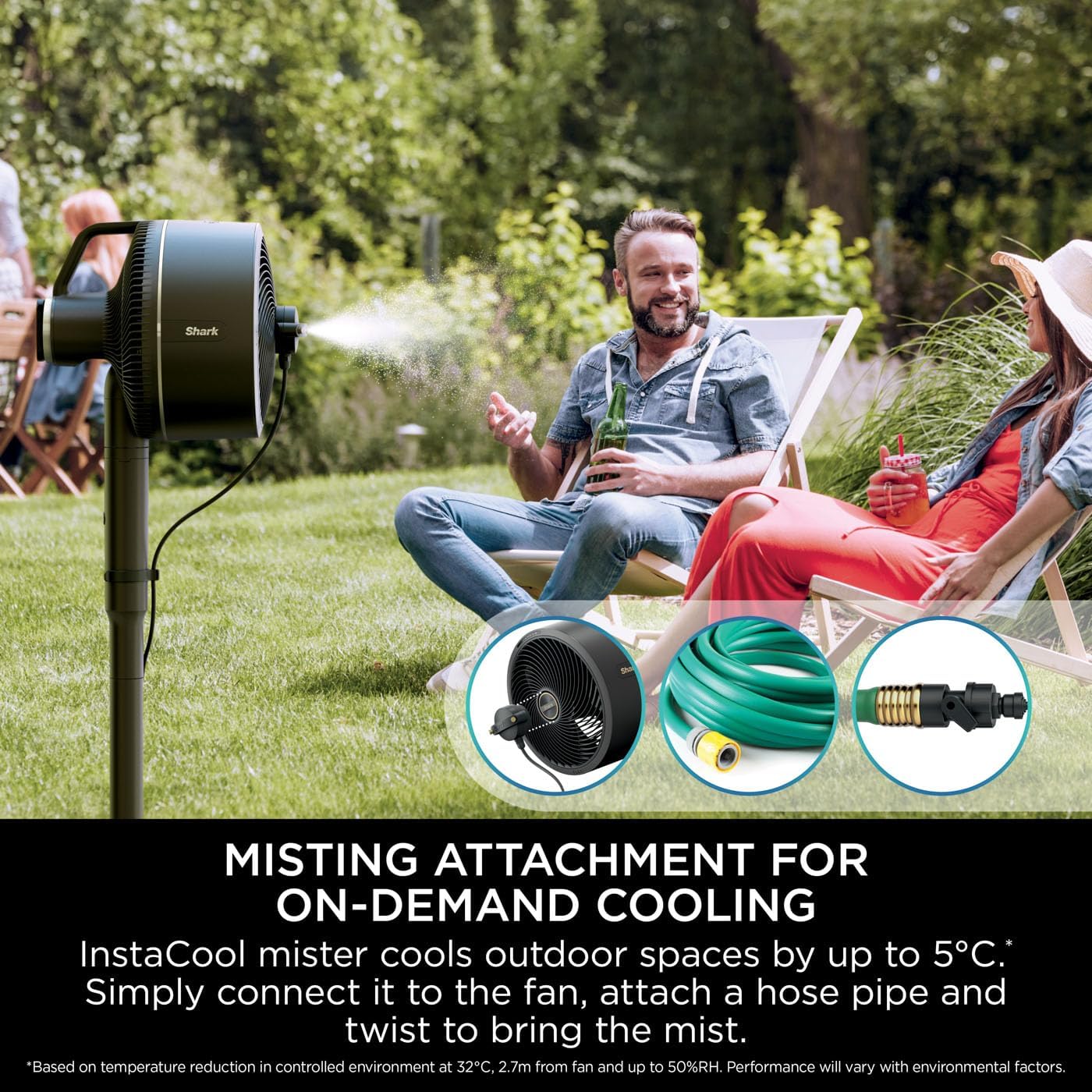
Image: The Shark FlexBreeze fan positioned outdoors, demonstrating its UV and water-resistant design for reliable performance in various weather conditions.
3. What's Included
Your Shark FlexBreeze fan package includes the following components:
- FlexBreeze Fan Head
- Pedestal Pole
- Pedestal Base
- Charging Cable
- Remote Control
- InstaCool Misting Attachment
- Fan Cover

Image: A detailed view of the Shark FlexBreeze fan, highlighting its main components and key features such as the control panel, 12-in-1 versatility, and included remote control.
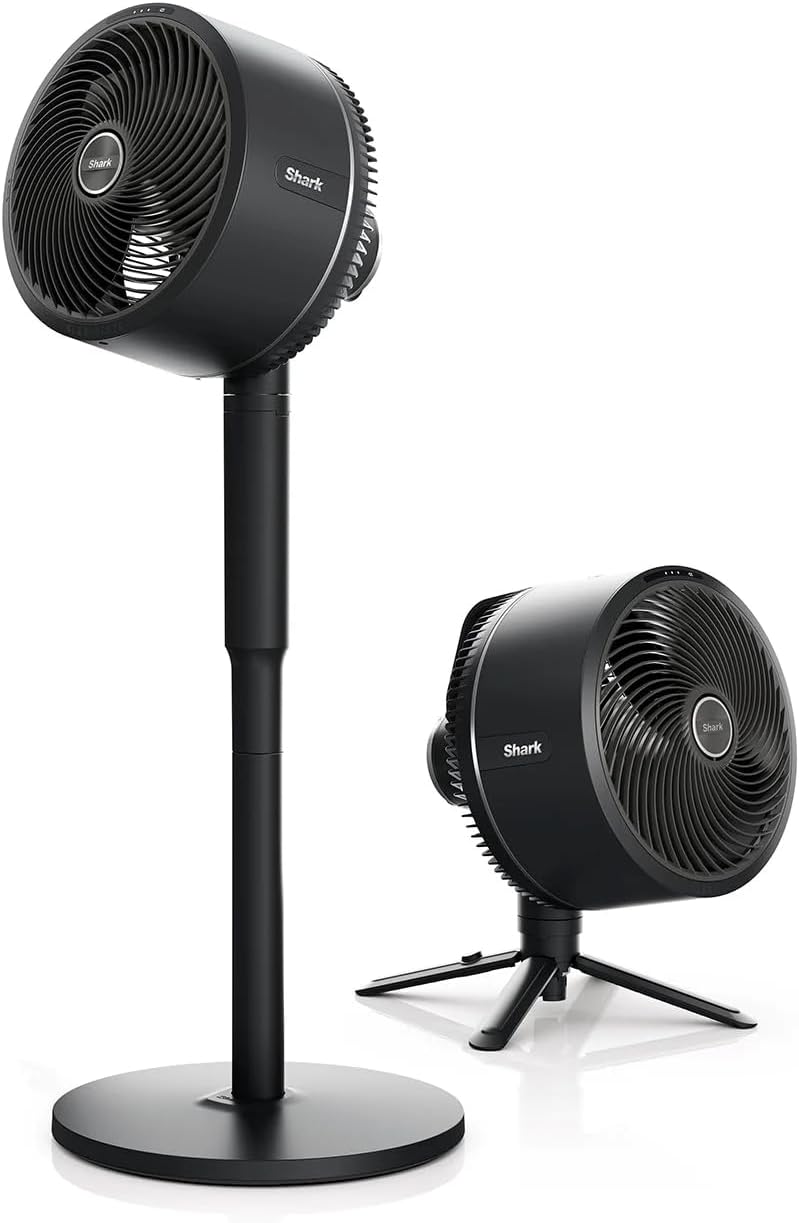
Image: The Shark FlexBreeze fan displayed in both its full-height pedestal mode and compact tabletop mode, showcasing its adaptable design.
4. Assembly and Transformation
4.1. Pedestal Fan Assembly
- Insert the pedestal pole into the pedestal base, ensuring it clicks securely into place.
- Align the fan head with the top of the pedestal pole and push down firmly until it locks.
- Ensure all connections are secure before operating the fan.
4.2. Transforming to Tabletop Fan
The Shark FlexBreeze fan can be easily converted from a pedestal fan to a compact tabletop fan:
- Locate the release button on the back of the fan head, near the connection point to the pedestal pole.
- Press and hold the release button while gently lifting the fan head upwards to detach it from the pedestal pole.
- Extend the integrated tripod legs from the base of the fan head until they are fully open and stable.
- Place the fan head on a flat, stable surface.

Image: A visual guide demonstrating the simple steps to convert the fan from a pedestal unit to a tabletop fan by detaching the head and deploying its integrated tripod.
5. Operating Instructions
5.1. Powering On/Off and Speed Control
The fan can be operated using the control panel on the fan head or the included remote control.
- Power: Press the power button to turn the fan ON or OFF.
- Fan Speeds: Cycle through 5 fan speeds by pressing the speed button. The LED display will indicate the current speed setting.
- Breeze Modes: Some models may feature gentle breeze or strong breeze settings for varied airflow patterns.
5.2. Oscillation and Tilt
- Oscillation: Press the oscillation button to activate or deactivate the 180-degree oscillation feature, distributing air across a wider area.
- Tilt: Manually adjust the fan head's tilt up to 55 degrees to direct airflow precisely where needed.
5.3. Remote Control
The magnetic remote control conveniently docks on the back of the fan head. It allows you to control power, fan speed, oscillation, and set a timer from a distance.
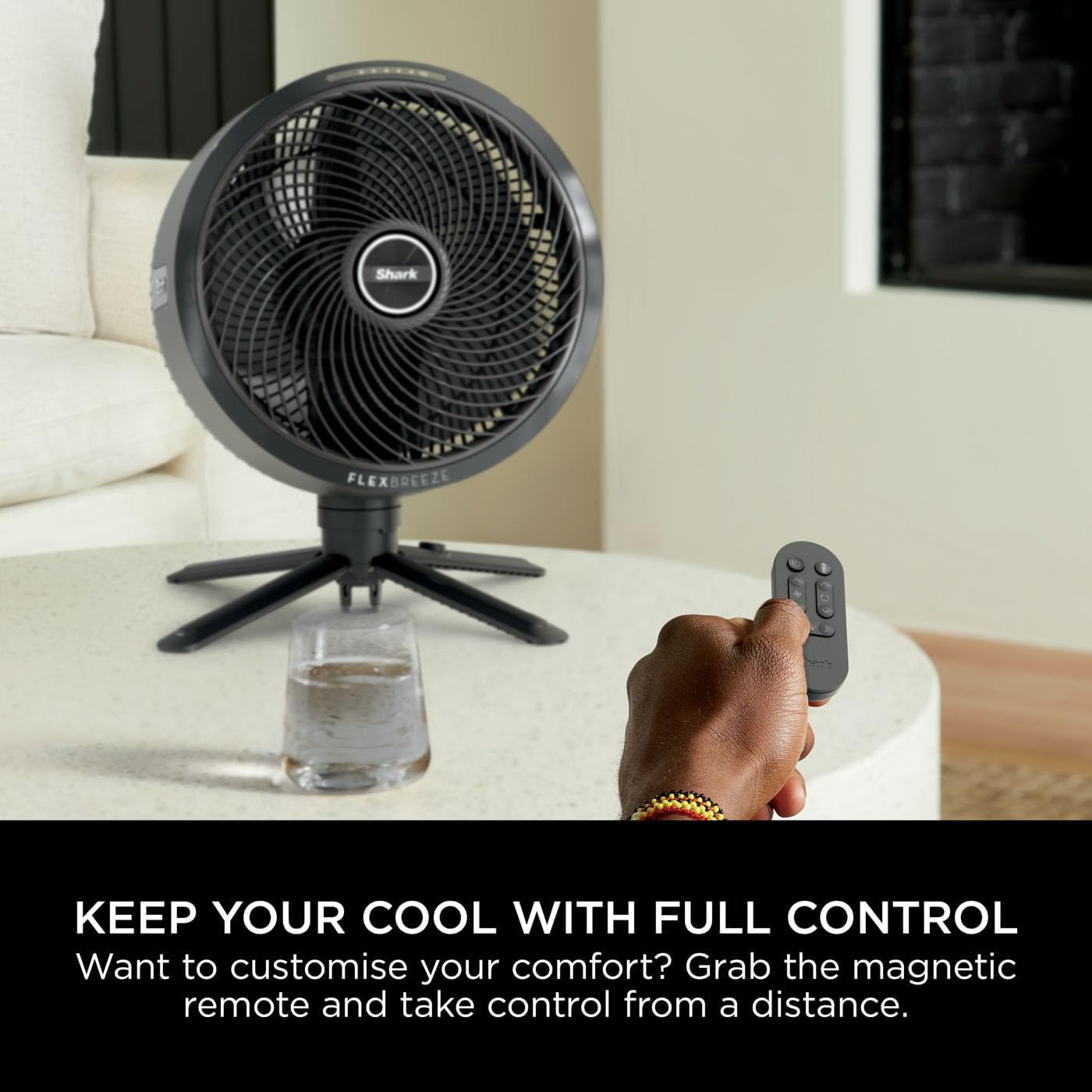
Image: A user operating the Shark FlexBreeze fan with its magnetic remote control, emphasizing convenient control from a distance.
5.4. InstaCool Misting Attachment (Outdoor Use)
For enhanced outdoor cooling, attach the InstaCool Misting Attachment:
- Clip the misting attachment onto the front grille of the fan.
- Connect a standard garden hose to the attachment.
- Twist the attachment to activate the misting function. The mist can be felt up to 3 meters away and can lower outdoor temperatures by up to 5°C.

Image: The Shark FlexBreeze fan with its misting attachment in use outdoors, providing a refreshing cool mist for users.

Image: A close-up view of the InstaCool Misting Attachment, showing its components and how it connects to the fan and a garden hose.
6. Charging and Battery Life
The Shark FlexBreeze fan can operate corded or cordless, thanks to its long-lasting rechargeable battery.
- Charging: Connect the charging cable to the fan and a suitable power outlet. The charging port is accessible in both pedestal and tabletop modes.
- Battery Runtime: Enjoy up to 24 hours of battery runtime on a single charge (based on fan speed 1 without oscillation).
- Battery Indicator: The LED display on the control panel shows the current battery level.

Image: The Shark FlexBreeze fan operating cordlessly in an outdoor setting, emphasizing its extended battery life for portable use.
7. Care and Maintenance
7.1. Cleaning
- Always unplug the fan before cleaning.
- Wipe the exterior surfaces with a soft, damp cloth. Do not use abrasive cleaners or solvents.
- For the fan blades, use a soft brush or vacuum cleaner with a brush attachment to remove dust.
- Ensure the fan is completely dry before plugging it back in or storing.
7.2. Storage
When not in use, especially during off-season, store your fan in a cool, dry place. Use the provided fan cover to protect it from dust and debris.

Image: The Shark FlexBreeze fan protected by its custom-fit storage cover, ideal for keeping it dust-free when not in use.
8. Troubleshooting
| Problem | Possible Cause | Solution |
|---|---|---|
| Fan does not turn on. | No power supply; Battery depleted; Power button not pressed. | Ensure the power cable is securely plugged in or the battery is charged. Press the power button firmly. |
| Weak airflow. | Fan speed too low; Air intake/outlet blocked; Dirty blades. | Increase fan speed. Check for obstructions around the fan. Clean the fan blades and grilles. |
| Fan is noisy. | Fan not on a level surface; Loose parts; Obstruction. | Place the fan on a flat, stable surface. Check for any loose components or foreign objects. |
| Misting attachment not working. | Hose not connected; Water supply off; Attachment not twisted correctly. | Ensure garden hose is connected and water supply is on. Twist the attachment to activate mist. |
9. Technical Specifications
- Model: FA220UK
- Product Dimensions: 35D x 35W x 94H cm (Pedestal mode)
- Item Weight: 5.5 kg
- Power Source: Battery Powered / Corded
- Battery Type: 1 Lithium Ion battery (included)
- Wattage: 36 watts
- Special Features: Hybrid Indoor & Outdoor Fan, Convertible Desktop & Pedestal Fan, Corded or Cordless Use, Remote Control, Misting Attachment, UV & Water-Resistant.
10. Warranty and Support
Your Shark FlexBreeze fan comes with a 2-year guarantee upon registration with Shark (UK & ROI only). For warranty claims, technical support, or to register your product, please visit the official Shark website or contact their customer service.
For more information and support, visit the Shark Store on Amazon.
Ask a question about this manual
Ask about setup, troubleshooting, compatibility, parts, safety, or missing instructions. Manuals+ will review the question and use this page’s manual context to help answer it.