1. Introduction
The STIGA A 500 is an advanced robotic lawnmower designed to maintain your lawn with precision and efficiency. It utilizes STIGA's unique and patented Active Guidance System (AGS) technology to predict GPS signal quality, ensuring optimal cutting performance without interruption.
This manual provides essential information for the setup, operation, and maintenance of your STIGA A 500 to ensure its longevity and optimal performance.

Image: The STIGA A500 robotic lawnmower, showcasing its compact design and yellow and grey casing.
2. Key Features
- Efficient Cutting: Utilizes STIGA AGS technology for pre-planned cutting sessions.
- Virtual Installation: No physical cables required; setup is managed virtually via the STIGA.GO app.
- Systematic Cutting Patterns: Ensures organized and thorough lawn coverage.
- Advanced Connectivity: Features 4G and STIGA Cloud connectivity for continuous communication.
- ePower Battery: Long-lasting battery capable of cutting up to 500 m² on two daily sessions.
- Multi-Zone Management: Supports up to 3 different cutting zones.
- Easy Maintenance: Robust outer shell can be removed without tools and cleaned with a garden hose.
3. Setup and Installation
The STIGA A 500 features a completely virtual installation process, eliminating the need for perimeter wires. All setup and configuration are performed through the STIGA.GO app.
3.1 Initial Setup via STIGA.GO App
- Download and install the STIGA.GO app on your smartphone or tablet.
- Follow the in-app instructions to pair your STIGA A 500 with your device.
- Define your lawn's work area virtually within the app. This includes setting boundaries and any no-go zones.
- If your garden layout changes, simply update the cutting area and circumference directly through the STIGA.GO app.

Image: A user interacting with the STIGA.GO app on a smartphone, demonstrating the ease of virtual setup and control.

Image: An aerial view illustrating how different cutting zones (1, 2, 3) can be defined virtually within the lawn area.
4. Operating Your Lawnmower
The STIGA A 500 is designed for autonomous operation, intelligently managing its cutting schedule to maintain a healthy lawn.
4.1 Daily Cutting Sessions
The robot can reliably cut up to 500 m² of lawn on just two cutting sessions per day. Each subsequent session begins exactly where the previous one concluded, ensuring comprehensive coverage of the entire lawn over time by addressing different areas daily.

Image: The STIGA A500 robot lawnmower positioned on a well-maintained lawn, indicating its capability to cover large areas.
4.2 Cutting Zones
You can configure up to 3 distinct cutting zones within your garden via the STIGA.GO app. This allows for tailored mowing schedules and patterns for different sections of your lawn.
4.3 Programming and Lawn Health
For optimal lawn health, it is recommended to program only two cutting sessions per day. However, the programming is fully flexible, allowing you to adjust schedules as needed through the app.

Image: The STIGA A500 robot lawnmower approaching a lawn edge, demonstrating its precise navigation capabilities.
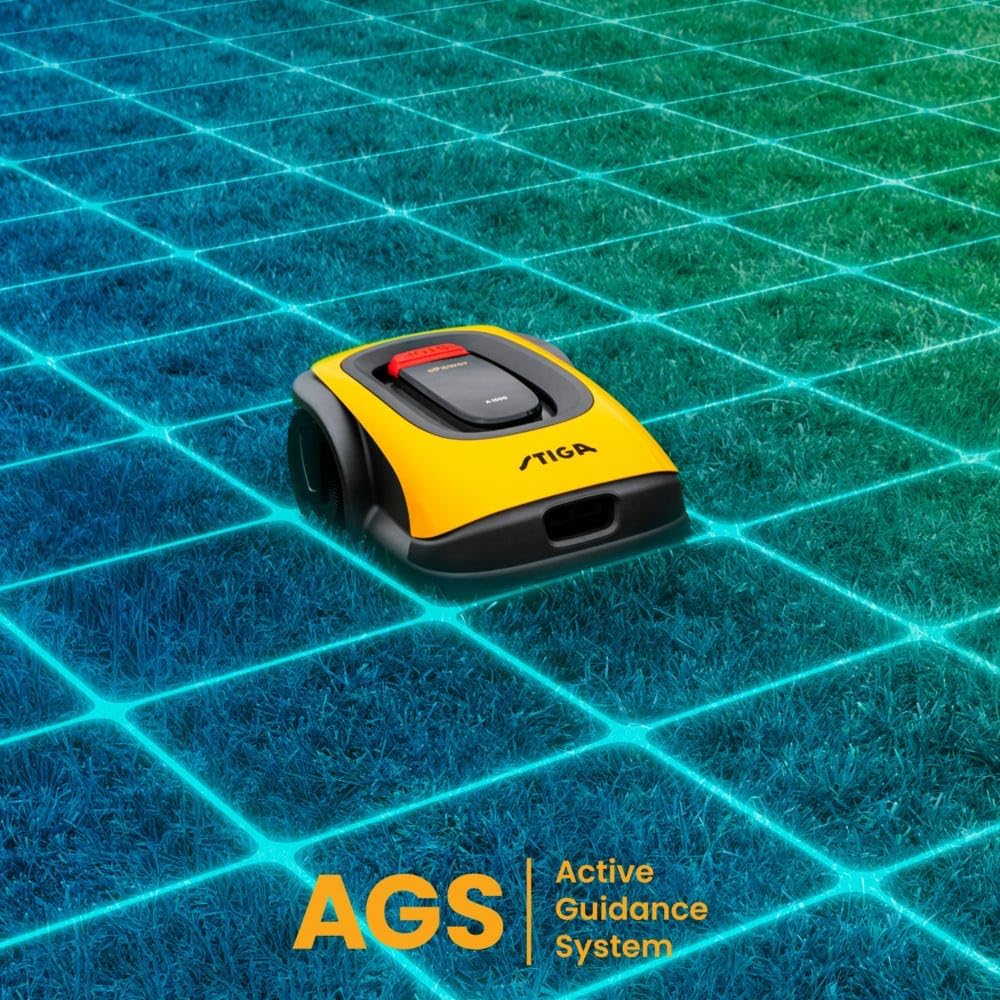
Image: The STIGA A500 robot lawnmower with a visual representation of the Active Guidance System (AGS) grid, highlighting its intelligent navigation.
5. Maintenance
Regular maintenance ensures the longevity and optimal performance of your STIGA A 500.
5.1 Cleaning
The robust outer shell of the lawnmower can be easily removed without the need for tools. Once removed, the unit can be safely cleaned using a garden hose to wash away grass clippings and debris.

Image: The underside of the STIGA A500 robot lawnmower, showing the cutting blades and wheels, which require regular cleaning.
5.2 Battery Care
The STIGA A 500 is equipped with a long-lasting ePower battery. To maximize battery life, ensure the robot is charged regularly and stored in a suitable environment during off-season periods.
6. Troubleshooting
If you encounter issues with your STIGA A 500, refer to the following common troubleshooting steps. For more detailed diagnostics, consult the STIGA.GO app or the official STIGA support resources.
- Robot Not Moving/Cutting:
- Check the battery level in the STIGA.GO app.
- Ensure the robot is within its defined cutting zone.
- Verify there are no physical obstructions preventing movement.
- Check for any error messages displayed in the app.
- Poor Cutting Performance:
- Clean the cutting deck and blades from accumulated grass and debris.
- Ensure the cutting height is set appropriately for your lawn conditions.
- Verify the GPS signal quality in the app, especially if using AGS technology.
- Connectivity Issues:
- Ensure your smartphone has a stable internet connection.
- Check the robot's 4G connectivity status in the STIGA.GO app.
- Restart the STIGA.GO app and, if necessary, the robot.
- Setup Difficulties:
- Review the virtual installation steps in the STIGA.GO app carefully.
- Ensure your device's location services are enabled and accurate.
- Consult the STIGA support website for detailed setup guides and FAQs.
7. Specifications
| Feature | Value |
|---|---|
| Product Dimensions | 54.5 x 40.5 x 24.5 cm |
| Item Weight | 8.1 kg |
| Model Number | 2R7101128/ST1 |
| Material Type | Metal |
| Power Source Type | Lithium-ion Battery |
| Brand | Stiga |
| Colour | Yellow |
| Cutting Width | 18 Centimetres |
| Maximum Adjustable Cutting Height | 60 Millimetres |
| Operation Mode | Automatic |
| Batteries Required | 1 12V battery |
8. Warranty and Support
STIGA products are manufactured to high quality standards and are supplied with a manufacturer's warranty. For specific warranty terms and conditions applicable to your STIGA A 500, please refer to the warranty card included with your product or visit the official STIGA website.
For technical support, spare parts, or service inquiries, please contact STIGA customer service or visit their official support portal. You can often find helpful resources, FAQs, and contact information on the STIGA website: