
1. Introduction
Thank you for choosing the SAMA ARMOR 650W 80 Plus Gold ATX Power Supply. This power supply unit (PSU) is designed to provide stable and efficient power to your desktop computer system. It features 80 PLUS Gold certified efficiency, a quiet FDB fan, and robust protection mechanisms to ensure reliable operation. This manual provides essential information for proper installation, operation, and maintenance of your new power supply.
2. Safety Information
Please read and follow all safety instructions carefully before installing or using this product. Failure to do so may result in damage to the product, personal injury, or electric shock.
- Do not open the power supply unit. High voltages are present inside, and opening the casing will void the warranty.
- Ensure the power supply is disconnected from the main power outlet before installation or maintenance.
- Install the power supply in a well-ventilated area, away from heat sources and moisture.
- This power supply incorporates industrial-level protection features including Over Voltage Protection (OVP), Over Current Protection (OCP), Over Power Protection (OPP), Over Temperature Protection (OTP), Short Circuit Protection (SCP), and Under Voltage Protection (UVP).
- Use only the cables provided with the power supply.
3. Product Features
3.1. 80 PLUS Gold Certified Efficiency
The SAMA ARMOR 650W PSU is 80 PLUS Gold certified, ensuring up to 92% operational efficiency. This reduces energy waste, generates less heat, and lowers your electricity costs.

Image: The SAMA ARMOR 650W Power Supply highlighting its 80 PLUS Gold certification and ultra-silent 120mm FDB fan with intelligent temperature control.
3.2. FDB Low Noise 12cm Fan
Equipped with a 12cm Fluid Dynamic Bearing (FDB) fan, this power supply operates quietly, maintaining a low-noise environment. The PWM control ensures optimal cooling while minimizing fan noise and extending fan lifespan.
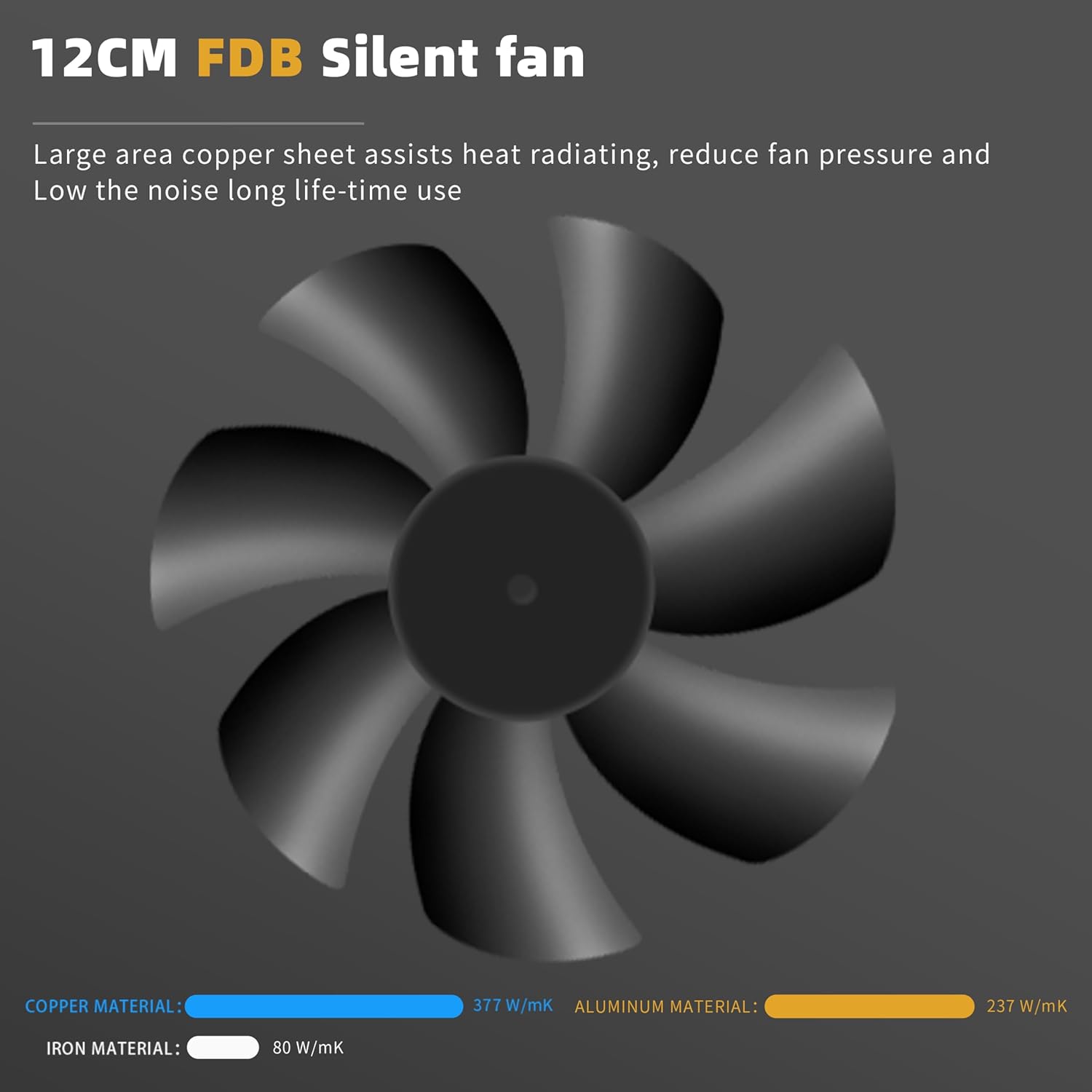
Image: A diagram illustrating the 12cm FDB silent fan, emphasizing its large copper sheet for heat dissipation, reduced fan pressure, and low noise operation. It also shows a comparison of thermal conductivity for copper, aluminum, and iron materials.
3.3. ATX 3.0 & PCIe 5.1 Ready
This power supply is designed to meet ATX 3.0 standards, capable of handling up to 200% total power excursion and 300% GPU power excursion, making it suitable for modern graphics cards and high-performance systems.
3.4. Japanese Capacitors & LLC+DC To DC Circuit Design
Built with 100% Japanese capacitors and an LLC+DC To DC Circuit Design structure, the power supply provides very stable voltage output, enhancing reliability and longevity.

Image: An internal view of the power supply's circuit board, illustrating the LLC+DC To DC circuit design and the use of Japanese capacitors for stable voltage output.
3.5. Wide Amplitude Voltage (100-240V)
The power supply supports a wide input voltage range of 100-240V, allowing it to operate reliably in various electrical environments.

Image: A rear view of the SAMA ARMOR 650W Power Supply, displaying the power input and on/off switch. The image highlights its compatibility with a wide amplitude voltage range of 100-240V.
3.6. +12V MTLR Voltage Output
The power supply features accurate +12V voltage output control within 0.5% tolerance load adjustment, ensuring stable power delivery to critical components.
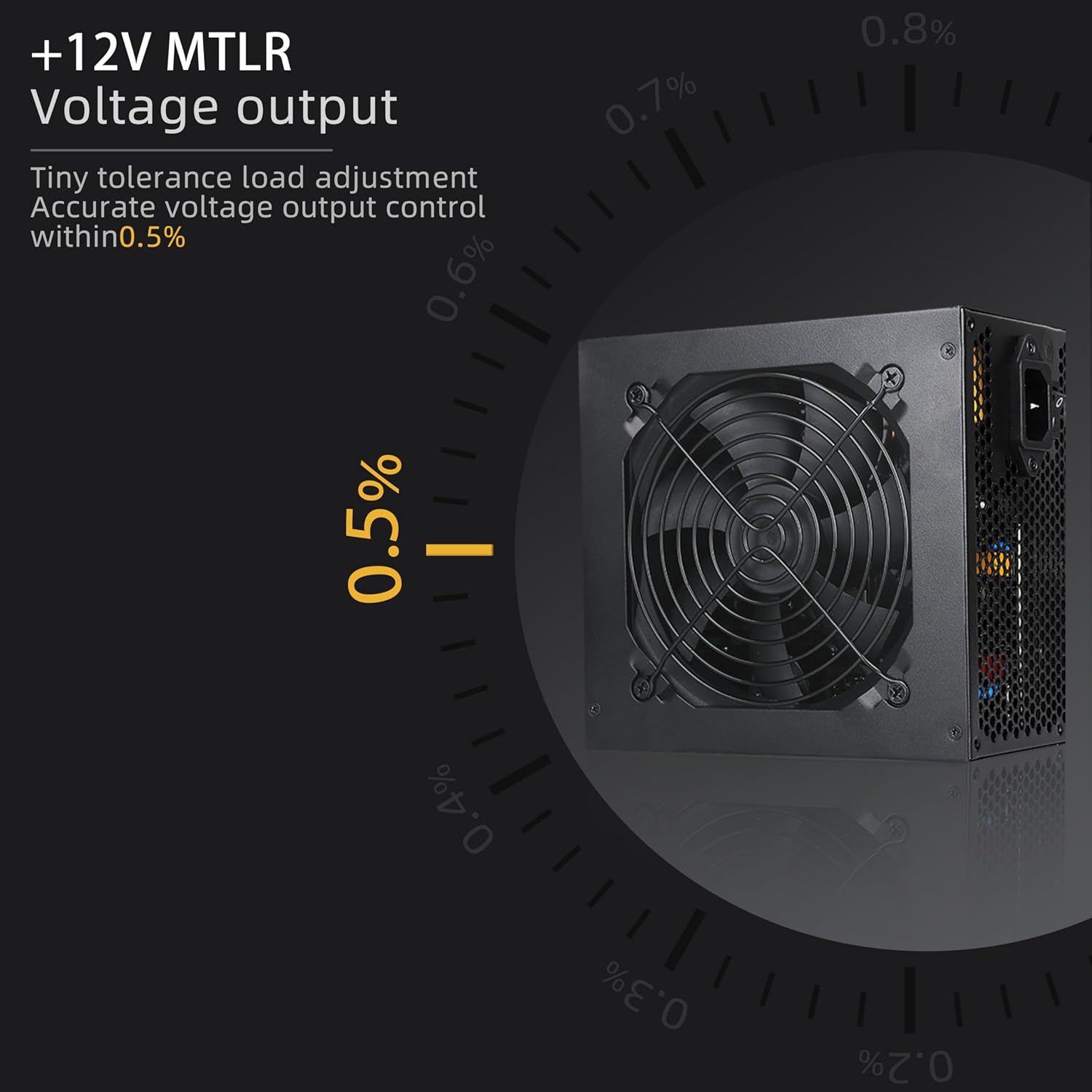
Image: The SAMA ARMOR 650W Power Supply with a graphic overlay demonstrating its +12V MTLR voltage output accuracy, maintaining control within 0.5% tolerance load adjustment.
4. Installation
Before beginning installation, ensure your computer is powered off and unplugged from the wall outlet. Refer to your computer case manual for specific installation instructions.
4.1. Installing the Power Supply
- Locate the power supply mounting area in your computer case.
- Gently slide the SAMA ARMOR 650W PSU into the designated slot.
- Secure the power supply to the case using the provided screws.
4.2. Connecting Cables
Connect the necessary cables to your motherboard, graphics card, and other components. Ensure all connections are firm and correctly oriented.

Image: A detailed diagram illustrating the types and quantities of cables included with the SAMA ARMOR 650W Power Supply, such as the 20+4PIN Mainboard Power Connector, 8PIN (4+4PIN) CPU Power Connector, 6+2PIN PCI-E Connector, Molex Peripheral Connector, and SATA Connectors, along with their respective lengths.

Image: A diagram showcasing the embossed cables of the power supply, detailing their lengths and quantities for various connectors like 20+4PIN, SATA, IDE, and PCI-E, designed for easier organization.
- 24-Pin Mainboard Power Connector: Connect to the motherboard's 24-pin ATX power socket.
- CPU Power Connector (4+4 Pin): Connect to the motherboard's CPU power socket.
- PCI-E Power Connector (6+2 Pin): Connect to your graphics card(s).
- SATA Power Connectors: Connect to SATA devices such as SSDs, HDDs, and optical drives.
- Molex Peripheral Connectors: Connect to older peripheral devices if needed.
After all connections are made, organize the cables using the included cable ties to improve airflow and aesthetics within your case.
5. Operation
Once installed and connected, plug the power supply into a wall outlet and flip the main power switch on the back of the PSU to the 'ON' position. The power supply will then be ready to power your system.
5.1. ECO Mode (if applicable)
This power supply features an ECO mode for silent operation at low loads. In ECO mode, the fan may stop spinning when the power supply is under light load, reducing noise. The fan will automatically start spinning when the load increases to maintain optimal temperatures.
6. Maintenance
To ensure the longevity and optimal performance of your SAMA ARMOR 650W Power Supply, follow these maintenance guidelines:
- Keep the power supply's fan intake and exhaust vents clear of obstructions to ensure proper airflow.
- Periodically clean the power supply and its fan grille with compressed air to remove dust buildup. Ensure the power supply is unplugged before cleaning.
- Avoid exposing the power supply to extreme temperatures or humidity.
7. Troubleshooting
If you encounter issues with your power supply, refer to the following basic troubleshooting steps:
- No Power: Ensure the power cable is securely plugged into both the power supply and the wall outlet. Check that the main power switch on the PSU is in the 'ON' position. Verify that the wall outlet is functional.
- System Instability/Crashes: Check all power cable connections to the motherboard, CPU, and graphics card to ensure they are firmly seated. Ensure your system's power requirements do not exceed the 650W capacity of the PSU.
- Fan Not Spinning: If the fan is not spinning at low loads, it may be operating in ECO mode, which is normal. If the fan does not spin even under load, or if the system overheats, contact support.
- Unusual Noises: If you hear unusual noises (e.g., grinding, buzzing), immediately power off your system and disconnect the power supply. Contact support.
If these steps do not resolve the issue, please contact SAMA customer support for further assistance.
8. Specifications
Detailed technical specifications for the SAMA ARMOR 650W Power Supply:
| Feature | Specification |
|---|---|
| Model Name | ARMOR 650W (Black) |
| Brand | SAMA |
| Compatible Devices | Desktop |
| Connector Type | ATX |
| Output Wattage | 650 Watts |
| Form Factor | ATX |
| Cooling Method | Air |
| Item Dimensions (L x W x H) | 13 x 7.99 x 5 inches |
| Power Supply Design | Non-Modular |
| Number of Fans | 1 |
| Fan Size | 12 Centimeters |
| Maximum Input Voltage | 100 Volts |
| Minimum Input Voltage | 100 Volts |
| Upper Temperature Rating | 105 Degrees Celsius |
| System Bus Connector Type | 24 Pin |
| UPC | 732262573687 |
9. Warranty and Support
The SAMA ARMOR 650W Power Supply comes with a 10-year warranty, covering defects in materials and workmanship under normal use. For warranty claims or technical support, please contact SAMA customer service through their official website or your retailer.


