1. Introduction
This manual provides essential information for the safe operation, maintenance, and troubleshooting of your Atomi Tuobo-1 Off Road Electric Scooter. Please read this manual thoroughly before your first ride to ensure proper usage and to maximize the lifespan of your scooter. Retain this manual for future reference.
2. Safety Information
Operating an electric scooter carries inherent risks. Adhere to all local laws and regulations regarding electric scooter use. Always wear a helmet and appropriate safety gear, including knee and elbow pads. Ensure all components are securely fastened before each ride. Avoid riding in adverse weather conditions or on slippery surfaces. Do not operate the scooter under the influence of alcohol or drugs. This scooter is designed for adult use only.
- Pre-Ride Check: Inspect tires, brakes, and all connections before each use.
- Riding Environment: Use on appropriate terrain. The Tuobo-1 is designed for off-road use but exercise caution.
- Weight Limit: Do not exceed the maximum weight capacity specified in the specifications section.
- Battery Safety: Only use the provided charger. Do not modify the battery pack.
3. Package Contents
Upon unpacking, verify that all items listed below are present and undamaged:
- Atomi Tuobo-1 Electric Scooter
- Charger
- User Manual
- Assembly Tools (if required)
- Phone Holder
4. Product Overview
The Atomi Tuobo-1 is an off-road electric scooter featuring a powerful dual motor system, a removable battery, and robust suspension for varied terrain. It also includes a handlebar-mounted phone holder.
4.1 Key Components and Features
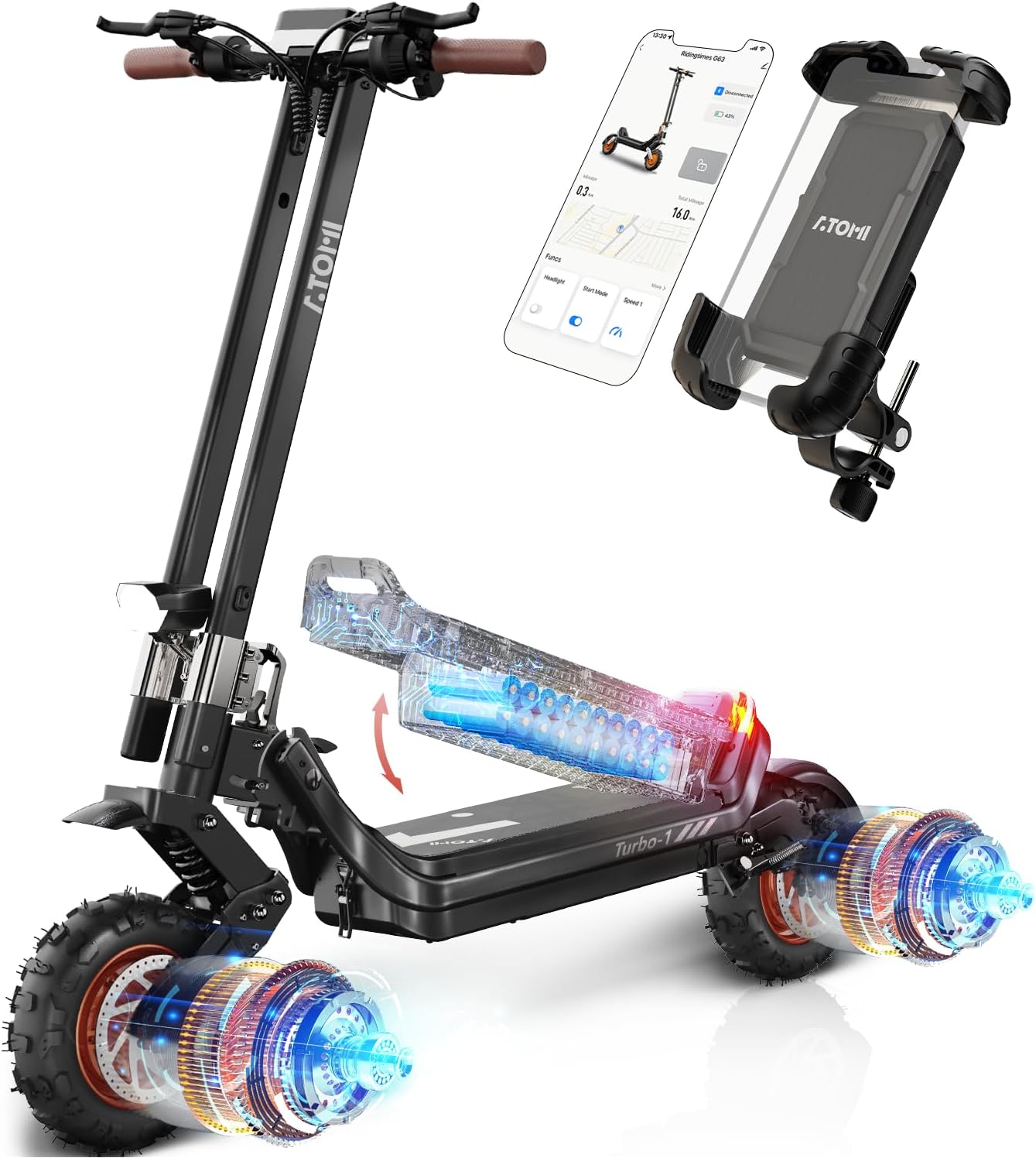
Image 4.1: Overview of the Atomi Tuobo-1 Electric Scooter, showcasing its design, integrated phone holder, and internal components like the battery and dual motors.
- Dual 2400W Motors: Provides significant power for acceleration and climbing.
- 11-inch Knotty All-Terrain Tires: Designed for enhanced grip and stability on various surfaces.
- Quadruple Suspension: Front and rear dual spring suspension combined with C-type suspension absorbers for a smooth ride.
- Removable 20AH Battery: Offers a long range and convenient charging options.
- Safety Folding System: Allows for compact storage and transport.
- Smart APP Connectivity: Enables control and monitoring via a smartphone application.
- Handlebar-Mounted Phone Holder: Securely holds smartphones for navigation or app access.
4.2 Powerful Dual Motor System

Image 4.2: Detailed view of the scooter's dual motor system, highlighting its 2400W power, 37 MPH max speed, 48V 20.8Ah battery, and 40° climbing capability.
4.3 Detachable Battery

Image 4.3: Illustration showing the removable 48V 20.8Ah battery pack, emphasizing its long-lasting life and ease of removal.
4.4 Quadruple Suspension System

Image 4.4: Visual representation of the front and rear dual spring suspension and C-type suspension absorber, designed for enhanced ride comfort.
4.5 Safety Folding System

Image 4.5: A user demonstrating the scooter's safety folding system, making it portable for transport in a car trunk.
4.6 Phone Holder

Image 4.6: Illustrates the one-hand operation of the handlebar-mounted phone holder, designed for easy phone placement.
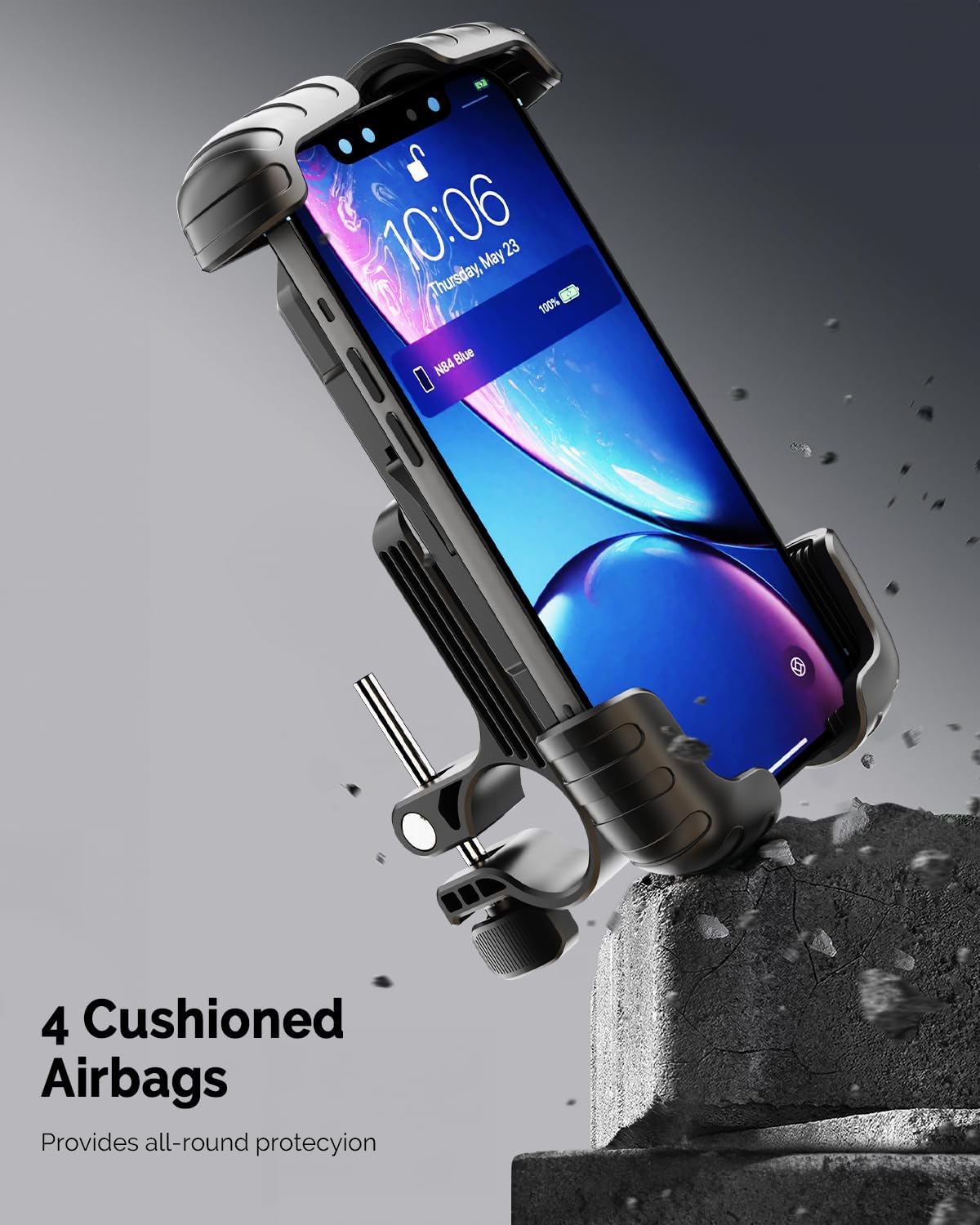
Image 4.7: Detailed view of the phone holder's design, featuring four cushioned airbags for all-round protection of the smartphone.

Image 4.8: Shows a smartphone mounted in the holder, displaying the Atomi scooter app interface alongside the scooter's digital dashboard, indicating adjustable positioning.

Image 4.9: Illustrates the phone holder's universal design, compatible with various smartphone sizes (4.7" to 6.8"), and its powerful security lock and collision-resistant features.
5. Setup
5.1 Unfolding the Scooter
- Place the scooter on a flat, stable surface.
- Locate the folding mechanism near the base of the steering column.
- Release the safety latch and carefully unfold the steering column until it locks into place. Ensure it is fully extended and secured.
- Adjust the handlebar height if necessary using the quick-release clamp.
5.2 Initial Battery Charge
- Before first use, fully charge the battery. The battery can be charged while installed in the scooter or removed.
- Connect the charger to the charging port on the scooter or directly to the removable battery.
- Plug the charger into a standard wall outlet. The indicator light on the charger will typically turn red during charging and green when fully charged.
- Charging time may vary, but typically takes several hours for a full charge. Refer to specifications for exact times.
5.3 Installing the Phone Holder
- Attach the phone holder clamp to a suitable section of the handlebar.
- Tighten the clamp securely using the provided tools until the holder is stable and does not rotate freely.
- Adjust the angle and orientation of the phone holder for optimal viewing.
6. Operating Instructions
6.1 Powering On/Off
- To Power On: Press and hold the power button on the display panel for a few seconds until the screen illuminates.
- To Power Off: Press and hold the power button again until the display turns off.
6.2 Riding the Scooter
- Place one foot on the deck and push off with the other foot to gain initial momentum.
- Once moving, gently press the throttle lever to engage the motor.
- Use the handlebar controls to adjust speed and activate lights.
- To brake, gently squeeze the brake levers. Apply both brakes simultaneously for optimal stopping power.
- Maintain a balanced posture and keep both hands on the handlebars while riding.
6.3 Using the Smart APP
- Download the Atomi scooter application from your smartphone's app store.
- Enable Bluetooth on your smartphone and open the app.
- Follow the in-app instructions to pair your Atomi Tuobo-1 scooter.
- The app allows for monitoring speed, battery level, mileage, and may offer additional controls like locking the scooter or adjusting ride modes.
7. Maintenance
7.1 Cleaning
Regularly clean your scooter with a damp cloth. Avoid using high-pressure water jets or harsh chemicals, as these can damage electronic components. Ensure the charging port cover is securely closed during cleaning.
7.2 Battery Care
- Charge the battery fully after each use, especially if storing for an extended period.
- If storing for more than 30 days, charge the battery to approximately 50-70% and recharge every 30-60 days to prevent deep discharge.
- Store the battery in a cool, dry place away from direct sunlight and extreme temperatures.
- Do not attempt to open or repair the battery pack. Contact customer support for battery-related issues.
7.3 Tire Pressure
Check tire pressure regularly. Proper tire pressure is crucial for ride performance, range, and safety. Refer to the tire sidewall for recommended PSI or consult the specifications section.
7.4 Brake Adjustment
Periodically inspect brake pads and cables for wear. Adjust brake tension as needed to ensure responsive braking. If you are unsure how to adjust the brakes, seek professional assistance.
8. Troubleshooting
| Problem | Possible Cause | Solution |
|---|---|---|
| Scooter does not power on | Low or depleted battery; Loose battery connection; Faulty power button | Charge the battery fully; Ensure battery is securely installed; Contact customer support if issue persists. |
| Motor not engaging | Throttle issue; Low battery; Safety mode engaged | Check battery level; Ensure scooter has initial push-off momentum; Restart scooter; Consult app for error codes. |
| Reduced range or speed | Under-inflated tires; Low battery charge; Riding uphill or against strong winds; Heavy load | Check and inflate tires to recommended PSI; Fully charge battery; Adjust riding style; Reduce load. |
| Brakes feel weak | Worn brake pads; Loose brake cable; Air in hydraulic system (if applicable) | Inspect and replace brake pads; Adjust brake cable tension; Seek professional service for hydraulic systems. |
For issues not listed here or if troubleshooting steps do not resolve the problem, please contact Atomi customer support.
9. Specifications
| Feature | Detail |
|---|---|
| Model Name | Tuobo-1 |
| Motor Power | Dual 2400W |
| Max Speed | Up to 31 MPH (50 km/h) |
| Battery Type | Removable 48V 20.8Ah (998Wh) |
| Max Range | Up to 34 Miles (55 km) |
| Tire Size | 11 Inches |
| Tire Type | Pneumatic, Knotty All-Terrain |
| Suspension | Quadruple (Front & Rear Dual Spring + C-type Absorber) |
| Handlebar Type | Adjustable |
| Special Features | Lightweight, Smart APP, Safety Folding System, Phone Holder |
| Age Range | Adult |
10. Warranty and Support
Atomi provides a limited warranty for the Tuobo-1 Electric Scooter against defects in materials and workmanship under normal use. The specific terms and duration of the warranty may vary by region and purchase date. Please refer to the warranty card included with your product or visit the official Atomi website for detailed warranty information.
For technical support, warranty claims, or replacement parts, please contact Atomi customer service through their official website or the contact information provided in your product packaging. When contacting support, please have your model number (Tuobo-1) and proof of purchase readily available.
Atomi Official Website: Visit the Atomi Store on Amazon


