
Introduction
Thank you for choosing the aeac Smartwatch. This device is designed to enhance your daily life by providing convenient communication features, comprehensive health monitoring, and various smart functionalities. Please read this manual carefully to understand the proper use, maintenance, and troubleshooting of your new smartwatch.
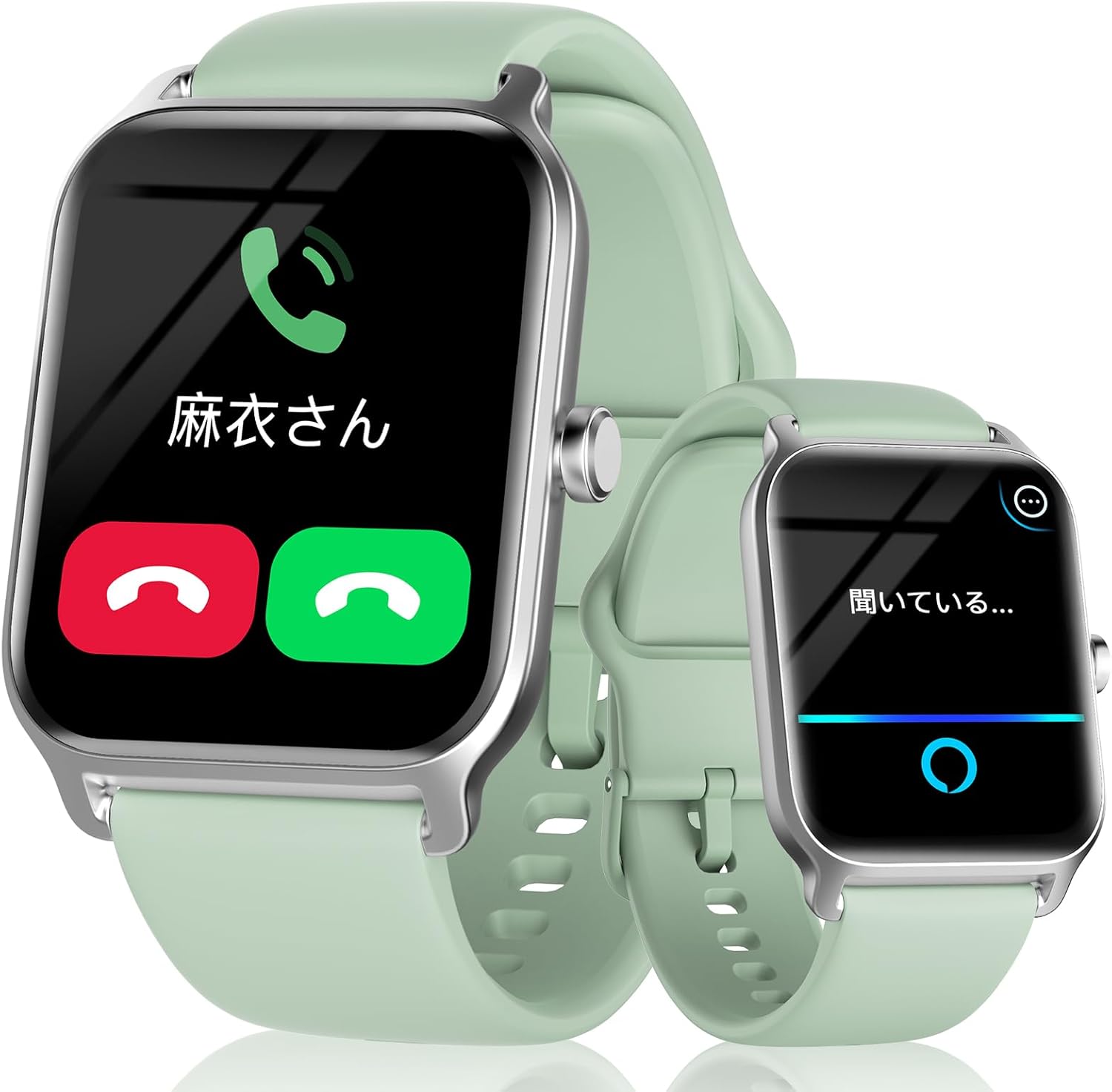
Figure 1: The aeac Smartwatch displaying call and Alexa functions.
Components and Package Contents
Your aeac Smartwatch package should contain the following items:
- aeac Smartwatch (Model 13)
- Charging Cable (Magnetic USB)
- User Manual (this document)
Please check all items upon unboxing. If any components are missing or damaged, contact customer support.
Setup
1. Charging the Smartwatch
Before first use, fully charge your smartwatch. Connect the magnetic charging cable to the charging points on the back of the watch and plug the USB end into a power adapter (not included) or a computer USB port.
- Charging time: Approximately 1-2 hours for a full charge.
- Battery life: 5-7 days of normal use, up to 35 days in standby mode.

Figure 2: Charging the smartwatch.
2. App Installation and Pairing
To unlock the full potential of your smartwatch, download and install the dedicated companion app on your smartphone. The app is compatible with iOS 9.0 and above, and Android 6.0 and above.
- Scan the QR code in the manual or on the watch screen (if available) or search for the app name (usually mentioned in the quick start guide or packaging) in your phone's app store (App Store for iOS, Google Play Store for Android).
- Install the app and create an account if prompted.
- Enable Bluetooth on your smartphone.
- Open the app and follow the on-screen instructions to search for and pair with your smartwatch. Ensure the smartwatch is powered on and near your phone.
- Confirm the pairing request on both your phone and smartwatch.
The smartwatch utilizes Bluetooth 5.3 for a stable and fast connection, offering improved data transfer, communication range, and speed compared to previous versions.

Figure 3: Bluetooth 5.3 connectivity benefits.
Operating Instructions
Basic Navigation
- Touch Screen: Swipe left/right, up/down to navigate menus and access different features. Tap to select.
- Side Button: Press to wake the screen, return to the home screen, or access the app list. Long press for power options or to activate Alexa.
- Raise to Wake: The screen automatically turns on when you raise your wrist.
Call Function
The smartwatch supports Bluetooth calling, allowing you to make and receive calls directly from your wrist.
- Making Calls: Access the dial pad on the watch to dial numbers directly, or select contacts from your synced phonebook.
- Receiving Calls: When a call comes in, the watch will display the caller ID. You can answer or reject the call from the watch screen.
- Call History: View your recent call history on the watch.

Figure 4: Smartwatch call features.
Alexa Voice Assistant
Your smartwatch is equipped with Alexa. Long press the side button or swipe to the Alexa screen to activate it. You can ask Alexa questions, set alarms, check the weather, and control smart home devices.

Figure 5: Using the Alexa voice assistant.
Message Notifications
Receive notifications from various apps directly on your smartwatch. This includes messages from Line, Instagram, email, TikTok, and more. You can read a portion of the message content on the watch screen.

Figure 6: Convenient message notifications.
Sports Modes and Activity Tracking
The smartwatch supports over 100 sports modes, including outdoor running, cycling, swimming, yoga, and dancing. It tracks your steps, distance, calories burned, and exercise duration. All data is recorded and analyzed in the companion app, providing insights and advice for your daily activities.

Figure 7: Tracking sports data clearly.
Health Monitoring
Monitor your health with the integrated sensors:
- BPM (Heart Rate): Continuous 24-hour heart rate monitoring. You can set high/low BPM alerts.
- SpO2 (Blood Oxygen): Measure your blood oxygen saturation easily. The watch also includes a breathing training function.
- Sleep Monitoring: Records your daily sleep status, including deep sleep, light sleep, and REM sleep. The app analyzes sleep quality and provides advice.
- Pedometer: Tracks your daily step count.
- Stress Measurement: Monitor your stress levels.

Figure 8: 24-hour BPM recording.

Figure 9: SpO2 concentration measurement.

Figure 10: Sleep monitoring.
Other Practical Functions
The smartwatch offers a variety of other useful features:
- Weather Forecast: Get real-time weather updates.
- Music Control: Control music playback on your smartphone (play/pause, skip tracks, adjust volume).
- Camera Control: Use your watch as a remote shutter for your phone's camera.
- Find Phone: Locate your misplaced smartphone by making it ring.
- Calendar Notifications: Receive alerts for your scheduled events.
- Alarm & Timer: Set alarms and timers directly from your wrist.
- Flashlight: A simple flashlight function on the watch screen.
- Drink Reminder: Reminds you to drink water at set intervals.
- Sedentary Reminder: Alerts you when you've been inactive for too long.
- Menstrual Cycle Tracking: Record and track menstrual cycles.
- Customizable Watch Faces: Choose from over 100 watch faces or upload your own photos.

Figure 11: More practical functions.
Maintenance
Water Resistance (IP68)
The smartwatch is IP68 waterproof, meaning it is resistant to dust and can withstand immersion in water up to 1.5 meters for 30 minutes. It is suitable for daily use, hand washing, and light swimming. However, it is not recommended for hot showers, saunas, or diving, as steam and hot water can damage the seals.

Figure 12: IP68 Waterproofing.
Cleaning
To keep your smartwatch clean and functioning properly:
- Wipe the screen and strap regularly with a soft, damp cloth.
- Avoid using harsh chemicals or abrasive materials.
- Ensure the charging contacts are clean and dry before charging.
Troubleshooting
| Problem | Possible Cause | Solution |
|---|---|---|
| Watch not turning on | Low battery; Power button not pressed long enough | Charge the watch; Press and hold the power button for 3-5 seconds |
| Cannot pair with phone | Bluetooth off; Watch not in pairing mode; App issue | Ensure Bluetooth is on; Restart watch and phone; Reinstall app |
| Notifications not received | App permissions; Notification settings; Bluetooth disconnected | Check app permissions in phone settings; Enable notifications in watch app; Reconnect Bluetooth |
| Inaccurate health data | Watch fit; Sensor obstruction; Movement during measurement | Ensure watch is snug on wrist; Clean sensor; Remain still during measurement |
Specifications
| Feature | Detail |
|---|---|
| Model Number | 13 |
| Display Size | 1.8 inches |
| Connectivity | Bluetooth 5.3 |
| Battery Capacity | 300mAh (Lithium Polymer) |
| Typical Usage Time | 5 days |
| Water Resistance | IP68 |
| Compatible OS | iOS 9.0+, Android 6.0+ |
| Product Dimensions | 26 x 3.7 x 1.3 cm |
| Product Weight | 34 g |
| Certifications | Japan MIC (216-230001), US FCC (2AHFT497) |
Safety Information
Please observe the following safety guidelines:
- Do not use the device in environments below -20°C or above 50°C.
- Keep the device away from open flames or extreme heat.
- Do not attempt to disassemble or modify the device.
- Consult a medical professional before using the device for health monitoring if you have pre-existing medical conditions.
Warranty and Support
Your aeac Smartwatch comes with a 1-year warranty from the date of purchase. This warranty covers manufacturing defects but does not cover damage caused by human factors (e.g., misuse, accidental damage).
For any questions, technical support, or warranty claims, please contact our professional support team. We are committed to providing excellent customer service and ensuring your satisfaction with our products.
You can find contact information on the product packaging or through the retailer where you purchased the device.