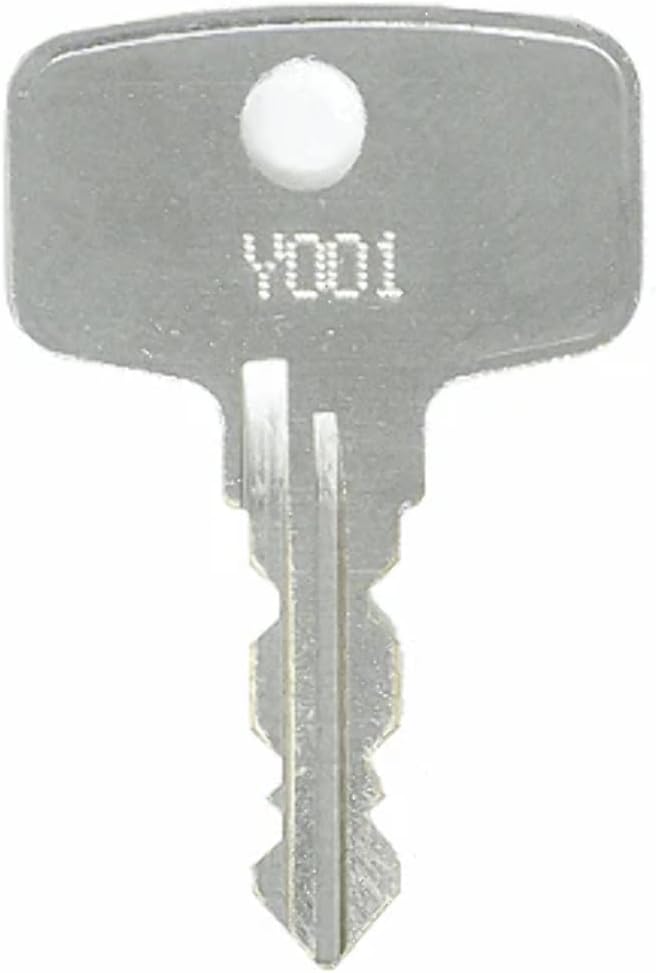
This manual provides essential information for the proper use and care of your Snap-On Y440 Toolbox Replacement Key. This key is designed to replace lost or damaged keys for Snap-On toolboxes within the Y001-Y500 series. Please read this manual thoroughly before attempting to use your new key.
Setup: Identifying Your Key
To ensure you have the correct replacement key, it is crucial to identify the lock code. The lock code for your Snap-On toolbox key will be stamped directly on your original key or on the face of the lock cylinder itself.
Key Identification Steps:
Locate your original Snap-On key. The lock code (e.g., Y440) will be engraved on the key's head.
If the original key is unavailable, inspect the face of the lock cylinder on your Snap-On toolbox. The code should be visible there.
Image: A silver replacement key, similar to the Y440 model, showing the typical location of the stamped lock code (e.g., Y001). This code is essential for verifying key compatibility.
Important Note: This Y001-Y500 series of keys is specifically designed for Snap-On toolboxes and is not compatible with Craftsman locks. Attempting to use this key with a Craftsman lock may cause damage to the lock or the key.
Operating Instructions
To operate your Snap-On Y440 replacement key:
Gently insert the key into the lock cylinder of your Snap-On toolbox.
Ensure the key is fully inserted before attempting to turn it.
Turn the key clockwise or counter-clockwise, depending on the lock mechanism, to unlock or lock the toolbox.
Remove the key once the operation is complete. Avoid leaving the key in the lock when not in use.
Maintenance and Care
Proper care will extend the life of your replacement key:
Keep the key clean and free from dirt, dust, and debris.
Avoid bending or applying excessive force to the key, as this can damage its structure.
Store the key in a dry place to prevent corrosion.
If the lock mechanism becomes stiff, a small amount of graphite lubricant can be applied to the lock cylinder, not directly to the key.
Troubleshooting
If you encounter issues with your replacement key, refer to the table below:
Problem
Possible Cause
Solution
Key does not insert fully.
Incorrect key code; debris in lock.
Verify key code matches lock. Clean lock cylinder with compressed air.
Key turns but lock does not open.
Lock mechanism is jammed or damaged.
Apply a small amount of graphite lubricant to the lock. If issue persists, the lock may require professional service.
Key feels stiff when turning.
Lack of lubrication; minor misalignment.
Apply graphite lubricant to the lock cylinder. Ensure key is inserted straight.
Specifications
Model
Y440 (Snap-On Y001-Y500 Series)
Brand (Seller)
EasyKeys
Manufacturer (Original Key)
Snap-On
Key Type
Double-Sided Cut Key (1527 key blank)
Compatibility
Snap-On Toolboxes (Y001-Y500 series)
Item Weight
0.247 ounces (7 Grams)
Date First Available
January 19, 2024
Warranty and Support
Warranty Information: This product is covered by a 30-day return policy for refund or replacement. Please retain your proof of purchase for any warranty claims.
Customer Support: For further assistance, technical support, or to inquire about replacement keys for other models, please contact EasyKeys customer service. Refer to your purchase documentation for specific contact details or visit the EasyKeys store on Amazon.
Only EasyKeys offers OEM replacement keys, ensuring quality and compatibility.