
Introduction
Thank you for choosing the Xmenha Mini Invisible Bluetooth Earbuds Y9. These earbuds are designed for discreet, comfortable listening, featuring a compact size and ergonomic fit suitable for small ears. This manual provides essential information for setting up, operating, maintaining, and troubleshooting your earbuds to ensure optimal performance and longevity.
Package Contents
- Xmenha Mini Invisible Bluetooth Earbuds (1 pair)
- Charging Case
- USB Charging Cable
- User Manual
- Silicone Eartips (various sizes)
Product Overview
The Xmenha Y9 earbuds are engineered for a low-profile fit and high-quality audio. Below are visual representations of the product and its key features.

Image: The Xmenha Y9 mini earbud is shown held by a finger, highlighting its exceptionally small and discreet design next to its charging case.

Image: A close-up view of a woman's ear demonstrates how the Xmenha Y9 earbud sits almost entirely within the ear canal, making it nearly invisible.

Image: A visual guide illustrating the simple one-step Bluetooth pairing process between the Xmenha Y9 earbuds and a smartphone.
Video: Official product video demonstrating the features and compact design of the Xmenha Y9 Mini Bluetooth Earbuds.
Setup
1. Charging the Earbuds and Case
Before first use, fully charge the earbuds and charging case. The charging case provides additional power for on-the-go use.
- Place the earbuds into the charging case. Ensure they are correctly seated to initiate charging.
- Connect the USB charging cable to the charging port on the case and a power source (e.g., computer USB port, wall adapter).
- The indicator lights on the case will show the charging status. Refer to the case's specific light patterns for full charge indication.
- A single charge provides approximately 4 hours of playback time. The fully charged case can extend total listening time to about 30 hours.

Image: This graphic illustrates the battery performance, showing 4-5 hours of playback on a single earbud charge and up to 30 hours total with the charging case.
2. Bluetooth Pairing
The earbuds feature automatic pairing for convenience.
- First-Time Pairing: Open the charging case. The earbuds will automatically power on and enter pairing mode.
- On your device (smartphone, tablet, etc.), enable Bluetooth and search for available devices.
- Select "Y9" from the list of available devices to connect. Once connected, you will hear a confirmation tone.
- Subsequent Pairing: After the initial connection, the earbuds will automatically connect to the last paired device when removed from the charging case.
Operating Instructions
1. Wearing the Earbuds
For optimal sound quality and comfort, ensure the earbuds are properly seated in your ear canal.
- Identify the Left (L) and Right (R) earbuds.
- Gently insert each earbud into the corresponding ear canal.
- Rotate the earbud slightly until it feels secure and comfortable. The ergonomic design is intended to fit snugly and discreetly.
- Experiment with different silicone eartip sizes to find the best fit for noise isolation and comfort.

Image: A side profile view showing the Xmenha Y9 earbud worn discreetly, demonstrating its low-profile design.

Image: A man and woman are shown wearing the Xmenha Y9 invisible Bluetooth earbuds, highlighting their comfortable and discreet fit for various ear sizes.
2. Touch Controls
The Xmenha Y9 earbuds feature intuitive touch controls on each earbud for managing audio playback and calls.
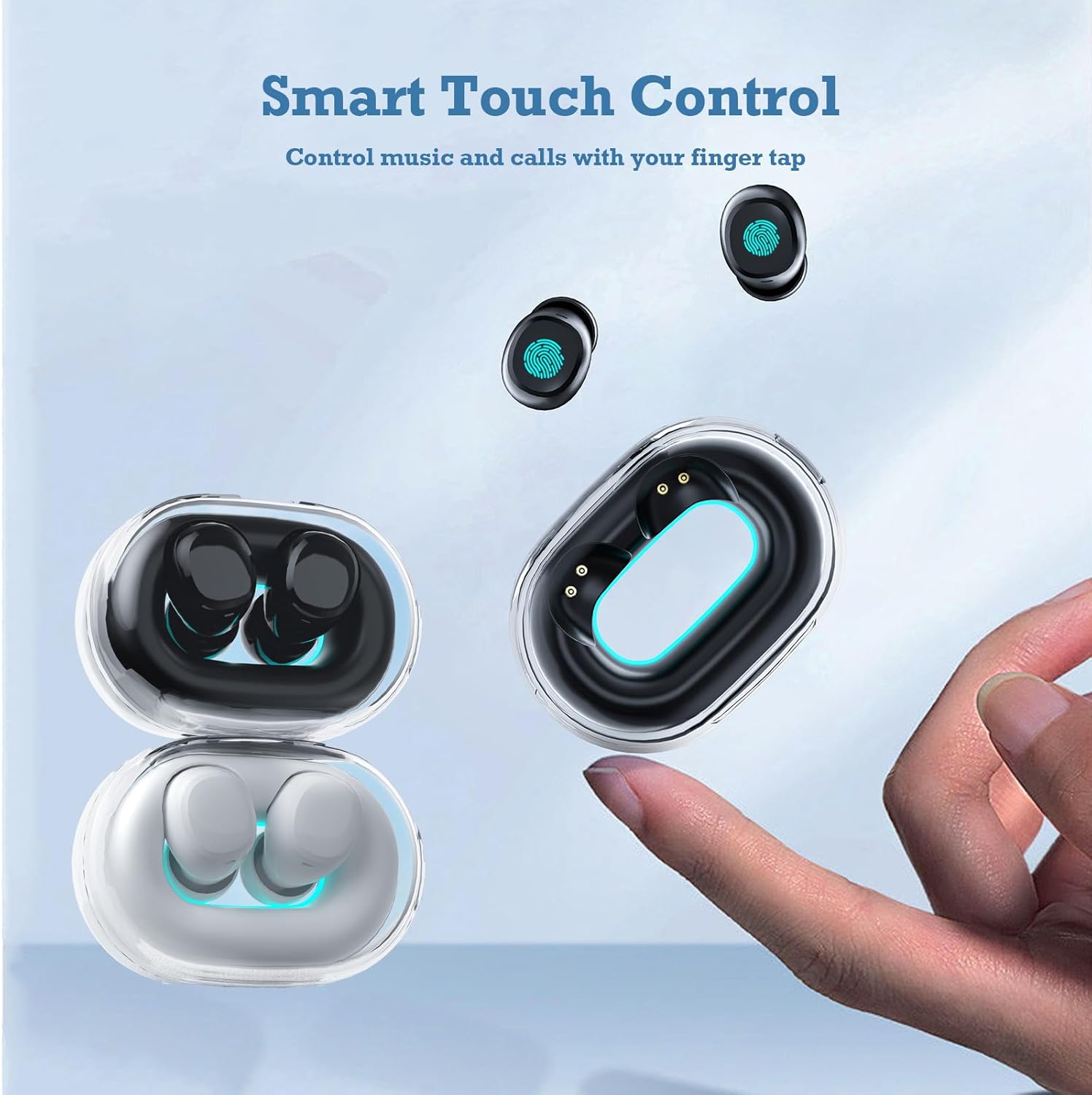
Image: A hand interacts with an Xmenha Y9 earbud, illustrating the smart touch control functionality for managing media and calls.
| Action | Function |
|---|---|
| Single Tap (Left/Right) | Play/Pause Music, Answer/End Call |
| Double Tap (Right) | Next Track |
| Double Tap (Left) | Previous Track |
| Triple Tap (Left/Right) | Activate Voice Assistant |
| Long Press (2 seconds) | Reject Call |
Maintenance
1. Cleaning
Regular cleaning helps maintain sound quality and hygiene.
- Use a soft, dry, lint-free cloth to wipe the earbuds and charging case.
- For stubborn dirt, slightly dampen the cloth with water or a mild, non-abrasive cleaner. Avoid getting liquid into openings.
- Remove silicone eartips and clean them separately with water and mild soap, then dry thoroughly before reattaching.
- Do not use harsh chemicals, alcohol, or abrasive materials.
2. Storage
Proper storage extends the lifespan of your earbuds.
- Always store the earbuds in their charging case when not in use to protect them and keep them charged.
- Store the case and earbuds in a cool, dry place, away from direct sunlight, extreme temperatures, and humidity.
Troubleshooting
If you encounter issues with your Xmenha Y9 earbuds, try the following solutions:
- Earbuds not pairing: Ensure both earbuds are charged. Place them back in the case, close it, then open it again to re-enter pairing mode. Delete "Y9" from your device's Bluetooth list and try pairing again.
- No sound from one earbud: Ensure both earbuds are charged. Try resetting the earbuds (refer to the full product manual if available for specific reset instructions). Re-pair with your device.
- Charging issues: Check the charging cable and power source. Ensure the earbuds are correctly seated in the charging case. Clean the charging contacts on both the earbuds and the case.
- Poor sound quality: Ensure the earbuds are properly inserted and the correct size eartips are used for a good seal. Clean any debris from the earbud nozzles. Move closer to your connected device to avoid interference.
- Earbuds falling out: Try different sizes of silicone eartips to find a more secure fit. Ensure they are inserted correctly as described in the "Wearing the Earbuds" section.
Specifications
| Feature | Detail |
|---|---|
| Brand | Xmenha |
| Model Number | Xmenha-GWC-Y9-Black |
| Model Name | AK57 |
| Color | Dark Black |
| Ear Placement | In Ear |
| Form Factor | In Ear |
| Noise Control | Sound Isolation |
| Connectivity Technology | Wireless (Bluetooth) |
| Bluetooth Version | 5.0 |
| Bluetooth Range | 10 Meters |
| Control Type | Noise Control |
| Control Method | Remote (Touch) |
| Audio Driver Type | Dynamic Driver |
| Frequency Range | 20 Hz - 20,000 Hz |
| Enclosure Material | Plastic |
| Water Resistance Level | Waterproof |
| Battery Average Life (Single Charge) | 4 Hours |
| Total Battery Life (with Charging Case) | Up to 30 Hours |
| Weight (Earbuds) | Approximately 0.71 ounces (total for both) |
| Dimensions (Earbud) | Approximately 0.3 x 0.2 x 0.5 inches |
Warranty and Support
For detailed warranty information, please refer to the documentation included with your purchase or contact the retailer. If you require further assistance or have questions not covered in this manual, please reach out to Xmenha customer support through their official channels or the platform where you purchased the product.