
Introduction
This manual provides essential instructions for the proper use and maintenance of your Jugbow 2-in-1 Magnetic and Micro USB Charging Cable. This cable is designed specifically for charging compatible Jugbow dog training collars and remotes, featuring both a magnetic charging interface for the collar and a Micro USB interface for the remote, all from a single USB power source.
Product Overview
The Jugbow charging cable is a versatile accessory for your dog training system. It features a standard USB-A connector for power input, a Y-splitter, and two output connectors: a magnetic charging port for the collar and a Micro USB port for the remote.
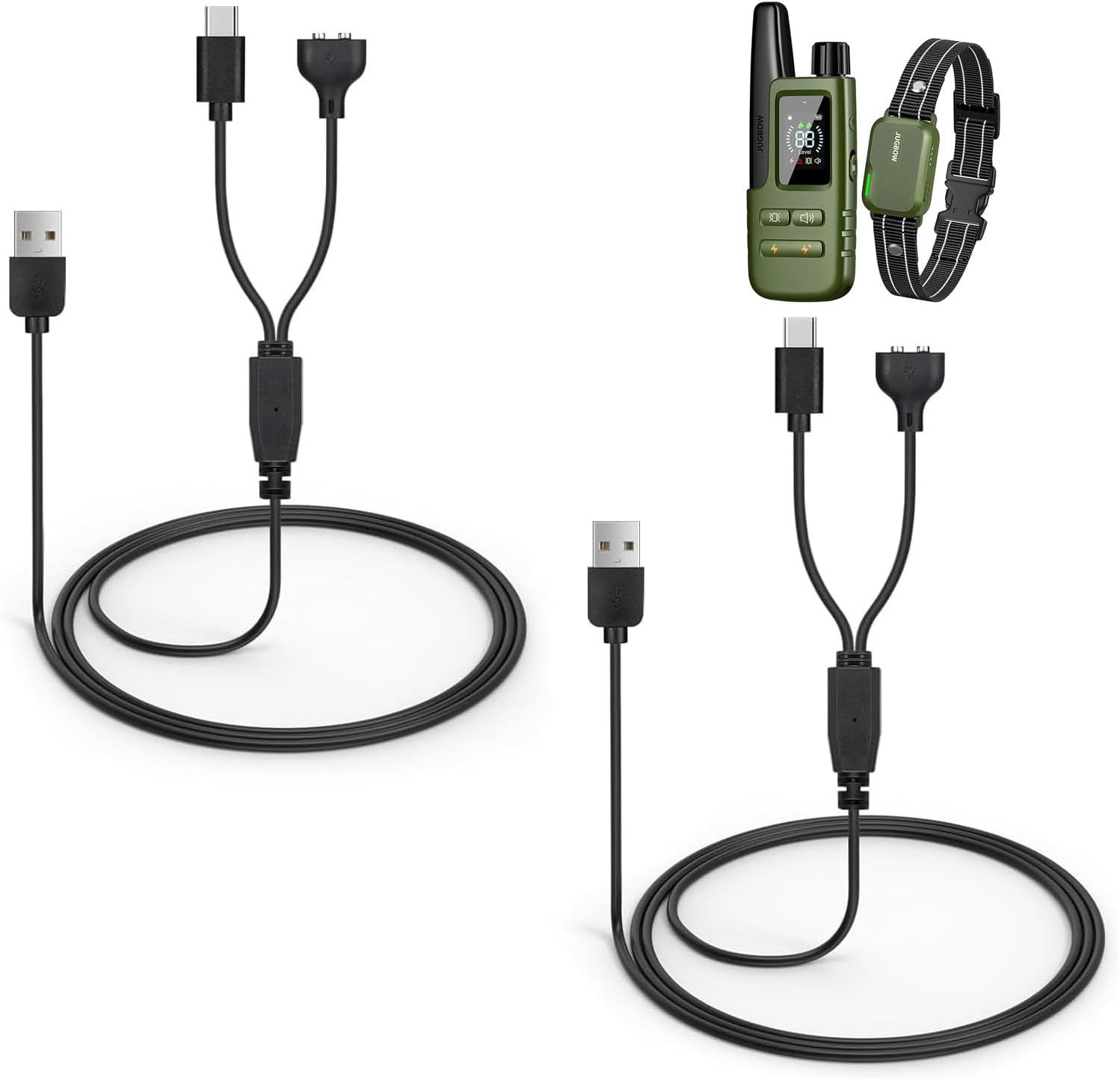
Image: The Jugbow 2-in-1 charging cable, showing the USB-A input, the Y-splitter, and the magnetic and Micro USB output connectors. Also shown are a dog training remote and collar, which are compatible with this cable.
Setup and Connection
- Connect to Power Source: Insert the standard USB-A end of the charging cable into a compatible USB power adapter (e.g., wall charger, computer USB port, power bank). Ensure the power source provides stable 5V output.
- Connect to Dog Training Collar: Align the magnetic charging connector with the charging port on your Jugbow dog training collar. The magnetic connection will snap into place. Ensure a secure connection.
- Connect to Remote: Insert the Micro USB connector into the charging port on your Jugbow dog training remote. Ensure the connector is fully inserted.
- Important Note: Remember to keep the charging interfaces on both the cable and your devices free of foreign objects, dust, or moisture when charging to ensure proper function and prevent damage.
Operating (Charging Process)
Once properly connected, your Jugbow dog training collar and remote will begin charging. The charging status (e.g., indicator lights) will typically be displayed on the respective devices. Please refer to the user manual of your specific Jugbow dog training collar and remote for details on charging indicators and expected charging times.
- Ensure both devices are powered off or in charging mode if required by their design.
- Avoid interrupting the charging cycle frequently.
- Disconnect the cable once devices are fully charged to prolong battery life.
Maintenance
- Cleaning: Gently wipe the cable and connectors with a dry, soft cloth. Do not use liquid cleaners or abrasive materials.
- Storage: Store the cable in a cool, dry place away from direct sunlight and extreme temperatures. Avoid bending or kinking the cable sharply, especially near the connectors, to prevent internal wire damage.
- Handling: Always pull from the connector head, not the cable itself, when disconnecting from devices or power sources.
Troubleshooting
If your devices are not charging, consider the following:
- Check Connections: Ensure all connections (USB-A to power source, magnetic to collar, Micro USB to remote) are firm and properly seated.
- Verify Power Source: Test the USB power source with another device to confirm it is functioning correctly.
- Inspect Connectors: Check the cable's connectors and the device's charging ports for any visible damage, debris, or corrosion. Clean gently if necessary.
- Device Specific Issues: If the cable appears functional, consult the user manual for your Jugbow dog training collar and remote for device-specific charging troubleshooting steps.
Specifications
| Model Name | UCC-01 |
| Brand | Jugbow |
| Color | Black |
| Item Weight | 0.634 ounces |
| Package Dimensions | 3.54 x 1.89 x 0.83 inches |
| Included Components | USB Charging Cable |
| Country of Origin | China |
| Date First Available | January 19, 2024 |
Warranty Information
This Jugbow USB Charging Cable comes with a 1-year warranty from the date of purchase. This warranty covers manufacturing defects under normal use. It does not cover damage caused by misuse, accident, unauthorized modification, or external causes. Please retain your proof of purchase for warranty claims.
Customer Support
For further assistance, technical support, or warranty inquiries, please contact Jugbow customer service. Refer to the product packaging or the official Jugbow website for the most current contact information.