1. Introduction
This manual provides essential information for setting up, operating, and maintaining your Viewedge CS27QK 27-inch WQHD 165Hz IPS Gaming Monitor. Please read this manual thoroughly before using the product to ensure optimal performance and safety.
The Viewedge CS27QK monitor is designed to deliver a high-performance visual experience with its WQHD (2560 x 1440) resolution, a rapid 165Hz refresh rate, and a 1ms IPS panel. It features HDR10 support for enhanced contrast and a wide 120% sRGB color gamut for vibrant visuals. Integrated blue light filtering technology helps reduce eye strain during extended use.

Figure 1: Viewedge CS27QK 27-inch WQHD 165Hz IPS Gaming Monitor
2. What's in the Box
Please check the contents of your package. If any items are missing or damaged, contact Viewedge customer support.
- Viewedge CS27QK Monitor
- Power Adapter
- DP (DisplayPort) Cable
- User Manual (this document)
- Monitor Stand (Base and Neck)
3. Setup
3.1. Stand Assembly
- Carefully remove the monitor from its packaging, placing it face down on a soft, clean surface to prevent scratches.
- Attach the stand neck to the monitor's rear panel.
- Secure the stand base to the neck using the provided screw.
- Ensure all connections are firm before placing the monitor upright.

Figure 2: Illustration of monitor stand assembly.
3.2. Connecting to Devices
The monitor provides multiple input options for connecting to your PC, gaming console, or other devices.
- HDMI Ports (x2): Connect devices using an HDMI cable. Supports up to 144Hz refresh rate at 1440p resolution.
- DisplayPort (DP x1): Connect devices using a DisplayPort cable. Supports up to 165Hz refresh rate at 1440p resolution.
- Earphone Jack: Connect headphones or external speakers for audio output.
- DC In: Connect the provided power adapter to power the monitor.
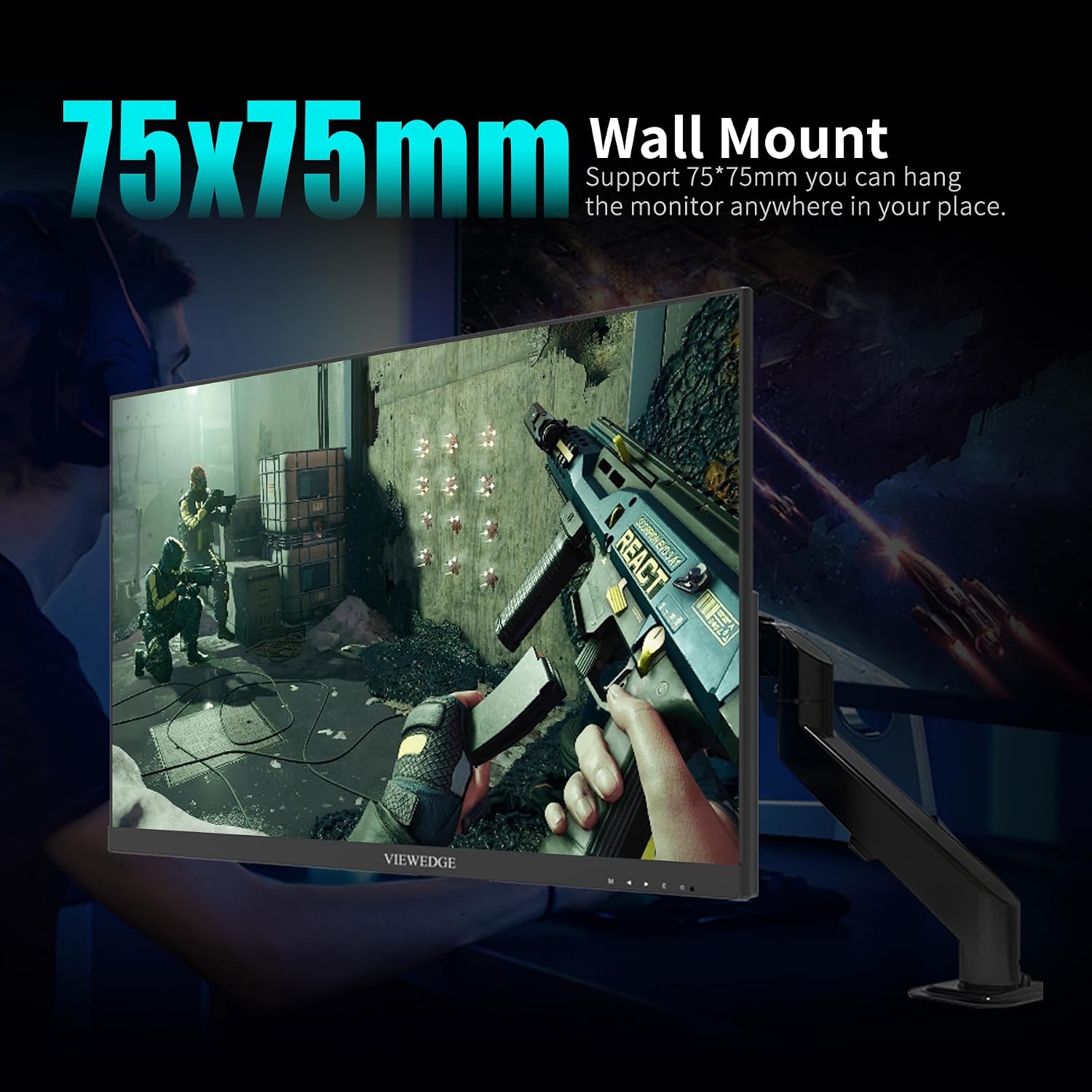
Figure 3: Rear view of monitor showing input ports.
3.3. Wall Mounting
The monitor is compatible with VESA standard wall mounts (75x75mm). Ensure you use M4 (diameter 4mm) screws of appropriate length for secure mounting. Wall mount hardware is not included with the monitor.

Figure 4: Monitor demonstrating VESA wall mount compatibility.
4. Operating Instructions
4.1. Power On/Off
Connect the power adapter to the monitor's DC In port and then to a power outlet. Press the power button located on the back of the monitor to turn it on or off.
4.2. On-Screen Display (OSD) Menu
The OSD menu allows you to adjust various monitor settings. Use the control buttons located on the back of the monitor to navigate the menu and make selections.
4.3. Key Display Features
- WQHD (2560 x 1440) Resolution: Provides sharp and detailed images, ideal for a 27-inch screen size.
- 165Hz Refresh Rate: Delivers smooth motion and reduced input lag, crucial for fast-paced gaming.
- IPS Panel with 1ms Response Time: Offers wide viewing angles, accurate color reproduction, and a rapid 1ms (OD accelerated) response time to minimize ghosting.
- HDR10 Support: Enhances contrast and brightness in compatible content, revealing more detail in both dark and bright scenes.
- 120% sRGB Color Gamut: Ensures vibrant and accurate colors for an immersive visual experience.
- Blue Light Filter: Reduces harmful blue light emissions to help prevent eye fatigue during prolonged use.

Figure 5: IPS In-Plane Switching technology for superior viewing.

Figure 6: HDR10 for breathtaking visuals with richer contrast.
4.4. Gaming Performance
The monitor supports Adaptive Sync technology, which helps eliminate screen tearing and stuttering for a fluid gaming experience. This feature is compatible with both FreeSync and G-Sync enabled graphics cards.
Video 1: Official Viewedge CS27QK Gaming Monitor overview.
5. Maintenance
To ensure the longevity and optimal performance of your monitor, follow these maintenance guidelines:
- Cleaning the Screen: Use a soft, lint-free cloth lightly dampened with water or a specialized screen cleaner. Avoid using harsh chemicals or abrasive materials.
- Cleaning the Casing: Wipe the monitor casing with a soft, dry cloth.
- Ventilation: Ensure the monitor's ventilation openings are not blocked to prevent overheating.
- Power Off: Always power off the monitor and unplug it from the power outlet before cleaning or if it will not be used for an extended period.
6. Troubleshooting
If you encounter any issues with your monitor, please refer to the following common troubleshooting steps:
- No Power: Check if the power adapter is securely connected to both the monitor and the power outlet. Ensure the power outlet is functional.
- No Signal: Verify that the video cable (HDMI or DisplayPort) is securely connected to both the monitor and your device. Ensure the correct input source is selected in the OSD menu.
- Flickering Screen: Check the video cable for damage. Ensure your graphics card drivers are up to date. Try adjusting the refresh rate in your device's display settings.
- Image Distortion/Poor Quality: Ensure the display resolution is set to the native WQHD (2560 x 1440) for optimal clarity. Check color settings in the OSD menu.
- Buttons Not Responding: Power cycle the monitor by unplugging it for a few minutes and then plugging it back in.
If the problem persists after trying these steps, please contact Viewedge customer support.
7. Specifications
| Feature | Specification |
|---|---|
| Model Number | CS27QK |
| Screen Size | 27 Inches |
| Resolution | WQHD (2560 x 1440) |
| Panel Type | IPS |
| Refresh Rate | 165Hz |
| Response Time | 1ms (OD) |
| Aspect Ratio | 16:9 |
| HDR Support | HDR10 |
| Color Gamut | 120% sRGB, 90% NTSC |
| Connectivity | 2x HDMI, 1x DisplayPort, 1x Earphone Jack, 1x DC In |
| Wall Mount (VESA) | 75x75mm |
| Product Dimensions | 7.44 x 24.14 x 17.97 inches |
| Item Weight | 10.43 pounds |
8. Warranty and Support
The Viewedge CS27QK monitor comes with a 3-year manufacturer's warranty. Viewedge is committed to providing high-quality products and comprehensive after-sales support.
For technical assistance, warranty claims, or any other inquiries, please visit the official Viewedge website or contact their customer service department. Refer to the product packaging or the official website for the most up-to-date contact information.


