
Product Overview
The PeiDog KK-82MS-D is a versatile scientific calculator integrated with a 4.4-inch LCD erasable writing pad. This innovative 2-in-1 device is designed to assist students, office professionals, and anyone requiring quick calculations and note-taking capabilities. The calculator features 240 functions and a two-line display, while the writing pad allows for instant, temporary notes and diagrams.

Image: The KK-82MS-D Scientific Calculator (blue) alongside its integrated 4.4-inch LCD erasable writing pad (black) with stylus.
Package Contents
Upon opening the package, please ensure all the following items are present:
- 1 x KK-82MS-D Scientific Calculator (batteries included)
- 1 x 4.4-inch LCD Erasable Writing Pad (button cell battery included)
- 1 x Stylus Pen for writing pad
- 1 x Instruction Manual (this document)
- 1 x Solid Sliding Protective Cover for the calculator
Setup
Battery Installation and Initial Use
The calculator and writing pad come with batteries pre-installed. If replacement is ever needed, please refer to the Maintenance section.
- Calculator: The scientific calculator is powered by L1131 (AG10) 1.5V button cells. It is ready for use upon removal from packaging.
- Writing Pad: The LCD writing pad is powered by a single button cell. It is also ready for immediate use.
- Power On: Press the ON button on the calculator to turn it on. The writing pad does not have a power button; it is always ready to write.
Operating Instructions
Scientific Calculator Operation
The KK-82MS-D calculator offers 240 functions for various mathematical, algebraic, statistical, and trigonometric calculations. It features a two-line display for easy input and result viewing.
- Basic Operations: Use the numerical keys (0-9), arithmetic operators (+, -, ×, ÷), and the equals (=) key for standard calculations.
- Two-Line Display: The upper line displays the input expression, and the lower line shows the result.
- Function Keys: Access advanced functions like trigonometric (sin, cos, tan), logarithmic (log, ln), power (x²), root (√), and statistical functions using the dedicated keys. Many keys have secondary functions accessed by pressing SHIFT or ALPHA first.
- Mode Settings: Press the MODE key to cycle through different calculation modes (e.g., COMP, SD, REG) and angle units (DEG, RAD, GRA).
- Memory Functions: Utilize the independent memory (M+, M-, MR, MC) and variable memories (A-F, X, Y) for storing and recalling values.
- Error Handling: If an error occurs, "Error" will be displayed. Press AC or DEL to clear the error and re-enter the calculation.

Image: A user demonstrating the simultaneous use of the scientific calculator and the LCD writing pad for taking notes during calculations.
LCD Erasable Writing Pad Operation
The 4.4-inch LCD writing pad provides a convenient surface for quick notes, sketches, or calculations without wasting paper.
- Writing: Use the included stylus pen to write or draw directly on the pad's surface. The pad is pressure-sensitive, allowing for varying line thickness.
- Erasing: To clear the screen, press the Delete button located below the writing area. This will instantly erase all content.
- Lock Function: A switch on the back of the writing pad can be used to lock the screen, preventing accidental erasure of your notes. Ensure this switch is in the unlocked position when you wish to erase.
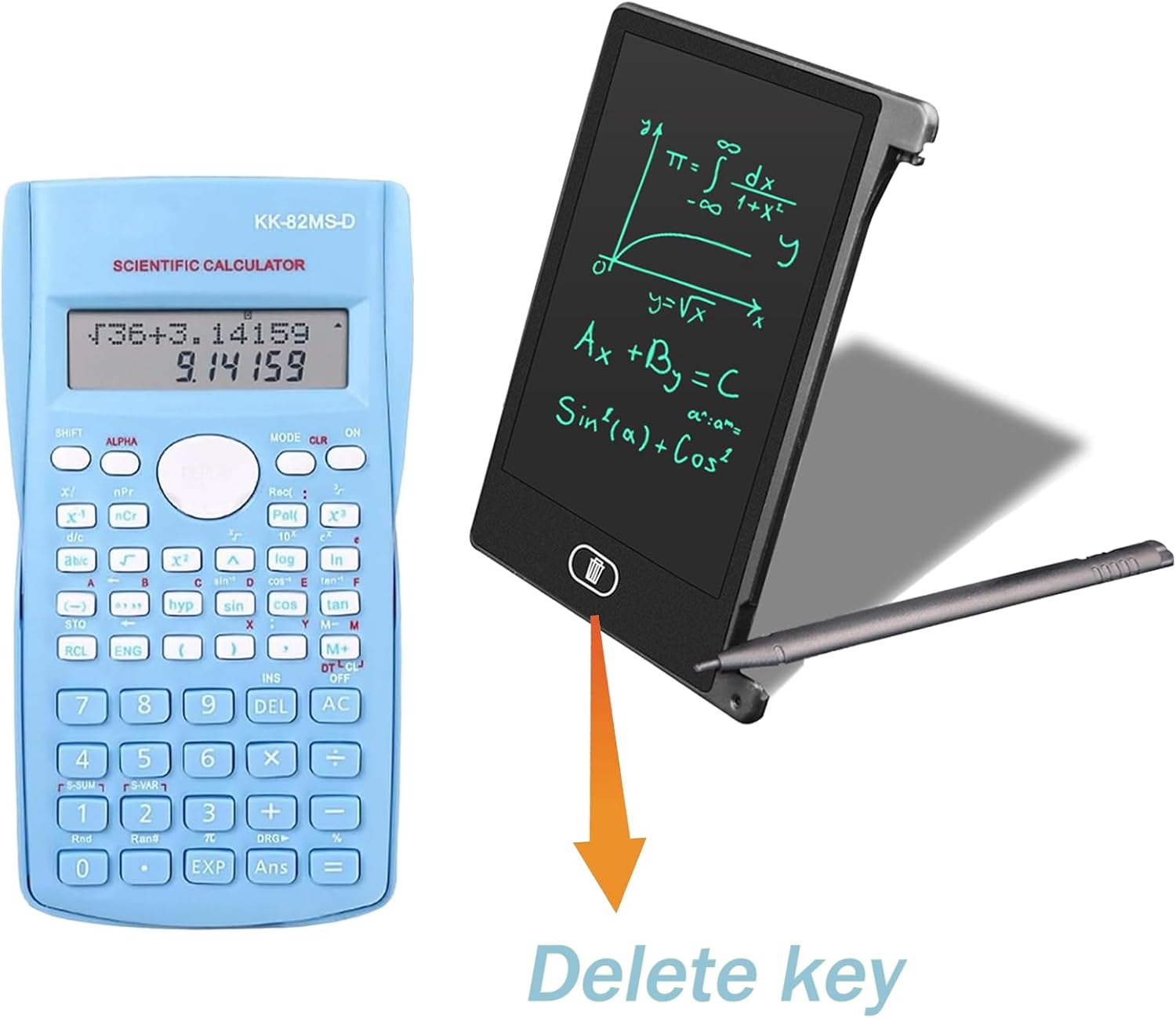
Image: A close-up of the LCD writing pad, highlighting the "Delete key" for one-click cleanup.
Maintenance
- Cleaning: Use a soft, dry cloth to clean the calculator and writing pad surfaces. Do not use liquid cleaners or abrasive materials.
- Battery Replacement (Calculator): When the display becomes dim or unresponsive, replace the L1131 (AG10) 1.5V button cells. Open the battery compartment on the back, carefully remove old batteries, and insert new ones with correct polarity.
- Battery Replacement (Writing Pad): If the writing pad stops responding or the display becomes faint, replace its button cell battery. The battery compartment is typically located on the side or back.
- Storage: When not in use, slide the protective cover over the calculator to protect the keys and screen. Store the device in a cool, dry place away from direct sunlight and extreme temperatures.
- Handling: Avoid dropping the device or subjecting it to strong impacts, as this may damage internal components or the LCD screen.
Troubleshooting
| Problem | Possible Cause | Solution |
|---|---|---|
| Calculator does not turn on or display is blank. | Low or dead batteries. Incorrect battery installation. | Replace batteries (L1131/AG10). Ensure batteries are inserted with correct polarity. |
| Writing pad does not respond to stylus. | Low or dead button cell battery. Lock switch engaged. | Replace button cell battery. Check if the lock switch on the back is in the unlocked position. |
| Cannot erase writing pad content. | Lock switch engaged. | Ensure the lock switch on the back of the writing pad is in the unlocked position before pressing the delete button. |
| Calculator displays "Error". | Invalid mathematical operation. | Press AC or DEL to clear the error. Review your input and ensure it is a valid mathematical expression. |
Specifications
| Feature | Detail |
|---|---|
| Model Number | PD_JiSuanQi_Lan_PaintPad4.4Inch_2in1 |
| Brand | PeiDog |
| Calculator Type | Engineering/Scientific |
| Number of Functions | 240 |
| Display Type | LCD (Two-Line Display for Calculator) |
| Writing Pad Screen Size | 4.4 Inches |
| Power Source | Battery Powered |
| Calculator Batteries | 1 Lithium Ion battery required (L1131/AG10 1.5V button cells, included) |
| Writing Pad Battery | 1 Button Cell battery required (included) |
| Product Dimensions (Calculator) | Approx. 15cm (H) x 8cm (W) |
| Product Dimensions (Writing Pad) | Approx. 11.6cm (H) x 8.6cm (W) |
| Weight | Approx. 10 g (total product) |
| Colour | Blue |
| Country of Origin | China |

Image: Visual representation of the dimensions for both the scientific calculator and the LCD writing pad.
Warranty and Support
This product is manufactured by PeiDog. While specific warranty details are not provided in this manual, please retain your proof of purchase for any potential warranty claims.
For product support, troubleshooting assistance beyond this manual, or warranty inquiries, please contact the seller or manufacturer directly through the platform where the product was purchased.
Please note that the product's functionality and performance are subject to proper use and maintenance as outlined in this manual.