
1. Introduction and Overview
This manual provides comprehensive instructions for the Night Owl BTD8 4 Channel 4K Bluetooth DVR. This device allows you to record and manage surveillance footage from up to 8 total devices (4 wired and 4 wireless cameras), offering a robust security solution with a pre-installed 1TB hard drive for local storage.
Key Features:
- Supports select 4K Night Owl Wired and Wireless cameras (up to 4 wired and 4 wireless).
- No monthly fees for local storage.
- Includes a 1TB pre-installed hard drive.
- National Security Compliant.
- Free mobile app for remote viewing (requires high-speed internet).
- Easy app-based setup via Bluetooth.
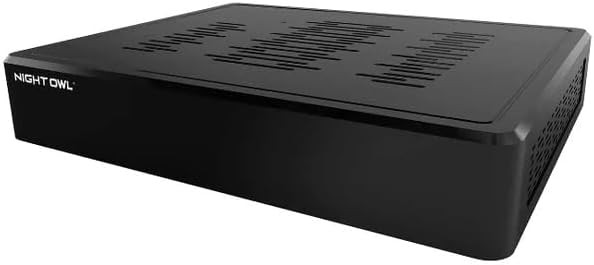
Image 1.1: Front view of the Night Owl BTD8 4K Bluetooth DVR. This image displays the sleek, black casing of the DVR unit.
2. Package Contents
Verify that all items listed below are included in your package:
- DVR with 1TB hard drive pre-installed (matching serial number).
- Power Supply.
- HDMI Cable.
- Network Cable.
- Mouse.
3. Setup Instructions
Follow these steps for initial setup of your Night Owl BTD8 DVR:
- Connect Cameras: Connect your compatible Night Owl wired (BNC) and wireless cameras to the DVR. The DVR supports up to 4 wired and 4 wireless cameras.
- Connect Peripherals:
- Connect the included mouse to a USB port on the DVR.
- Connect the HDMI cable from the DVR to a monitor or TV (optional for initial setup, as Bluetooth setup is available).
- Connect the network cable from the DVR to your internet router for remote viewing capabilities.
- Power On: Connect the power supply to the DVR and then to an electrical outlet. The DVR will power on.
- Bluetooth Setup via Night Owl Protect App:
- Download the "Night Owl Protect" app from your device's app store.
- Open the app and follow the on-screen instructions to add a new device.
- The app will guide you through the Bluetooth pairing process for a hassle-free wireless setup.
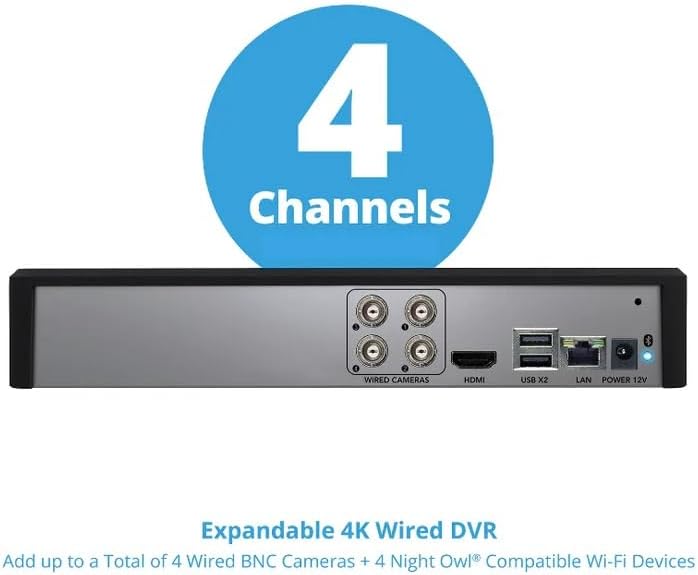
Image 3.1: Rear view of the Night Owl BTD8 DVR, showing ports for wired cameras, HDMI, USB, LAN, and power. This image highlights the connectivity options for the DVR system.

Image 3.2: Night Owl Protect App interface demonstrating the Bluetooth setup process. This image shows a smartphone screen displaying the "Add a New Device" prompt within the app, next to the DVR unit.
4. Operating Instructions
Once your DVR is set up, you can begin monitoring and managing your security system.
4.1. Using the Night Owl Protect Mobile App
The Night Owl Protect app is your primary interface for managing your security system remotely.
- Live View: Access real-time video feeds from all connected cameras.
- Playback: Review recorded footage stored on the 1TB hard drive.
- Real-Time Alerts: Receive notifications for detected events directly on your smartphone.
- Multi-Channel Viewing: View multiple camera feeds simultaneously.
- Secure Sign-On: Ensure secure access to your system.

Image 4.1: Screenshot of the Night Owl Protect mobile app displaying live view and event alerts. This image illustrates the user interface for remote monitoring and notifications.
4.2. Local Access (Optional)
If you have connected a monitor and mouse, you can also access the DVR's interface directly for live viewing, playback, and system settings.
5. Maintenance
The Night Owl BTD8 DVR is designed for minimal maintenance. Key aspects include:
- Hard Drive Management: The 1TB hard drive automatically manages storage, typically overwriting the oldest footage when full. No monthly fees are required for this local storage.
- Firmware Updates: Periodically check the Night Owl Protect app or website for firmware updates to ensure optimal performance and security.
- Cleaning: Keep the DVR unit clean and free from dust to ensure proper ventilation. Use a soft, dry cloth for cleaning.

Image 5.1: Exploded view of the Night Owl BTD8 DVR showing the internal 1TB hard drive. This image emphasizes the included local storage solution.
6. Troubleshooting
If you encounter issues with your Night Owl BTD8 DVR, consider the following general troubleshooting steps:
- No Power: Ensure the power adapter is securely connected to both the DVR and a working electrical outlet.
- No Video: Verify that cameras are properly connected and powered. If using a monitor, check HDMI cable connections and monitor input selection.
- App Connectivity Issues: Ensure your DVR is connected to the internet and your mobile device has a stable internet connection. Restart the app or your mobile device.
- Forgotten Password: Refer to the Night Owl support website or app for password recovery options.
For more detailed troubleshooting guides and support, please visit the official Night Owl support website or contact their customer service.
7. Specifications
| Feature | Detail |
|---|---|
| Model Number | DVR-BTD8-41 |
| Brand | Night Owl |
| Channels | 4 (expandable to 8 total devices: 4 wired, 4 wireless) |
| Resolution | 4K (with compatible cameras) |
| Connectivity Technology | Bluetooth, Wired (Ethernet) |
| Hard Disk Size | 1 TB (pre-installed) |
| Compatible Devices | Night Owl Cameras (wired and wireless) |
| Package Dimensions | 11.46 x 10.55 x 3.43 inches |
| Item Weight | 3.67 pounds |
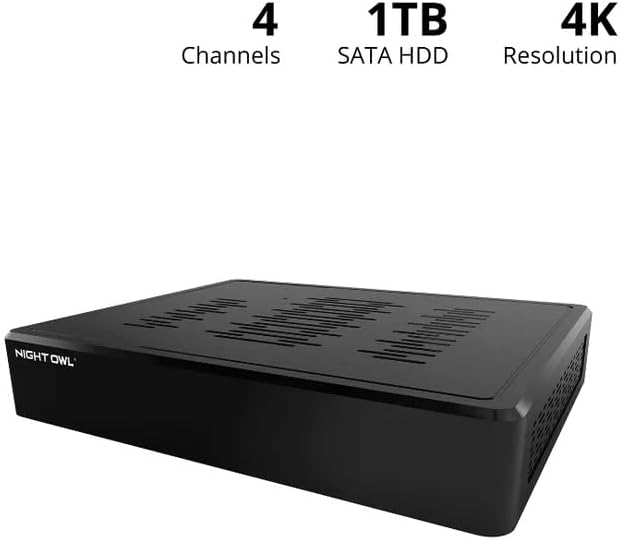
Image 7.1: Night Owl BTD8 DVR highlighting its 4 channels, 1TB SATA HDD, and 4K resolution capabilities. This image visually summarizes the core technical specifications.
8. Warranty and Support
Night Owl products are backed by manufacturer support. For warranty information, technical assistance, or to register your product, please visit the official Night Owl website or contact their customer support directly.
Manufacturer: Night Owl


