
HEX BOTS 6070281
HEX BOTS WALLCRAWLER Gecko Instruction Manual
Model: 6070281
Brand: HEX BOTS
Introduction
Welcome to the world of HEX BOTS! This manual provides essential information for the safe and optimal operation of your HEX BOTS WALLCRAWLER Gecko. The WALLCRAWLER Gecko is a hyper-realistic remote-controlled robot designed to mimic the movement of a real gecko, capable of scurrying across floors and climbing walls. Its LED-lit eyes enhance visibility in the dark, and its durable construction features a hard plastic body with silicone limbs and tail. Please read this manual thoroughly before use.

Image: The HEX BOTS WALLCRAWLER Gecko robot and its accompanying remote control.
What's in the Box
- 1 x HEX BOTS WALLCRAWLER Gecko Robot
- 1 x Remote Control
- 1 x USB Charging Cable
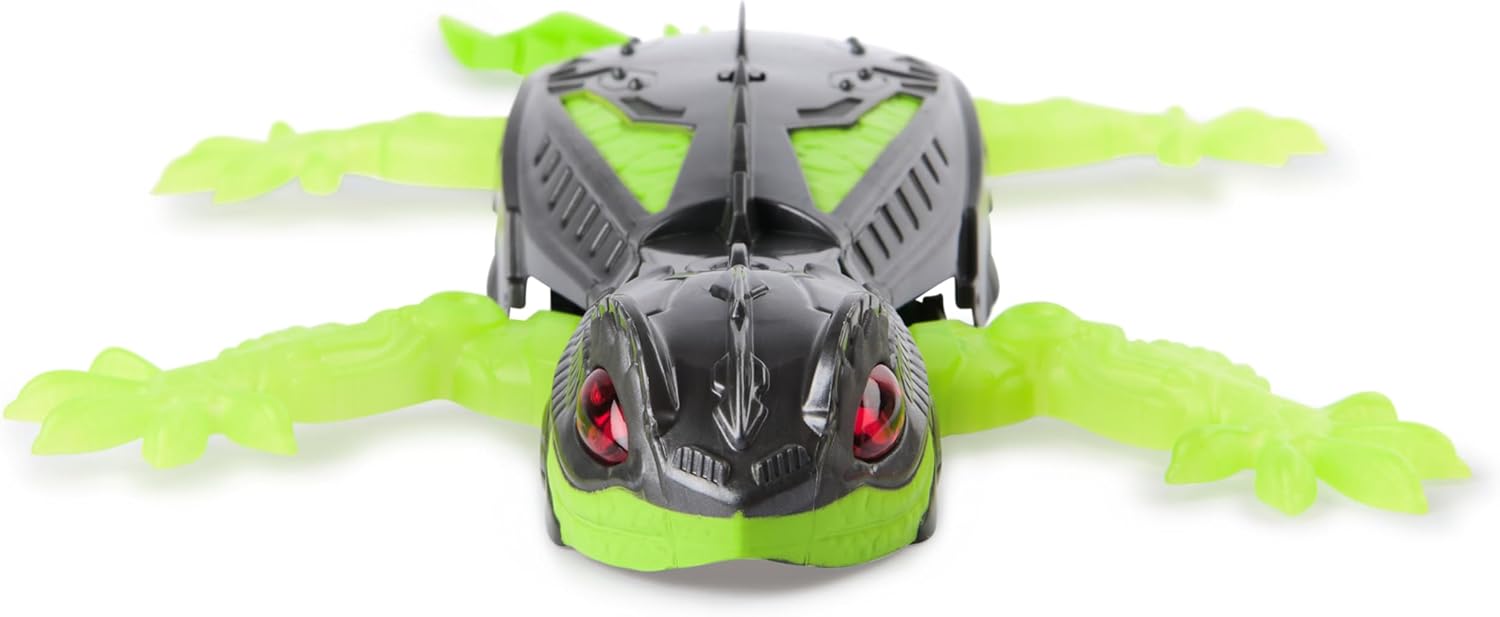
Image: The HEX BOTS WALLCRAWLER Gecko in its retail packaging, showing the robot and remote.
Setup
1. Remote Control Battery Installation
- Locate the battery compartment on the back of the remote control.
- Using a small Phillips head screwdriver (not included), unscrew the battery compartment cover.
- Insert 2 x AAA batteries (not included) into the compartment, ensuring correct polarity (+/-).
- Replace the battery compartment cover and secure it with the screw.

Image: A close-up view of the HEX BOTS remote control, highlighting the button layout.
2. Charging the WALLCRAWLER Gecko
The WALLCRAWLER Gecko robot has a built-in rechargeable battery.
- Locate the charging port on the underside of the Gecko robot.
- Connect the small end of the included USB charging cable to the Gecko's charging port.
- Connect the larger end of the USB cable to a standard USB power source (e.g., computer USB port, USB wall adapter - not included).
- The LED indicator on the Gecko will show charging status (refer to product for specific light behavior).
- Charging typically takes approximately 60-90 minutes. Disconnect once fully charged.
Operating Instructions
1. Powering On/Off
- To turn on the Gecko, slide the power switch located on its underside to the "ON" position. The eyes will light up.
- To turn off the Gecko, slide the power switch to the "OFF" position.
- Ensure the remote control is also powered on (if it has a separate switch).
2. Remote Control Functions

Image: A user's hands holding the HEX BOTS remote control, demonstrating its ergonomic design.
The remote control allows intuitive movement of your WALLCRAWLER Gecko. It has a range of up to 8 meters (approximately 25 feet).
| Button/Control | Function |
|---|---|
| Left Joystick (Up/Down) | Controls forward and backward movement. |
| Right Joystick (Left/Right) | Controls turning left and right. |
| Small Buttons (Bottom) | Fine-tune steering adjustments (trim). |
Note: Specific button functions may vary slightly. Refer to the remote control's markings.
3. Wall Climbing Function
The WALLCRAWLER Gecko utilizes a suction mechanism to climb smooth, flat vertical surfaces.
- Ensure the surface is clean, dry, and smooth (e.g., painted walls, glass, mirrors). Avoid textured or porous surfaces.
- Place the Gecko firmly against the wall. The suction mechanism will activate automatically when the Gecko is powered on and placed on a suitable surface.
- Use the directional controls to move the Gecko up, down, or across the wall.
- To descend, simply guide the Gecko downwards or carefully remove it from the surface.

Image: The HEX BOTS WALLCRAWLER Gecko actively climbing a vertical wall, demonstrating its unique capability.

Image: The HEX BOTS WALLCRAWLER Gecko demonstrating its ability to adhere to and move across a ceiling.
Maintenance
- Cleaning: Wipe the Gecko and remote control with a soft, dry cloth. Do not use harsh chemicals or abrasive cleaners. Ensure the suction pads on the Gecko are clean and free of dust for optimal wall-climbing performance.
- Storage: Store the Gecko and remote control in a cool, dry place away from direct sunlight and extreme temperatures.
- Battery Care: Remove batteries from the remote control if it will not be used for an extended period. Fully charge the Gecko before long-term storage.
Troubleshooting
| Problem | Possible Cause | Solution |
|---|---|---|
| Gecko does not respond to remote control. | Low batteries in remote control or Gecko; Gecko not powered on; Remote control not paired. | Replace remote control batteries. Charge Gecko. Ensure both are powered on. Pairing is usually automatic upon power-on. |
| Gecko falls off the wall. | Surface is not smooth/clean; Suction pads are dirty; Low battery on Gecko; Excessive dust/debris on wall. | Ensure surface is clean, dry, and smooth. Clean Gecko's suction pads. Charge Gecko fully. Test on a different, clean surface. |
| Gecko moves slowly or erratically. | Low battery on Gecko. | Recharge the Gecko's battery. |
| LED eyes do not light up. | Gecko not powered on; Low battery. | Ensure Gecko is powered on. Charge Gecko. |
Specifications
| Feature | Detail |
|---|---|
| Model Number | 6070281 |
| Product Dimensions | 2.5 x 11 x 12.87 inches |
| Item Weight | 5.9 ounces |
| Recommended Age | 4 years and up |
| Gecko Battery | Rechargeable (via USB cable) |
| Remote Control Batteries | 2 x AAA (not included) |
| Control Range | Up to 8 meters (approx. 25 feet) |
| Manufacturer | Spin Master |
Safety Information
- CHOKING HAZARD: Small parts. Not for children under 3 years.
- Do not operate the Gecko near water or in wet conditions.
- Do not attempt to modify or disassemble the product.
- Keep fingers, hair, and loose clothing away from moving parts.
- Supervise children during play.
- Only use the provided USB cable for charging the Gecko.
- Do not mix old and new batteries, or different types of batteries in the remote control.
- Dispose of batteries responsibly according to local regulations.
Warranty and Support
For warranty information and customer support, please refer to the packaging or visit the official HEX BOTS website. Keep your purchase receipt as proof of purchase.
Manufacturer: Spin Master
Release Date: July 7, 2024
Ask a question about this manual
Ask about setup, troubleshooting, compatibility, parts, safety, or missing instructions. Manuals+ will review the question and use this page’s manual context to help answer it.