
Timex TW2W25300
Timex TW2W25300 Digital Watch User Manual
Model: TW2W25300
1. Product Overview
The Timex TW2W25300 is a digital watch featuring a unique design inspired by Utagawa Hiroshige's "Maples at Mama" woodblock print. This watch combines classic artistry with modern digital functionality, offering essential timekeeping features for daily use.
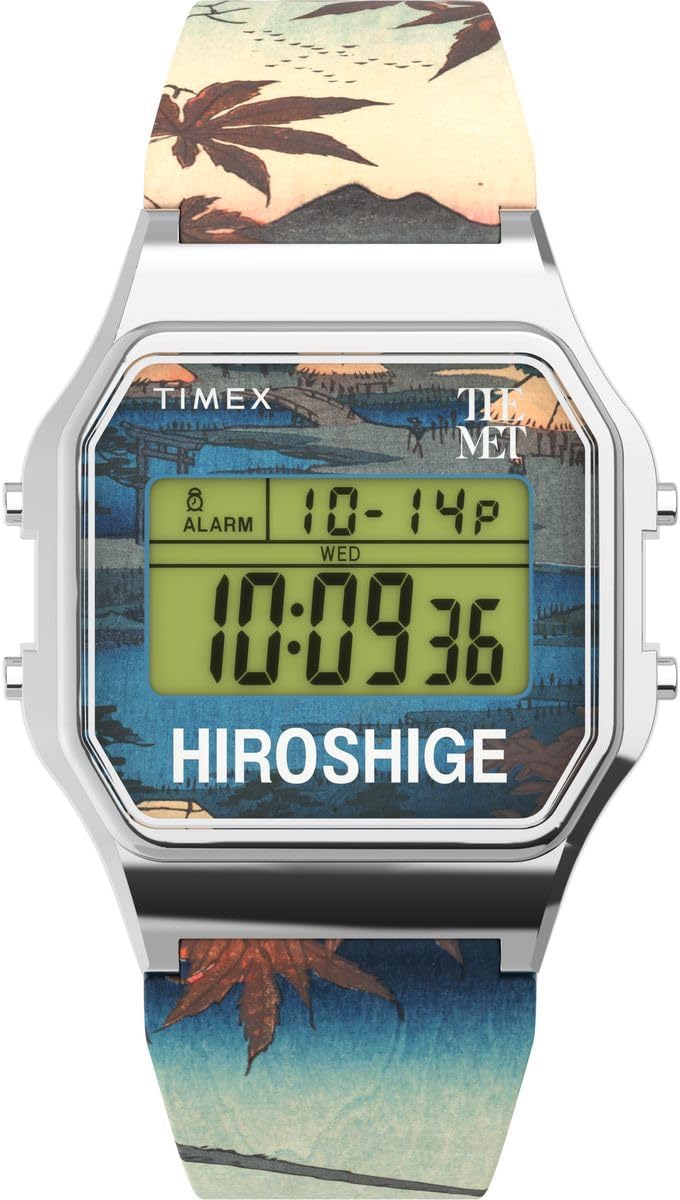
Figure 1: Front view of the Timex TW2W25300 Digital Watch. The watch features a silver-colored case, a digital display, and a strap adorned with a detailed woodblock print.
Key Features:
- Digital Display: Clear and easy-to-read digital time display.
- Calendar Function: Displays day and date.
- Stopwatch: For timing events.
- Alarm: Programmable alarm function.
- Indiglo Night-Light: Provides illumination for low-light conditions.
- Water Resistance: Rated for 3 bars (30 meters), suitable for splashes or brief immersion.
- Unique Design: Features artwork from Utagawa Hiroshige's "Maples at Mama" on the strap.
2. Setup
Before using your Timex TW2W25300 watch, it is recommended to set the correct time and date.
2.1 Setting Time and Date
- Enter Set Mode: Press and hold the SET button (usually located on the side of the watch) until the time display begins to flash.
- Adjust Time: Use the MODE or ADJUST button to change the flashing digits (hours, then minutes). Press SET again to move to the next setting.
- Set Date: Continue pressing SET to cycle through date settings (month, day, year). Use MODE or ADJUST to change the values.
- Exit Set Mode: Once all settings are correct, press SET one last time or wait for the display to stop flashing to exit the set mode.
Note: Specific button functions may vary slightly. Refer to the quick start guide included in the watch packaging for precise button layouts.
3. Operating Instructions
Your Timex TW2W25300 watch offers several functions accessible via its buttons.
3.1 Using the Indiglo Night-Light
To illuminate the watch face in low-light conditions, press the INDIGLO button (often the top-left button). The light will stay on for a few seconds.
3.2 Stopwatch Function
- Activate Stopwatch: Press the MODE button repeatedly until the stopwatch display appears (usually showing "00:00:00").
- Start/Stop: Press the START/STOP button to begin timing. Press it again to pause.
- Reset: While the stopwatch is paused, press the RESET button to clear the time.
- Return to Time: Press the MODE button to cycle back to the main time display.
3.3 Alarm Function
- Access Alarm: Press the MODE button until the alarm display appears (often indicated by an alarm icon).
- Set Alarm Time: Use the SET or ADJUST button to set the desired alarm hour and minute.
- Activate/Deactivate Alarm: Press the ALARM ON/OFF button (or a combination of buttons) to toggle the alarm on or off. An alarm icon will typically appear on the display when active.
- Silence Alarm: When the alarm sounds, press any button to silence it.
3.4 Calendar Display
The watch automatically displays the current day and date. This information is typically visible on the main time display or can be accessed by pressing the MODE button to cycle through different display modes.
4. Maintenance
Proper care will ensure the longevity and performance of your Timex TW2W25300 watch.
4.1 Cleaning
- Wipe the watch case and strap regularly with a soft, damp cloth.
- Avoid using harsh chemicals, solvents, or abrasive cleaners, as these can damage the watch's finish or strap.
4.2 Water Resistance
This watch is water resistant to 3 bars (30 meters). This means it is suitable for:
- Accidental splashes
- Rain
- Brief immersion in water (e.g., washing hands)
Important: Do not press any buttons while the watch is wet or submerged. This can compromise the water resistance seal. Not suitable for swimming, diving, or showering.
4.3 Battery Replacement
The watch uses an Oxide d'argent (Silver Oxide) battery. When the display becomes dim or functions become erratic, it may be time to replace the battery. It is recommended to have the battery replaced by a qualified watch technician to ensure proper sealing and water resistance.
5. Troubleshooting
| Problem | Possible Cause | Solution |
|---|---|---|
| Display is dim or blank. | Low battery. | Replace the battery. |
| Time is incorrect. | Time not set correctly or accidental button press. | Refer to Section 2.1 "Setting Time and Date" to reset the time. |
| Alarm does not sound. | Alarm is not activated or set incorrectly. | Refer to Section 3.3 "Alarm Function" to ensure the alarm is set and activated. |
| Water inside the watch. | Water resistance compromised (e.g., buttons pressed underwater, seal failure). | Immediately take the watch to a qualified service center. Do not attempt to dry it yourself. |
6. Specifications
| Feature | Detail |
|---|---|
| Brand | Timex |
| Model Number | TW2W25300 |
| Display Type | Digital |
| Case Dimensions | 34 x 34 mm |
| Case Height | 10 mm |
| Case Color | Silver |
| Dial Color | Multi-colored |
| Strap Material | Plastic |
| Strap Length | 21 cm |
| Strap Width | 21 mm |
| Clasp Type | Buckle |
| Water Resistance | 3 bars (30 meters) |
| Weight | 53 g |
| Battery Composition | Silver Oxide |
| Special Features | Indiglo Night-Light, Chronograph (Stopwatch), Alarm |

Figure 2: Side view of the watch, highlighting its slim profile and control buttons.
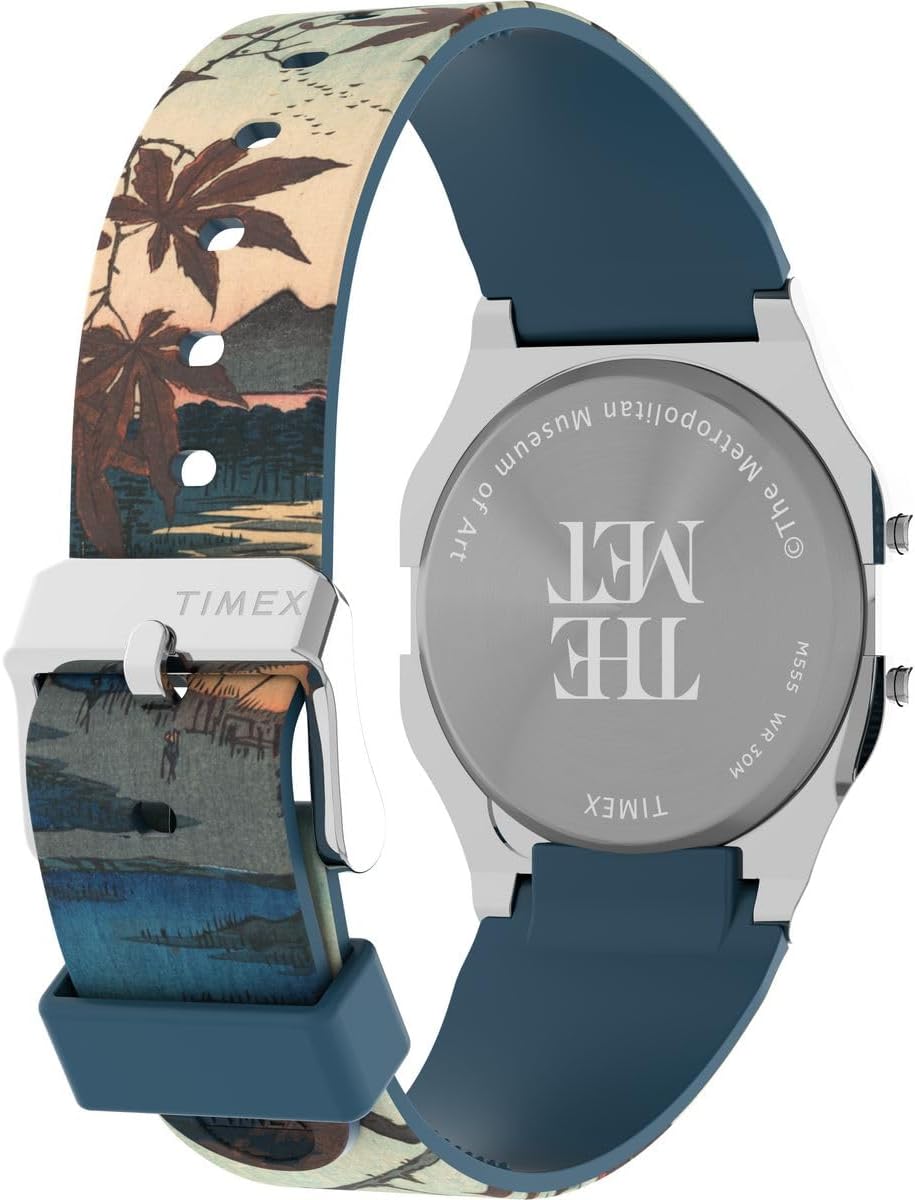
Figure 3: Rear view of the watch, displaying the engraved case back with brand and museum collaboration details.
7. Warranty and Support
Your Timex TW2W25300 watch is delivered in an original gift box, which typically contains detailed warranty information and instructions for support.
7.1 Warranty Information
Please refer to the warranty card or booklet included in the product packaging for specific warranty terms, conditions, and duration. This document will provide details on coverage for manufacturing defects and how to claim warranty service.

Figure 4: Product packaging, including the watch, user guide, and guarantee card.
7.2 Customer Support
For technical assistance, service, or inquiries regarding your watch, please contact Timex customer support. Contact details can usually be found on the Timex official website or within the warranty documentation.
Timex Official Website: www.timex.com
Ask a question about this manual
Ask about setup, troubleshooting, compatibility, parts, safety, or missing instructions. Manuals+ will review the question and use this page’s manual context to help answer it.