
1. Important Safety Instructions
Please read all safety warnings and instructions carefully before using this appliance to prevent injury or damage. Keep this manual for future reference.
- Do not use this heater in bathrooms, laundry areas, or similar indoor locations where water may be present.
- Always plug heaters directly into a wall outlet/receptacle. Never use with an extension cord or relocatable power tap.
- This heater is hot when in use. To avoid burns, do not let bare skin touch hot surfaces.
- Extreme caution is necessary when any heater is used by or near children or invalids and whenever the heater is left operating and unattended.
- Always unplug heater when not in use.
- Do not operate any heater with a damaged cord or plug or after the heater malfunctions, has been dropped, or damaged in any manner.
- Do not insert or allow foreign objects to enter any ventilation or exhaust opening as this may cause an electric shock or fire, or damage the heater.
- To prevent a possible fire, do not block air intakes or exhaust in any manner. Do not use on soft surfaces, like a bed, where openings may become blocked.
- This heater has an automatic tip-over safety switch and overheat protection. If the heater tips over or overheats, it will automatically shut off.
2. Product Overview
Familiarize yourself with the components and controls of your Dreo space heater.

Figure 1: Dreo DR-HSH004 Space Heater with remote control and visual representation of 70-degree oscillation.
2.1 Components
- Main Unit: The primary body of the heater.
- Control Panel: Located on the top surface for manual operation.
- LED Display: Shows temperature, mode, and timer settings.
- Air Outlet Grille: Front grille where heated air is expelled.
- Air Inlet with Filter: Rear opening for air intake, equipped with a detachable filter.
- Power Cord: For connecting to an electrical outlet.
- Remote Control: For convenient operation from a distance.
2.2 Control Panel & Display

Figure 2: Detailed view of the heater's top control panel and LED display.
- Power Button (
 ): Turns the heater on/off.
 - Mode Button (
 ): Cycles through heating modes (High, Medium, Low, ECO, Fan Only).
 - Temperature Up/Down Buttons (
 ): Adjusts target temperature in ECO mode.
 - Oscillation Button (
 ): Activates/deactivates 70° oscillation.
 - Timer Button (
 ): Sets the auto-off timer (1-12 hours).
3. Setup
Follow these steps to set up your Dreo space heater for first use.
- Unpack: Carefully remove the heater from its packaging and ensure all components are present.
- Placement: Place the heater on a firm, level surface. Ensure there is at least 3 feet (0.9 meters) of clear space from the front, sides, and rear of the heater to any walls, furniture, or other objects.
- Power Connection: Plug the power cord directly into a 120V AC, 60Hz wall outlet. Do not use extension cords or power strips.
- Initial Power On: The heater will emit a beep and the power indicator light will illuminate, indicating it is in standby mode.
4. Operating Instructions
Learn how to use the various functions of your Dreo space heater.
4.1 Power On/Off
- Press the Power button on the control panel or remote control to turn the heater on or off.
- When turning off, the fan will continue to run for 30 seconds to cool down the heating element before completely shutting off.
4.2 Mode Selection
Press the Mode button to cycle through the following settings:
- High Heat (H3): Provides maximum heat output (1500W).
- Medium Heat (H2): Provides moderate heat output.
- Low Heat (H1): Provides minimal heat output.
- ECO Mode: Automatically adjusts heat output to maintain a set temperature (41-95°F).
- Fan Only: Circulates air without heating.
4.3 Temperature Adjustment (ECO Mode)
- In ECO Mode, use the Temperature Up/Down buttons to set your desired temperature between 41°F and 95°F (5°C and 35°C).
- The heater will automatically adjust its power level to reach and maintain this temperature.
4.4 Oscillation Function

Figure 3: Heater demonstrating 70-degree oscillation to distribute warmth.
- Press the Oscillation button to activate the 70° wide-angle oscillation.
- Press it again to stop oscillation.
4.5 Timer Setting
- Press the Timer button to set an auto-off timer from 1 to 12 hours.
- Each press increases the timer by 1 hour. The display will show the remaining hours.
- To cancel the timer, cycle through the hours until '00' is displayed, or turn the heater off.
4.6 Remote Control Operation
The included remote control allows you to operate all functions of the heater from a distance.
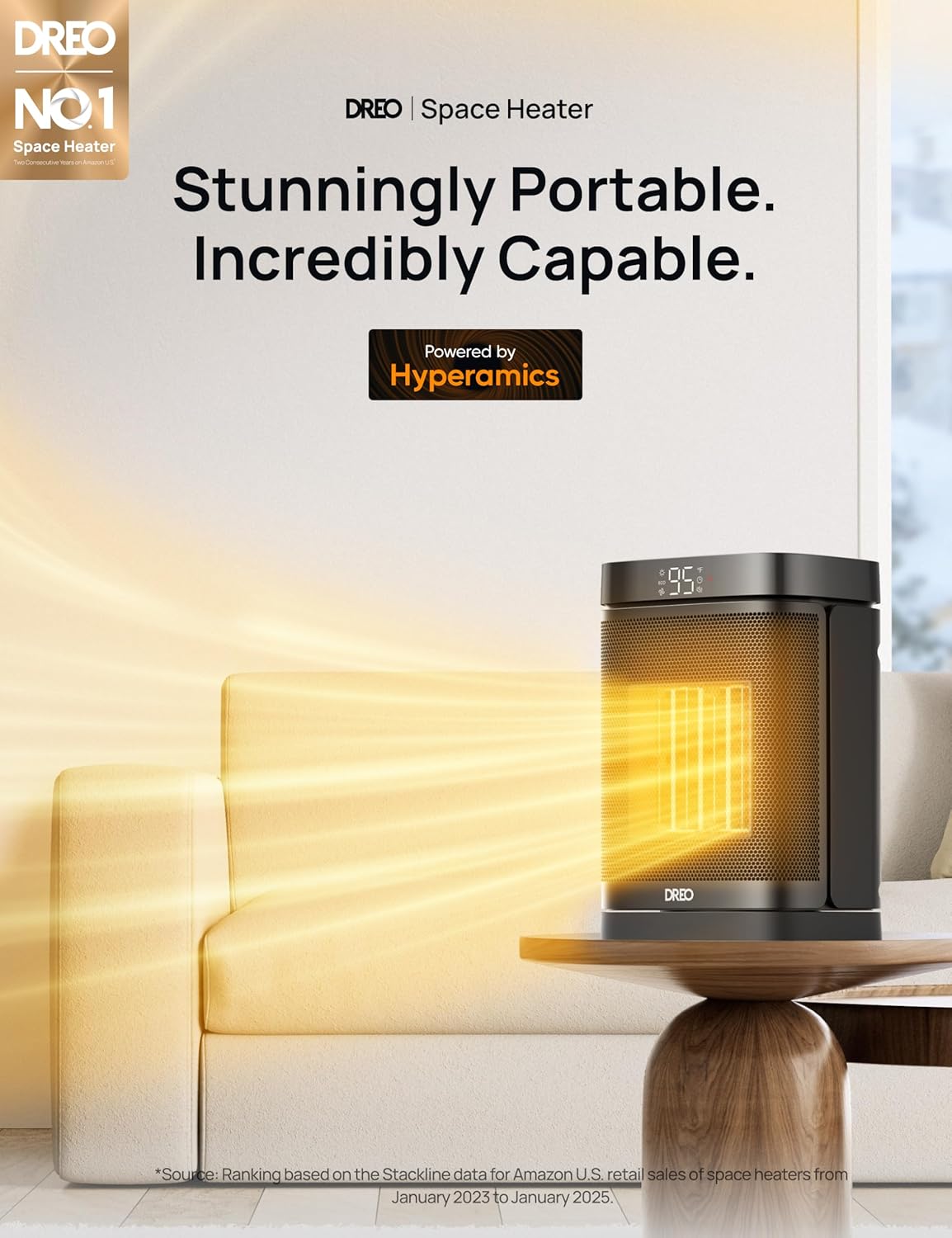
Figure 4: Dreo DR-HSH004 Space Heater shown with its compact remote control.
Video demonstration of controls:
Video 1: Overview of Dreo Heater Atom One features and controls. This video demonstrates the power, mode, temperature, oscillation, and timer functions of the heater.
5. Maintenance
Regular maintenance ensures optimal performance and longevity of your heater.
5.1 Cleaning the Exterior
- Always unplug the heater and allow it to cool completely before cleaning.
- Use a soft, damp cloth to wipe the exterior surfaces. Do not use abrasive cleaners or solvents.
- Ensure no water enters the interior of the heater.
5.2 Cleaning the Air Filter

Figure 5: Detachable air filter for easy cleaning.
- The heater is equipped with a detachable filter on the rear.
- Gently pull out the filter cover.
- Clean the filter with a soft brush or vacuum cleaner. If heavily soiled, rinse with water and allow to air dry completely before reinserting.
- Clean the filter regularly (e.g., every two weeks) to maintain airflow and heating efficiency.
5.3 Storage
- If storing the heater for an extended period, clean it thoroughly.
- Store it in a cool, dry place, preferably in its original packaging.
6. Troubleshooting
If your heater is not operating correctly, refer to the following common issues and solutions.
| Problem | Possible Cause | Solution |
|---|---|---|
| Heater does not turn on. | No power supply. | Ensure the power cord is securely plugged into a working outlet. Check the circuit breaker. |
| Heater stops unexpectedly. | Tip-over switch activated or Overheat protection activated. | Place the heater on a flat, stable surface. If overheated, unplug, let it cool for 30 minutes, then plug back in. |
| Heater is not heating. | ECO mode set too low or Fan Only mode selected. | Increase the target temperature in ECO mode or select a heat mode (H1, H2, H3). |
| Reduced airflow or heating efficiency. | Air filter is dirty. | Clean the air filter as described in the Maintenance section. |
If the problem persists, please contact Dreo Customer Support.
Video demonstration of safety features:
Video 2: Demonstration of the heater's safety features, including tip-over protection and automatic shut-off.
7. Specifications
- Model: DR-HSH004
- Power Supply: 120V~ 60Hz
- Rated Power: 1500W
- Temperature Range: 41°F - 95°F (5°C - 35°C)
- Oscillation: 70°
- Timer: 1-12 Hours
- Noise Level: As quiet as 37.5 dB
- Dimensions: 5.51"D x 6.69"W x 10.31"H
- Weight: 3.85 pounds
- Safety Features: Tip-over protection, Overheat protection, UL94 V-0 flame-retardant materials, ETL-listed.
8. Warranty and Support
Dreo provides a warranty for this product. For detailed warranty information or technical support, please refer to the warranty card included with your purchase or visit the official Dreo website.
- Manufacturer: Dreo
- Contact: Refer to the official Dreo website or product packaging for customer service contact information.


