
1. Introduction
The HomeSpot KR10J Work Earbuds are designed to provide hearing protection and audio functionality in noisy environments. Featuring a 3-flange earpiece design, these wired headphones offer a Noise Reduction Rating (NRR) of 27dB, effectively reducing ambient sound while allowing for audio playback and communication through the integrated microphone and in-line controls. This manual provides instructions for proper setup, operation, and maintenance of your HomeSpot KR10J earbuds.

Image 1.1: A clear view of the HomeSpot KR10J wired earbuds, featuring orange 3-flange earpieces, a blue braided cable, a 3.5mm audio jack, and an in-line control unit with a microphone.
2. Safety Information
To ensure safe and effective use of your HomeSpot KR10J earbuds, please observe the following:
- Hearing Protection: These earbuds are designed to reduce noise exposure. Ensure proper fit to achieve the stated NRR of 27dB. Improper fit will reduce effectiveness.
- Volume Levels: Avoid listening to audio at excessively high volumes for extended periods, as this can cause permanent hearing damage.
- Environmental Awareness: Using noise-reducing earbuds can limit your ability to hear important sounds in your environment, such as alarms, warning signals, or traffic. Use with caution in situations requiring full auditory awareness.
- Choking Hazard: Keep small parts away from children and pets.
- Cleaning: Refer to the maintenance section for proper cleaning procedures. Do not immerse the earbuds or 3.5mm plug in liquid.
3. Package Contents
Verify that all items are present in your package:
- HomeSpot KR10J Noise Reduction Wired Headphones x 1
- Compact Carry Bag with Carabiner x 1
- Cable Clip x 1

Image 3.1: The HomeSpot KR10J earbuds package contents, showing the compact black zippered carry case with a carabiner, a small cable clip, and the coiled blue wired earbuds with orange earpieces.
4. Product Overview
The HomeSpot KR10J earbuds consist of the following main components:
- Earpieces: Orange, 3-flange design for effective noise reduction and comfortable fit.
- Cable: Durable blue braided cable connecting the earpieces to the audio jack and in-line control.
- In-line Control Unit: Contains a play/pause button and an integrated microphone for audio playback management and hands-free communication.
- 3.5mm Audio Jack: Standard connector for compatibility with various audio devices.
5. Setup
5.1 Wearing the Earbuds
- Gently insert each earpiece into your ear canal.
- Twist the earpiece slightly to ensure the 3-flange design creates a snug seal. This is crucial for optimal noise reduction.
- Adjust the cable for comfort. Use the included cable clip to secure the cable to your clothing if desired, reducing microphonics and preventing snagging.
5.2 Connecting to a Device
Insert the 3.5mm audio jack firmly into the headphone port of your compatible device (e.g., smartphone, tablet, laptop, MP3 player).
6. Operating Instructions
6.1 Audio Playback
- Play/Pause: Press the button on the in-line control unit once to play or pause audio.
6.2 Making and Receiving Calls
- Answer/End Call: Press the button on the in-line control unit once to answer an incoming call or end an active call.
- Reject Call: Press and hold the button for approximately 2 seconds to reject an incoming call.
- Microphone: The integrated microphone allows for hands-free communication during calls. Ensure the microphone is not obstructed.
7. Maintenance
7.1 Cleaning
- Earpieces: Gently wipe the silicone earpieces with a soft, damp cloth. Ensure they are completely dry before reuse. Do not use harsh chemicals or abrasive materials.
- Cable and Control Unit: Wipe with a dry, soft cloth. Avoid getting moisture into the control unit or 3.5mm jack.
7.2 Storage
When not in use, store the earbuds in the provided compact carry bag to protect them from dust, dirt, and physical damage. Avoid extreme temperatures and direct sunlight.
8. Troubleshooting
- No Sound:
- Ensure the 3.5mm jack is fully inserted into the device's audio port.
- Check the volume level on your connected device.
- Test the earbuds with a different audio device to rule out device-specific issues.
- Microphone Not Working:
- Ensure the 3.5mm jack is fully inserted.
- Verify that your device's settings are configured to use the external microphone.
- Ensure the microphone on the in-line control unit is not obstructed.
- Poor Noise Reduction:
- Re-insert the earpieces to ensure a tight, comfortable seal in your ear canal.
- Ensure the earpieces are clean and free of debris.
9. Specifications
| Feature | Specification |
|---|---|
| Model Name | HS-KR10J |
| Noise Reduction Rating (NRR) | 27dB |
| Noise Control | Passive Noise Cancellation |
| Connectivity Technology | Wired |
| Headphones Jack | 3.5 mm Jack |
| Frequency Range | 20 Hz - 20,000 Hz |
| Impedance | 16 Ohm |
| Control Type | Media Control (In-line button) |
| Microphone | Integrated |
| Earpiece Shape | Bud (3-flange) |
| Item Weight | 1.44 ounces |
| Included Components | Headphones, Carry Bag, Cable Clip |
10. Usage Scenarios
The HomeSpot KR10J earbuds are suitable for various noisy environments where hearing protection and audio connectivity are desired:

Image 10.1: A person wearing the HomeSpot KR10J earbuds while operating a hedge trimmer, demonstrating their use for noise reduction during gardening activities.
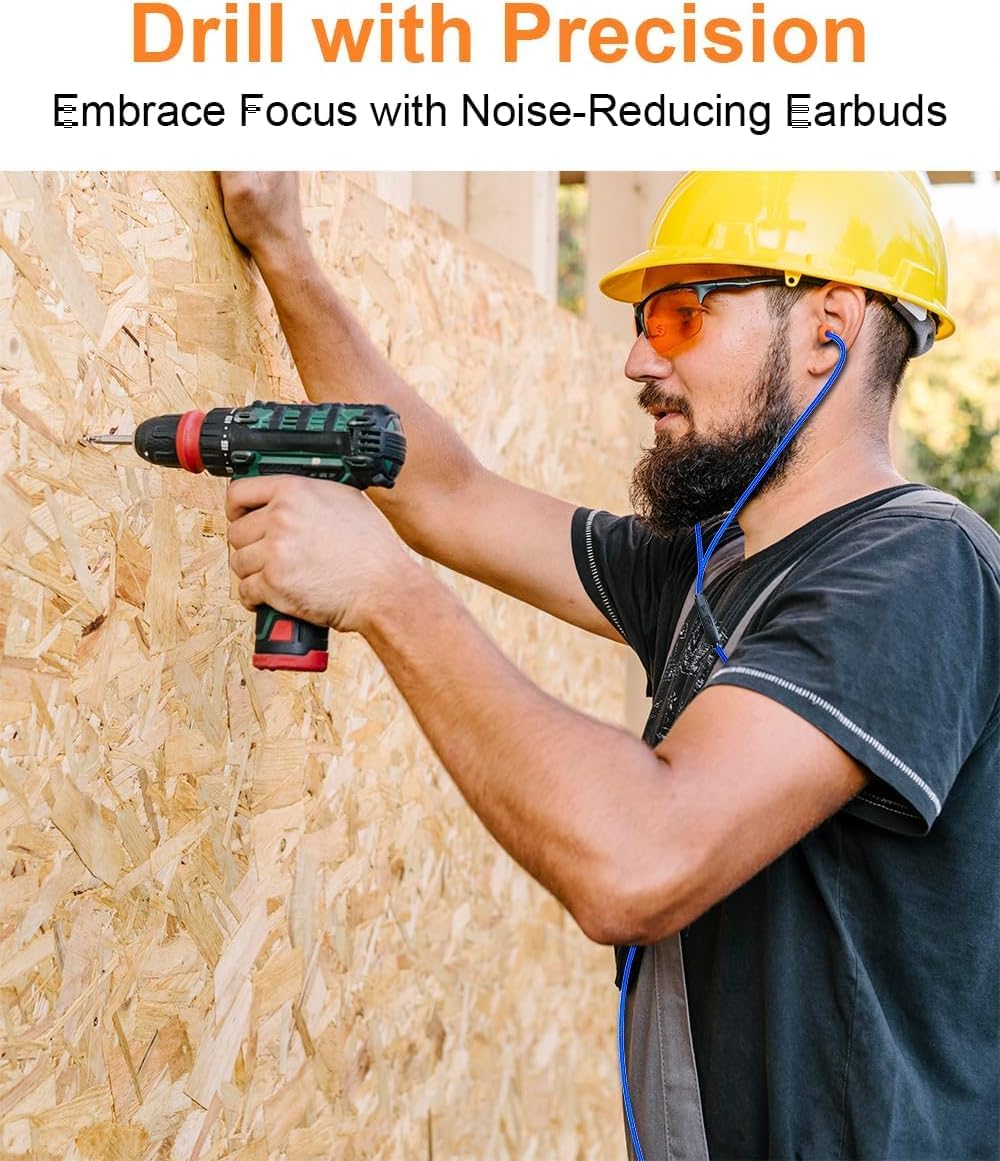
Image 10.2: A construction worker wearing a hard hat and safety glasses, using a drill on a wooden surface, with the HomeSpot KR10J earbuds providing hearing protection.

Image 10.3: An individual smiling while wearing the HomeSpot KR10J earbuds, holding a metal detector, illustrating their use for focused listening in outdoor environments.

Image 10.4: A person wearing safety glasses and the HomeSpot KR10J earbuds while operating woodworking machinery, highlighting their application in noisy workshop settings.
11. Warranty and Support
For warranty information and customer support, please refer to the documentation provided with your purchase or contact HomeSpot customer service through their official website. Please have your model number (HS-KR10J) and purchase details ready when contacting support.