1. Product Overview
The MMB MAX 5.0 CarPlay Box is an advanced multimedia AI box designed to enhance your in-car entertainment and connectivity. Running on Android 13.0 with a powerful QCM 6225 8-Core processor and 8GB RAM + 128GB ROM, it offers seamless wireless CarPlay, wireless Android Auto, and a full Android system experience directly on your vehicle's display. This device supports online streaming from platforms like YouTube and Netflix, and includes slots for SIM and TF cards for expanded connectivity and storage.

Image: The MMB MAX 5.0 CarPlay Box, shown with its accompanying USB-A to USB-C and USB-C to USB-C cables, and a visual representation of its interface on a car display.
2. Key Features
- High Performance: Equipped with the Snapdragon QCM 6225 octa-core processor, 8GB RAM, and 128GB ROM for fast and responsive operation. Runs on the latest Android 13.0 system.
- Three-in-One Functionality: Combines wireless CarPlay, wireless Android Auto, and a versatile Android system into a single device, simplifying your driving experience.
- Enhanced Compatibility: Features a dual-channel design that allows data transfer via both Android Auto and CarPlay wired data channels, ensuring broad compatibility with vehicles.
- Seamless Integration with Original Controls: Supports your vehicle's existing touch controls, original knobs, volume buttons, and integrates with Google Assistant or Siri for voice control.
- Expanded Storage and Network Connectivity: Includes a built-in SIM card slot for 4G network access and a TF card slot supporting up to 256GB for additional storage.

Image: The MMB MAX 5.0 system displaying its three core functionalities: Apple CarPlay, Android Auto, and the MMB OS powered by Android 13.0.

Image: Demonstrates the MMB MAX 5.0 working with CarPlay, showing integration with OEM control knobs, touchscreen controls, and steering wheel controls, including voice command functionality.
3. What's in the Box
The MMB MAX 5.0 CarPlay Box package includes the following components:
- MMB MAX 5.0 device
- USB Type-C to Type-C cable
- USB Type-A to Type-C cable
- User Manual (this document)

Image: A visual representation of the MMB MAX 5.0 package contents, including the multimedia video box, USB Type-C to C cable, USB Type-C to A cable, and the user manual.
4. Setup and Installation
The MMB MAX 5.0 is designed for a simple plug-and-play setup. Follow these steps to get started:
- Connect to CarPlay Port: Plug the MMB MAX 5.0 device into your car's wired CarPlay USB port using the provided USB cable. Ensure a secure connection.
- Launch CarPlay: On your car's multimedia system, navigate to and launch the Apple CarPlay application.
- System Boot Up: Wait for the MMB system to boot up. This may take a few moments. Once booted, you will see the MMB interface on your car's screen.

Image: A three-step guide illustrating the plug-and-play setup: connecting to the CarPlay port, launching CarPlay in the car's multimedia options, and waiting for the MMB system to boot up.
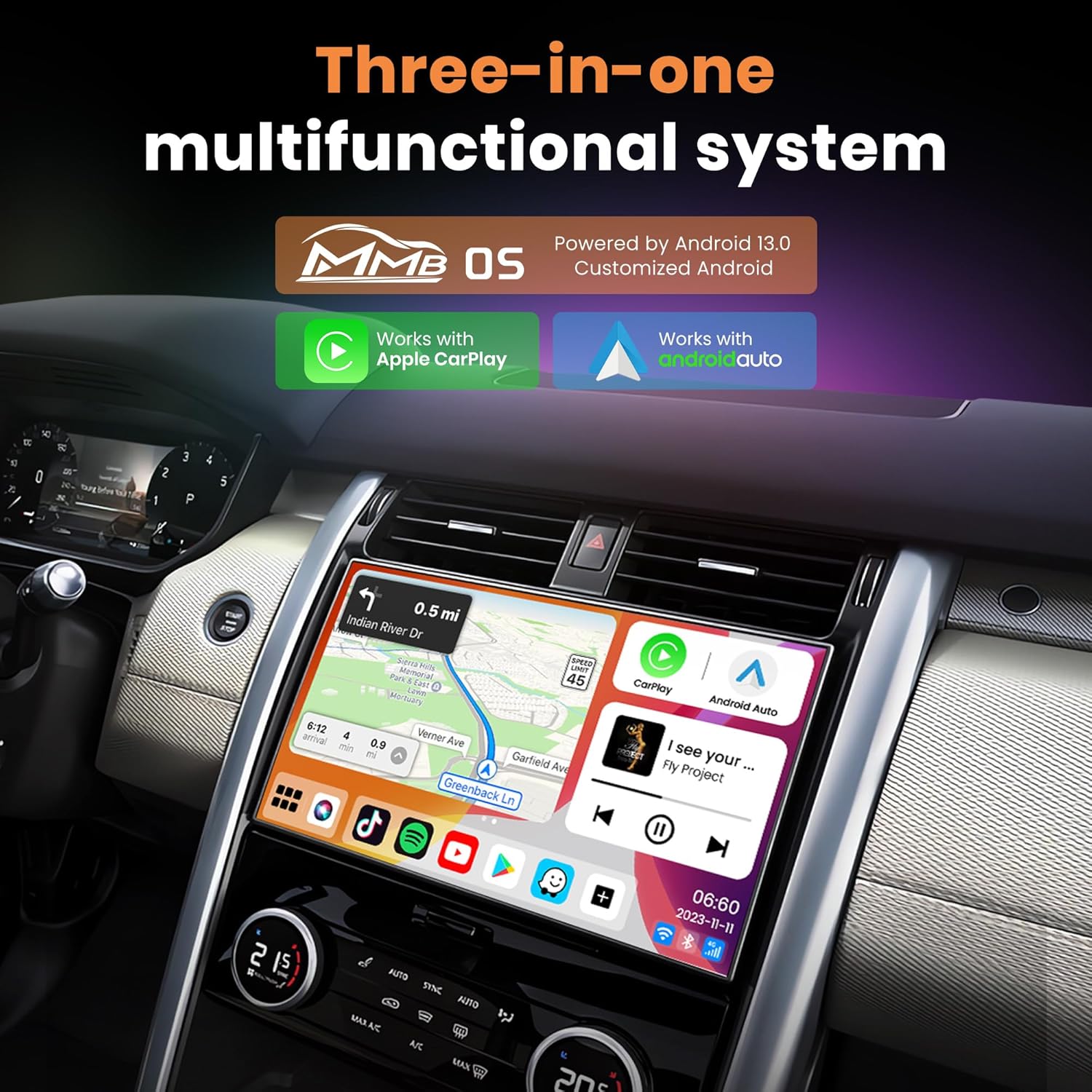
Image: A visual guide on how to use the MMB MAX 5.0, showing the device connected, the car's display showing available Wi-Fi networks for pairing, and the final display with CarPlay and Android Auto interfaces.
5. Operation
5.1 Wireless CarPlay and Android Auto
Once the MMB MAX 5.0 is connected and booted, you can seamlessly switch between wireless CarPlay and wireless Android Auto. Your phone will connect to the device wirelessly, allowing you to access navigation, music, calls, and messaging through your car's display.
5.2 Android System and Applications
The device runs a full Android 13.0 operating system, providing access to a wide range of applications. You can download and use apps like YouTube, Netflix, and other streaming services directly on your car's screen, utilizing the built-in SIM card for data or connecting to a Wi-Fi hotspot.
5.3 Split Screen Display
The MMB MAX 5.0 supports a split-screen function, allowing you to run two applications simultaneously on your car's display. For example, you can have navigation on one side and a video streaming app on the other, enhancing multitasking capabilities.

Image: Demonstrates the split-screen display function, showing two applications running side-by-side on the car's multimedia screen, such as a navigation map and a video streaming service.
5.4 Voice Control
Utilize your car's original voice control features, such as Google Assistant or Siri, to control the MMB MAX 5.0. This allows for hands-free operation for navigation, music playback, and other functions.
6. Compatibility Notes
- Wired CarPlay Requirement: Your car must come with wired CarPlay from the factory for the MMB MAX 5.0 to function.
- BMW Vehicles: This device is not compatible with any BMW vehicles.
- Non-Touchscreen Vehicles: If your car does not have a touchscreen display, you may need to purchase a separate remote control for optimal operation.
7. Specifications
| Feature | Specification |
|---|---|
| Model Name | MMB MAX 5.0 |
| Operating System | Android 13.0 |
| Processor | Qualcomm QCM 6225 8-Core |
| RAM & ROM | 8GB RAM + 128GB ROM |
| Connectivity | Dual-band 2.4G/5G WiFi, Bluetooth 5.0, 4G SIM Card Support, USB, TF Card |
| TF Card Support | Up to 256GB |
| Dimensions | 77mm x 77mm x 14mm (approx. 3.03 x 3.03 x 0.55 inches) |
| Item Weight | 6.4 ounces |
| First Available | January 18, 2024 |

Image: Detailed view of the MMB MAX 5.0 device, showing its dimensions (77mm x 77mm x 14mm) and the location of the Type-C port, TF Card slot, and SIM Card slot.
8. Troubleshooting
If you encounter issues with your MMB MAX 5.0, consider the following general troubleshooting steps:
- No Display/Connection: Ensure the device is securely plugged into the correct wired CarPlay USB port. Verify that your car's multimedia system is set to CarPlay mode.
- Slow Performance: Check for available software updates for the MMB MAX 5.0. Ensure sufficient free storage space on the device.
- Network Issues: Confirm that your SIM card is properly inserted and activated, or that your Wi-Fi hotspot is active and providing a stable connection.
- Audio Problems: Check your car's audio settings and the device's volume levels.
- Intermittent Disconnections: Ensure there are no strong electromagnetic interferences near the device. Try restarting both the device and your car's infotainment system.
For persistent issues, please refer to the support section below.
9. Maintenance
To ensure the longevity and optimal performance of your MMB MAX 5.0 CarPlay Box, follow these maintenance guidelines:
- Cleaning: Use a soft, dry cloth to clean the device. Avoid using liquid cleaners or abrasive materials.
- Temperature: Do not expose the device to extreme temperatures (hot or cold) or direct sunlight for prolonged periods.
- Storage: When not in use for extended periods, store the device in a cool, dry place.
- Software Updates: Regularly check for and install any available software updates to ensure the device has the latest features and bug fixes.
10. Warranty and Support
10.1 Warranty Information
The MMB MAX 5.0 CarPlay Box comes with a one-year free warranty for exchanges and returns, covering manufacturing defects and malfunctions under normal use.

Image: Information regarding the one-year free warranty for exchanges and returns.
10.2 Customer Support
For technical assistance or order-related inquiries, please contact MMB support:
- Technical Support: tec@joyeauto.com
- Order Assistance: amazon@joyeauto.com

Image: Contact information for MMB customer service, including email addresses for technical support and order assistance.


