MAXDONE PH960W-1 Trail Camera User Manual
Model: PH960W-1
Brand: MAXDONE
1. Introduction
This user manual provides detailed instructions for setting up, operating, and maintaining your MAXDONE PH960W-1 Trail Camera. This camera is designed for wildlife monitoring, hunting, and security applications, featuring advanced Wi-Fi and Bluetooth connectivity, high-resolution imaging, and robust night vision capabilities.
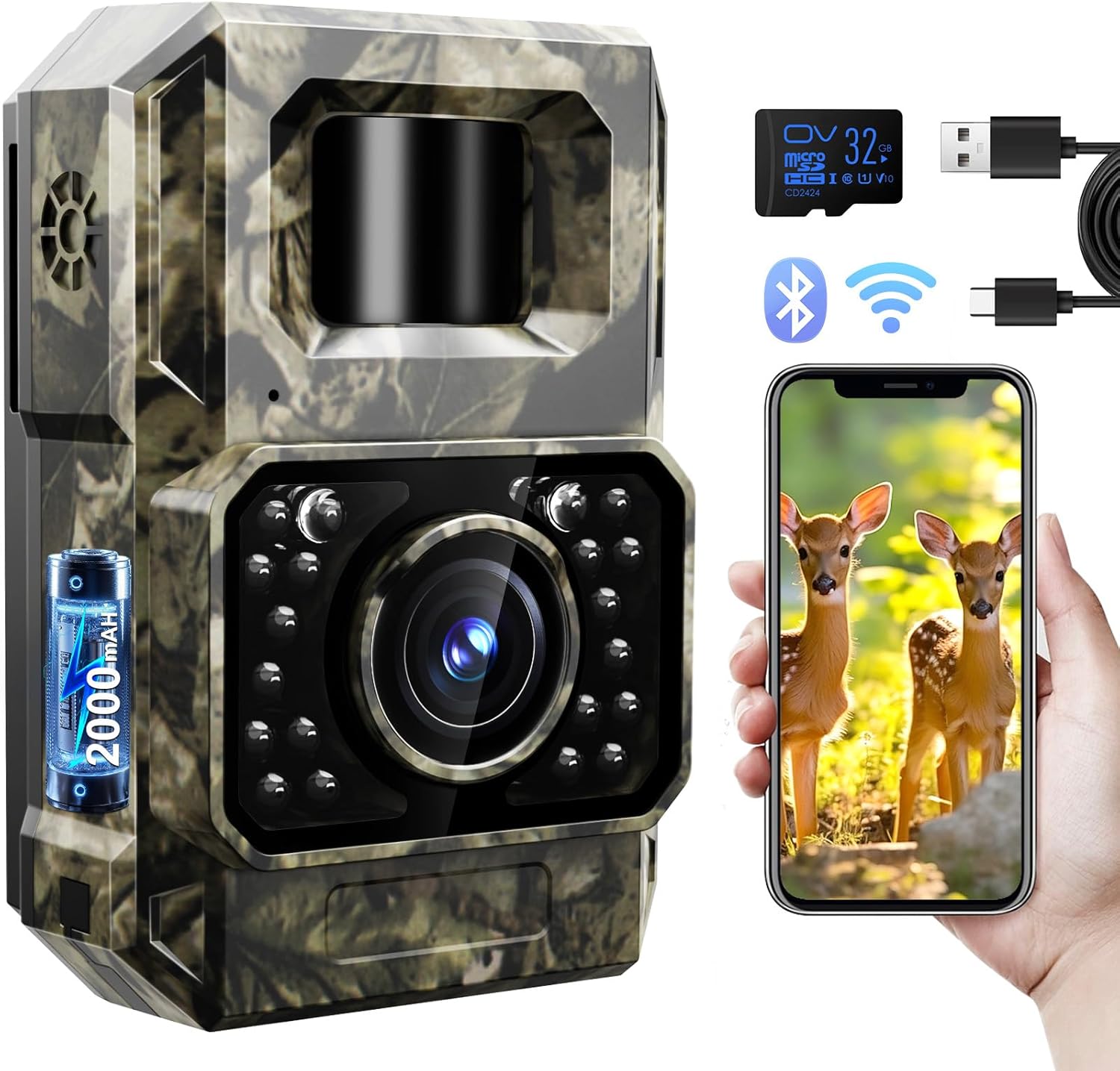
Figure 1.1: MAXDONE PH960W-1 Trail Camera, showcasing its compact design and camouflage finish.
2. What's in the Box
Upon opening the package, please verify that all the following items are included:
- MAXDONE PH960W-1 Trail Camera
- Mounting Strap
- Adjustable Mounting Bracket
- Mounting Screws (3x)
- USB Charging Cable
- 32GB Micro SD Card
- Instruction Manual

Figure 2.1: All components included in the MAXDONE PH960W-1 Trail Camera package.
3. Setup
3.1. Charging the Camera
The PH960W-1 Trail Camera features a built-in 2000 mAh rechargeable battery. Before initial use, fully charge the camera using the provided USB charging cable. Connect the small end of the USB cable to the camera's charging port (located under the waterproof cover) and the other end to a 5V 1A charging adapter (not included) or a computer USB port. Ensure the camera is in the OFF position during charging.

Figure 3.1: Illustration of the camera's rechargeable battery and charging method compared to traditional disposable batteries.
3.2. Inserting the Micro SD Card
Locate the Micro SD card slot under the waterproof cover on the side of the camera. Insert the provided 32GB Micro SD card into the slot until it clicks into place. Ensure the card is inserted in the correct orientation. It is recommended to format the SD card before first use via the TrailCam GO app for optimal performance.
3.3. Mounting the Camera
The camera can be mounted using the included strap or the adjustable mounting bracket and screws. Choose a stable location that provides a clear view of the desired monitoring area. For optimal motion detection, position the camera approximately 3 to 5 feet off the ground. The adjustable bracket allows for precise angling.

Figure 3.2: The MAXDONE PH960W-1 Trail Camera mounted on a tree using the provided strap, demonstrating its camouflage design.
4. Operating Instructions
4.1. Powering On and Off
To power on the camera, slide the switch located under the waterproof cover from "OFF" to "ON". To power off, slide the switch back to "OFF".
4.2. Connecting via Wi-Fi and Bluetooth (TrailCam GO App)
The PH960W-1 Trail Camera utilizes ultra-low power Wi-Fi and Bluetooth for seamless connection with your smartphone via the free "TrailCam GO" app. This app allows for remote viewing, settings adjustment, and media download.
- Download the "TrailCam GO" app from your smartphone's app store (available for Android and iOS).
- Ensure the camera is powered on.
- Open the "TrailCam GO" app on your smartphone.
- Follow the in-app instructions to connect to the camera via Bluetooth, then switch to Wi-Fi for faster data transfer.
Note: The effective connection distance between your phone and the camera is limited to approximately 55 feet (15 meters) and requires a clear line of sight. Obstructions may affect connectivity.

Figure 4.1: Connecting the camera to a smartphone via the TrailCam GO app for setup and media viewing.
Video 4.1: An overview of the PH960W trail camera, demonstrating its features and connectivity.
5. Features
5.1. High-Resolution Imaging
The PH960W-1 captures stunning 48MP still images and records 1080P video at 30 frames per second. Its advanced image sensor and wide 100° view angle ensure comprehensive coverage and clear visuals. Videos are encoded with H.264 technology, allowing direct sharing to social media without conversion.

Figure 5.1: Visual representation of the camera's 1080P video quality, effective both day and night.
5.2. Low Glow Night Vision
Equipped with enhanced 850 nm low glow infrared technology, the camera provides stealthy operation and brilliant night vision up to 65 feet. Adaptive illumination technology prevents overexposure or overly dim images, ensuring clear captures in low-light conditions.

Figure 5.2: Depiction of the camera's super night vision capability, capturing clear images up to 65 feet in darkness.
5.3. Wide Angle PIR Detection
The camera features a 100° wide-angle Passive Infrared (PIR) detection system with a rapid 0.1-second trigger speed. This ensures that motion is quickly detected and captured, minimizing missed events.
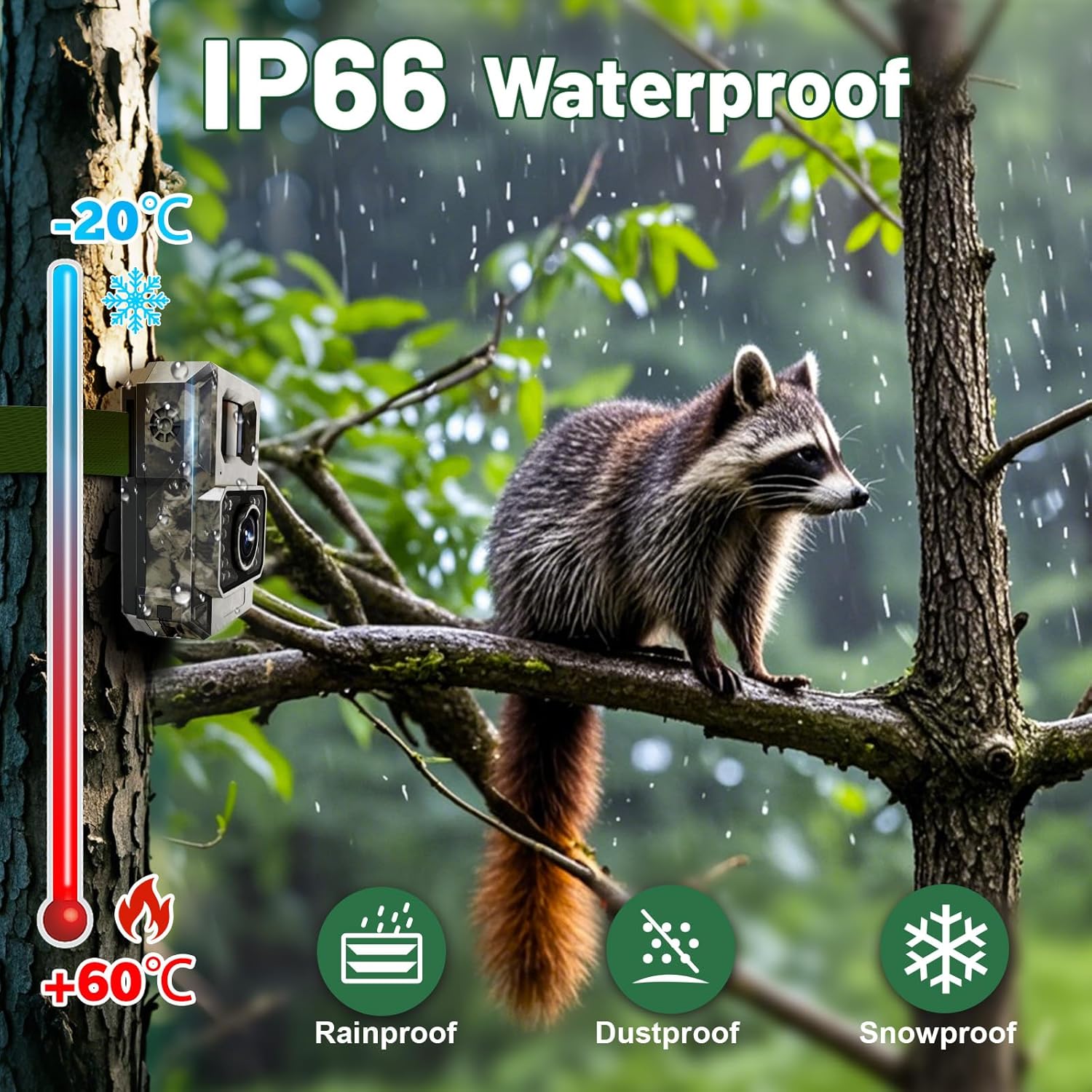
Figure 5.3: Illustration of the camera's 100° wide-angle PIR detection, capturing a broad area with a fast trigger speed.
5.4. IP66 Waterproof Design
The PH960W-1 is built with an IP66 waterproof rating, making it resistant to rain, dust, and snow. This robust construction ensures reliable operation in various outdoor weather conditions, from -20°C to +60°C.

Figure 5.4: The camera's IP66 waterproof rating ensures durability against rain, dust, and snow across a wide temperature range.
5.5. Location Tracking and Custom Detection Area
The TrailCam GO app allows you to mark the camera's location on a map for precise positioning and navigation. You can also define custom detection areas within the app to avoid invalid recordings, saving power and storage space.

Figure 5.5: The TrailCam GO app's features for location tracking and customizing the detection area to optimize recording.
6. Maintenance
- Cleaning: Use a soft, dry cloth to clean the camera lens and body. Avoid abrasive cleaners or solvents.
- Battery Care: Recharge the built-in battery regularly, especially if the camera will be stored for an extended period.
- SD Card Management: Periodically review and delete unnecessary files from the Micro SD card to free up space and maintain optimal recording performance. Format the SD card regularly (e.g., monthly) to prevent data corruption.
- Firmware Updates: Check the TrailCam GO app for any available firmware updates to ensure your camera has the latest features and bug fixes.
- Storage: When not in use, store the camera in a cool, dry place away from direct sunlight and extreme temperatures.
7. Troubleshooting
| Problem | Possible Cause | Solution |
|---|---|---|
| Camera not powering on. | Low battery; switch in OFF position. | Fully charge the battery. Ensure the power switch is set to "ON". |
| Cannot connect to the app. | Out of range; obstructions; app not updated. | Move closer to the camera (within 55ft). Ensure no major obstructions. Update the TrailCam GO app. Restart both camera and phone. |
| Poor image/video quality. | Dirty lens; low light conditions; incorrect settings. | Clean the lens. Ensure adequate lighting or proper night vision settings. Adjust photo/video resolution in the app. |
| No recordings. | SD card full/corrupted; motion detection sensitivity too low; camera in wrong mode. | Format or replace SD card. Increase motion detection sensitivity. Ensure camera is in photo or video mode. |
| Night vision images are overexposed/too dim. | Adaptive illumination not functioning optimally. | Ensure the camera is not too close to reflective surfaces. Check for firmware updates. |
8. Specifications
| Feature | Detail |
|---|---|
| Model | PH960W-1 |
| Still Image Resolution | 48 MP Effective |
| Video Resolution | 1080P @ 30fps (H.264) |
| Connectivity | Wi-Fi, Bluetooth (via TrailCam GO App) |
| Battery | Built-in 2000 mAh Rechargeable Lithium Polymer |
| Night Vision Range | Up to 65 feet (850 nm Low Glow IR) |
| PIR Detection Angle | 100 Degrees |
| Trigger Speed | 0.1 seconds |
| Waterproof Rating | IP66 |
| Operating Temperature | -20°C to +60°C |
| Storage | Micro SD Card (up to 32GB included) |
| Dimensions (L x W x H) | 2.76 x 1.57 x 4.13 inches |
| Weight | 12 ounces |
9. Warranty and Support
The MAXDONE PH960W-1 Trail Camera comes with a 1-year warranty. For technical support, warranty claims, or any inquiries, please contact MAXDONE customer service. Refer to the contact information provided in the product packaging or on the official MAXDONE website.
Please retain your purchase receipt for warranty purposes.


