
ErGear EGESD64B
ErGear Whole Piece Standing Desk User Manual
Model: EGESD64B
Introduction
Thank you for choosing the ErGear Whole Piece Standing Desk. This electric computer workstation is designed to enhance your home office experience with its seamless design, spacious work area, and ergonomic adjustability. This manual provides essential information for assembly, operation, maintenance, and troubleshooting to ensure optimal performance and longevity of your desk.

Figure 1: ErGear Whole Piece Standing Desk in a typical setup.
Important Safety Information
Please read all instructions carefully before use. Failure to follow these instructions may result in injury or damage to the product.
- Do not place more than 176 lbs (79.8 kg) on the desk top to ensure stability and safety.
- Keep children and pets away from the desk during operation.
- Ensure all cables are properly managed to prevent entanglement during height adjustments.
- Do not disassemble or modify the desk's electrical components. Contact qualified personnel for repairs.
- Avoid placing liquids directly on the desk surface without protective coasters.
Setup and Assembly
The ErGear Whole Piece Standing Desk is designed for hassle-free assembly. A detailed instruction manual and labeled hardware are included in the packaging to guide you through the process.
For comprehensive assembly steps, please refer to the official Installation Manual (PDF): Download Installation Manual
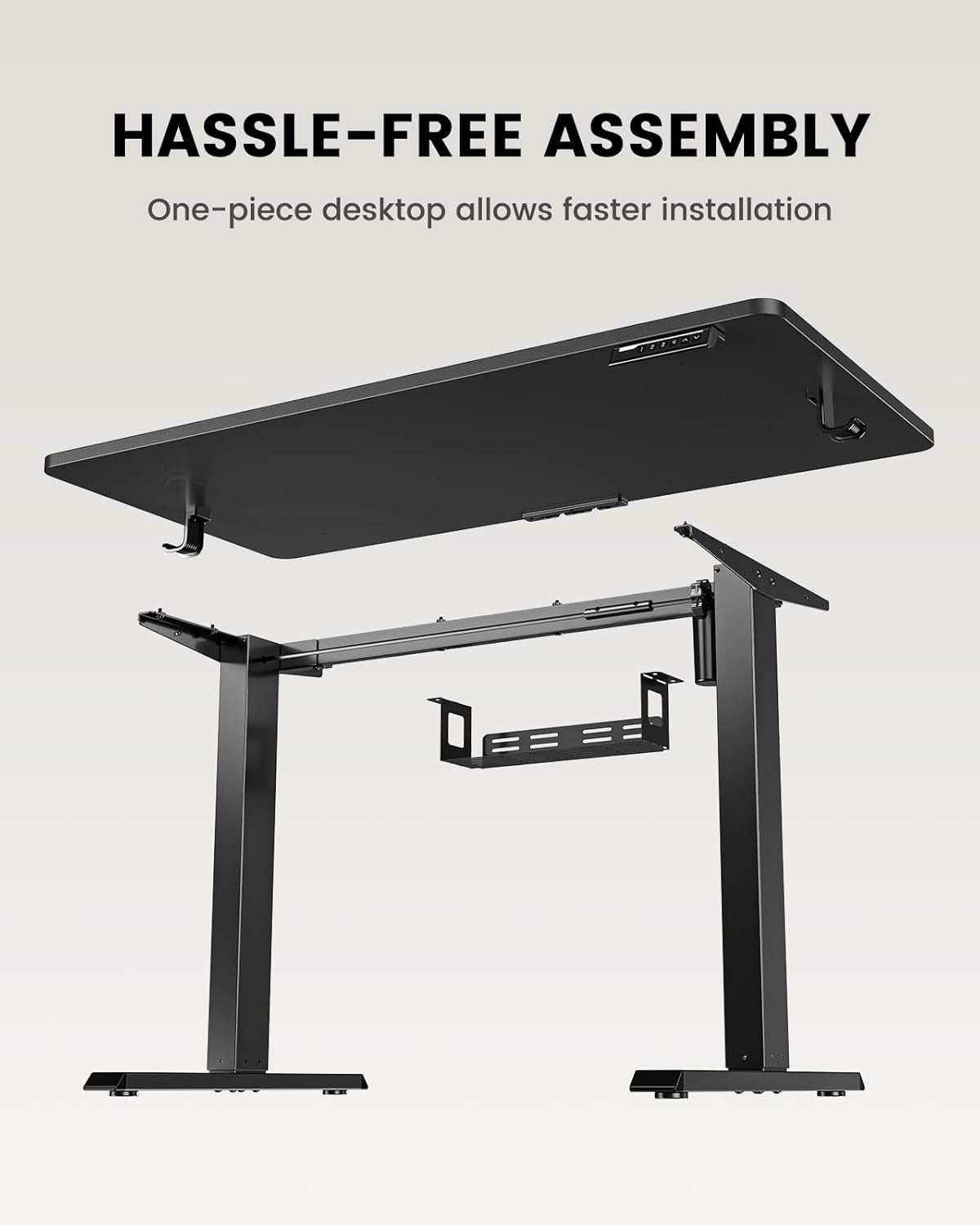
Figure 2: Components of the ErGear Standing Desk for assembly.
The one-piece desktop design simplifies installation compared to multi-piece desktops, allowing for quicker setup.
Operating Instructions
The ErGear standing desk offers smooth and quiet electric height adjustment, allowing you to effortlessly switch between sitting and standing positions.
Height Adjustment
The desk smoothly adjusts from a minimum height of 27.9 inches to a maximum height of 46.9 inches. Use the up and down arrow buttons on the control panel to achieve your desired height.
Memory Presets
The control panel features three memory preset buttons. To save a preferred height:
- Adjust the desk to your desired height.
- Press the 'M' button (or similar memory set button) followed by one of the numbered preset buttons (1, 2, or 3).
- The height is now saved. To recall a saved height, simply press the corresponding numbered button.
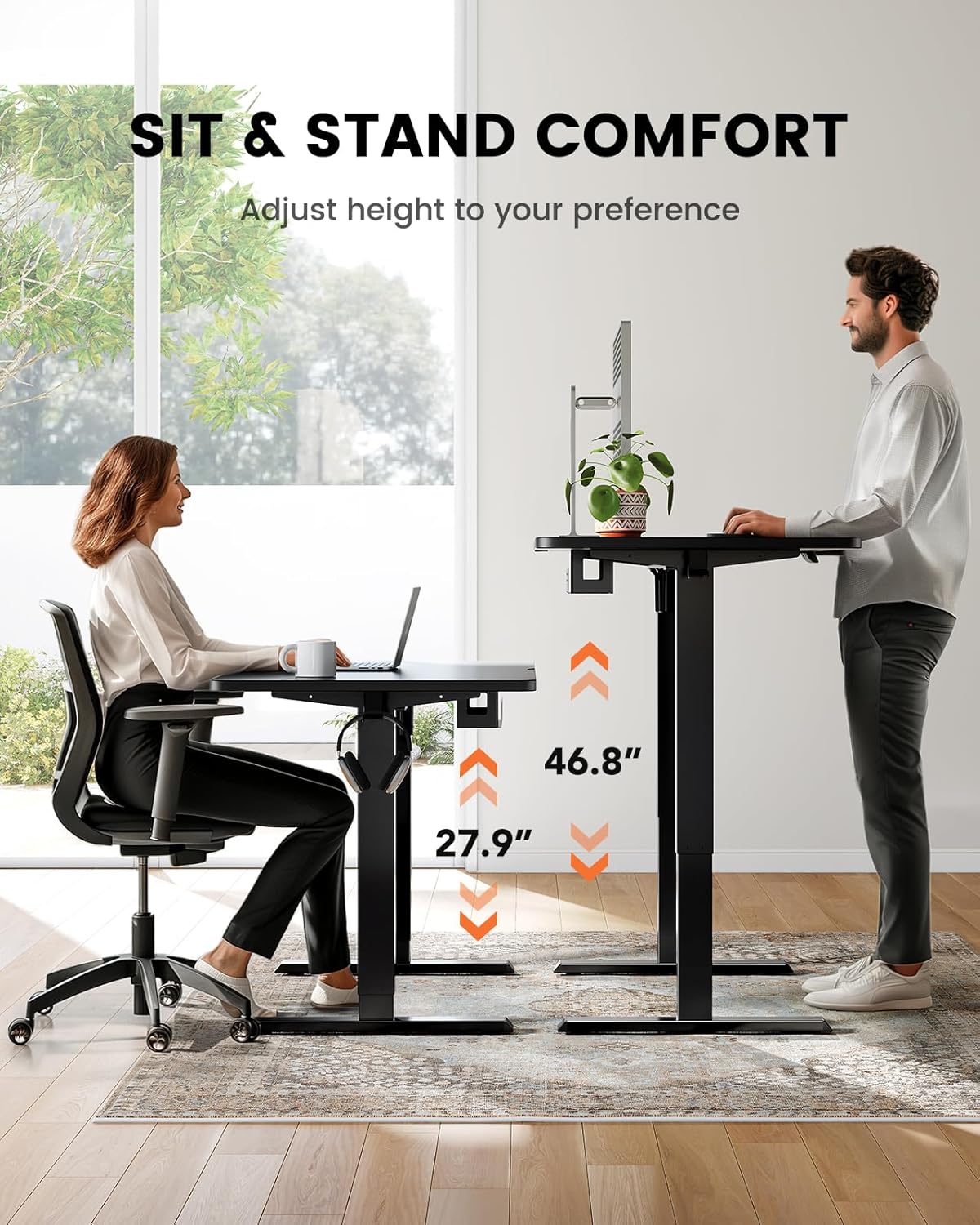
Figure 3: Sit and stand comfort with adjustable height.
Cable Management
A cable management tray is attached underneath the desktop to help keep your workspace organized and clutter-free. Utilize this tray to route and secure power cords and other cables.
Video: Official ErGear brand video demonstrating desk features and usage.
Maintenance and Care
To ensure the longevity and optimal performance of your ErGear standing desk, follow these simple maintenance guidelines:
- Cleaning: Wipe the desk surface with a soft, damp cloth. Avoid harsh chemicals or abrasive cleaners that could damage the finish.
- Cable Management: Periodically check and reorganize cables in the management tray to prevent tangles and ensure smooth operation.
- Motor Care: The electric motor is designed for durability. Avoid overloading the desk beyond its maximum weight capacity (176 lbs / 79.8 kg) to prevent strain on the motor.
- Regular Checks: Ensure all screws and connections remain tight. Re-tighten if necessary.
Troubleshooting
If you encounter any issues with your ErGear standing desk, please refer to the following common troubleshooting tips. For more complex problems, contact customer support.
- Desk Not Moving: Check if the power cord is securely plugged into both the desk and a working power outlet. Ensure no obstructions are blocking the desk's movement.
- Uneven Movement: Verify that the desk is placed on a flat, level surface. Check for any loose connections in the frame or legs.
- Memory Presets Not Working: Re-program the memory presets following the steps in the 'Operating Instructions' section.
- Unusual Noises: A slight hum during operation is normal. If you hear grinding or loud noises, stop operation immediately and contact customer support.
Product Specifications
| Feature | Specification |
|---|---|
| Brand | ErGear |
| Model Number | EGESD64B |
| Product Dimensions | 24"D x 48"W x 28"H |
| Color | Black |
| Style | Modern |
| Base Material | Stainless Steel |
| Top Material Type | Bamboo |
| Finish Type | Painted |
| Mounting Type | Freestanding |
| Included Components | Cable Management Tray |
| Minimum Height | 27.9 Inches |
| Maximum Height | 46.9 Inches |
| Maximum Weight Recommendation | 176 Pounds (79.8 kg) |
| Required Assembly | Yes |
| Warranty Type | Limited |
Warranty and Customer Support
The ErGear Whole Piece Standing Desk comes with a Limited Warranty. For specific terms and conditions, please refer to the warranty information provided with your purchase or contact ErGear customer service.
If you have any questions about assembly, product selection, or require technical assistance, please do not hesitate to contact our U.S.-based customer support team. We are here to help.
Customer Support: Please refer to your product packaging or the official ErGear website for the most current contact information (phone, email, or live chat).
Related documentsEGESD64B


Ask a question about this manual
Ask about setup, troubleshooting, compatibility, parts, safety, or missing instructions. Manuals+ will review the question and use this page’s manual context to help answer it.