1. Introduction
Welcome to the T800 Ultra Smartwatch user manual. This guide provides comprehensive instructions for setting up, operating, and maintaining your new smartwatch. The T800 Ultra seamlessly blends advanced technology with a timeless design, offering a sophisticated and functional experience. It features a larger, brighter display, deep water resistance, video control assistant, fast wireless charging, Bluetooth connectivity, and NFC capabilities.
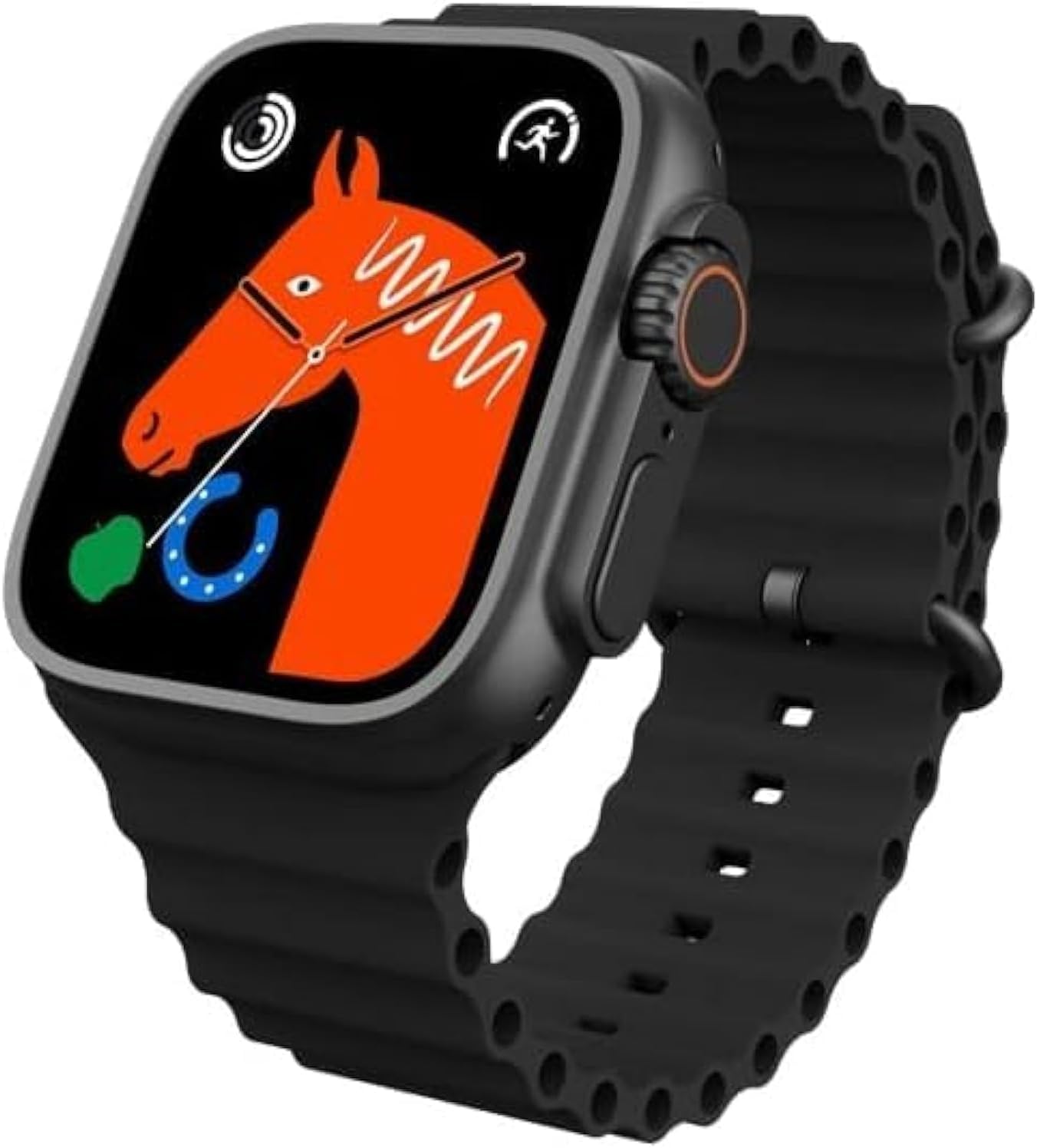
Figure 1: T800 Ultra Smartwatch, front view with display.
2. Safety Information
- Do not expose the device to extreme temperatures or direct sunlight for prolonged periods.
- Avoid dropping or subjecting the device to severe impacts.
- Keep the device away from strong magnetic fields.
- Use only the provided charging cable and adapter to prevent damage.
- While water-resistant, avoid prolonged submersion or use in hot water (e.g., hot showers, saunas).
- Do not attempt to disassemble or repair the device yourself. Contact customer support for assistance.
3. Product Overview
The T800 Ultra Smartwatch features a sleek design with a responsive touch screen and physical buttons for easy navigation. Key components include:
- Display: Large, bright, and customizable digital screen.
- Crown/Button: For navigation and selection.
- Side Button: For quick access to functions.
- Heart Rate Sensor: Located on the back for health monitoring.
- Charging Contacts: For wireless charging.
4. Setup
4.1. Charging the Device
Before first use, fully charge your T800 Ultra Smartwatch. The device supports fast wireless charging.
- Place the smartwatch on the wireless charging pad.
- Ensure the charging contacts on the watch align with the charging area on the pad.
- The watch display will indicate charging status. A full charge typically takes approximately 2 hours.
4.2. Power On/Off
- To Power On: Press and hold the side button until the screen lights up.
- To Power Off: Press and hold the side button, then select "Power Off" on the screen.
4.3. Pairing with Your Smartphone
To unlock the full potential of your T800 Ultra, pair it with your smartphone via Bluetooth.
- Download the companion app (check the watch manual or packaging for app name, typically found via QR code on the watch or in the box) from your smartphone's app store.
- Enable Bluetooth on your smartphone.
- Open the companion app and follow the on-screen instructions to add your device.
- On your T800 Ultra, navigate to the Bluetooth settings and ensure it is discoverable.
- Select your T800 Ultra from the list of available devices in the app to complete pairing.
5. Operating Instructions
5.1. Navigating the Interface
The T800 Ultra features an intuitive touch interface and physical buttons for seamless interaction.
- Swipe Up/Down: Scroll through menus and notifications.
- Swipe Left/Right: Access different widgets or quick settings.
- Tap: Select an item or open an application.
- Press Crown: Return to the home screen or access the app list.
- Press Side Button: Typically for power options or a customizable shortcut.
5.2. Customizing Watch Faces
Personalize your T800 Ultra with a variety of dynamic watch faces to match your style and mood.
- From the home screen, press and hold the watch face.
- Swipe left or right to browse available watch faces.
- Tap on a watch face to select it. Some watch faces may offer further customization options (e.g., complications, colors) which can be adjusted by tapping the 'Edit' icon.

Figure 2: Examples of customizable watch faces on the T800 Ultra.
5.3. Bluetooth Calling
With Bluetooth calling, you can manage calls directly from your wrist.
- Ensure your watch is paired with your smartphone.
- When an incoming call arrives, you can answer or reject it directly on the watch screen.
- You can also dial numbers or access your phone's contact list from the watch to initiate calls.

Figure 3: Bluetooth calling interface on the T800 Ultra.
5.4. Health and Fitness Tracking
The T800 Ultra is equipped with advanced sensors to monitor your health and fitness metrics.
- Heart Rate Monitoring: The watch continuously monitors your heart rate. Access the Heart Rate app on the watch to view real-time data and historical trends.
- Step Tracking: The built-in pedometer tracks your daily steps, distance, and calories burned.
- Sleep Monitoring: Wear the watch to bed to track your sleep patterns, including deep sleep, light sleep, and wakefulness. View detailed analysis in the companion app.
- Multi-Sport Mode: Select from various sports modes (e.g., running, cycling, basketball) to track specific workouts with detailed metrics.
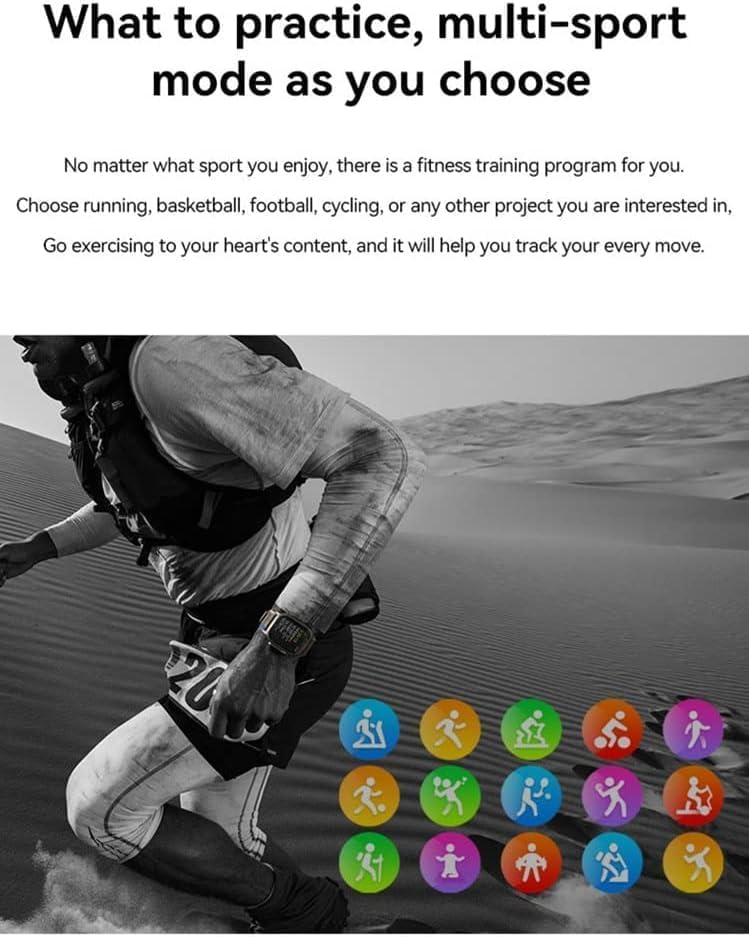
Figure 4: Heart rate and sleep tracking features.
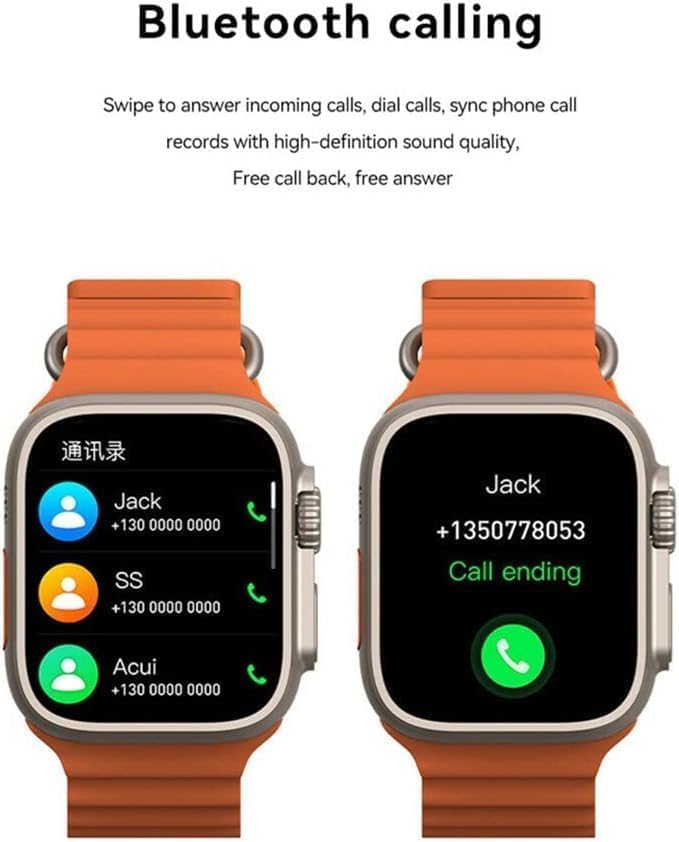
Figure 5: Multi-sport mode selection.
5.5. NFC Functionality
The T800 Ultra supports NFC for convenient access control and other compatible functions.
- The NFC feature allows for simulation of company/community access cards.
- To use, simply lift your wrist with the watch near a compatible NFC reader.
- Refer to the companion app for setup and management of NFC functions.
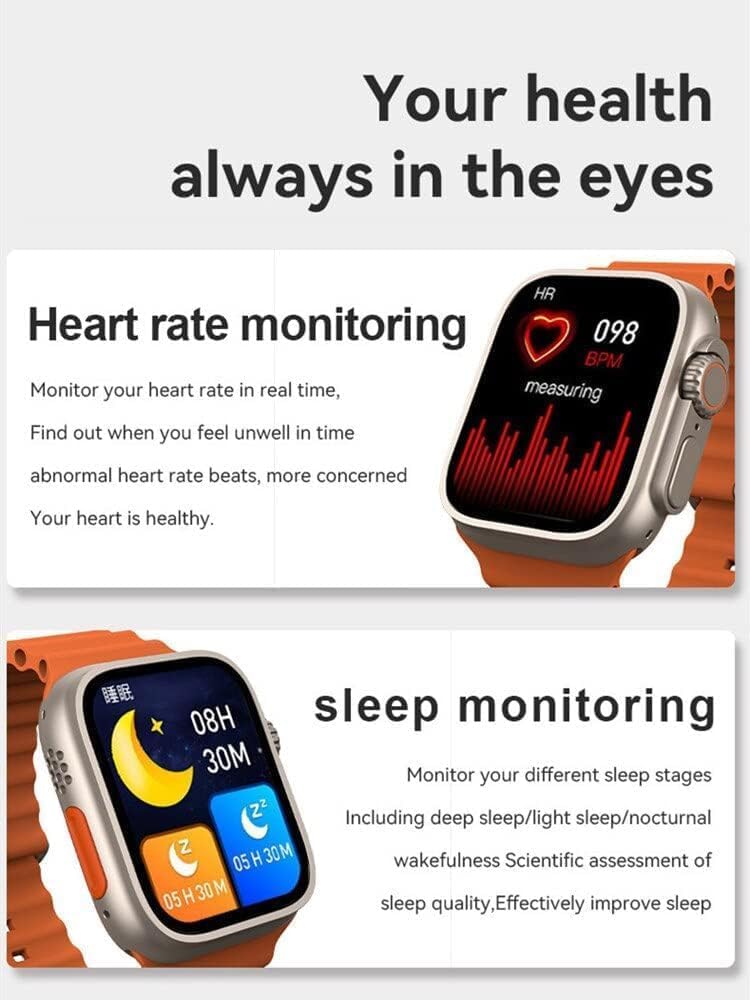
Figure 6: NFC functionality for access control.
6. Maintenance
- Cleaning: Wipe the watch and strap regularly with a soft, damp cloth. Avoid using harsh chemicals or abrasive materials.
- Water Resistance: The T800 Ultra is water-resistant. However, it is not suitable for diving or high-pressure water activities. Dry the watch thoroughly after exposure to water.
- Storage: When not in use for extended periods, store the watch in a cool, dry place.
7. Troubleshooting
| Problem | Possible Cause / Solution |
|---|---|
| Watch does not power on. | Battery might be depleted. Charge the watch for at least 30 minutes. If still unresponsive, perform a hard reset (refer to specific device instructions or contact support). |
| Cannot pair with smartphone. | Ensure Bluetooth is enabled on both devices. Make sure the watch is in pairing mode. Restart both the watch and smartphone. Check the companion app for specific pairing steps. |
| Short battery life. | High screen brightness, frequent notifications, continuous heart rate monitoring, or GPS usage can drain the battery faster. Adjust settings to optimize battery life. Ensure the watch is fully charged. |
| Screen is scratched or damaged. | While the watch features a scratch-resistant sapphire crystal bezel, extreme impacts can still cause damage. This is typically not covered under standard warranty. |
| Watch is unresponsive or frozen. | Try restarting the watch by pressing and holding the side button. If that doesn't work, perform a forced restart (consult the companion app or manufacturer's website for specific instructions). |
8. Specifications
| Feature | Detail |
|---|---|
| Model Name | T800 Ultra |
| Brand | Generic |
| Operating System | Android |
| Connectivity Technology | Bluetooth |
| Wireless Communication Standard | Bluetooth |
| Special Features | Activity Tracker, GPS, NFC |
| Battery Cell Composition | Lithium Ion |
| Item Shape | Round |
| Item Dimensions (LxWxH) | 22.2 x 8 x 4.2 cm |
| Item Weight | 150 grams |
| Batteries Required | 1 Unknown (Included) |
9. Warranty and Support
This product comes with a standard manufacturer's warranty. Please refer to the warranty card included in your product packaging for specific terms and conditions.
For technical support, troubleshooting assistance, or warranty claims, please contact the retailer or manufacturer directly. Contact details can usually be found on the product packaging or the manufacturer's official website.
For further assistance, you may also visit the product's Amazon page: Amazon Product Page


