1. Introduction
Thank you for choosing the BESTHERM ARIA 2000W Electric Ceramic Dry Inertia Radiator. This manual provides essential information for the safe and efficient installation, operation, and maintenance of your new heating appliance. Please read these instructions carefully before use and retain them for future reference.
1.1. Product Overview
The BESTHERM ARIA radiator features a ceramic heating core that provides optimal heating comfort through dry inertia technology. It ensures a gentle, even, and lasting heat distribution, even after the unit is turned off, contributing to daily energy savings. The intuitive digital touch panel and LCD screen allow for easy programming and control.

Image 1.1: The BESTHERM ARIA 2000W radiator, highlighting its ceramic heating core and 2-year warranty.
1.2. Safety Information
Always adhere to local electrical codes and safety regulations during installation and operation. Ensure the appliance is properly grounded. Do not cover the radiator, as this can lead to overheating. Keep children away from the appliance and utilize the child lock feature. Disconnect power before any maintenance or cleaning.
2. Installation and Setup
The BESTHERM ARIA radiator is designed for wall mounting. Ensure the mounting surface is stable and capable of supporting the appliance's weight (approximately 8.1 kg).
2.1. Dimensions and Placement
The radiator measures 86.4 cm (width) x 45 cm (height) x 11 cm (depth). It is suitable for heating areas of 15 to 20 m². Ensure adequate clearance around the radiator for proper heat circulation.

Image 2.1: Radiator dimensions and recommended heating area.
2.2. Electrical Connection
This appliance requires a 240 Volts AC electrical supply. It is designed for connection to a three-phase system. A qualified electrician should perform the installation to ensure compliance with all electrical standards.
- Always connect the Neutral (Blue wire) and Phase (Brown or Red wire).
- The Black wire should only be connected for control via a central thermostat.
- Do not connect the Black wire to ground.
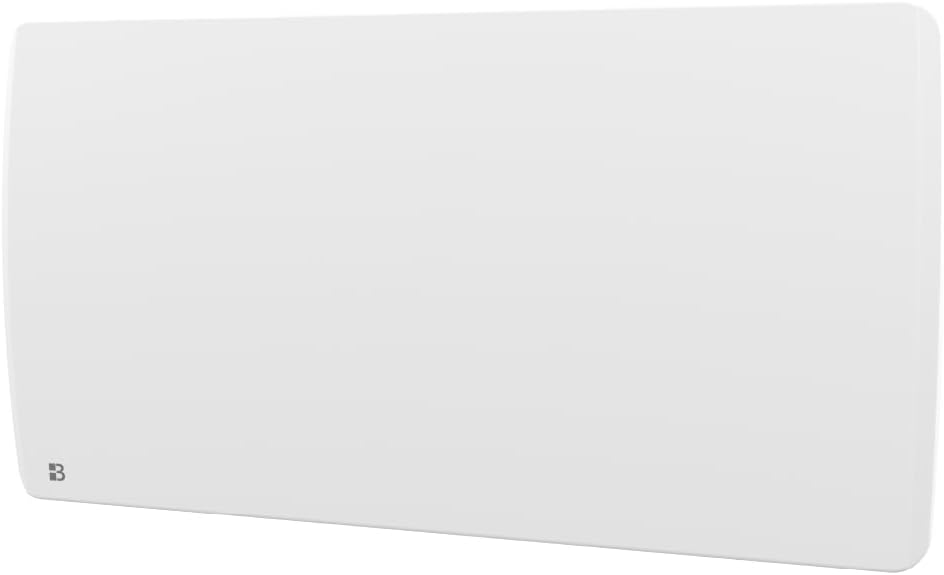
Image 2.2: Electrical wiring instructions for the radiator.
2.3. Installation and Programming Videos
For detailed visual guides on installation and programming, please refer to the official BESTHERM YouTube channel. Scan the QR code below or visit the provided link:

Image 2.3: Scan this QR code for video tutorials.
Official YouTube Channel: youtube.com/channel/UC-sOfckFt_UyYxoDYUZ95Ew
3. Operation and Programming
The BESTHERM ARIA radiator features an intuitive digital touch panel and LCD screen for easy control and programming.
3.1. Control Interface
Navigate the digital touch panel to access various settings and modes. The LCD screen displays current temperature, mode, and programming information.
3.2. Heating Modes
The radiator offers 6 distinct modes, which can be selected via the pilot wire (if connected to a central thermostat) or directly through the interface:
- Comfort: Maintains your desired comfort temperature.
- Comfort -1°C: Maintains temperature 1°C below comfort setting.
- Comfort -2°C: Maintains temperature 2°C below comfort setting.
- Eco: Energy-saving mode, typically a few degrees below comfort.
- Off-Gel (Frost Protection): Prevents freezing by maintaining a minimum temperature (e.g., 7°C).
- Off: Turns the heating off.
3.3. Weekly Programming
Customize your heating schedule to match your lifestyle and optimize energy consumption. You can choose from three pre-recorded weekly programs (P1/P2/P3) or create your own personalized weekly program.
- Pre-recorded Programs (P1/P2/P3): Select one of the factory-set programs designed for common usage patterns.
- Custom Program: Define specific temperature settings for different times of day and days of the week.
3.4. Advanced Features
- Automatic Window Opening Detector: The radiator can detect open windows and temporarily reduce heating to save energy.
- Child Lock: Prevents accidental changes to settings, ensuring safety.
- Overheat Protection: Automatically shuts off the unit if it detects excessive temperatures.
- Silent Operation: Designed to operate quietly for minimal disturbance.
4. Maintenance
Regular maintenance ensures the longevity and efficient operation of your radiator.
4.1. Cleaning
- Always disconnect the radiator from the power supply before cleaning.
- Wipe the exterior surfaces with a soft, damp cloth. Do not use abrasive cleaners, solvents, or harsh chemicals.
- Ensure no liquid enters the appliance.
- Dust accumulation can affect efficiency. Periodically clean dust from the air vents using a soft brush or vacuum cleaner.
5. Troubleshooting
If you encounter issues with your BESTHERM ARIA radiator, refer to the following common problems and solutions:
| Problem | Possible Cause | Solution |
|---|---|---|
| Radiator does not heat | No power supply Incorrect mode selected Overheat protection activated | Check power connection and circuit breaker Select a heating mode (Comfort, Eco) Unplug, wait 30 minutes, then plug back in |
| Display is off or unresponsive | Power issue Child lock activated | Check power supply Deactivate child lock as per manual instructions |
| Inconsistent heating | Window open detector activated Incorrect programming | Close windows or disable detector Review and adjust weekly program settings |
If the problem persists after attempting these solutions, please contact customer support.
6. Specifications
| Feature | Detail |
|---|---|
| Brand | BESTHERM |
| Model Number | HT20PDC |
| Color | White |
| Product Dimensions (D x W x H) | 11 x 86.4 x 45 cm |
| Item Weight | 8.1 Kilograms |
| Voltage | 240 Volts (AC) |
| Number of Modes | 6 |
| Special Features | Overheat protection, Silent operation, Programmable thermostat, Electronic thermostat, Child lock |
| Power Source | Electric cable |
| Heating Method | Convection (Ceramic Dry Inertia) |
| Mounting Type | Wall mount |
| Indoor/Outdoor Use | Indoor |
7. Warranty Information
The BESTHERM ARIA radiator comes with a 2-year warranty from the date of purchase. This warranty covers manufacturing defects under normal use. Please retain your proof of purchase for warranty claims. The warranty does not cover damage resulting from improper installation, misuse, neglect, or unauthorized repairs.
8. Support
For any questions, technical assistance, or warranty claims, please contact our customer service. Our French-based after-sales service is dedicated to ensuring your satisfaction.

Image 8.1: BESTHERM customer support details.
- Online FAQ: Visit our website for frequently asked questions: www.bestherm.fr/pages/faq
- Phone Support: 03 20 47 05 37
- Email Support: sav@hom-y.fr


