
Introduction
This manual provides essential information for setting up, operating, and maintaining your TCL 605 smartphone. Please read this guide thoroughly to ensure optimal performance and longevity of your device.
What's in the Box
Verify that all items are present in your product package:
- TCL 605 Smartphone
- USB Cable
- Cell Phone Cover
- 10W Charger
- SIM Tray Ejector Tool
- Screen Protector
Device Overview
Familiarize yourself with the physical components of your TCL 605 smartphone.

Image: Front view of the TCL 605 smartphone, highlighting its 6.7-inch HD+ display and front camera.

Image: Side view of the TCL 605 smartphone, illustrating the placement of the power button and volume controls.
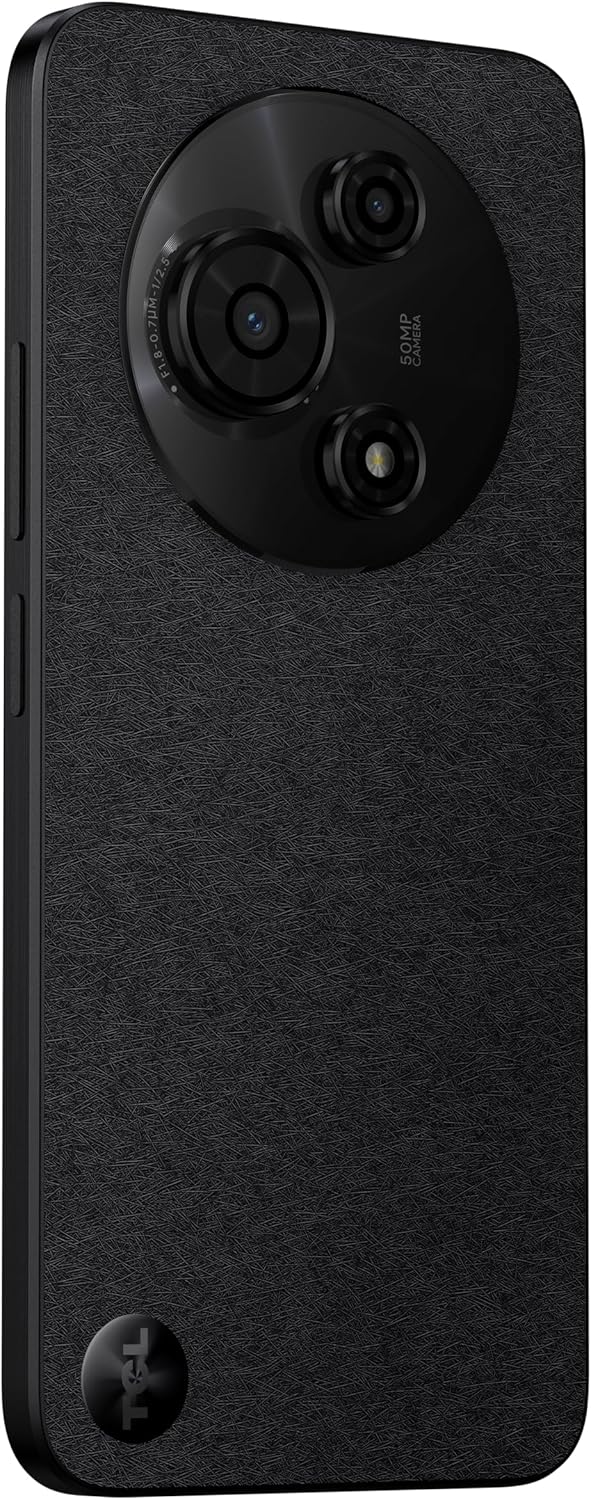
Image: Back view of the TCL 605 smartphone, showcasing the distinctive circular camera module housing the 50MP main camera.
Setup
1. Inserting the SIM Card
- Locate the SIM card tray on the side of your device.
- Insert the SIM tray ejector tool into the small hole next to the tray and press gently until the tray pops out.
- Place your Nano-SIM card(s) and/or microSD card into the tray with the gold contacts facing down. Ensure they are correctly seated.
- Carefully reinsert the tray into the device.
2. Initial Power On
- Press and hold the Power button (located on the side) until the TCL logo appears.
- Follow the on-screen instructions to complete the initial setup, including language selection, Wi-Fi connection, and Google account setup.
3. Charging the Battery
Before first use, it is recommended to fully charge your device. Connect the USB cable to the phone's charging port and the other end to the 10W charger. Plug the charger into a power outlet.
Operating Your Device
Display and Navigation
The TCL 605 features a 6.7-inch HD+ display with a 90Hz refresh rate for smooth scrolling and improved visual fluidity.
- Touch Gestures: Use standard Android gestures such as tap, swipe, pinch-to-zoom, and long-press for navigation and interaction.
- Home Screen: Customize your home screen with widgets, app shortcuts, and wallpapers.
- Notifications: Swipe down from the top of the screen to access the notification panel and quick settings.
Performance and Storage
Your TCL 605 is equipped with an Octa-Core processor and 4GB RAM, expandable up to 14GB with RAM Boost technology, ensuring seamless performance for multitasking. It offers 256GB of internal storage, capable of storing over 100,000 photos.

Image: The TCL 605 smartphone showcasing its 6.7-inch display with a dynamic lock screen, indicating the time and date.
Camera Features
The TCL 605 features a 50MP hybrid rear camera (main + macro) and a 5MP front camera. It supports HDR mode for vibrant colors.
Taking Photos and Videos
- Open the Camera application.
- Select your desired mode (Photo, Video, Portrait, Macro, etc.).
- Tap the Shutter button to capture a photo or start/stop video recording.
- Use the zoom controls on the screen to adjust magnification.
Camera Modes
- 50MP Main Camera: Captures high-resolution images with clarity.
- Macro Mode: Allows for detailed close-up shots of small objects.
- HDR Mode: Enhances dynamic range for more vibrant and balanced photos in challenging lighting conditions.
- 5MP Front Camera: Ideal for selfies and video calls.
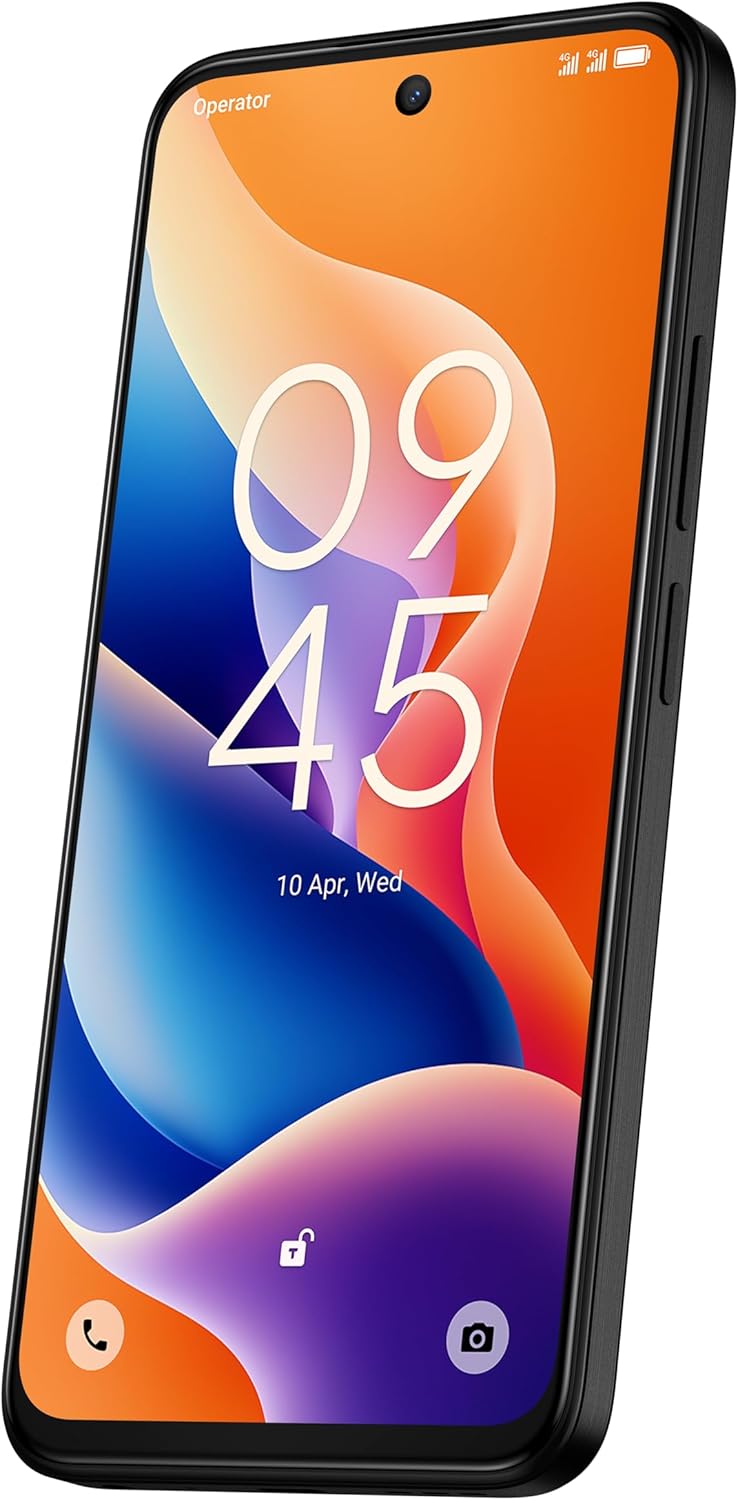
Image: A detailed view of the TCL 605's circular camera module, emphasizing the 50MP main lens and its surrounding sensors.
Battery Management
The TCL 605 is equipped with a 5200mAh battery, designed for up to 2 days of usage. It supports 18W fast charging.
Tips for Extending Battery Life
- Reduce screen brightness.
- Disable Wi-Fi, Bluetooth, and GPS when not in use.
- Close background applications.
- Enable battery saver mode.
Connectivity
Your device supports various connectivity options:
- Wi-Fi: Connect to wireless networks for internet access.
- Bluetooth: Pair with wireless headphones, speakers, and other compatible devices.
- NFC (Near Field Communication): Use for contactless payments and quick data transfer with compatible devices.
- USB: Connect to a computer for data transfer or use with a USB-C accessory.
- GPS: Integrated GPS for location services and navigation.
Durability
The TCL 605 features enhanced IP54 durability, proven by a 3-minute water-wash test. This provides protection against dust and splashing water. Note: The phone is not professionally water-resistant but is splash-proof, water-repellent, and dust-proof for everyday use. It has passed a 3-minute water-wash test under specific lab conditions. These features may degrade with daily use. Do not charge the phone in humid conditions. The warranty excludes water damage, including damage from immersion in liquids such as seawater, chlorinated water, or drinks. IP54 rating conditions differ from lab tests.
Product Features Overview
Video: An overview of the TCL 605 smartphone's key features, including its display, storage capacity, seamless performance, camera capabilities, battery life, fast charging, and IP54 durability.
Specifications
| Feature | Detail |
|---|---|
| Model | TCL 605 (T517J) |
| Operating System | Android 15 |
| Display | 6.7-inch HD+ 90Hz (720x1600 resolution) |
| Processor | Octa-Core (MediaTek Helio, 2 GHz) |
| RAM | 4GB (expandable to 14GB with RAM Boost) |
| Internal Storage | 256GB |
| Rear Camera | 50MP (Main & Macro) + 0.08MP |
| Front Camera | 5MP |
| Battery Capacity | 5200mAh (5010 Milliamp Hours) |
| Charging | 10W Charger included, supports 18W fast charging |
| Connectivity | Bluetooth, NFC, USB, Wi-Fi, GPS |
| SIM Type | Dual SIM |
| Dimensions | 0.83 x 7.62 x 16.56 cm |
| Weight | 380 g |
| Certification | ANATEL: 01679250760 |
Troubleshooting
Common Issues and Solutions
- Device not turning on: Ensure the battery is charged. Connect the charger and wait a few minutes before attempting to power on again.
- Screen unresponsive: Try restarting the device by holding the Power button for approximately 10-15 seconds.
- Apps crashing: Clear the cache of the problematic app (Settings > Apps > [App Name] > Storage > Clear Cache). If the issue persists, reinstall the app.
- Poor battery life: Refer to the "Battery Management" section for tips to optimize battery usage.
- Connectivity issues (Wi-Fi/Bluetooth): Toggle Wi-Fi or Bluetooth off and on. Restart your device and/or the router/paired device.
For more complex issues, please refer to the official TCL support website or contact customer service.
Warranty and Support
Your TCL 605 smartphone comes with a standard manufacturer's warranty. Please refer to the warranty card included in your package for specific terms and conditions.
For technical support, service, or additional information, please visit the official TCL website or contact their customer support channels.
To consult product homologation, visit: sistemas.anatel.gov.br/sch


