
1. Introduction
Thank you for choosing the Uhome UDZ1-150P Dehumidifier with Pump. This manual provides important information regarding the safe operation, installation, maintenance, and troubleshooting of your dehumidifier. Please read it thoroughly before using the appliance and retain it for future reference.
This dehumidifier is designed to remove excess moisture from indoor air, helping to create a more comfortable and healthier environment. It is suitable for areas up to 7000 square feet, including homes, basements, storage areas, and large rooms.

Image 1.1: Front view of the Uhome UDZ1-150P Dehumidifier.
2. Safety Instructions
To prevent injury to the user or others and property damage, the following instructions must be followed. Incorrect operation due to ignoring instructions may cause harm or damage.
- Always plug the unit into a grounded electrical outlet.
- Do not operate the unit with a damaged power cord or plug.
- Do not place the dehumidifier near heat sources or flammable materials.
- Ensure the unit is placed on a level, stable surface to prevent water spillage.
- Keep a minimum distance of 8 inches (20 cm) around the unit for proper airflow.
- Do not insert objects into the air inlet or outlet.
- Unplug the unit before cleaning or performing any maintenance.
- Do not attempt to repair or disassemble the unit yourself. Contact qualified service personnel.
- This appliance is not intended for use by persons (including children) with reduced physical, sensory or mental capabilities, or lack of experience and knowledge, unless they have been given supervision or instruction concerning use of the appliance by a person responsible for their safety.
3. Product Overview
3.1 Key Features
- High Capacity: Removes up to 150 pints of moisture per day (under 95°F, 95%RH conditions).
- Wide Coverage: Effective for areas up to 7000 square feet.
- Adjustable Humidity: Humidity setting range from 30% to 80%.
- Quiet Operation: Operates at approximately 46dB.
- Flexible Drainage: Includes a 1.85-gallon (7L) water tank, a 39.3-inch continuous drain hose, and a 78.74-inch pump drain hose.
- Operating Modes: Continuous mode and Auto (custom) mode.
- Portability: Equipped with 360° rotatable wheels and a handle for easy movement.
- User Interface: Digital control panel with built-in timer.
- Smart Functions: Automatic restart after power outage, automatic defrost, and self-drying function.

Image 3.1: The dehumidifier operating in a living room, illustrating its capacity and humidity control range.
3.2 Control Panel

Image 3.2: Detailed view of the control panel, showing various function buttons and display.
- Power Button: Turns the unit on or off.
- Mode Button: Toggles between Automatic and Continuous dehumidification modes.
- Humidity Setting Buttons: Adjusts the desired humidity level (up/down arrows).
- Fan Speed Button: Selects High or Low fan speed.
- Dry Inside Button: Activates the internal drying function for storage.
- Timer Button: Sets the 24-hour on/off timer.
4. Setup and Installation
4.1 Unpacking
Carefully remove the dehumidifier from its packaging. Inspect the unit for any shipping damage. Retain the packaging for future storage or transport.
4.2 Placement
- Place the dehumidifier on a firm, level surface capable of supporting the unit with a full water tank.
- Ensure there is at least 8 inches (20 cm) of clear space around the air inlet and outlet for optimal performance.
- Avoid placing the unit in direct sunlight or near heat-generating appliances.
- For best results, operate the dehumidifier in an enclosed area. Close all doors and windows to the room.
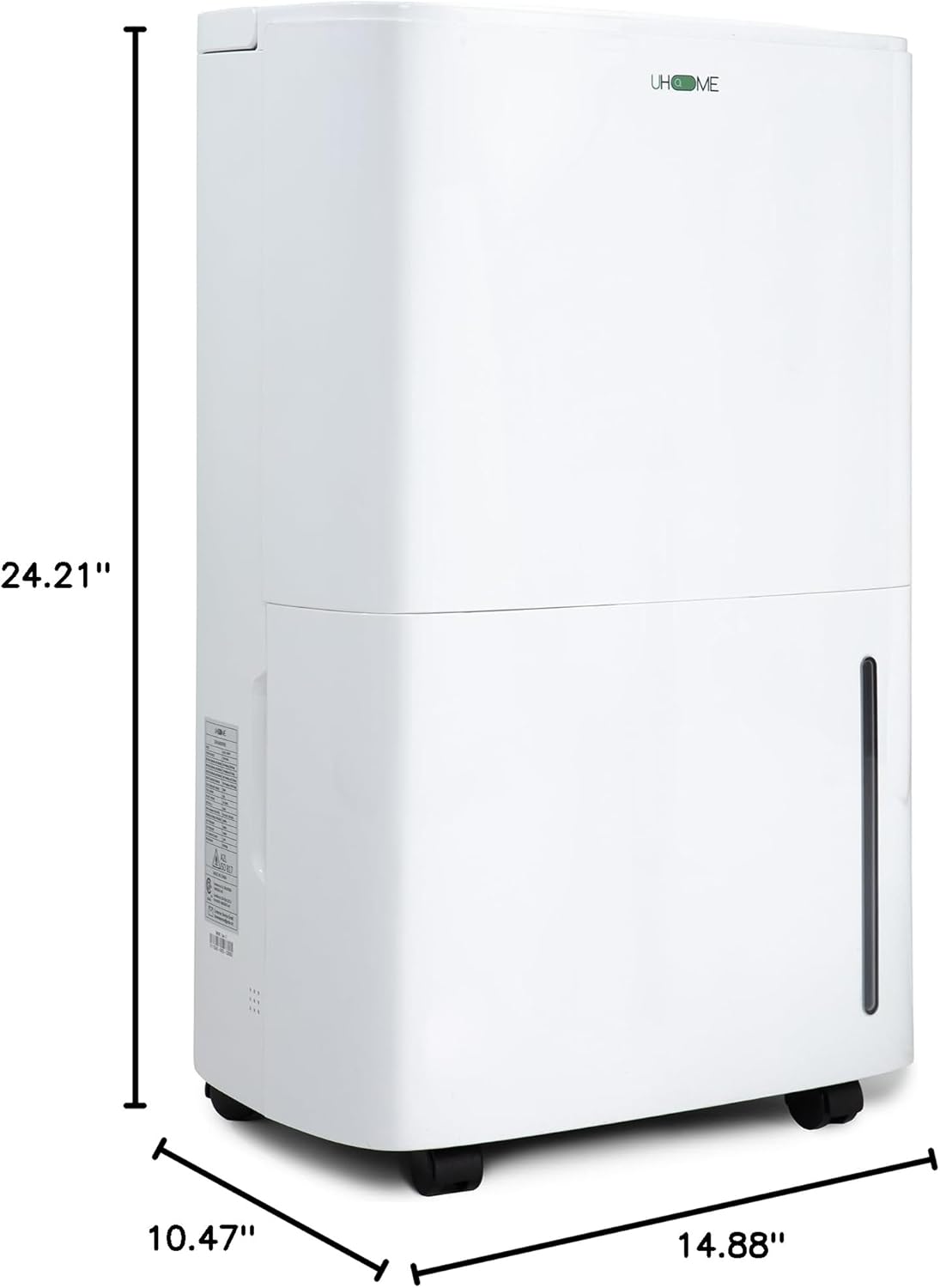
Image 4.1: Product dimensions for placement consideration.
4.3 Mobility
The dehumidifier is equipped with 360° rotatable wheels and a top handle for easy relocation. When moving the unit, ensure the water tank is empty to prevent spills.

Image 4.2: Features designed for easy movement and wire management.
5. Operating Instructions
5.1 Power On/Off
Press the Power Button to turn the unit on or off. The display will illuminate when the unit is on.
5.2 Setting Desired Humidity
When the unit is on, press the Humidity Setting Buttons (up/down arrows) to adjust the desired humidity level between 30% and 80% relative humidity (RH). The unit will operate until the room humidity reaches the set level, then cycle off. It will restart if the humidity rises above the set level (with a 5% differential to protect the compressor).
5.3 Operating Modes
- Automatic Mode: The unit will operate based on the set humidity level. Once the target humidity is reached, the compressor will stop.
- Continuous Mode: The unit will run continuously, regardless of the ambient humidity level, until the water tank is full or the unit is manually turned off. This mode is ideal for very damp conditions.
Press the Mode Button to switch between these modes.

Image 5.1: Explanation of Automatic and Continuous operating modes.
5.4 Fan Speed
Press the Fan Speed Button to select between High and Low fan speeds. A higher fan speed will result in faster dehumidification.
5.5 Timer Function
Press the Timer Button to set a 24-hour timer for automatic on or off operation. Use the humidity setting buttons to adjust the desired time.
5.6 Smart Functions
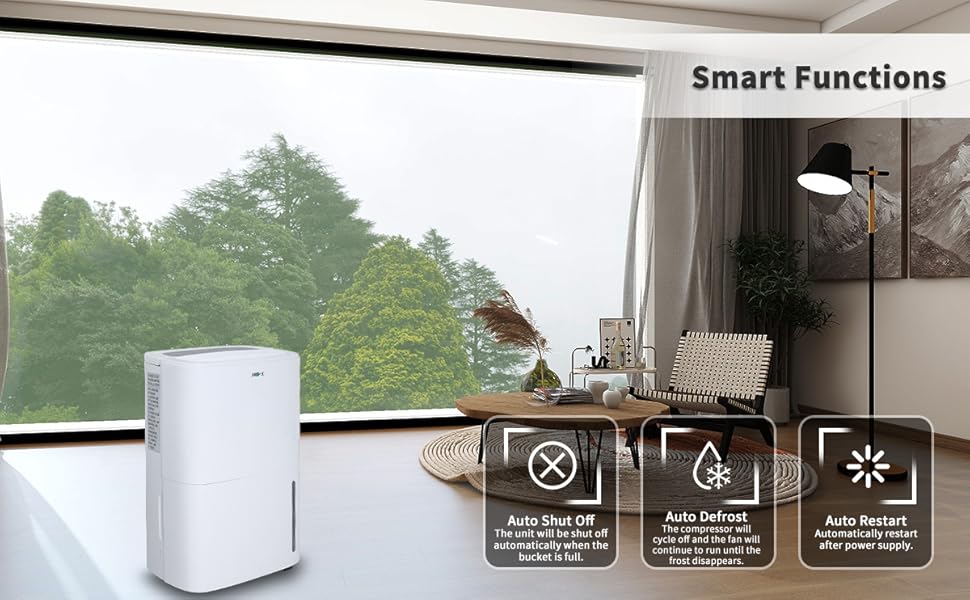
Image 5.2: Visual representation of the dehumidifier's smart functions.
- Auto Shut Off: The unit will automatically shut off when the water tank is full, accompanied by an alarm.
- Auto Defrost: If frost builds up on the evaporator coils, the unit will automatically enter defrost mode. The compressor will cycle off, and the fan will continue to run until the frost disappears.
- Auto Restart: In case of a power outage, the unit will automatically restart with the previous settings once power is restored.
6. Drainage Options
The Uhome UDZ1-150P offers three methods for water removal:

Image 6.1: Illustration of the three available water drainage methods.
6.1 Manual Drain (Water Tank)
When the 1.85-gallon (7L) water tank is full, the unit will automatically shut off, and an indicator light will turn red with an audible beep. Carefully remove the tank using its handle and empty the collected water. Reinsert the tank securely to resume operation.
6.2 Automatic Gravity Drain
For continuous drainage without manual emptying, connect the provided 39.3-inch drain hose to the continuous drain port on the back of the unit. Ensure the hose is sloped downwards to allow water to flow by gravity into a suitable drain or container. Do not bend or kink the hose, as this will impede drainage.
6.3 Pump Drain
For situations where gravity drainage is not feasible (e.g., draining upwards or over a longer distance), use the provided 78.74-inch pump drain hose. Connect this hose to the pump drain outlet. The internal pump will automatically activate to discharge collected water through the hose. Ensure the hose is directed to a suitable drainage point.
7. Maintenance
7.1 Cleaning the Air Filter
The air filter should be cleaned regularly (every 2-4 weeks, depending on usage) to ensure efficient operation. A dirty filter can reduce airflow and dehumidification performance.
- Turn off the dehumidifier and unplug it from the power outlet.
- Locate and remove the air filter (typically on the back or side of the unit).
- Wash the filter with warm, soapy water. Rinse thoroughly.
- Allow the filter to air dry completely before reinstalling it. Do not use a dryer or direct heat.
7.2 Cleaning the Unit
Wipe the exterior of the dehumidifier with a soft, damp cloth. Do not use harsh chemicals, abrasive cleaners, or solvents, as these can damage the surface.
7.3 Internal Drying Function (Before Storage)
Before storing the dehumidifier for an extended period, it is recommended to use the internal drying function to prevent mold and mildew growth inside the unit.
- Ensure the water tank is empty.
- Press the Dry Inside Button. The unit will run for approximately 30 minutes to dry its internal components.
- Once the cycle is complete, unplug the unit and store it in a cool, dry place.
8. Troubleshooting
Before contacting customer support, please refer to the following table for common issues and their solutions.
| Problem | Possible Cause | Solution |
|---|---|---|
| Unit does not turn on | No power supply Power cord not securely plugged in Water tank full or not properly inserted | Check power outlet and circuit breaker Ensure power cord is firmly plugged in Empty water tank and reinsert it correctly |
| No water collected / Low dehumidification | Air filter clogged Room temperature too low Humidity setting too high Doors/windows open Unit size too small for area | Clean the air filter Dehumidifiers operate best above 41°F (5°C) Lower the desired humidity setting Close all doors and windows Ensure unit is appropriate for room size |
| Unit is noisy | Unit not on a level surface Air filter clogged Internal components vibrating | Place unit on a flat, stable surface Clean the air filter This may be normal operation; if excessive, contact support |
| Water leaks from unit | Water tank not properly inserted Drain hose kinked or blocked Unit tilted | Reinsert water tank securely Check drain hose for kinks or blockages Ensure unit is on a level surface |
| Frost on coils | Room temperature too low | Unit will automatically defrost. If persistent, increase room temperature. |
9. Specifications
| Feature | Specification |
|---|---|
| Brand | Uhome |
| Model Name | UDZ1-150P |
| Dehumidification Capacity | 150 Pints/Day (95°F, 95%RH) |
| Coverage Area | Up to 7000 Square Feet |
| Humidity Setting Range | 30% - 80% RH |
| Water Tank Capacity | 1.85 Gallons (7 Liters) |
| Continuous Drain Hose Length | 39.3 inches |
| Pump Drain Hose Length | 78.74 inches |
| Noise Level | Approximately 46dB |
| Product Dimensions (D x W x H) | 10.47"D x 14.88"W x 24.21"H |
| Operation Mode | Continuous, Automatic |
| Special Features | Built-in Pump, Auto Defrost, Self-Drying, 24H Timer, 360° Wheels |
10. Warranty and Customer Support
Uhome offers a 12-month warranty for this dehumidifier, covering defects in materials and workmanship from the date of purchase. Additionally, life-long technical support is provided.
If you encounter any issues or have questions regarding your Uhome UDZ1-150P Dehumidifier, please do not hesitate to contact our customer support team. We aim to respond to all inquiries within 24 hours.
For warranty claims or technical assistance, please refer to the contact information provided with your product packaging or visit the official Uhome website.


