
VSDISPLAY VS097ZJ02
VSDISPLAY 9.7 Inch 2K Portable LCD Monitor User Manual
Model: VS097ZJ02
1. Product Overview
The VSDISPLAY 9.7 Inch 2K Portable LCD Monitor (Model: VS097ZJ02) is a compact and lightweight display designed for various applications, including use with PCs, laptops, CCTV systems, cameras, DVD players, and DVRs. It features a 2K (2048x1536) IPS panel, providing high resolution and wide viewing angles for clear and vibrant images. Its portable design and VESA mounting holes offer flexible installation options.

Figure 1: VSDISPLAY 9.7 Inch 2K Portable LCD Monitor
2. Package Contents
Please verify that all items listed below are included in your package:
- 1 × VSDISPLAY 9.7 Inch 2048x1536 LCD Monitor (Model: VS097ZJ02)
- 1 × USB-C Power Cable
- 1 × Mini HDMI Cable

Figure 2: Included accessories: USB-C Power Cable and Mini HDMI Cable
3. Specifications
| Feature | Detail |
|---|---|
| Screen Size | 9.7 Inches |
| Resolution | 2048 x 1536 Pixels (2K QXGA) |
| Aspect Ratio | 4:3 |
| Panel Type | IPS |
| Image Brightness | 440 Candela |
| Product Dimensions | 0.68 x 8.46 x 6.81 inches |
| Item Weight | 1.59 pounds |
| Video Input | USB-C (Signal Transmission), Mini HDMI (Signal Transmission) |
| Power Input | USB-C (For Charge Only) |
| Mounting | 75x75 VESA mounting holes |
| Speakers | Dual Speakers |

Figure 3: Product dimensions and VESA mounting points (75x75mm)
4. Setup
4.1 Connecting the Monitor
The monitor supports both USB-C and Mini HDMI for video signal input. Please note that the USB-C port for signal transmission does not provide power to the monitor; a separate USB-C power cable must be connected to the dedicated USB-C power input port.
- Power Connection: Connect the provided USB-C power cable to the USB-C port labeled "For Only Charge" on the side of the monitor and to a suitable USB power adapter (not included) or a powered USB port.
- Video Signal Connection:
- Using USB-C: Connect a USB-C to USB-C cable (not included) from your device (e.g., laptop, smartphone with DisplayPort Alternate Mode support) to the USB-C port labeled "For only signal transmission" on the monitor.
- Using Mini HDMI: Connect the provided Mini HDMI cable from the monitor's Mini HD port to the HDMI port on your device (e.g., PC, game console).
- Audio Output: The monitor has built-in dual speakers. If your source device sends audio through the video signal (USB-C or HDMI), audio will play through the monitor's speakers.
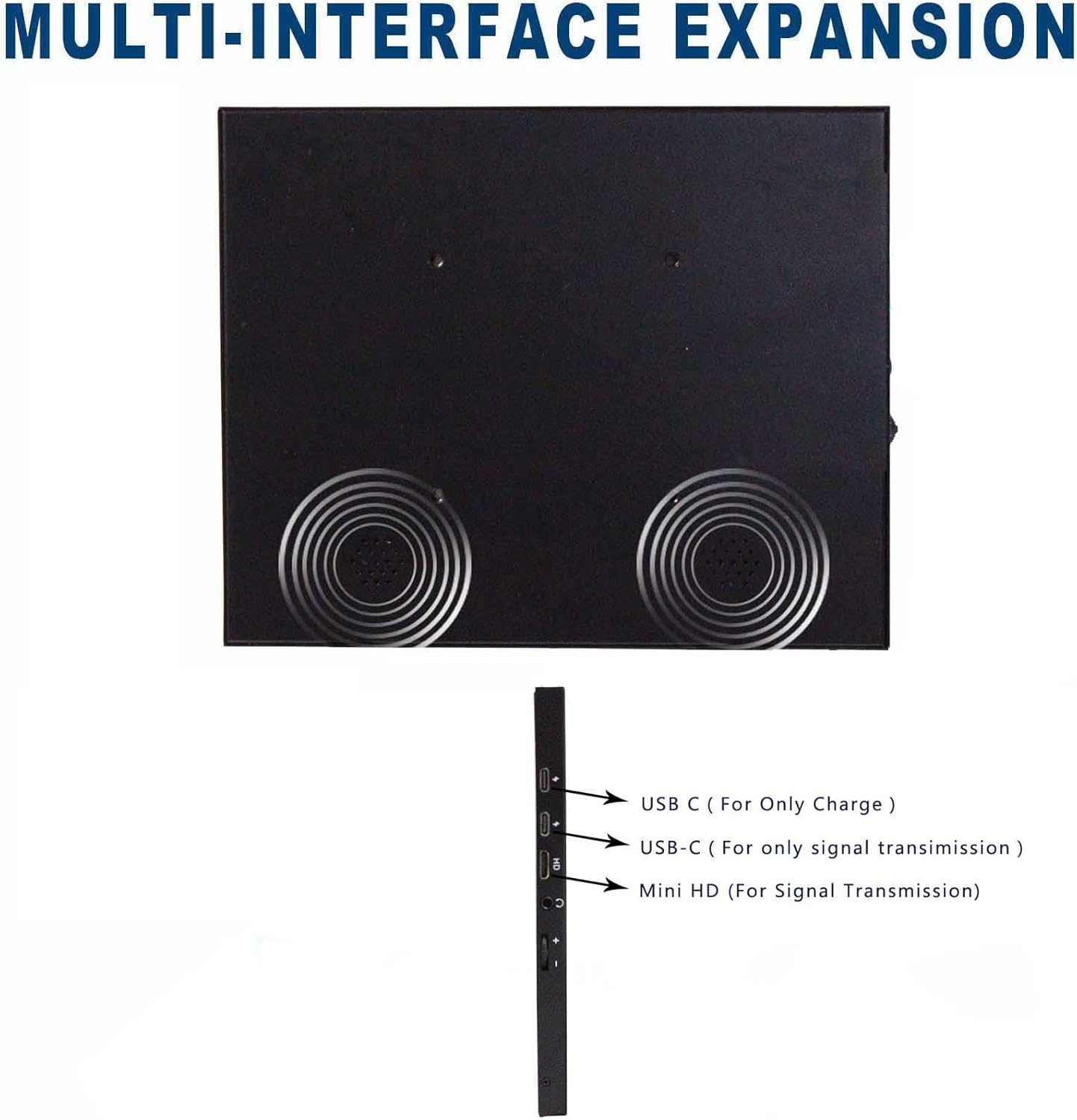
Figure 4: Multi-interface expansion ports on the monitor
4.2 Mounting Options
The monitor is equipped with 75x75 VESA mounting holes on the back, allowing for flexible installation on VESA-compatible stands or wall mounts. Ensure the mounting hardware is appropriate for the monitor's weight (1.59 pounds) and dimensions.
5. Operating the Monitor
5.1 Powering On/Off
Once connected to a power source and a video input, the monitor should automatically power on and display the signal. If not, check the power connection and signal source.
5.2 Adjusting Settings
The monitor typically has control buttons on its side for adjusting brightness, contrast, and other display settings. Refer to the on-screen display (OSD) menu for navigation and adjustments.
5.3 Resolution and Aspect Ratio
The monitor's native resolution is 2048x1536 with a 4:3 aspect ratio. For optimal display quality, it is recommended to set your source device's output resolution to match the monitor's native resolution. The IPS panel provides a wide 178-degree viewing angle, ensuring consistent image quality from various perspectives.
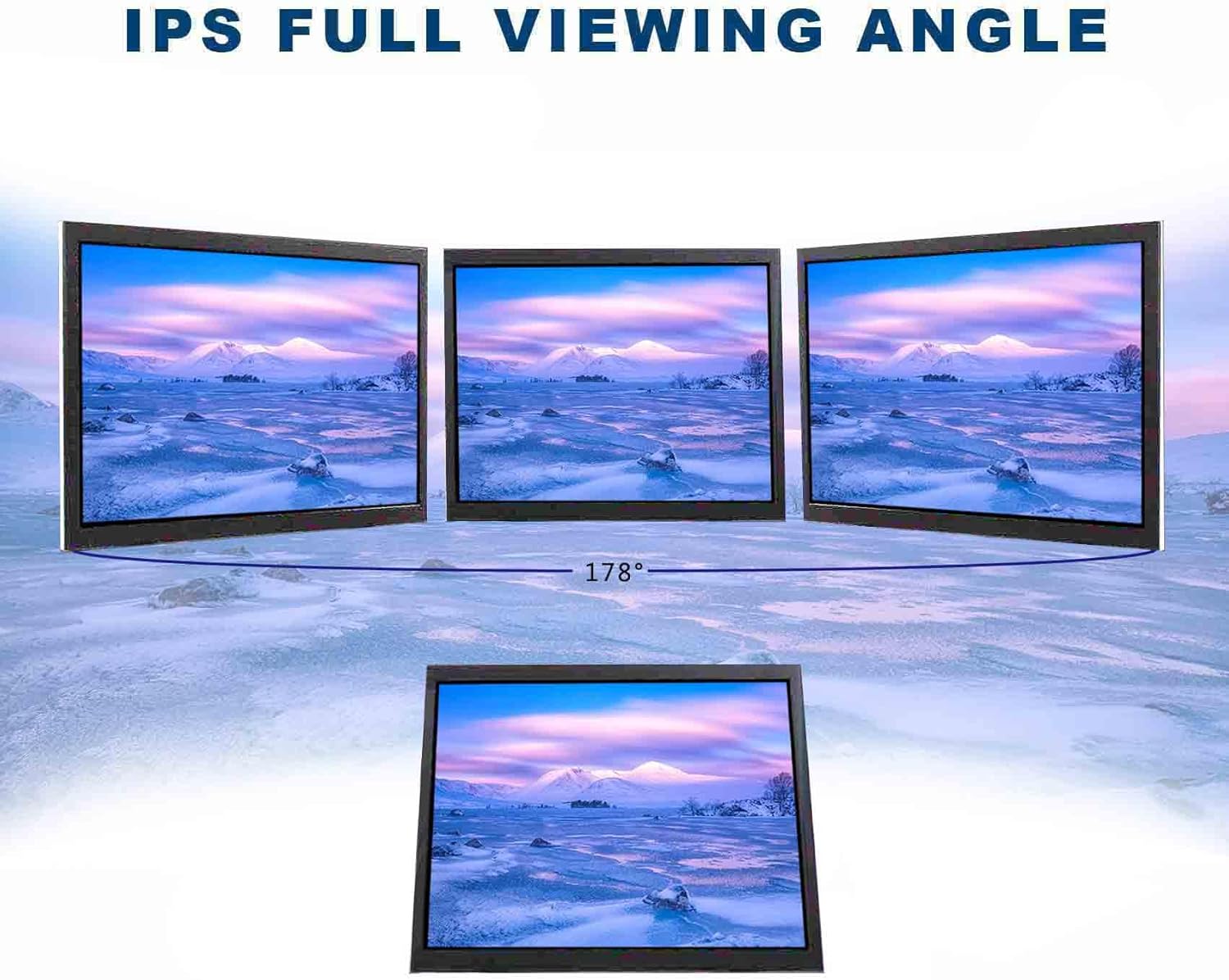
Figure 5: IPS Full Viewing Angle demonstration
6. Maintenance
To ensure the longevity and optimal performance of your VSDISPLAY monitor, follow these maintenance guidelines:
- Cleaning the Screen: Gently wipe the screen with a soft, lint-free cloth. For stubborn marks, dampen the cloth slightly with water or a screen-cleaning solution specifically designed for LCD displays. Avoid using harsh chemicals, abrasive cleaners, or direct spraying onto the screen.
- Cleaning the Casing: Use a soft, dry cloth to clean the monitor's casing.
- Storage: When not in use for extended periods, store the monitor in a cool, dry place, away from direct sunlight and extreme temperatures.
- Handling: Always handle the monitor with care, avoiding impacts or excessive pressure on the screen.
7. Troubleshooting
If you encounter issues with your VSDISPLAY monitor, please refer to the following common problems and solutions:
| Problem | Possible Solution |
|---|---|
| No Display / Black Screen |
|
| USB-C Video Not Working (MacBook/Laptop) |
|
| Incorrect Resolution / Aspect Ratio |
|
| No Audio from Speakers |
|
8. Warranty Information
VSDISPLAY products are typically covered by a manufacturer's warranty. For specific details regarding the warranty period, coverage, and claims process for your VS097ZJ02 monitor, please refer to the warranty card included with your product or visit the official VSDISPLAY website. Additional protection plans may be available for purchase from your retailer.
9. Support
For further assistance, technical support, or inquiries regarding your VSDISPLAY 9.7 Inch 2K Portable LCD Monitor, please contact VSDISPLAY customer service through their official channels. You can often find contact information, FAQs, and additional resources on the VSDISPLAY brand website:
Related documentsVS097ZJ02

Ask a question about this manual
Ask about setup, troubleshooting, compatibility, parts, safety, or missing instructions. Manuals+ will review the question and use this page’s manual context to help answer it.